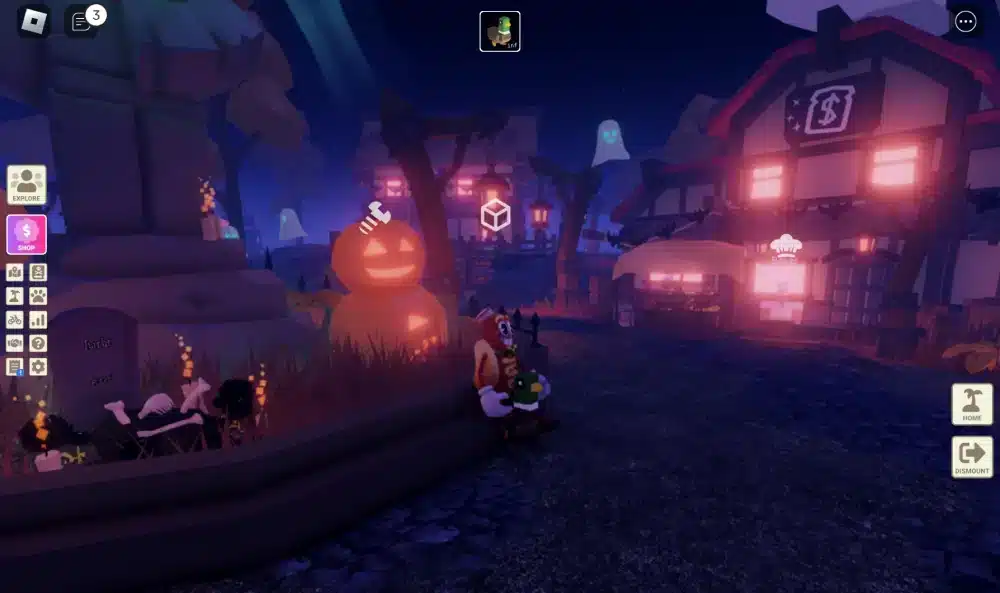
Wondering if Roblox PS5 is finally available? Yes! Learn how to play Roblox PS5, install it from the PlayStation Store, enable voice chat and enjoy crossplay.
Yes — it’s now possible to play Roblox PS5, and players everywhere are asking is Roblox on PS5 and can you play Roblox on PS5. The long-awaited Roblox PS5 release marks a big step for the platform’s console expansion. However, knowing what to expect helps you set up and play smoothly.
Beyond that, the PlayStation 5 delivers faster performance, voice chat, and crossplay with other devices. Therefore, keeping your connection optimized is essential for stable sessions — see how to fix internet issues for gaming.
Meanwhile, new features make Roblox even better on Sony’s console. As a result, you can enhance gameplay by improving your connection before launching — check how to boost internet speed for gaming and continue below to start playing.
Is Roblox Available on PS5?
Yes — Roblox PS5 is officially live and available for free download from the PlayStation Store since October 10, 2023.
Players searching is Roblox on PS5 or can you play Roblox on PS5 can now access the full platform directly on Sony consoles. Moreover, this launch marks a key step in Roblox’s expansion strategy, making it one of the most requested console releases of the year.
Roblox PS5 Version and Compatibility
The Roblox PS5 version offers complete support for both PlayStation 5 and PlayStation 4 through backward compatibility. Beyond that, it’s entirely free to play — users can simply download it from the official PlayStation Store page.
To summarize what’s currently available:
- Platform: PlayStation 5 and PS4 (retrocompatible)
- Availability: Free-to-play via digital download
- Features: Full controller support, fast loading, and cross-platform access
- Roblox PS5 release date: October 10, 2023
By contrast, players switching from mobile or PC will find the console version optimized for smoother performance and simplified navigation using the DualSense controller.
Crossplay, Features, and Player Access
Roblox PS5 crossplay supports full integration across PC, mobile, and Xbox platforms, allowing users to join friends regardless of device. Therefore, the Roblox PS5 game now unites the community in one shared ecosystem. In short, this version includes:
- Seamless cross-platform play (mobile, PC, Xbox, PS5)
- Integrated voice chat system for real-time communication
- Updated moderation tools aligned with Sony’s policies
- Cloud synchronization for account progress
Nonetheless, the Roblox PS5 release delivers everything fans expected — free access, crossplay functionality, and full game support in Sony’s ecosystem.
How to Install Roblox on PS5 (Step-by-Step)
Learning how to play Roblox on PS5 is quick and straightforward, especially now that the platform is officially supported on PlayStation consoles.
Players asking can you play Roblox on PS5 can finally enjoy full access to community games, crossplay, and smooth performance. Moreover, setting it up only takes a few minutes with a stable internet connection.
Step-by-Step Guide to Install Roblox on PS5
To start your installation, follow these simple steps to download and set up the Roblox PS5 version directly from the PlayStation Store:
- On your PS5 dashboard, open the PlayStation Store.
- Use the search bar to look for “Roblox.”
- Select the official listing and click “Download Free.”
- Wait for the download and installation to finish.
- Once installed, open the game from your library.
- Log in with your existing Roblox account — or create a new one.
Beyond that, ensure your console software is up to date to prevent login or performance issues. Therefore, once installation is complete, you’ll have immediate access to thousands of games and experiences within seconds.
How to Get the Best Gameplay Experience
Now that you know how to install Roblox PS5, optimizing performance helps you enjoy the smoothest experience possible.
Meanwhile, the PlayStation 5 hardware ensures faster loading and improved stability compared to older versions.
- Adjust display settings for the best resolution.
- Enable crossplay to join friends on PC, mobile, and Xbox.
- Keep background downloads paused to reduce latency.
- Ensure a wired or optimized Wi-Fi connection for stable gameplay.
By contrast, players using older consoles like PS4 may experience slower load times but still retain full access to the Roblox PS5 game through backward compatibility.
In short, following this setup ensures consistent, lag-free performance and seamless access to every Roblox experience available on the platform.
Available Features on PS5
The Roblox PS5 version delivers a complete console experience, including controller support, voice chat, and crossplay with other platforms.
Players often ask can you play Roblox on PS5 with the same features as PC or mobile — and the answer is yes. Moreover, this release makes Roblox more accessible than ever for console users who want smooth gameplay and full functionality.
Gameplay, Controls, and Performance
Roblox on PlayStation offers full controller integration with responsive feedback through the DualSense system. Therefore, players can navigate menus, build, and explore without relying on external peripherals.
Here’s what to expect from the gameplay experience:
- Full controller support for menus, movement, and creation tools
- Fast loading times thanks to PS5’s SSD hardware
- Stable performance with up to 60 FPS on most optimized experiences
- Compatibility with both PS5 and PS4 (via backward support)
Beyond that, players wondering is Roblox ps4 pro enhanced on PS5 will find smoother transitions, better lighting, and improved draw distance on next-gen hardware.
By contrast, a few PC-specific experiences may not load properly due to mouse and keyboard dependencies, though the majority are fully accessible.
Voice Chat, Crossplay, and Social Integration
Another frequent question — can you use voice chat on Roblox PS5 — has a clear answer: yes, but it must be activated through in-game privacy settings.
Meanwhile, once enabled, players can use the built-in PS5 microphone or a connected headset for clear communication during multiplayer sessions.
Main connectivity and social features include:
- Voice chat support, with quick toggle via game settings
- Roblox PS5 crossplay (mobile/pc) integration for shared worlds
- Improved parental and privacy controls aligned with Sony’s policies
- Social synchronization across PlayStation Network and Roblox accounts
Consequently, players can join friends from PC, Xbox, or mobile in real time with no performance loss.
In short, the Roblox PS5 game offers complete feature parity across platforms — blending console convenience with the creativity and community depth Roblox is known for.
Roblox on PS5 vs PC vs Mobile — Comparison Table
Below is a quick comparison showing how Roblox PS5, PC, and mobile versions differ in graphics, controls, and overall performance. This overview helps you choose the best setup for your gameplay style.
| Feature / Platform | PS5 | PC | Mobile |
| Graphics Quality | 4K-ready visuals, enhanced lighting, smooth rendering | Up to ultra settings depending on GPU | Moderate; optimized for battery and performance |
| Frame Rate | Stable 60 FPS on most experiences | Up to 240 FPS (hardware dependent) | 30–60 FPS depending on device |
| Controls | DualSense controller with adaptive feedback | Keyboard, mouse, and controller support | Touch controls with limited precision |
| Performance Stability | High — powered by SSD and PS5 CPU/GPU | Variable — depends on PC specs and network | Moderate — affected by temperature and battery usage |
| Voice Chat Support | Native integration with PS5 mic/headset | Full voice and text chat support | Limited; microphone permissions required |
| Crossplay Availability | Yes — with PC, Xbox, and mobile | Yes — with all supported devices | Yes — with PC, Xbox, and PS5 |
| Ease of Setup | Very easy — download from PlayStation Store | Requires Roblox Player installation | Automatic via App Store or Google Play |
| Customization & Creation Tools | Gameplay only (no Studio access) | Full access to Roblox Studio for creators | None — play-only version |
| Network Optimization | Stable via PSN; improves with tools like ExitLag | Best results on wired or optimized connection | Depends heavily on Wi-Fi or mobile data |
| Overall Experience | Balanced for console players — smooth, immersive, and accessible | Best for creators and performance enthusiasts | Portable and convenient for casual play |
How to Enable or Disable Voice Chat on PS5
The roblox ps5 voice chat feature lets players communicate in real time using either the built-in DualSense microphone or a connected headset.
Moreover, knowing how to adjust these settings ensures you keep conversations safe, private, and clear during multiplayer sessions.
How to Enable Voice Chat on Roblox PS5
To activate voice chat, follow these quick steps directly within the game settings:
- Open Roblox from your PS5 main menu.
- Go to Settings > Privacy.
- Enable the Voice Chat option.
- Grant microphone permissions when prompted.
Once activated, your mic will automatically connect during multiplayer games. Therefore, communication becomes seamless, allowing you to coordinate or chat with friends easily.
Beyond that, you can verify voice activity by checking the in-game speaker icon beside your avatar name.
How to Turn Off or Mute Voice Chat on Roblox PS5
If you prefer quiet gameplay or wish to avoid public voice channels, disabling chat is simple.
- Go to Settings > Privacy again.
- Toggle Voice Chat off to disable it globally.
- Alternatively, mute individual players through the Player List during gameplay.
- To hide the chat box or turn off text communication, access Settings > Chat and uncheck “Show Chat”
Frequently Asked Questions
This section answers the top questions from users searching how to play Roblox on PS5 and related terms, helping you get started quickly and safely.
No, the Roblox PS5 version does not support local split-screen or same-console multiplayer. Each player must log in separately from their own PlayStation device to join the same online server.
Yes. Roblox is completely free to play and can be downloaded directly from the PlayStation Store. The full Roblox PS5 version is available at no cost, though optional Robux purchases unlock cosmetic or premium content.
If you need to remove your account or switch users, follow these quick steps:
Open Settings in the Roblox main menu.
Go to Account Information.
Select Log Out or Unlink Account.
Confirm your choice.
For detailed guidance, visit the official Roblox Support page to manage linked devices and account security.
Play Smarter, Play Faster — Roblox on PS5 Is Here
Roblox on PlayStation 5 introduces a new way to experience creativity, control, and community — all from the comfort of your console.
With native controller support, fast loading times, and real-time voice chat, it delivers the full cross-platform freedom players have been waiting for.
Beyond that, this version connects millions of users across devices, letting console players join friends on PC, mobile, and Xbox seamlessly. Therefore, performance and stability become just as essential as creativity itself when exploring player-made worlds.
Ready to take your Roblox PS5 to the next level?
🎮 Test ExitLag for free for 3 days and reduce ping, jitter, and lag during your sessions.
Got questions or want to connect with other players? Join the conversation at the ExitLag Forum!