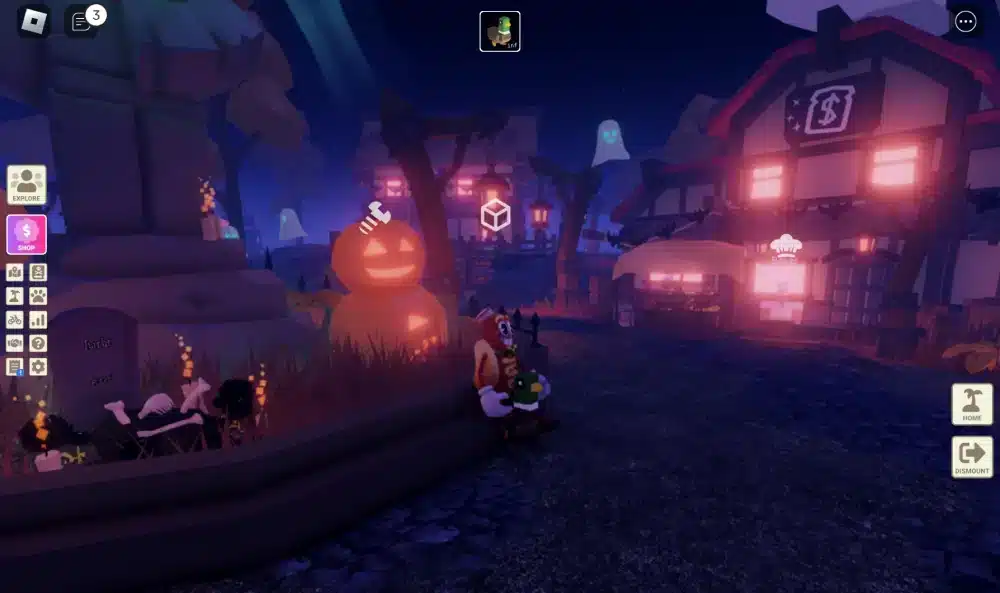
Learning how to create a game on Roblox is one of the most exciting ways to enter the world of game development. Roblox gives aspiring creators access to powerful tools that allow them to build immersive experiences, publish them online, and share them with millions of players around the world.
Whether you want to build an obstacle course, a roleplay experience, or a competitive multiplayer game, how to create a game on Roblox starts with understanding the platform’s development tools. Fortunately, Roblox makes the process accessible for beginners while still offering advanced features for experienced developers. And before we continue, know that to know more about all the relevant content about gaming, you just have to check our blog.
What is how to create a game on Roblox and why is it so popular?
The popularity of Roblox continues to grow because it allows anyone to become a creator. Unlike traditional game engines that often require extensive technical knowledge, Roblox provides tools designed to simplify game development.
As a result, millions of creators use Roblox to experiment with ideas, develop skills, and even generate revenue through successful projects.
How Roblox game development works
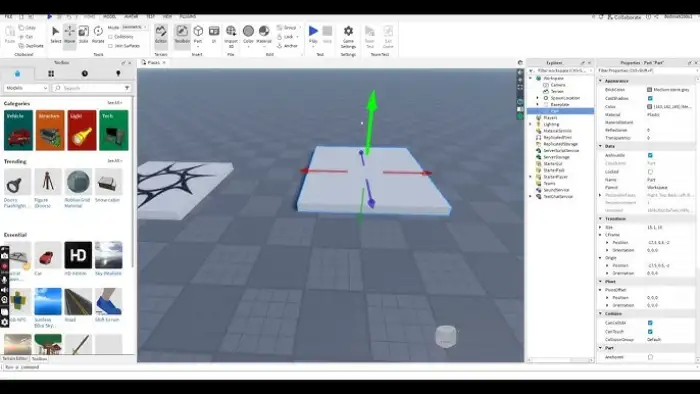
At its core, Roblox development revolves around building virtual experiences using Roblox Studio.
This free application serves as the main development environment where creators build maps, design gameplay systems, and create interactive worlds. In other words, Roblox Studio acts as your workspace for every stage of development.
Developers can:
- Create maps and environments
- Design gameplay mechanics
- Add animations and effects
- Create multiplayer experiences
- Publish games directly to Roblox
Because everything is connected through the Roblox ecosystem, publishing and updating projects becomes much easier than on many traditional platforms.
Why millions of creators use Roblox
Roblox offers a unique opportunity for creators of all experience levels.
To begin with, the platform provides free access to development tools. Additionally, creators can learn through tutorials, templates, and community resources.
Many developers are attracted by:
- Easy-to-use creation tools
- Large player audience
- Monetization opportunities
- Constant platform updates
- Extensive learning resources
Above all, Roblox encourages creativity by allowing developers to experiment with countless game genres.
Check this: How to Download and Use Roblox via Microsoft
How do you start with Roblox login and account setup?
Before opening Roblox Studio, you need access to a Roblox account.
Creating an account takes only a few minutes and unlocks the tools required for development, publishing, and project management.
Creating your Roblox account
The first step is completing your Roblox login setup.
Visit the Roblox website and create a free account using your preferred username and password. Once registration is complete, you’ll gain access to all creator features available on the platform.
During setup, make sure to:
- Create a secure password.
- Verify your email address.
- Configure account security settings.
- Personalize your profile.
These steps help protect your projects and ensure smoother access to development tools.
Accessing development tools
After completing your account setup, you can begin exploring Roblox’s creator ecosystem.
Many users initially focus on login to Roblox games, but the platform offers far more than simply playing. Through the creator tools, users can start designing their own experiences immediately.
From your account dashboard, you’ll find access to:
- Creator tools
- Asset management
- Analytics features
- Publishing options
- Development resources
Because everything is integrated into one ecosystem, managing projects becomes straightforward.
Read also: What is Peroxide in Roblox?
How to install and use Roblox Studio
Installing Roblox Studio is one of the most important steps when learning how to create a game on Roblox.
Fortunately, the installation process is quick and beginner-friendly.
Downloading Roblox Studio
Once logged into your account, navigate to the creation section and download Roblox Studio.
The software is available for both Windows and macOS systems, allowing creators to build projects regardless of their preferred platform.
Installation generally follows these steps:
- Download the installer
- Run the setup process
- Sign in using your Roblox account
- Launch Roblox Studio
- Choose a starter template
After installation, you’ll be ready to begin building your first project.
Understanding the interface
When Roblox Studio opens for the first time, the interface may appear complex.
However, most creators quickly become familiar with its layout.
Key areas include:
- Workspace
- Explorer panel
- Properties panel
- Toolbox
- Script editor
Similarly, understanding these sections early helps streamline development and improve productivity.
The Workspace serves as your main building area, while the Explorer and Properties panels allow you to manage and customize objects throughout your project.
You may also like: How to Fix Roblox Lag on a Slow Phone
How does Roblox create help beginners build games?
One of Roblox’s greatest strengths is its accessibility.
The Roblox create ecosystem includes templates, tools, and resources specifically designed to help beginners start building immediately.
As a result, new developers can focus on creativity rather than technical complexity.
Templates and starter projects
Templates provide a fast way to begin development.
Rather than building everything from scratch, creators can use starter experiences that already contain environments and gameplay systems.
Popular templates include:
- Baseplate
- Racing games
- Obstacle courses
- Combat arenas
- Adventure maps
These templates provide an excellent foundation for learning development concepts.
Essential building tools
Roblox also provides numerous building tools that simplify the creation process.
Meanwhile, the Roblox creator hub offers tutorials, documentation, and learning resources that help developers improve their skills over time.
Some essential tools include:
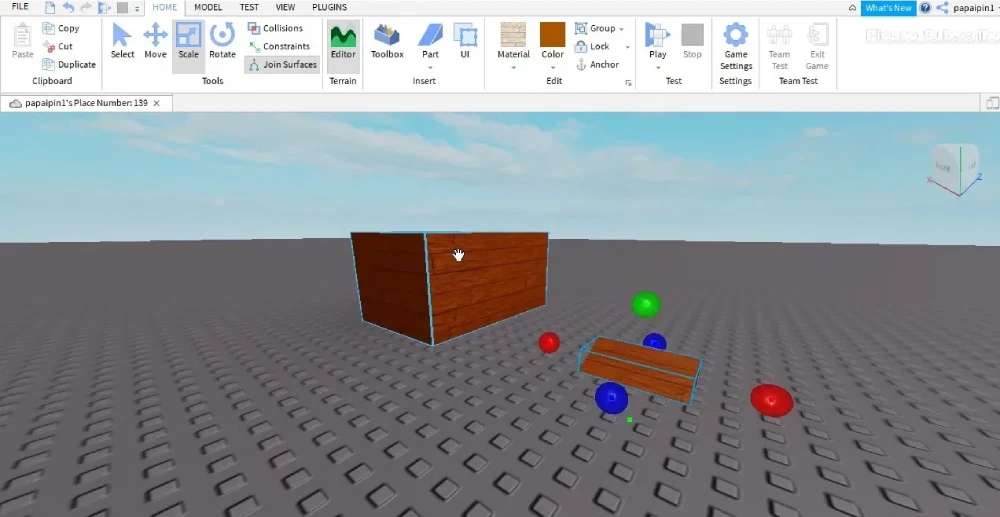
- Move tool
- Scale tool
- Rotate tool
- Terrain editor
- Asset toolbox
Together, these features allow creators to design environments quickly while learning core development principles.
At the same time, testing your game regularly is important, especially when experimenting with multiplayer functionality. Network instability can create misleading testing results and make debugging more difficult. ExitLag helps maintain a stable connection during development sessions, reducing lag and improving responsiveness when testing online gameplay features with other players.
ExitLag can drastically improve your gameplay for an accessible price. To know more, check our pricing page.
How to build your first game in Roblox Studio
Once you understand the basics of how to create a game on Roblox, the next step is building your first playable experience. Fortunately, Roblox Studio provides all the tools necessary to create maps, add gameplay mechanics, and test your ideas.
The key is starting simple and gradually expanding your project as you become more comfortable with the platform.
Creating maps and environments
Every Roblox game begins with a world for players to explore.
Whether you’re designing a city, dungeon, racing track, or obstacle course, the environment forms the foundation of the player experience.
When creating a map, focus on:
- Clear navigation
- Consistent visual style
- Balanced level design
- Interactive areas
- Performance optimization
Similarly, smaller projects are often easier to complete and improve than overly ambitious first games.
Adding objects and interactions
Once your map is ready, you can begin adding interactive elements.
Objects such as doors, platforms, checkpoints, collectibles, and NPCs help transform a simple environment into a playable game.
Popular additions include:
- Spawn points
- Checkpoints
- Coins and collectibles
- Interactive buttons
- Teleporters
As a result, players have meaningful objectives and activities to complete while exploring your world.
Check this: Everything You Should Know About the Roblox Company
How to use Roblox Creator Hub effectively
Developers rarely build successful games alone. Learning how to use available resources can dramatically accelerate your progress.
The Roblox creator hub serves as one of the most valuable learning platforms available for Roblox developers.
Learning resources for beginners
New creators can find extensive educational content inside the Creator Hub.
These resources cover everything from basic building techniques to advanced scripting systems.
Topics include:
- Game design principles
- User interface creation
- Scripting tutorials
- Monetization systems
- Performance optimization
Because of that, many successful developers recommend spending time learning directly from official resources.
Documentation and scripting guides
Documentation becomes increasingly important as projects grow.
The Creator Hub includes detailed explanations, examples, and best practices that help developers solve common challenges.
Meanwhile, many tutorials demonstrate practical implementation techniques that beginners can apply immediately.
Above all, learning to navigate documentation efficiently is a valuable skill that improves long-term development success.
How to add scripting and gameplay mechanics
A game becomes truly interactive when scripting is introduced.
This stage is where players learn how gameplay systems, objectives, and events function behind the scenes.
Introduction to Lua scripting
Roblox uses Lua, a beginner-friendly programming language.
Although coding may seem intimidating at first, Lua is often considered one of the easiest scripting languages for new developers to learn.
Common scripting applications include:
- Opening doors
- Awarding points
- Creating enemies
- Triggering events
- Managing player progress
At the same time, many creators begin by modifying existing examples before creating original systems.
Creating simple interactions
Simple interactions provide an excellent introduction to scripting.
For example, you can create a button that opens a door or a platform that disappears when touched.
Beginner-friendly projects include:
- Interactive checkpoints.
- Coin collection systems.
- Basic obstacle courses.
- Teleportation portals.
- Leaderboards.
These mechanics teach core scripting concepts while keeping development manageable.
Read this: How to Reset Your Roblox Password Safely
Publishing and managing your Roblox game
After building and testing your project, it’s time to share it with the community.
Publishing allows players around the world to discover and experience your creation.
Testing before release
Testing is one of the most important stages of development.
Before publishing, verify that:
- Spawn points work correctly.
- Scripts execute properly.
- User interfaces display correctly.
- Multiplayer systems function as expected.
- Performance remains stable.
Similarly, testing on different devices helps identify potential issues before launch.
Publishing to the platform
Publishing your game is straightforward.
Using Roblox Studio, developers can upload projects directly to the platform and configure settings such as descriptions, permissions, and accessibility options.
Before releasing your game:
- Create a compelling title.
- Write a clear description.
- Select the appropriate genre.
- Configure privacy settings.
- Upload attractive thumbnails.
These elements improve visibility and help attract players.
How ExitLag improves Roblox multiplayer testing
Multiplayer testing often reveals connection-related issues that may not appear during solo development.
Because Roblox experiences frequently rely on online interaction, maintaining a stable connection is essential.
Reducing lag during testing
Network instability can interfere with gameplay testing and produce inconsistent results.
ExitLag helps optimize traffic routing, reducing latency during multiplayer sessions and making it easier to evaluate gameplay performance.
As a result, developers can identify genuine gameplay issues instead of troubleshooting connection-related problems.
Better connection stability
Stable connections become increasingly important as player counts increase.
Whether you’re testing competitive systems, roleplay experiences, or large-scale multiplayer environments, consistent connectivity improves both development and gameplay quality.
ExitLag helps by:
- Reducing latency spikes
- Improving route stability
- Minimizing packet loss
- Enhancing responsiveness
Therefore, developers can focus on creating better experiences rather than managing network issues. Use the free trial to explore all features before choosing a plan.
Roblox Studio features
| Feature | Beginner Friendly | Purpose | Recommended for New Creators |
| Templates | Yes | Fast project setup | Yes |
| Toolbox | Yes | Access free assets | Yes |
| Terrain Editor | Moderate | Build landscapes | Yes |
| Script Editor | Moderate | Create gameplay systems | Yes |
| Team Create | Yes | Collaborative development | Yes |
| Analytics Tools | Advanced | Monitor player activity | Later |
Frequently asked questions
Yes. Beginners can build simple experiences using drag-and-drop tools, templates, and free assets available within Roblox Studio. However, learning basic Lua scripting allows developers to create more advanced and engaging gameplay systems.
Roblox Studio is the official development environment used to create Roblox experiences. It allows creators to build maps, add gameplay mechanics, create user interfaces, write scripts, and publish games directly to the platform.
The Roblox creator hub is Roblox’s official learning and documentation platform. It provides tutorials, guides, scripting references, and development resources designed to help creators improve their skills and build better games.
Yes. ExitLag can improve connection stability by optimizing traffic routes between players and Roblox servers. This may help reduce latency, minimize packet loss, and create a smoother online experience.
Yes. Roblox Studio is completely free to download and use. Any user with a Roblox account can access the software and begin creating games without paying for development tools. You should check more games compatible with ExitLag at our official games page.
In conclusion
Learning how to create a game on Roblox opens the door to countless creative possibilities. From building simple obstacle courses to developing large multiplayer experiences, Roblox provides the tools, resources, and community support needed to bring ideas to life.
By mastering Roblox Studio, using the Roblox Creator Hub, and continuously improving your skills, you’ll be well on your way to publishing successful experiences. Most importantly, practicing consistently is the best way to improve your understanding of how to create a game on Roblox and grow as a developer. Download ExitLag now!
Got questions or want to connect with other players? Join the conversation at the ExitLag Forum!