Redeeming your Roblox redeem card is a quick and straightforward way to add Robux to your account and enjoy new items and upgrades. It’s essential to follow the official steps carefully to avoid any issues during the redemption process and keep your account secure.
When redeeming your Roblox redeem card, make sure you have a stable and fast internet connection to prevent interruptions. Using tools like ExitLag can help improve your connection stability and reduce lag, ensuring that your redemption goes smoothly without delays or errors. Download ExitLag here to enhance your Roblox experience.
After successfully redeeming your Roblox redeem card, you’ll be ready to explore all the new possibilities Robux offers in the Roblox universe. Maintaining a good internet connection with ExitLag not only helps during redemption but also optimizes your gameplay, reducing lag and improving your overall performance.
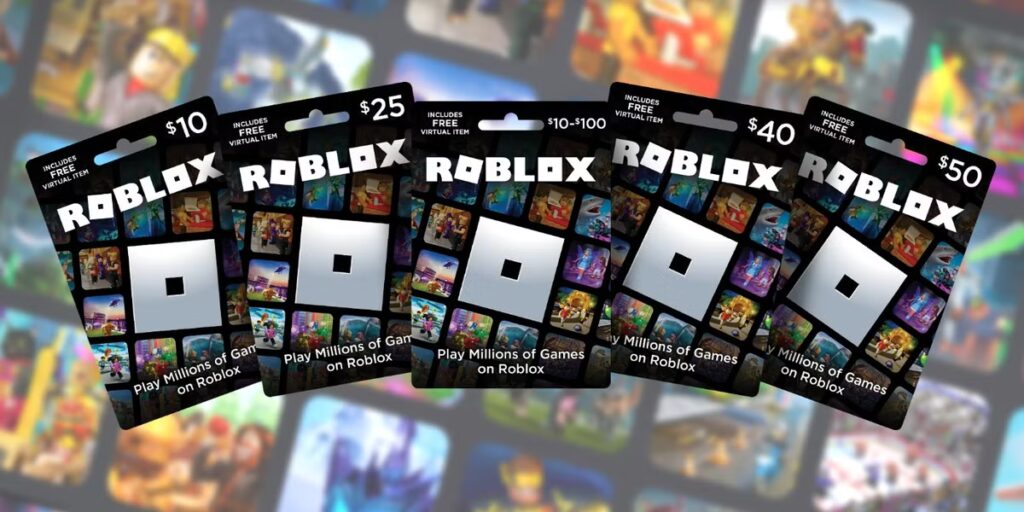
Step-by-Step: How to Redeem Your Roblox Gift Card
Redeeming your roblox redeem card is simple if you follow these steps carefully:
- Go to the official Gift Card redemption page at roblox.com/redeem.
- Log in with your Roblox account credentials.
- Scratch off the code on your Roblox gift card to reveal the unique redemption code.
- Enter the code into the provided field on the website.
- Click “Redeem” to add the Robux or Roblox Premium credit to your account.
If you face any issues with the redemption process, check Roblox’s support pages or join Roblox communities for troubleshooting tips. Also, visit the ExitLag blog for tips on maintaining a stable gaming environment that supports seamless transactions and gameplay.
Important Tips for Redeeming Roblox Gift Cards Safely
When redeeming gift cards, keep these safety tips in mind:
- Always redeem your cards on the official Roblox website to avoid scams.
- Never share your redeem code with anyone to protect your account.
- Use a secure internet connection; unstable networks may interrupt the process.
- If you experience lag or disconnections during redemption, use ExitLag to stabilize your connection and avoid failed transactions.
- Regularly update your Roblox account password for added security.
By following these precautions, you ensure your roblox redeem card works correctly, and you enjoy your new Robux without issues.
What to Do After Redeeming Your Gift Card
Once your roblox redeem card has been successfully applied, you can:
- Purchase avatar accessories, gear, and special items.
- Upgrade your Roblox Premium membership.
- Invest in game passes or unique in-game content.
- Save your Robux for upcoming events or rare items.
To optimize your gameplay after redeeming, consider using ExitLag to maintain low ping and a stable connection, which is essential for enjoying multiplayer games without interruptions. Check out ExitLag’s main site for more details.
Conclusion: Redeem Your Gift Cards with Confidence
Using your roblox redeem card is the easiest and safest way to get Robux and boost your Roblox adventures. By following the steps outlined here and ensuring a stable connection with ExitLag, you can avoid common issues and enjoy your rewards immediately.
Always redeem on official platforms, protect your codes, and keep your gaming setup optimized for the best experience in the Roblox redeem card.
Got questions or want to connect with other players? Join the conversation at the ExitLag Forum!