Experiencing jitter in MU Online can turn even the most intense PvP or competitive hunts into unpredictable chaos. When your ping is constantly fluctuating, skills fire late, movement becomes erratic, and the entire combat flow suffers from severe instability. Unlike simple high ping, jitter makes it impossible to predict when your commands will register.
If you’ve been struggling with irregular responses during battles, finding the right supported games on platforms like MU servers through tools such as ExitLag can be the key to smoother gameplay (ExitLag supported games list).

What is jitter in MU Online?
In MU Online, jitter refers to the irregular variation in your connection’s latency—the time it takes for data to travel from your PC to the game’s servers and back. While ping measures speed, jitter measures consistency. You might see ping numbers like 50ms, then suddenly 120ms, then 80ms, then 150ms. That unstable, inconsistent movement is what creates gameplay instability.
Ideally, a healthy connection should vary only within 5–10ms. When your response time jumps unpredictably, every action in-game becomes unreliable. You may cast a spell instantly one moment, only for the same spell to delay a full second on your next attempt. This is the hallmark of jitter.
Jitter is especially harmful in MMORPGs like MU Online, where timing determines everything: combos, movement precision, PvP engagements, boss mechanics, and more. Even with good hardware and strong internet, jitter can ruin the entire experience if your connection path is unstable.
How jitter affects your gameplay in MU Online
When jitter hits MU Online, you’ll notice several specific gameplay issues:
- Inconsistent command execution: Sometimes a skill activates instantly; other times, it takes seconds.
- Unpredictable dodges: Timing dodges becomes nearly impossible when your character responds inconsistently.
- Broken combos: MU’s classic combo system demands precise timing; jitter disrupts the sequence.
- Sudden deaths: Enemies or players “teleport,” leading to unexpected lethal hits.
- Frustration in PvP: Without reliable timing, you cannot compete against players with stable latency.
- Wasted resources: Buffs, consumables, and potions get misused due to response delays.
- Inconsistent hit registration: Sometimes your hits don’t register at all—or register late.
- Unreliable aiming or targeting: Skill-based aiming suffers from fluctuating responsiveness.
These problems create a sense of randomness and break the rhythm of the game.
Main causes of jitter in MU Online
1. Network congestion
When several devices or applications share your connection, data packets begin competing for priority. This uneven distribution causes irregular delays and leads to high jitter.
2. Unstable routing
If your game packets take different paths each time they travel to the MU Online servers, your response time changes constantly. Poor routing is one of the leading causes of jitter.
3. Unstable Wi-Fi
Wireless connections suffer from signal interference, physical obstructions, and fluctuating signal strength. These variations directly create jitter spikes.
4. ISP-related issues
Your internet provider may operate with overloaded infrastructure, poor line quality, or misconfigured nodes. This results in severe instability during peak hours.
5. Distance from the servers
The farther you are from the game servers, the more routers (“hops”) your packets must pass through. More hops = more chances of variation and instability.
6. Server-side load
When MU Online servers are overcrowded or under maintenance, you may experience inconsistent response times even if your connection is flawless.
How to identify and measure jitter in MU Online
Extended ping test
Run a long-duration ping test (5–10 minutes) to the MU server IP or Ping Google DNS. If the numbers jump dramatically (e.g., 20ms → 90ms → 45ms → 150ms), you have jitter.
In-game signs of jitter
You’ll notice:
- Constantly changing ping meter
- Character movement feeling “inconsistent”
- Random bursts of heavy lag despite low base ping
- Intermittent rubberbanding
- Skills or commands showing variable delay
- Gameplay feeling unstable despite “low ping”
These symptoms confirm jitter, not just ping issues or FPS drops.
Understanding jitter levels
| Jitter Level | Description | Gameplay Impact |
| 0–5 ms | Excellent stability | Smooth, consistent gameplay |
| 5–15 ms | Acceptable | Minor fluctuations, barely noticeable |
| 15–30 ms | High | Noticeable delay and timing issues |
| 30+ ms | Critical | Severe instability; difficult to play |
Basic solutions to reduce jitter in MU Online
Prioritize your connection
- Use an Ethernet cable
Wi-Fi introduces instability; wired connections give consistent packet travel time. - Close background applications
Downloads, streams, or updates create bandwidth spikes that cause jitter. - Limit active devices on your network
Fewer devices = fewer competing requests for your router to handle. - Disable automatic updates
Windows, Steam, and browsers often update silently, creating jitter. - Update network drivers
Outdated drivers cause communication errors and unstable latency. - Use in-game network settings
MU Online may perform better with lower effects or optimized network modes.
Configure QoS on your router
Quality of Service (QoS) allows you to assign priority to MU Online’s traffic. By marking game traffic as high priority, your router ensures packets are processed without delay, even under heavy usage.
Check with your ISP
If jitter persists, contact your provider. Request a line test, ask about local congestion, or verify whether your region is experiencing instability.
ExitLag: the definitive solution to eliminate jitter in MU Online
What is ExitLag?
ExitLag is a specialized software designed exclusively for gamers seeking stable and optimized connections. Built by gamers for gamers, ExitLag serves as an intelligent connection optimization stabilizer that ensures your routes remain predictable, consistent, and reliable across all sessions. Learn more about the technology behind ExitLag at the technology behind ExitLag.
Unlike basic fixes, ExitLag attacks jitter at its core: routing inconsistency. Think of it as placing your connection on a perfectly maintained highway with no traffic fluctuations or detours.
How ExitLag eliminates jitter in MU Online
ExitLag uses Multi-Internet technology to ensure stability (how ExitLag works):
- Multiple simultaneous routes
Your data travels through several optimized routes at once. If one becomes unstable, others instantly take over. - Intelligent packet selection
ExitLag automatically selects the fastest-arriving packets, discarding delayed ones—effectively eliminating jitter. - Real-time route optimization
The system continually analyzes all available paths and switches proactively to maintain stability. - Reduced hops
By cutting unnecessary router jumps, ExitLag reduces potential choke points. - Smart buffering
Data flow is smoothed to ensure MU Online receives a constant and stable stream of packets.
Advantages of ExitLag for MU Online players
Complete ping stabilization
ExitLag restructures your connection to offer steady latency and predictable timing.
Elimination of jitter
Multi-route redundancy and packet selection minimize variation to near zero.
Improved timing and responsiveness
Skill combos, dodges, and PvP engagements become precise and reliable.
Competitive advantage
In MU Online PvP and guild wars, stable latency is a decisive edge.
Works on official and private servers
No matter the MU Online version, ExitLag delivers route optimization.
Easy interface
Just select your game, apply routes, and play—no technical expertise required.
Is ExitLag worth using in MU Online?
Absolutely. ExitLag is ideal if you:
- Experience jitter or unstable ping frequently
- Play on distant or international servers
- Engage in PvP, ranked modes, or guild tournaments
- Game during peak hours
- Use Wi-Fi or unstable routing
- Lose fights due to unpredictable lag
- Need perfect combo and skill timing
Check available pricing and plans at ExitLag pricing and plans.
How to use ExitLag in MU Online
The process is extremely simple:
Step 1 – Access the official ExitLag website and download the application. There’s a free trial period for new users.
Step 2 – Install and open the program. Log in with your account.or heavy farming zones. That’s where stability changes are easiest to feel.
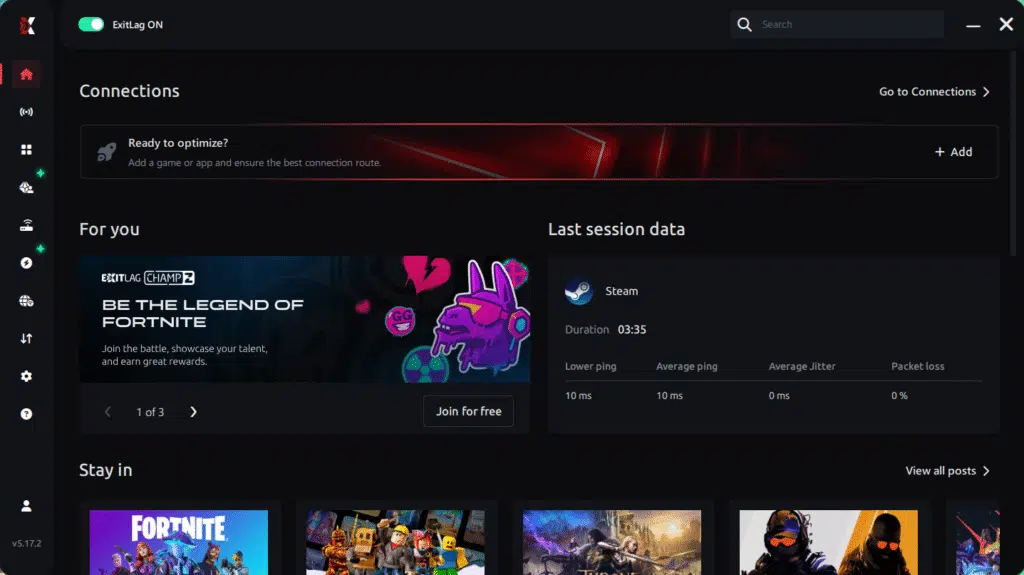
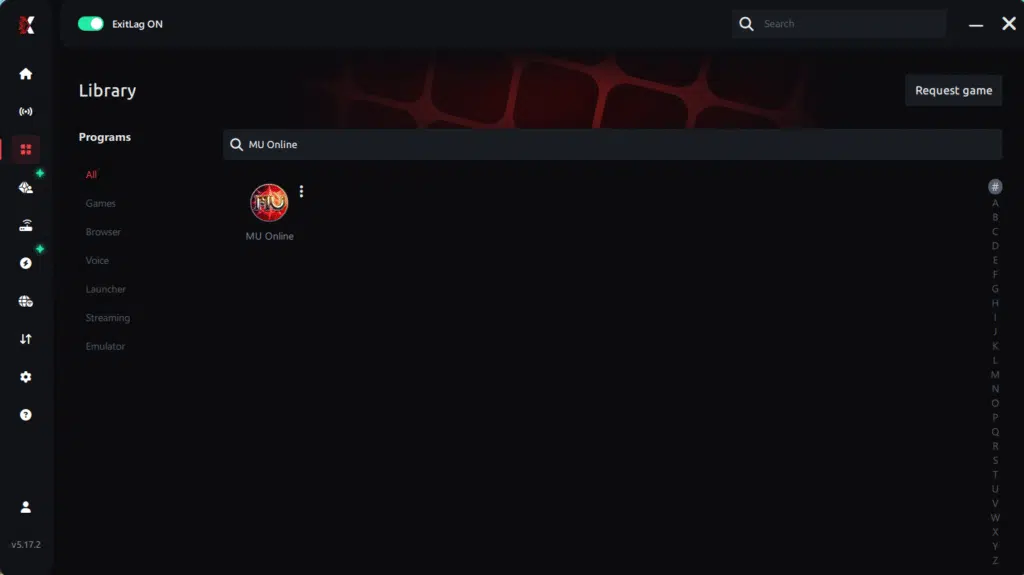
Step 3 – In the search bar, type “MU Online” and select the game from the list.
Step 4 – Choose between automated or manual route
Based on the results, you can let ExitLag automatically select the best route or manually choose the server that showed the lowest latency for your connection.
AI-optimized automated route
Based on the results, you can let ExitLag automatically select the best route through AI optimization. The system analyzes multiple connection paths in real time and automatically identifies the most efficient route for your connection, ensuring the lowest possible latency without requiring manual choices.
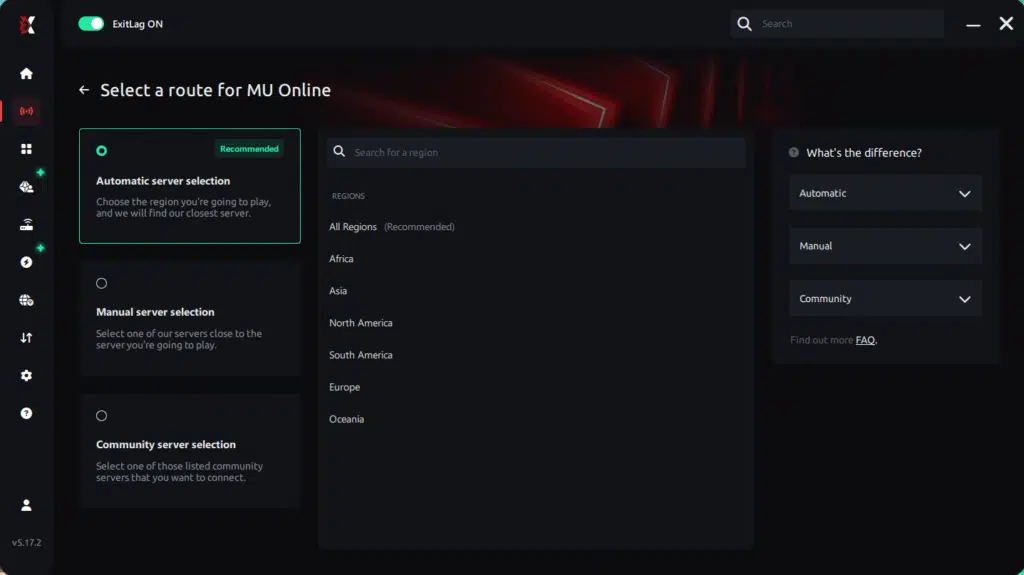
Manual route
If you prefer to have full control over your connection, you can manually choose the server based on the ping test results. Simply select the server that showed the lowest latency or the one that best meets your specific gaming needs, allowing complete customization of your experience.
Step 5 – Click “Apply routes” or the play button. ExitLag will begin optimizing your connection automatically.
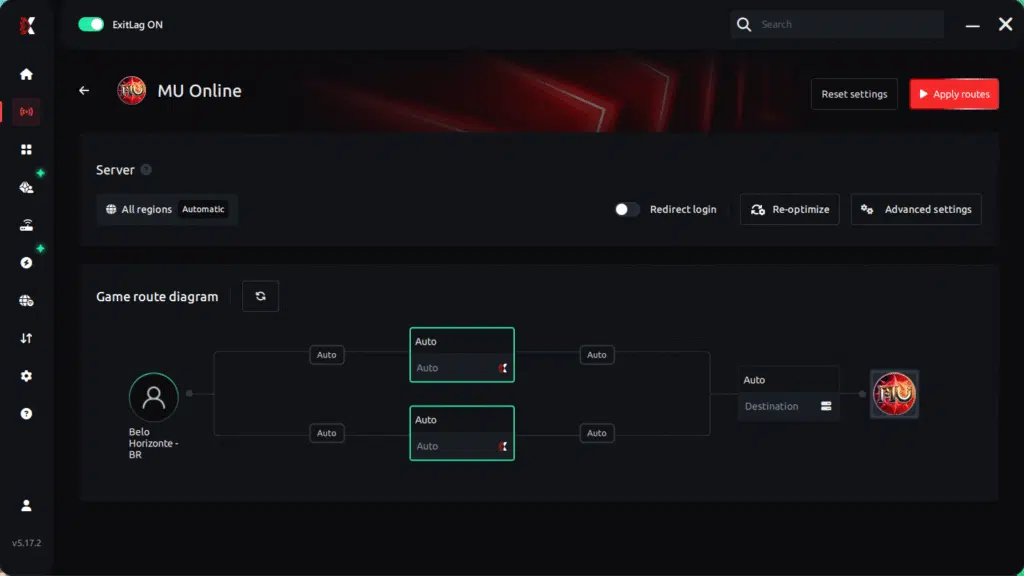
Step 6 – Wait a few seconds until optimization is complete. You’ll see ping indicators in the interface.
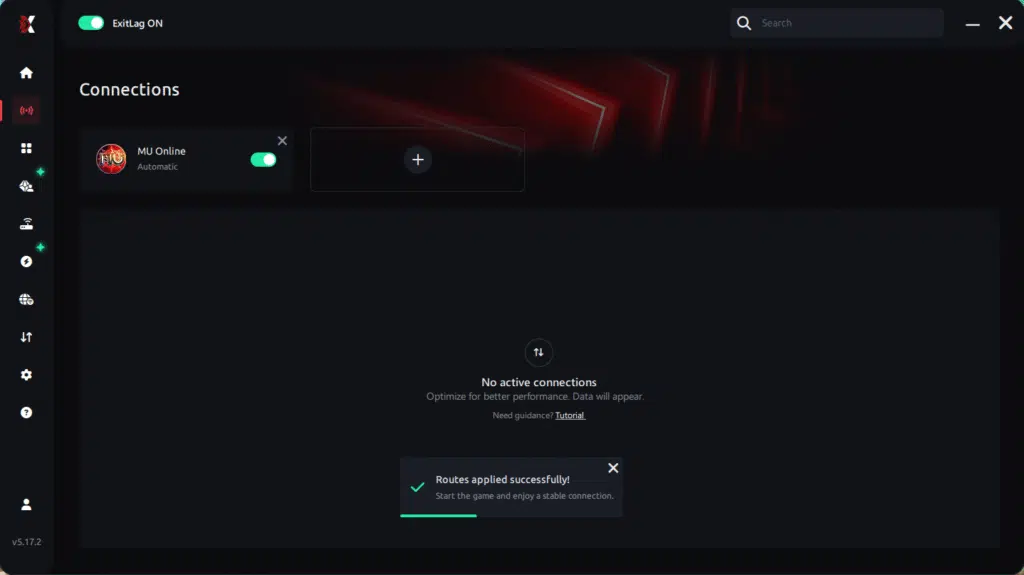
Step 7 – Launch MU Online normally. The optimization will already be active.
ExitLag runs in the background while you play, constantly adjusting routes to maintain the best possible performance.
FAQ: Frequently asked questions about jitter in MU Online
1. What is the difference between jitter, lag, and packet loss?
Jitter is the variation in your ping (instability). Lag is the delay caused by high latency. Packet loss occurs when data fails to reach the server. You can have low ping but high jitter, making gameplay terrible.
2. Why is my ping fluctuating in MU Online?
Common causes include network congestion, unstable routing, Wi-Fi interference, ISP instability, and distance from servers. Each of these introduces timing irregularities.
3. Is jitter worse than high ping?
Often yes. A stable 120ms ping is far easier to adapt to than an unstable ping that jumps between 30ms and 150ms. Consistency is more important than speed.
4. How do I know if I have jitter?
Run an extended ping test or observe in-game signs such as inconsistent responses, skill delays, rubberbanding, or fluctuating ping indicators.
5. Does Wi-Fi cause jitter?
Yes. Wi-Fi is prone to interference, signal loss, and throughput variation. Ethernet is always more stable.
6. Does ExitLag fix more than jitter?
Yes. ExitLag also reduces ping, prevents packet loss, mitigates unstable routes, and improves overall online gameplay stability across hundreds of titles.
7. Do I need ExitLag running while I play?
Yes. The optimization must remain active to maintain stable routing throughout your session.
8. Is jitter common on private MU servers?
Yes—many private servers use overseas hosts or cheaper infrastructure, which increases jitter. ExitLag helps stabilize these routes significantly.

Conclusion
Jitter can quickly turn your MU Online sessions into unpredictable, frustrating experiences—breaking combos, ruining PvP, and wasting resources. But you don’t need to accept this instability as a permanent part of your gameplay. With the right tools and optimizations, you can transform unstable routing into a smooth, consistent connection.
ExitLag delivers the definitive solution to jitter by optimizing your routes, stabilizing your ping, and giving you the clean connection MU Online requires. Don’t let instability ruin your hunts, boss fights, or PvP battles. Explore more connection optimization insights at ExitLag blog connection optimization insights.
Want to eliminate jitter in MU Online once and for all? Start improving your connection today with a free trial of ExitLag:
start your ExitLag free trial
Got questions or want to connect with other players? Join the conversation at the ExitLag Forum!