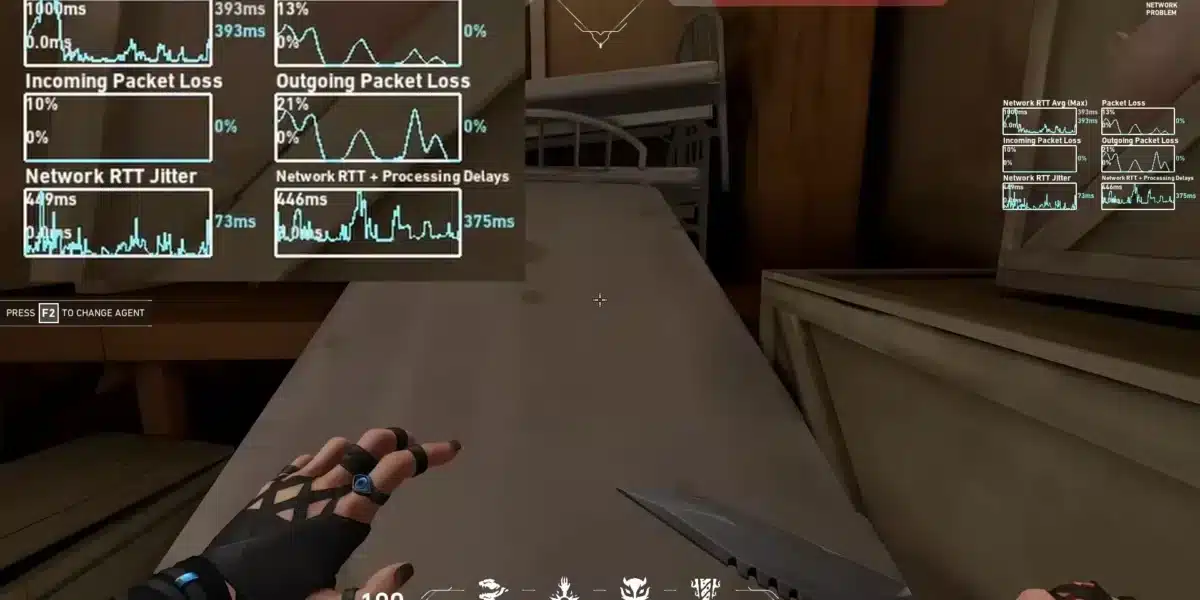
Valorant jitter obliterates tactical FPS precision instantaneously. Your ping fluctuates unpredictably between 20ms and 150ms without warning during critical spike plant situations.
Furthermore, unstable connections destroy agent ability timing completely. Raze satchels and Jett dashes execute unreliably during clutch moments.
Meanwhile, enemy agents teleport through smokes during competitive ranked matches. Additionally, these ping variations ruin round victories constantly in supported games like Valorant.
Moreover, jitter transforms precise headshots into random spray patterns. Perfectly executed counter-strafes fail registering consistently.
Thus, connection consistency separates Radiant players from hard-stuck competitors. Network stability determines ranked progression fundamentally.

What is jitter in Valorant?
Understanding jitter requires separating it from standard ping issues. Countless players incorrectly conflate these fundamentally distinct network problems.
Nevertheless, distinguishing between them proves essential for troubleshooting. Jitter represents erratic variation in communication delay (latency) between your system and Riot servers.
Rather than measuring raw speed like ping, jitter evaluates connection inconsistency. Subsequently, distinguishing these concepts proves essential for competitive gameplay.
Consider bus schedules as practical analogy. Buses arriving precisely every 10 minutes enables perfect timing and planning.
Conversely, buses arriving randomly between 3 and 30 minutes creates complete unpredictability. Similarly, pingoscillating wildly between 25ms, 135ms, 55ms generates severe jitter.
Optimally, stable connection fluctuates only 5-10ms between consecutive measurements. Therefore, maintaining steadiness enables accurate timing predictions for abilities and gunplay.
How jitter affects your gameplay in Valorant
Network volatility creates consequences transcending visual stutter. Jitter impacts every competitive aspect fundamentally.
Understanding Valorant performance optimization contextualizes how jitter undermines competitive execution. Devastating issues include:
- Inconsistent spray control: Phantom and Vandal recoil behaves unpredictably destroying aim consistency completely
- Ability timing chaos: Sova arrows and Viper walls deploy with variable delays ruining synchronized executes
- Peekers disadvantage amplification: Opponents appear before you see them when latency varies randomly
- Operator shot registration: AWP-style shots miss despite perfect crosshair placement on stationary targets
- Movement desynchronization: Counter-strafing stops register inconsistently making tapping impossible
- Spike plant failures: Defuse and plant interactions complete with unpredictable timing causing round losses
- Ultimate ability waste: Game-changing ults activate late missing critical windows completely
- Trade fragging impossibility: Teammates die before you can react when timing varies constantly
Main causes of jitter in Valorant
Multiple elements trigger network instability issues. Pinpointing exact sources enables targeted resolution.
Furthermore, reviewing latest Valorant updates reveals performance considerations. Each cause requires different troubleshooting approach.
Network congestion
Simultaneous device bandwidth consumption creates packet priority conflicts. Traffic distribution varies dramatically based on household activity levels.
Consequently, Valorant data receives wildly inconsistent processing treatment. When family streams content, game packets compete for limited resources.
Downloads and video calls consume bandwidth unpredictably. Thus, resource competition manifests directly as connection delays.
Unstable routing
Data transmission rarely follows direct server pathways. Instead, packets bounce through numerous intermediate routers.
Meanwhile, dynamically changing routes cause travel duration varying substantially. Sometimes packets traverse optimized fast routes efficiently.
Other times slower congested pathways get selected. Therefore, routing inconsistency translates directly into jitter.
Wi-Fi instability
Wireless connections inherently suffer environmental interference constantly. Radio signal quality deteriorates unpredictably from disruption sources.
Furthermore, physical barriers and electromagnetic noise corrupt signal integrity significantly. Unlike stable ethernet, wireless signals oscillate unpredictably.
Signal strength varies continuously. Subsequently, radio fluctuations generate connection jitter directly.
ISP infrastructure problems
Internet providers deliver vastly different reliability standards. Inadequate infrastructure creates systemic performance issues.
Moreover, during peak hours, networks become critically overwhelmed. Overloaded equipment causes processing times fluctuating wildly.
Budget networking hardware introduces persistent inconsistencies. Consequently, identical requests receive dramatically different speeds.
Server distance
Greater geographical separation multiplies required routing equipment exponentially. Each additional node introduces timing variation potential.
Additionally, connecting to distant Valorant servers increases jitter probability significantly. Regional players experience fewer intermediate hops.
How to identify and measure jitter in Valorant
Detecting network anomalies requires systematic testing approaches. Multiple methods expose jitter effectively.
Moreover, examining Valorant lag solutions provides comprehensive diagnostic context. Proper diagnosis enables effective solutions.
Extended ping test
Command utilities deliver quantifiable measurements. Launch command prompt (Windows) or terminal (Mac/Linux) initially.
Then, execute continuous monitoring:
ping -t riot.com (Windows)
ping riot.com (Mac/Linux)
Observe response time fluctuations carefully throughout testing. Healthy connections display minimal variance (30ms, 32ms, 29ms).
Conversely, problematic jitter shows extreme oscillations (30ms, 140ms, 60ms). Calculate difference between highest and lowest values.
Variation exceeding 30ms indicates problematic jitter. Therefore, this measurement requires immediate attention.
In-game signs
Observable symptoms reveal jitter manifestation clearly. Players recognize patterns intuitively during matches.
Nevertheless, systematically monitor these warning indicators:
- Network graph fluctuates continuously without stability
- Gunplay feels inconsistent—sometimes crisp, sometimes delayed
- Abilities activate with completely unpredictable response times
- Shots register sporadically despite accurate placement
- Overall experience remains unstable despite acceptable numbers
Jitter levels and gameplay impact
Understanding severity helps prioritize solutions. Different ranges create distinct problems.
Furthermore, this table quantifies impact:
| Jitter Level | Ping Variation | Connection Quality | Gameplay Impact | Ranked Viability |
| Excellent | 0-10ms | Rock solid | Imperceptible | Perfect for Radiant |
| Good | 10-20ms | Very stable | Minor inconsistencies | All ranks playable |
| Acceptable | 20-40ms | Somewhat unstable | Noticeable delays | Immortal problematic |
| Poor | 40-70ms | Unreliable | Persistent failures | Diamond unviable |
| Severe | 70-100ms | Highly volatile | Constant disruption | Essentially unplayable |
| Unplayable | 100ms+ | Completely chaotic | Total unpredictability | Impossible progression |
Basic solutions to reduce jitter in Valorant
Simple adjustments frequently resolve minor issues. Basic improvements yield substantial results.
Therefore, implementing these measures addresses common causes effectively. Many players see immediate improvement.
Prioritize your connection
Household modifications improve reliability dramatically. Execute these optimizations systematically:
- Use ethernet cable: Eliminate wireless unpredictability through physical connection
- Close background applications: Terminate downloads, streaming consuming bandwidth
- Limit active devices: Reduce network traffic from phones, tablets
- Disable automatic updates: Prevent Windows consuming bandwidth during matches
- Update network drivers: Outdated software introduces connectivity inconsistencies
- Optimize game settings: Reduce system strain through configuration
Configure QoS on router
Quality of Service settings prioritize gaming traffic. This ensures consistent packet handling.
Furthermore, access router admin panel (typically 192.168.1.1) first. Locate QoS configuration within settings.
Configure gaming as highest priority category. Thus, preventing applications disrupting stability during ranked.
Check with your ISP
Contact provider reporting persistent instability. Request comprehensive diagnostics evaluating signal quality.
Moreover, document jitter measurements providing concrete evidence. This strengthens case when discussing Valorant connection fixes.
ExitLag: the definitive solution to fix Valorant jitter
Professional stabilization requires specialized technological solutions. Basic optimizations help but often prove insufficient.
Therefore, ExitLag delivers comprehensive resolution for serious competitors. Advanced technology addresses root causes.
What is ExitLag?
ExitLag represents tactical FPS’s most sophisticated network optimization platform available. Furthermore, utilizing proprietary advanced technology, it operates as intelligent stabilizer.
Standard utilities mask symptoms superficially only. Conversely, ExitLag reconstructs transmission architecture fundamentally.
Additionally, this specialized software eradicates inconsistency fundamentally. Professional-grade stability becomes universally accessible.
Rather than tolerating instability, ExitLag transforms connections. Thus, dedicated agents gain immediate competitive advantages.
How ExitLag eliminates jitter in Valorant
Multi-Internet architecture revolutionizes connectivity paradigms completely. Sophisticated systems collaborate seamlessly.
Moreover, investigating operational mechanics exposes remarkable engineering. Five interconnected systems synergize eliminating jitter:
- Multiple simultaneous routes: Data transmits through several pathways concurrently. When one experiences fluctuation, others maintain stability. Therefore, redundancy guarantees unwavering stability.
- Intelligent packet selection: Algorithms prioritize fastest-arriving packets automatically. Delayed transmissions get discarded immediately. Thus, filtering eliminates jitter systematically.
- Real-time route optimization: Software evaluates pathways perpetually without interruption. Adjustments maintain optimal latency continuously. Furthermore, stability remains absolute priority.
- Hop reduction: Minimizing routers decreases variation points significantly. Fewer hops mean fewer opportunities. Consequently, reliability improves exponentially.
- Smart buffering: Packet management ensures steady delivery consistently. Game receives consistent streams. Moreover, functionality persists during internet fluctuations.
Advantages of ExitLag for Valorant players
ExitLag provides multiple significant benefits. Each addresses specific competitive needs.
Complete ping stabilization constitutes primary revolutionary breakthrough. Volatile connections transform into predictable performance.
Additionally, reliable timing becomes suddenly achievable. Jitter elimination: Multi-route architecture guarantees variation eradication.
Connection consistency achieves rock-solid reliability. Therefore, tactical gameplay becomes fluid predictable.
Enhanced aim consistency: Stabilized ping enables perfect spray control. Moreover, predictability proves invaluable during clutches.
Weapon mechanics become dependable consistently. Competitive edge: Reliability determines ranked victories decisively.
Victory depends on millisecond precision. Universal server support: Functions flawlessly globally.
Regional options work equally well. Intuitive interface: Zero expertise required whatsoever.
Simply select game activate instantly. Furthermore, setup takes seconds only.
Is ExitLag worth it for Valorant?
Investment value depends on circumstances. Moreover, ExitLag becomes indispensable experiencing frequent instability through Valorant gameplay.
For committed agents, investment delivers immediate returns. Professional players consider it essential.
Therefore, investigate current pricing options for accessible tiers. Multiple plans accommodate different budgets.
How to use ExitLag in Valorant
The process is extremely simple:
Step 1 – Access the official ExitLag website and download the application. There’s a free trial period for new users.
Step 2 – Install and open the program. Log in with your account.
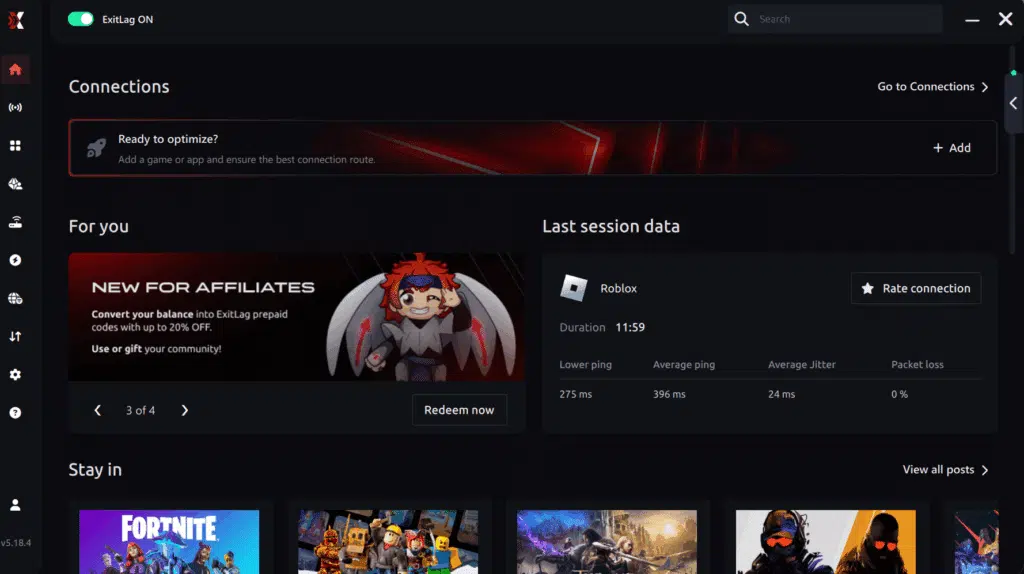
Connection screen Valorant
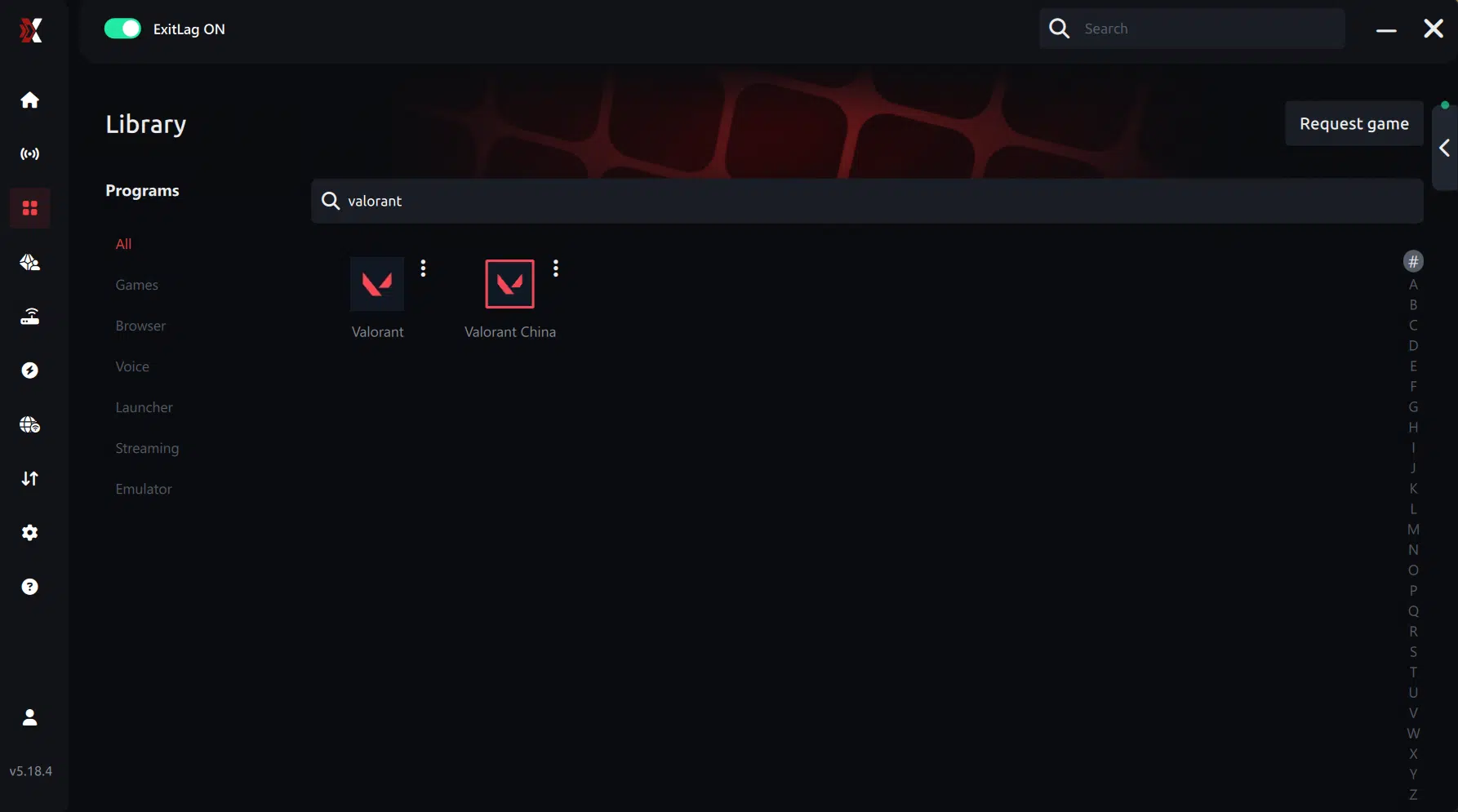
Step 3 – In the search bar, type “Valorant” and select the game from the list.
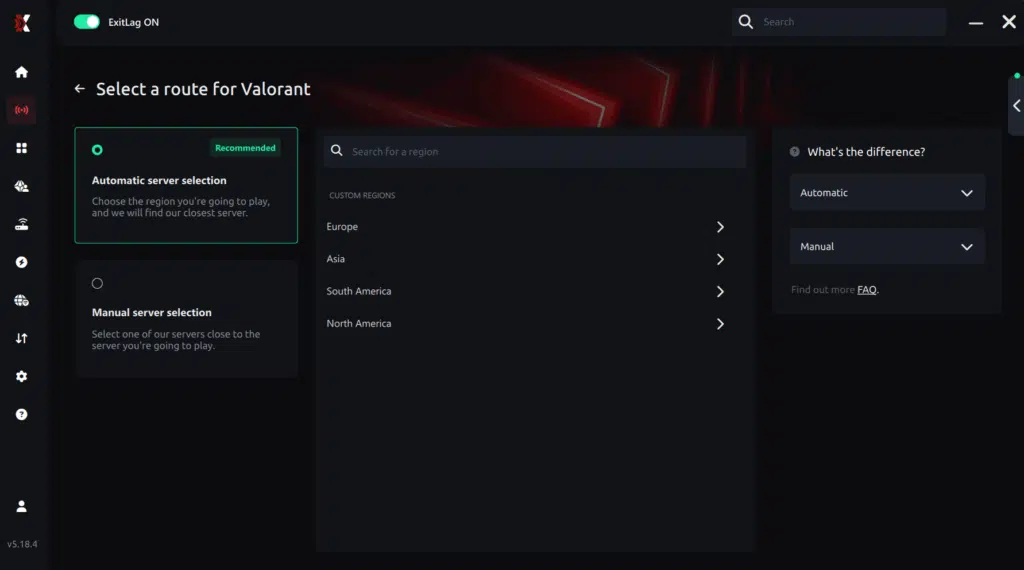
Step 4 – Choose the server manually
Based on the ping test results, you can manually choose the server that showed the lowest latency or the one that best meets your specific gaming needs.
Manual route
If you prefer to have full control over your connection, you can manually choose the server based on the ping test results. Simply select the server that showed the lowest latency or the one that best meets your specific gaming needs, allowing complete customization of your experience.
Step 5 – Click “Apply routes” or the play button. ExitLag will begin optimizing your connection automatically.

Step 6 – Wait a few seconds until optimization is complete. You’ll see ping indicators in the interface.
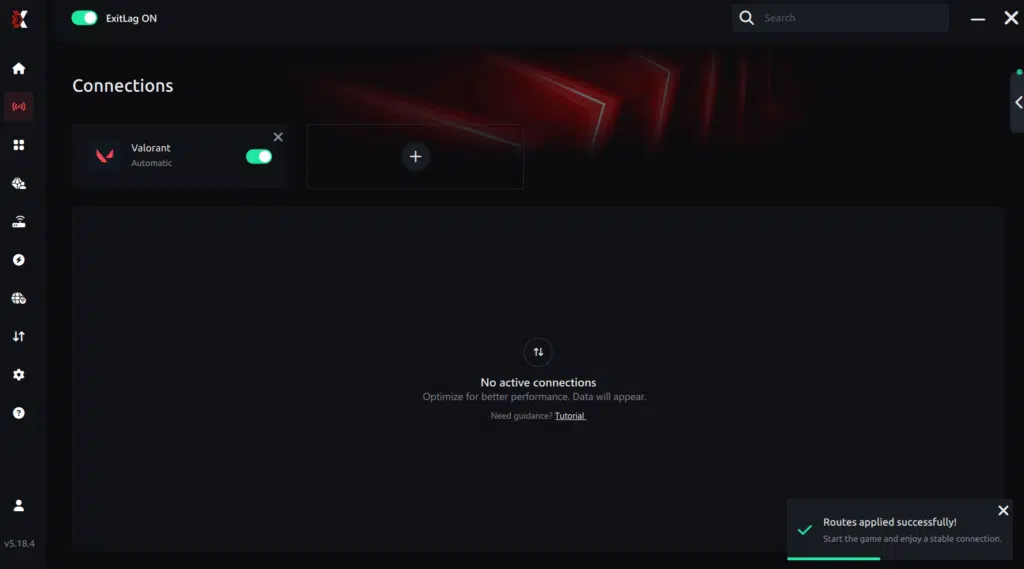
Step 7 – Launch Valorant normally. The optimization will already be active.
ExitLag runs in the background while you play, constantly adjusting routes to maintain the best possible performance.
How to use Ping for Games: step-by-step guide (Valorant)
Checking your connection quality before entering a match has never been easier. Here’s how to use Ping for Games in just a few steps:
1. Open the ExitLag software on your PC
Ensure the application is installed and open. The feature is integrated into the platform and available for free to all users.
2. Access the Network Analyzer tool
Locate the Network Analyzer in the software menu. This is where you’ll find Ping for Games along with other connection analysis features.
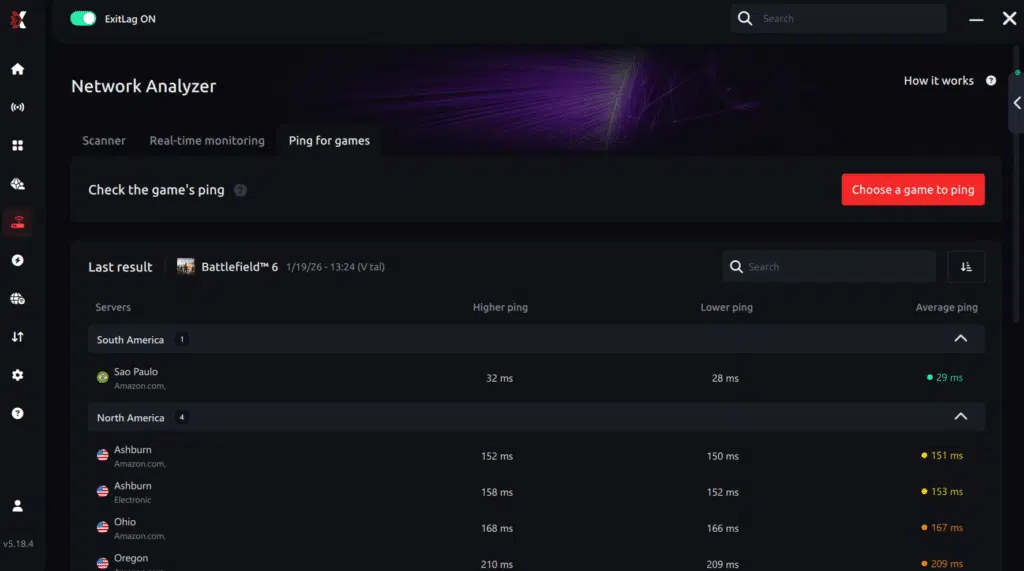
3. Select the game you want to test
Choose Valorant from the list. The tool supports major online multiplayer games, including FPS, Battle Royales, MOBAs, MMORPGs, and more.
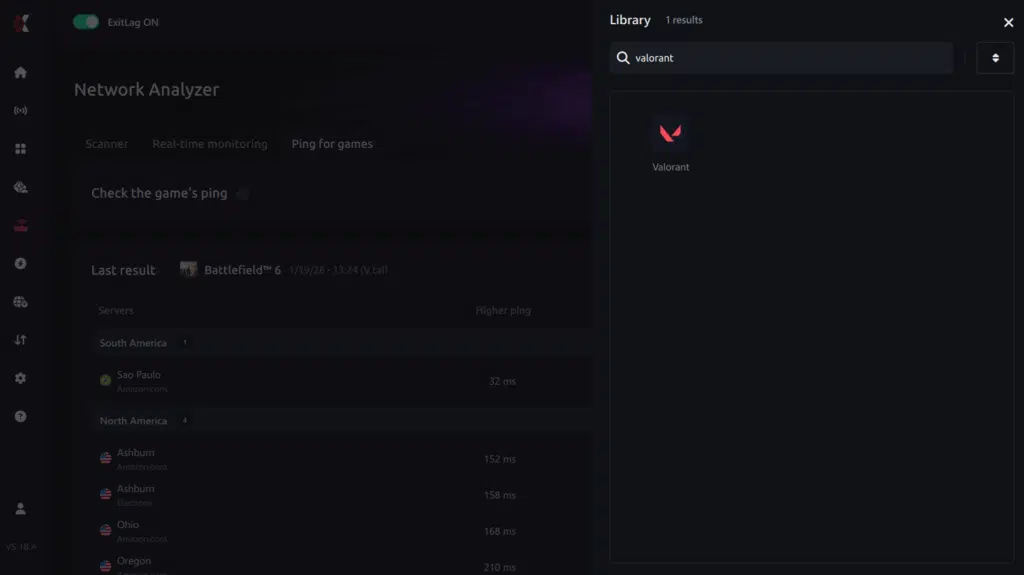
4. Choose the specific server
Select the exact Valorant server you want to test instead of a generic region. This ensures more accurate results for your match.
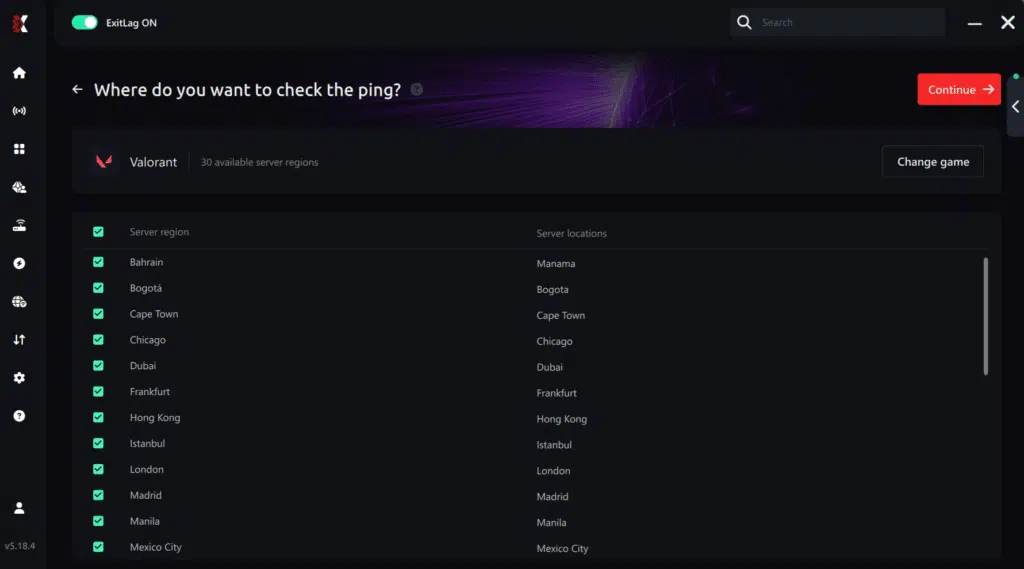
5. Start the ping test
With one click, the measurement is performed in real time between your device and the selected Valorant server, considering your current connection (cable or Wi-Fi).
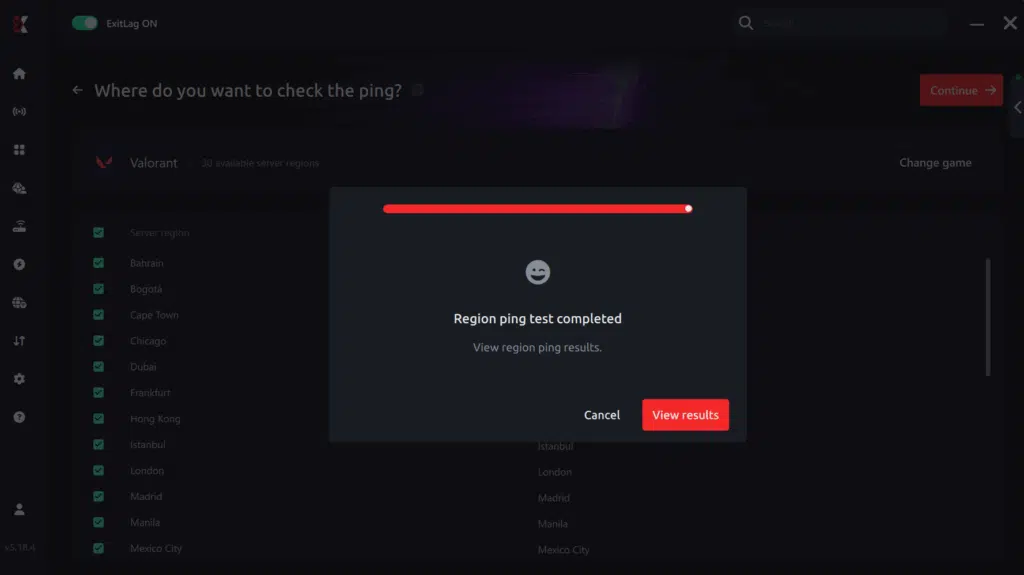
6. Analyze the results
Results appear in milliseconds (ms), automatically sorted from best to worst ping. You can also reorganize the view alphabetically if you prefer.
7. Choose the best server and play worry-free
With this information, simply select the server with the lowest latency and jump into Valorant knowing your connection is optimized.
FAQ about Valorant jitter
Common questions reveal typical concerns. These answers address confusion effectively.
What’s the difference between jitter, lag and packet loss?
Jitter quantifies ping fluctuation indicating instability. Furthermore, lag represents consistent delay from elevated ping.
Packet loss signifies data disappearance completely. You can have low ping with high jitter.
Therefore, low ping with high jitter creates terrible experiences. Understanding differences enables appropriate troubleshooting.
Why does my ping keep fluctuating?
Primary causes include network congestion predominantly. Unstable routing affects consistency dramatically.
Moreover, wireless connectivity introduces variability perpetually. Multiple devices create bandwidth competition.
ISP problems contribute significantly. Additionally, server distance influences consistency significantly.
Is jitter worse than high ping?
Frequently yes, counterintuitively. Stable high ping proves more playable.
Furthermore, unpredictable ping becomes unmanageable. You adapt to consistent latency eventually.
Variable responses remain unpredictable always. Therefore, consistency supersedes speed often.
How can I tell if I have jitter?
Conduct terminal ping testing initially. Observe variations carefully throughout.
Moreover, inconsistent responsiveness indicates jitter. Gameplay alternating between smooth and delayed reveals patterns.
If feels unstable despite acceptable numbers, jitter exists. Therefore, symptoms expose more than statistics.
Does Wi-Fi cause jitter?
Absolutely yes, fundamentally problematic. Wireless suffers interference constantly.
Furthermore, interference generates jitter directly. Physical barriers affect signals unpredictably.
Signal varies throughout day. Therefore, ethernet provides superior stability universally.
Does ExitLag fix problems beyond jitter?
Yes, addressing challenges comprehensively simultaneously! ExitLag reduces ping significantly.
Furthermore, packet loss elimination occurs automatically. DDoS protection provides security benefits.
Therefore, performance improves dramatically overall. Investment provides multifaceted value.
Must I keep ExitLag open while playing?
Yes, absolutely mandatory for optimization. Software must remain active.
Furthermore, closing eliminates benefits immediately. Background operation ensures continuous stabilization.
Minimal resources enable gameplay. Therefore, optimization requires continuous operation.

Eliminate Valorant jitter permanently
Network instability shouldn’t devastate competitive matches perpetually. Jitter transforms tactical rounds into random outcomes.
Furthermore, ranked sessions become frustrating disasters avoidably. You don’t need accepting this as normal. ExitLag constitutes definitive solution eradicating fluctuations. Moreover, you deserve consistent predictable quality.
Don’t allow unpredictable timing sabotaging clutches. Undeserved losses shouldn’t happen constantly. Therefore, execution achieves complete reliability consistently. Investing enables proper Valorant experiences.
Developers intended immediate response always. Furthermore, perfect timing should be achievable. Whether pursuing casual or Radiant, stability proves fundamental. Connection determines outcomes significantly.
Discover additional strategies through the ExitLag blog for enhancements. Multiple resources available for improvement.
Ready to eliminate Valorant jitter forever and dominate with perfect timing? Try ExitLag risk-free and experience tournament-grade stabilization immediately.
Got questions or want to connect with other players? Join the conversation at the ExitLag Forum!