Solo queue in Valorant is one of the most unpredictable experiences in competitive gaming. You can hit every shot, call out every rotation, and still lose because two teammates went silent before round five. The fix is not getting better at the game. The fix is finding better teammates before the match starts, and the best place to do that is a Valorant LFG Discord server.
Valorant LFG Discord refers to Discord communities built specifically for players who are Looking For Group. These servers connect players by rank, region, role preference, and playstyle so you can build a coordinated squad before entering competitive queue. Instead of relying on random matchmaking to assemble your team, you choose your teammates in advance.
The right Discord server gives you instant access to hundreds of active players queuing at the same time you are. Within minutes of posting your information, you can have a five-stack assembled, voice chat running, and agents locked before the match even loads. That is the speed and consistency that separates LFG Discord from every other teammate-finding method.
This guide covers the best Valorant LFG Discord servers currently active, how to navigate them properly, what to write in your LFG post, and how to get the most out of every session you find.

The Best Valorant LFG Discord Servers Right Now
Not every Valorant LFG Discord server is worth your time. Some are inactive, some are poorly organized, and some have moderation issues that make finding good teammates difficult. The servers below are consistently active, well-organized, and used by serious players across all ranks.
Official Valorant Discord Server
The Official Valorant Discord server, run in collaboration with Riot Games, is the single largest Valorant community on the platform, with over 1.6 million members. Its size alone makes it one of the most reliable places to find active players at any time of day.
Key features of the Official Valorant Discord:
- Dedicated LFG and LFT (Looking for Team) channels separated by region
- Community events, patch note announcements, and bug report channels
- Active moderation that keeps the server organized and minimizes toxicity
- Broad rank coverage from Iron through Radiant
- Regular updates from Riot Games directly in the announcement channels
Because of its size, the LFG channels in the official server move fast. Post your information clearly and be ready to respond immediately, since available players move on within minutes if they do not hear back.
VALORANT LFG Server (Community-Run)
The community-run Valorant LFG server has over one million members and is dedicated entirely to one purpose: helping players find teammates. Unlike the official server, which covers all aspects of Valorant, this server is built specifically around team-finding.
What makes this server stand out:
- Channels separated by rank tier and region for precise filtering
- Automated bots that create temporary voice channels when a group forms
- Regular community tournaments with prize pools
- Active moderation with clear rules about post formatting and behavior
- Focus exclusively on LFG, with no clutter from unrelated discussions
Players who want a focused, efficient LFG experience often prefer this server over larger multi-purpose communities.
Regional Valorant Discord Servers
For players who need region-specific matchmaking, dedicated regional servers offer a more targeted community. Currently active regional options include:
- Valorant EU: Over 50,000 members, focused on European servers with channels for Western Europe, Eastern Europe, and Turkey
- Valorant OCE: Active server for Oceania players covering the OCE server region
- Valorant Middle East: Dedicated community for players on the Middle East server
- Valorant Asia: Multiple servers covering different Asian regions and languages, including dedicated Singapore and Southeast Asia communities
Regional servers matter because ping is directly affected by which server you queue on. Joining a regional LFG community means every player you find through it is already playing on the same server zone as you.
How to Find a Valorant LFG Discord Server on Your Own
Beyond the established servers listed above, players can find additional Valorant LFG Discord communities through:
- Discord’s built-in server discovery: Open Discord, click the compass icon in the left sidebar, and search for “Valorant LFG.” Results are sorted by member count and activity level.
- DISBOARD and Discord.me: Third-party Discord listing sites where servers are tagged by game and purpose. Search “valorant-lfg” to see active communities with member counts and descriptions.
- Reddit communities: Posts in Valorant-focused subreddits often include Discord links for specific rank tiers, regions, or playstyle preferences.
- In-game friend networks: When you have a strong match with a random player, add them in-game and ask if they use a Discord server. Personal referrals lead to better community fits than random searches.
How to Use a Valorant LFG Discord Server Effectively
Joining a server is the easy part. Getting value from it requires knowing how each server is structured and how to present yourself to potential teammates.
Understanding Discord Server Structure for LFG
Every well-organized Valorant LFG Discord server follows a similar structure. Knowing what to look for when you first join saves significant time:
- Welcome and rules channels: Always read these first. Servers remove posts that violate formatting rules, and getting banned before you find a teammate is entirely avoidable.
- Verification step: Most large servers require phone verification or email confirmation on your Discord account before accessing LFG channels. This prevents spam bots and keeps the community quality higher.
- Role selection: After verifying, you assign yourself roles that define your rank, region, and agent preference. These roles unlock access to the relevant LFG channels and sometimes trigger notifications when your role is mentioned.
- Rank-specific LFG channels: Post in the channel that matches your current rank. Posting in the wrong channel wastes your time and frustrates the players in that channel.
- Voice channels: Most active servers maintain organized voice channel sections where groups can move immediately after forming in text chat.
Step-by-Step: From Joining to Queueing in Under 10 Minutes
Follow this sequence to go from joining a new Valorant LFG Discord to being in a match as fast as possible:
- Join the server through a verified invite link.
- Read the rules channel completely. This takes 60 seconds and prevents you from getting removed before finding anyone.
- Complete verification if required, then navigate to the role-selection channel.
- Assign your rank, region, and agent roles accurately. Misrepresenting your rank wastes everyone’s time and damages your reputation in the community.
- Navigate to your rank-specific LFG channel and read a few recent posts to understand the tone and format the community uses.
- Write and post your LFG message with all required information (detailed below).
- Check incoming DMs and channel responses immediately. Active players respond fast. A delayed reply means they have already moved on to someone else.
- Add the player in-game via their Riot ID and tagline, start a party, and queue.
What to Write in Your Valorant LFG Discord Post
The most important factor in getting quick, quality responses from a Valorant LFG Discord is the content of your post. Vague posts are ignored. Specific posts filter for exactly the right match in seconds.
A strong Valorant LFG post includes:
- Riot ID and tagline (example: Agent#NA1) placed in the first line so players can add you immediately
- Current rank stated honestly, because exaggerating it produces mismatched teammates and a frustrating session for everyone
- Region and server (NA East, NA West, EU West, EU East, BR, etc.)
- Preferred role or agents (Duelist, Controller, Initiator, Sentinel, or specific agents)
- Communication preference (mic required, text only, flexible)
- Session goal (ranked grind, casual unrated, Premier practice, specific rank target)
- Availability including your timezone
A complete example post looks like this: “Agent#NA1 / Gold 2 / NA East / Controller main, Omen or Brimstone / mic on / serious ranked grind / available 8-11pm EST”
That single line tells every reader in the channel exactly what they need to decide in three seconds.
LFG Terms You Will See in Valorant Discord Servers
Valorant Discord LFG channels use a specific vocabulary that confuses new users. Here is what the most common terms mean:
| Term | Meaning | Example Usage |
| LFG | Looking For Group | “LFG Gold 2 NA East, Controller main” |
| LF1 / LF2 | Looking for 1 or 2 more players | “LF2 to complete our 5-stack” |
| LFT | Looking For Team (long-term) | “LFT for Premier team, Diamond+” |
| LFM | Looking For More (group already exists) | “LFM 1 Sentinel, Plat 1 EU” |
| IGN | In-Game Name | “IGN: Agent#NA1” |
| Mic req / Mic opt | Microphone required or optional | “Mic req, serious only” |
| +rep / -rep | Positive or negative reputation | “Will give +rep after match” |
Understanding this vocabulary makes your posts faster to write and easier for other players to read.
Pro Tips: Getting More From Valorant LFG Discord
Pro Tips: Valorant LFG Discord
- Post during peak hours for your region: Each region has specific times when its LFG channels are most active. For NA, evening hours on weekdays and afternoons on weekends produce the fastest responses. Posting at off-peak hours means fewer players are active, which slows down the process significantly.
- Stay in the server between sessions: Players who only visit a server when they need teammates and disappear otherwise build no reputation in the community. Being present in general discussion channels, reacting to posts, and helping other players find groups builds goodwill that translates into faster responses when you post LFG.
- Build a short list of reliable players: When you have a genuinely good session with a player you found through LFG Discord, add them to a personal notes list with their Riot ID, rank, role, and timezone. Over several weeks, this list becomes a personal roster that makes future sessions faster than searching from scratch every time.
- Use the bot commands each server provides: Most organized servers have bot commands that automate parts of the process, such as creating temporary voice channels, pinging rank roles, or formatting your post automatically. Reading the commands channel saves significant time compared to doing everything manually.
Common Mistakes Players Make on Valorant LFG Discord
Common Mistakes Valorant LFG Discord Users Make
- Posting in the wrong rank channel: Many players skip the role selection step and post in whatever LFG channel they find first. If that channel is for a different rank tier, their post gets ignored or removed. Fix: always complete the role selection process before posting, and double-check that your current rank matches the channel you are in.
- Writing one-line posts with no useful information: “LFG Valorant ranked, any rank” tells potential teammates nothing. They cannot evaluate fit, so they scroll past. Fix: write a complete post every time, even if it feels repetitive. Each post is your first impression to someone who has never seen you before.
- Going offline immediately after posting: LFG Discord responses happen in real time. If you post and then walk away from your computer, the players who responded have already grouped with someone else by the time you return. Fix: only post when you are actively at your computer and ready to queue within the next five to ten minutes.
Does Your Connection Hold Up When Your LFG Squad Is Ready?
Finding the right squad through Valorant LFG Discord removes the randomness from your team. However, one variable that LFG cannot solve for you is connection quality. When you queue with players you specifically chose, your ping and stability directly affect their experience and the result of every match you play together.
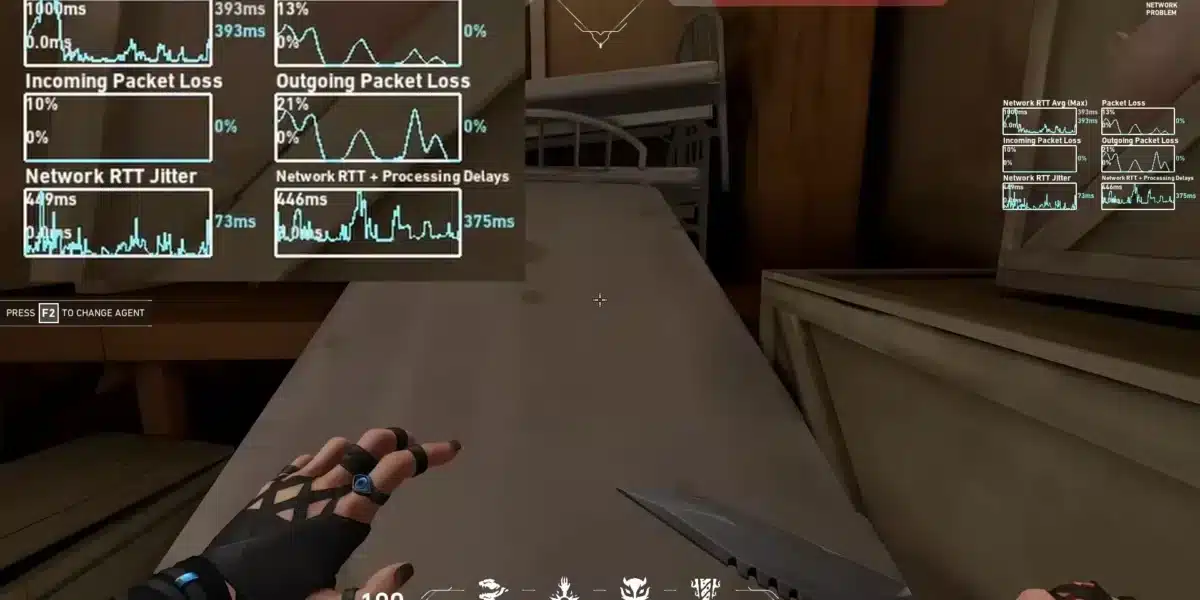
Valorant is extremely latency-sensitive. A connection spike during a clutch moment means your shot does not register when your team needed it most. A packet loss issue during a coordinated push means your ability fires late and the execute falls apart. These are not skill problems. They are network problems, and they show up most visibly in coordinated play where every player’s timing matters.
ExitLag is a game connection optimizer used by over 30 million players worldwide. It analyzes multiple network paths in real time and selects the fastest, most stable route between your PC and Valorant’s servers. Rather than using your ISP’s default routing, which is designed for general traffic rather than low-latency gaming, ExitLag finds the path that keeps your connection consistent across the entire match.
For players actively using Valorant LFG Discord to build squads, the most useful ExitLag features are:
- Multipath Technology: Sends game data through multiple routes simultaneously. If one path degrades mid-match, others take over without visible interruption.
- Traffic Shaper: Prioritizes Valorant traffic over every other process on your network, preventing background downloads or other devices from affecting your ping during queued sessions.
- Real-Time Optimization: Keeps your connection stable from the first round to the last, not just at the start of the session.
Start with a free trial and run it through a few sessions before your next LFG queue. The squad you build through Valorant LFG Discord deserves a connection that matches the effort you put into finding them.
All images used in this blog post belong to their respective owners and are used for informational and educational purposes only. They do not imply endorsement or affiliation with the rights holders.
Got questions or want to connect with other players? Join the conversation at the ExitLag Forum!