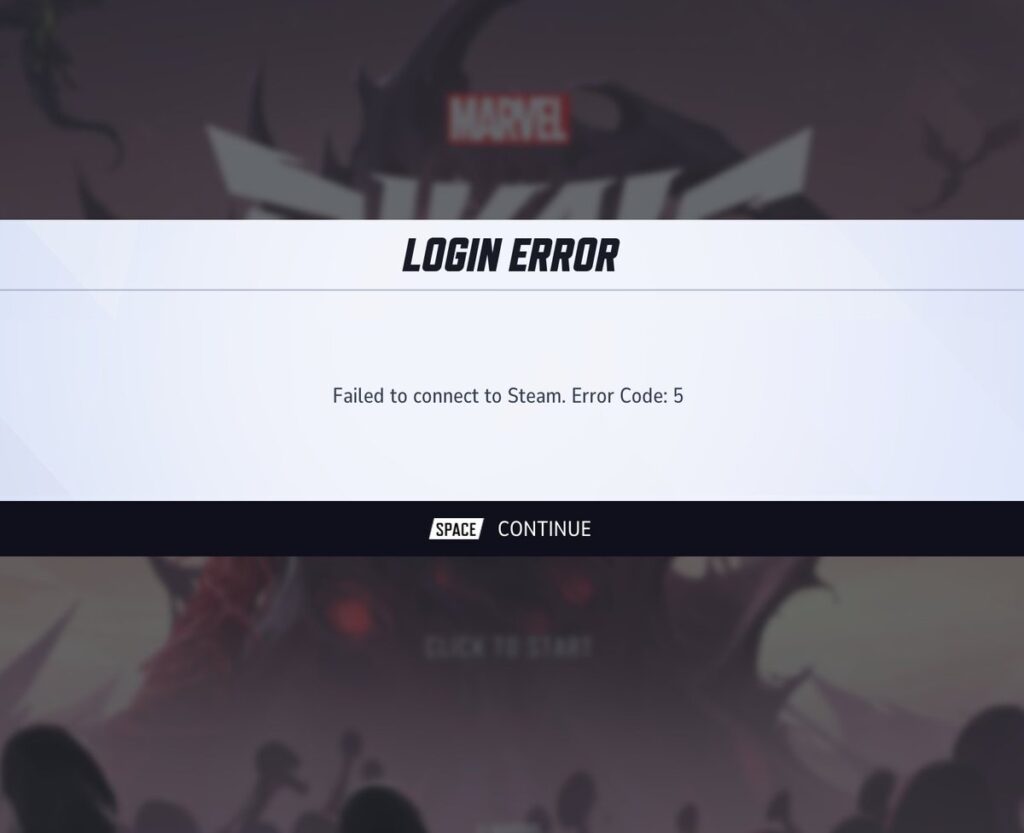
Encountering Marvel Rivals Error Code 5 during login can be frustrating, especially when you’re just trying to enjoy a few matches. Whether you’re playing on Steam or PS5, this error usually appears as:
- “Failed to connect to Steam. Error Code: 5”
- “Login Error Code 5”
This guide covers everything you need to know about what causes Error Code 5 and how to fix it quickly so you can get back to playing.
What Is Marvel Rivals Error Code 5?
Marvel Rivals Error Code 5 is a connection-related issue, typically meaning the game client cannot authenticate your session with the server.
Where does it appear?
- On PC/Steam: During login attempts when the game fails to communicate with Steam’s backend.
- Also appears on PS5: Especially on PlayStation platforms, though exact causes may vary and haven’t been officially confirmed to match those on PC.
The issue is frequently network-related, although in many cases, it may stem from server-side problems or temporary outages that are beyond the user’s control.
Why Does Error Code 5 Happen?
There are several possible triggers for this issue:
- Steam not running in the background (PC only)
- DNS resolution failure
- Network instability (Wi-Fi dropouts, router cache, ISP issues)
- Corrupted local cache or temporary files
- Server-side issues or maintenance by Marvel Rivals
How to Fix Marvel Rivals Error Code 5
Before diving into more technical steps, PC players should try using ExitLag – a powerful tool that can fix connectivity issues by optimizing network routing. It’s especially effective against packet loss, ping spikes, and unstable routes that often cause Error Code 5 in Marvel Rivals. Please note: ExitLag is only compatible with PC and does not work on PS5 or other consoles.
Try these solutions in order. Many users have resolved the problem with one of the basic fixes below:
Basic Fixes (Work for Most Users)
- Restart the Game: Close Marvel Rivals and relaunch it.
- Press Continue/Retry Repeatedly: This has been an officially suggested workaround by developers and may temporarily allow login. It’s not guaranteed but worth trying.
- Run Steam as Admin (PC): Right-click Steam > Run as Administrator.
- Update the Game: Make sure you have the latest patch installed.
- Check Internet Connection: On PS5, run a connection test. On PC, try opening a website.
Network Troubleshooting (PC & Console)
- Power Cycle Your Router:
- Turn it off
- Wait 2 minutes
- Turn it back on
- Flush DNS (PC):
ipconfig /flushdns
netsh winsock reset
- Use a Wired Connection (if on Wi-Fi)
Steam-Specific Fixes
- Verify Game Files:
- Steam Library > Right-click Marvel Rivals > Properties > Installed Files > Verify Integrity
- Restart Steam completely
- Log out and back in to your Steam account
What If You’re on PS5?
- Restart Console and router
- Run a Network Test from system settings to verify your connection
- Reinstall the Game if the problem persists
- Some users have tried using Rebuild Database via Safe Mode, although there is no official confirmation that this resolves the issue for Marvel Rivals
Use ExitLag for a Stable Connection
If you’re still experiencing Error Code 5, unstable routing or packet loss might be the cause. This is where ExitLag becomes a game-changer.
ExitLag helps by:
- Reducing ping and jitter
- Re-routing your connection through the most stable path
- Eliminating packet loss
Whenever you’re on PC, ExitLag ensures Marvel Rivals runs smoother and connects to servers reliably.
Note: ExitLag is available only for PC users. It is not supported on PS5 or any console platforms.
Check for Official Updates or Server Resolutions
As of August 2025, developers have already addressed and resolved several instances of Error Code 5. Be sure to check official Marvel Rivals social media, Steam updates, or their status page for recent updates and maintenance announcements.
Marvel Rivals Failed to Connect to Steam Error Code 5: When It’s Not on You
One of the most important things to recognize is that many cases of this error are not caused by your internet, system, or setup. According to multiple sources, including players and community moderators:
- The problem often arises from backend server issues.
- The Marvel Rivals development team has acknowledged and resolved related bugs in previous patches.
- Some community sources have reported that the issue was declared resolved around August 15, 2025, though official confirmation from the developers is not publicly available.
This means that, in many instances, no amount of local troubleshooting will fix the issue. Your best bet might be patience and monitoring the game’s official channels for updates.
What You Should Do
- Check the official Marvel Rivals social media accounts for maintenance alerts or downtime notifications.
- Visit server status websites like Downdetector or the official game status page to see if others are reporting the same issue.
- Join the Marvel Rivals Discord or Reddit to stay informed through community insights and get updates directly from the developer team.
If you’re encountering Error Code 5 during peak hours or following a major update or patch, the issue is most likely on the server side.
Regional DNS Configuration and Routing Issues
Some users affected by error code 5 Marvel Rivals PS5 and Steam have discussed region-specific connectivity failures in community forums. This may be due to how traffic is routed through certain local ISPs or due to temporary congestion.
Suggested Community Fixes:
- Change DNS settings on your device to public servers:
- Google: 8.8.8.8 and 8.8.4.4
- Cloudflare: 1.1.1.1 and 1.0.0.1
- On PC, use ExitLag to bypass problematic paths automatically and connect through optimized routes without needing manual configuration.
These are not official solutions but have helped some players regain access.
How ExitLag May Help with Marvel Rivals Error Code 5
For PC players still experiencing the Marvel Rivals failed to connect to Steam error code 5, ExitLag is one optional tool that can improve network stability.
Here’s what it does:
- Optimizes your route to Steam’s servers, potentially reducing login timeouts
- Avoids packet loss in certain regions by selecting better paths
- Helps bypass ISP-level congestion that could delay server handshakes
Many PC users report reduced frequency of connection errors when using ExitLag. Still, it’s important to note that ExitLag only supports Windows PC-it does not work on PS5, Xbox, or any console platform.
Community Workarounds That Might Help (Not Guaranteed)
While there’s no universal solution on consoles, some PS5 users have found limited success with these community-tested workarounds:
- Logging out and back into their PSN account.
- Switching their console’s language or region temporarily.
- Reinstalling the game and rebooting both modem and console.
- Running a full connection diagnosis from the PS5 settings menu.
These are not officially endorsed fixes, but they represent shared experiences that may help.
Developer Response and Patch Notes
Marvel Rivals’ developers have released patches addressing connectivity bugs:
- Patch 1.03 improved login stability and reduced timeout errors during matchmaking.
- There are community reports that post-August 2025 server maintenance resolved most cases of Error Code 5, though residual cases may still occur.
What This Means for You:
- Always keep your game client up to date.
- Don’t assume it’s your system-check community channels and status updates first.
- If you’re on PC, ExitLag may provide additional network stability.
- For console players, check server status, test your internet, and retry after short intervals.
Conclusion
Marvel Rivals Error Code 5 isn’t always under your control-but being prepared with the right tools and knowledge can help reduce frustration. Stay updated through official channels, monitor community forums, and consider trusted third-party tools like ExitLag to stabilize performance on PC.
Console players will need to monitor the situation closely and use official channels for assistance. With developers continuing to roll out patches and improvements, this error may become less frequent over time.
Stay informed, stay persistent-and keep your next login error-free.
Got questions or want to connect with other players? Join the conversation at the ExitLag Forum!