When players search for supported Minecraft, they are usually asking which features, mods, devices, and platforms are compatible with the two main editions of the game: Minecraft Java Edition and Minecraft Bedrock Edition. Since both versions continue to evolve, it’s important to know what each supports so you can choose the one that best matches your playstyle.
For players interested in high-level challenges, learning about the Wither boss in Minecraft is essential, since it’s one of the toughest fights the game supports full Wither guide.
Minecraft is more than just a sandbox game—it’s a constantly expanding ecosystem. Some players care most about mods and customization, others want controller support for consoles, and many are looking for crossplay so they can play with friends across different platforms. This guide breaks down the details of what is supported in Minecraft, starting with the differences between Java and Bedrock.
Minecraft Versions and What They Support
The first step in understanding supported Minecraft is recognizing that there are two main editions: Java and Bedrock. While they share the same base game, they support very different features.
Here’s a quick comparison:
| Feature | Minecraft Java Edition | Minecraft Bedrock Edition |
| Mods | ✅ Yes (Forge, Fabric, CurseForge) | ❌ No official mod support; Marketplace only |
| Controller Support | ❌ No native support (requires third-party apps) | ✅ Full native controller support |
| Crossplay | ❌ PC only | ✅ PC, Xbox, PlayStation, Switch, Mobile |
| Shaders | ✅ Yes (via Optifine, Iris, etc.) | ❌ Limited; RTX ray tracing on Windows 10/11 |
| DLSS | ❌ Not supported | ✅ Supported on RTX GPUs |
| Realms | ✅ Yes (Java Realms, but vanilla only) | ✅ Yes (Bedrock Realms, vanilla only) |
This table highlights why many discussions around supported Minecraft focus on whether you value mods and customization (Java) or crossplay and convenience (Bedrock).
Mods Support in Minecraft
One of the most common questions is: Which version of Minecraft supports mods?
- Java Edition:
- Java is the king of mods. With platforms like Forge, Fabric, and CurseForge, players have nearly unlimited customization. From massive world overhauls to simple quality-of-life tweaks, mods are at the heart of the Java community.
- Players can also install shaders, new biomes, tech mods, and even full-scale RPG systems.
- Bedrock Edition:
- Bedrock does not support traditional mods. Instead, it offers the Minecraft Marketplace, where players can purchase curated add-ons, skins, and maps.
- While this makes it safer and easier to install, it limits creativity compared to Java.
If mods are a priority for you, Java Edition is the supported Minecraft version you need.
Beyond individual mods, exploring curated Minecraft modpacks to enhance your game can give you an all-in-one upgrade best modpacks guide.
Controller Support in Minecraft
Another frequent concern for players is: Does Minecraft Java support controllers?
- Java Edition:
- ❌ No native controller support. If you want to use a gamepad, you’ll need third-party tools like Joy2Key, Steam Input, or Xpadder to map your controller inputs to keyboard keys.
- While this works, it’s not always seamless, and some players prefer sticking to keyboard and mouse.
- Bedrock Edition:
- ✅ Full controller support. Designed with consoles in mind, Bedrock supports controllers across all platforms, including Xbox, PlayStation, Switch, and even mobile devices with Bluetooth gamepads.
- This makes Bedrock the better choice if you prefer playing on a controller.
For controller support, Bedrock is the officially supported Minecraft version.
Crossplay Support in Minecraft
One of the strongest selling points of Bedrock Edition is crossplay. Players often ask: Does Minecraft support crossplay?
- Java Edition:
- ❌ Java does not support crossplay. Multiplayer is only available between PC players running Java.
- You can still join servers, LAN games, or Realms, but it’s restricted to the Java ecosystem.
- Bedrock Edition:
- ✅ Bedrock fully supports cross-platform play. Players on PC, Xbox, PlayStation, Nintendo Switch, and mobile can all join the same server or Realms world.
- All you need is a Microsoft account to link across devices.
Crossplay is one of the most important aspects of supported Minecraft, especially for families and friends who use different platforms.
If you want to play Minecraft with friends across platforms, Bedrock is the supported edition you need.
For educators, another supported area is the use of Minecraft education mods for interactive learning, which expand the game into a teaching tool education mods guide.
Shaders and Graphics Enhancements
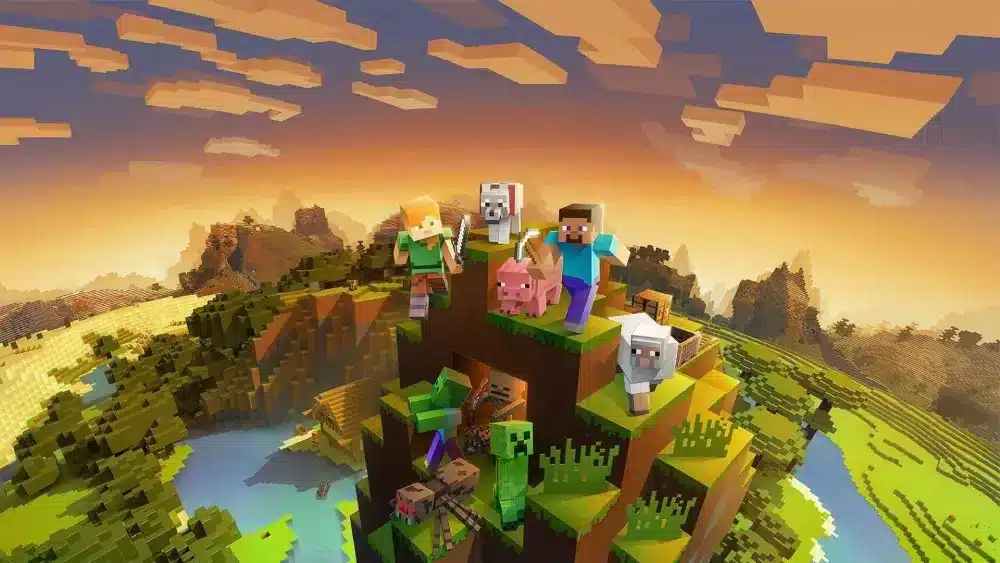
One of the most common questions in the community is: Does Minecraft Bedrock support shaders? The answer depends on which edition you play, since graphics support is very different in Java and Bedrock.
- Java Edition:
- ✅ Java fully supports shaders through community-made tools like Optifine, Iris, or Sodium.
- Players can install shader packs to add realistic lighting, shadows, reflections, and more.
- Java shaders are extremely flexible, ranging from lightweight packs for low-end PCs to photorealistic ones that push high-end GPUs to the limit.
- Bedrock Edition:
- ❌ Bedrock does not natively support shaders.
- However, RTX ray tracing is available for Windows 10/11 players with NVIDIA RTX GPUs, offering advanced lighting and reflections.
- On mobile or console, shaders are not supported, unless you use unofficial add-ons, which are limited in scope.
Quick Comparison of Graphics Support
| Feature | Java Edition | Bedrock Edition |
| Shaders | ✅ Yes (Optifine, Iris, Sodium) | ❌ Not supported natively |
| RTX Support | ❌ Not available | ✅ Yes, on Windows 10/11 with RTX GPUs |
| Visual Mods | ✅ Thousands of free community mods | ❌ Marketplace only, limited to curated packs |
| DLSS | ❌ Not supported | ✅ Supported with RTX cards on PC |
If you want maximum control over shaders and visual mods, Java Edition is the supported Minecraft version. If you want cutting-edge RTX ray tracing and DLSS, Bedrock on PC is the way to go.
DLSS and Ray Tracing in Minecraft
Another important part of supported Minecraft features is advanced graphics like ray tracing and DLSS (Deep Learning Super Sampling).
- Java Edition:
- ❌ No official DLSS or ray tracing support.
- Any advanced rendering must come through mods or shader packs, which are handled by your GPU but do not use NVIDIA’s DLSS AI technology.
- Bedrock Edition:
- ✅ Official RTX ray tracing support on Windows 10/11.
- ✅ DLSS available for supported NVIDIA GPUs, improving performance while maintaining high-quality visuals.
- RTX enhances reflections, shadows, and global illumination, making Bedrock the edition of choice for players who value visual fidelity.
If you’re asking “Does Minecraft support DLSS?” → Yes, but only in Bedrock Edition on PC with RTX hardware.
For official updates, patch notes, and marketplace announcements, the official Minecraft website is the best source of information visit Minecraft.net.
Minecraft Realms Support
Players often ask: Does Minecraft Realms support mods? The answer is straightforward:
- Java Edition Realms:
- ❌ Does not support mods.
- Only vanilla gameplay is allowed.
- If you want to play with mods, you need to set up a custom server.
- Bedrock Edition Realms:
- ❌ No mod support.
- You can use Marketplace content (skins, maps, and packs purchased officially).
- Just like Java Realms, Bedrock Realms are designed for simplicity and stability, not customization.
Realms are perfect for casual multiplayer but not for modded gameplay. For mods, you need private servers.
To clarify every mechanic, enchantment, and block, the Minecraft community wiki is a reliable and detailed knowledge base explore Minecraft Wiki.
How to Identify Which Version You Have
Since support differs so much between editions, many players want to confirm which version they own.
- Java Edition:
- Purchased via Minecraft.net.
- Launcher is labeled Minecraft Launcher (Java Edition).
- Only playable on Windows, macOS, and Linux.
- Bedrock Edition:
- Purchased via the Microsoft Store (Windows 10/11), Xbox Store, PlayStation Store, Nintendo eShop, or mobile app stores.
- Launcher simply labeled as Minecraft.
- Playable on PC, consoles, and mobile.
Tip: If you can play with Xbox or PlayStation friends, you’re on Bedrock. If you’re downloading mods from CurseForge, you’re on Java.
Frequently Asked Questions (FAQ)
Here are clear, snippet-ready answers to the most common questions about supported Minecraft:
❌ No, Java Edition does not support controllers natively. You can use third-party apps like Joy2Key or Steam Input to map controller inputs.
✅ Yes, but only Bedrock Edition supports crossplay between PC, Xbox, PlayStation, Switch, and mobile. Java Edition is PC-only.
❌ Not natively. Bedrock supports RTX ray tracing on Windows 10/11 with NVIDIA RTX GPUs. For other devices, shaders require unofficial add-ons.
❌ No, neither Java nor Bedrock Realms support mods. Realms are limited to vanilla gameplay and Marketplace content in Bedrock.
✅ Only Minecraft Bedrock Edition on PC supports DLSS and RTX ray tracing with compatible NVIDIA GPUs.
You can contact Mojang via the official Minecraft Help Center at help.minecraft.net.
Prestige and similar third-party clients primarily support Minecraft Java Edition, since they rely on mod frameworks like Forge or Fabric.
Conclusion: Choosing the Right Supported Minecraft Version
In summary, when asking what is supported in Minecraft, the answer depends entirely on whether you’re using Java Edition or Bedrock Edition:
- Java Edition supports mods, shaders, and community customization.
- Bedrock Edition supports controllers, crossplay, RTX, and DLSS.
- Realms in both editions do not support mods, only vanilla gameplay.
Choosing the right edition depends on your priorities:
- Want mods and ultimate customization? Pick Java Edition.
- Want crossplay, performance, and modern graphics? Pick Bedrock Edition.
🎮 Whichever version you play, don’t let lag ruin your experience. Use ExitLag to optimize your network connection, reduce ping, and keep your Minecraft sessions running smoothly.
Got questions or want to connect with other players? Join the conversation at the ExitLag Forum!