A strong network infrastructure is the foundation behind reliable online experiences, especially in gaming, streaming, remote work, and cloud-based services. When your connection feels stable, fast, and responsive, it is usually because the underlying systems were planned correctly. From routers and switches to security layers and monitoring tools, every piece of the puzzle matters.
PC performance can be the hidden bottleneck in any infrastructure discussion, especially when users blame “the network” for stutter or freezes. Cleaning up local lag makes your measurements more trustworthy and helps isolate real routing or congestion issues. Use this guide on how to stop PC lag as a quick baseline before deeper diagnostics.
In practical terms, network infrastructure is the combination of hardware, software, security controls, and connectivity design that allows devices and systems to communicate. A well-built setup improves speed, reduces downtime, and supports growth over time. For gamers and teams alike, network infrastructure quality directly affects latency, stability, and user experience.
If you want to understand network infrastructure from a practical angle, this guide will walk you through the main components, planning steps, scalability principles, efficient system design, and the role of tools like ExitLag. Along the way, we will also connect the topic to IT infrastructure, network design, server infrastructure, data center planning, and the needs of an enterprise network.
What is network infrastructure and why does it matter?

A lot of people hear the term and think only about cables or internet speed. However, network infrastructure is much broader than that.
A precise definition helps keep the rest of the guide grounded, especially when “infrastructure” gets used as a catch-all word. Framing it as the systems, services, and design that move and protect data makes the planning sections easier to apply. Cisco’s overview of what network infrastructure is is a useful anchor for that baseline.
It includes the full communication backbone that moves data between devices, servers, and services. That can be a home setup, a gaming environment, a business office, or a global enterprise network.
Good network infrastructure matters because it helps you:
- reduce connection instability,
- improve data delivery,
- protect systems from threats,
- support more users and devices,
- and maintain performance during peak usage.
In gaming, this can mean fewer spikes and smoother matches. In business, it can mean better uptime, safer operations, and faster internal communication.
Ping spikes are one of the clearest “symptoms” users notice, but they’re rarely a single-cause problem. They can come from congestion, unstable paths, overloaded devices, or even queueing behavior inside the network. This explainer on what ping spikes are and why they happen helps you connect the symptom to the right layer of troubleshooting.
How network infrastructure supports performance
When network design is poor, traffic gets congested, devices compete for bandwidth, and failures become more common.
When it is done well, your IT infrastructure can route traffic efficiently, prioritize critical services, and keep applications responsive.
This is why strong planning is not optional. It is part of performance.
How network infrastructure supports security
Security is also a core function of network infrastructure, not a separate add-on.
A modern setup should include:
- firewalls,
- segmentation,
- access controls,
- monitoring,
- and secure configurations.
That matters for home users, but it matters even more in a data center or enterprise network where the risk surface is much larger.
What are the main network components of an infrastructure?
To build a reliable network infrastructure, you need to understand the core components first. Each one plays a specific role in connectivity, performance, and security.
Before choosing tools or topology, it helps to know what each component actually does in your IT infrastructure.
Core hardware components in network infrastructure
At the hardware level, most network infrastructure environments rely on these essentials:
- Routers: direct traffic between networks and external connections
- Switches: connect devices within a local network and manage internal traffic
- Firewalls: filter and protect network traffic from unauthorized access
- Modems/ONTs: connect your local environment to the internet provider
- Access points: provide wireless connectivity
- Cables and fiber links: carry data between devices and segments
- NICs (network interface cards): allow devices/servers to connect to the network
These components form the operational backbone of server infrastructure, local office environments, and large-scale enterprise network deployments.
Software and service layers that support the network
Physical devices are only part of the story. A modern network infrastructure also depends on software and services, such as:
- DHCP (IP address assignment)
- DNS (name resolution)
- VPN services
- Network monitoring platforms
- Intrusion detection/prevention systems
- Load balancers
- QoS policies
- Configuration management tools
Traffic doesn’t move through “the internet” as a single blob—it hops through intermediate points that can add delay, jitter, or loss. Thinking in terms of nodes makes planning and diagnosis much clearer, from local segments to upstream providers. This breakdown of what a network node is and why it matters is a solid reference for that mental model.
This is where network design becomes more strategic. The more complex the environment, the more important orchestration and visibility become.
Quick component overview
| Component | Main role | Why it matters |
| Router | Routes traffic between networks | Controls internet and WAN connectivity |
| Switch | Connects local devices | Improves internal traffic flow |
| Firewall | Filters and protects traffic | Core security layer |
| Access Point | Provides Wi-Fi access | Extends wireless connectivity |
| Server | Hosts services/apps | Supports server infrastructure workloads |
| Monitoring Tool | Tracks network health | Helps prevent outages and bottlenecks |
How do you build network infrastructure efficiently?
Building network infrastructure efficiently is not about buying the most expensive hardware. It is about planning for your real needs, current load, and future growth.
Whether you are designing a small office setup or an enterprise network, the process should be structured.
Start with requirements. Then design. Then validate. Then optimize.
Start by assessing your needs
Every efficient network infrastructure project starts with a needs assessment.
Ask these questions first:
- How many devices will connect?
- What types of traffic are expected (gaming, VoIP, video, cloud apps)?
- What uptime requirements do you have?
- What security level is required?
- How fast do you expect the environment to grow?
- Will you host local services in your server infrastructure?
This prevents overspending in some areas and underbuilding in others.
Define performance, security, and growth targets
Before buying equipment, define measurable goals for your IT infrastructure and network design.
Examples:
- Maximum acceptable latency for critical apps
- Target uptime percentage
- Bandwidth capacity per user/team
- Recovery targets for outages
- Segmentation requirements for sensitive systems
These targets help guide architecture decisions and make your network infrastructure easier to scale later.
Choose the right network topology
The best network design depends on the environment.
Common topologies include:
- Star topology (most common for offices): centralized and easy to manage
- Mesh topology: resilient and redundant, often used in more advanced environments
- Hybrid designs: combine approaches for performance and failover
For many organizations, a star-based design with planned redundancy is the most efficient starting point for IT infrastructure and enterprise network needs.
What is the best network design for scalability?
Scalability is one of the most important qualities in modern network infrastructure. If your system works only at today’s size, you will face performance issues, downtime, and expensive rebuilds later.
A scalable network design allows your environment to grow without breaking existing performance.
Why scalability matters in network infrastructure
As your users, devices, and applications grow, traffic patterns change. A non-scalable network infrastructure can quickly become unstable.
Typical signs of poor scalability include:
- bandwidth saturation,
- rising latency,
- more frequent outages,
- limited port capacity,
- and hard-to-manage configurations.
In contrast, scalable IT infrastructure supports growth with fewer disruptions and better long-term cost control.
How to build scalability into your design from day one
To future-proof network infrastructure, include scalability during the first design phase.
Smart strategies include:
- Choose switches/routers with room for expansion
- Use modular hardware when possible
- Plan IP addressing carefully
- Segment traffic (VLANs/subnets) for easier growth
- Add redundancy in critical paths
- Use centralized monitoring from the beginning
- Document the architecture for future upgrades
This approach is especially important in data center and enterprise network environments, where change is constant.
Capacity planning checklist
Use this checklist when planning scalable server infrastructure and network capacity:
- Current user/device count
- 12–24 month growth estimate
- Peak traffic projections
- Application bandwidth requirements
- Backup and replication traffic needs
- Security tool overhead
- Redundancy and failover capacity
Good capacity planning makes network design more stable and less reactive.
How can you improve network infrastructure performance?

After deployment, performance tuning becomes the next priority. Even a good network infrastructure needs continuous optimization to maintain efficiency.
This is where monitoring, traffic shaping, and proactive maintenance matter most.
Use QoS to prioritize critical traffic
Quality of Service (QoS) is a major performance tool in network infrastructure.
It helps prioritize traffic so critical applications are not disrupted by lower-priority activity.
Examples of traffic you may prioritize:
- VoIP and real-time communication
- Gaming packets
- Business-critical cloud apps
- Video conferencing
- Database replication (in some server infrastructure cases)
QoS is one of the most practical ways to improve network design performance without immediately upgrading hardware.
Monitor performance continuously
You cannot improve what you do not measure. Ongoing monitoring is essential to keep network infrastructure healthy.
Track metrics such as:
- latency,
- jitter,
- packet loss,
- bandwidth usage,
- interface errors,
- CPU/memory on network devices,
- and uptime.
Monitoring helps you catch bottlenecks before users feel them. This is true for home gaming setups and for large enterprise network operations.
Reduce single points of failure
Performance and reliability are closely connected. If one failed component can bring down the system, your network infrastructure is fragile.
Use redundancy where it matters:
- backup links,
- dual power supplies,
- failover internet connections,
- redundant switches for critical segments.
This is especially important in a data center or any environment that depends on continuous availability.
What role does server infrastructure and data center planning play?
Many people separate network and servers too much. In reality, server infrastructure and network infrastructure must be designed together.
If your servers are fast but the network is weak, performance still suffers.
How server infrastructure affects network performance
Your server infrastructure drives traffic patterns. It determines:
- where data originates,
- how much data moves,
- which systems communicate frequently,
- and what latency sensitivity exists.
For example:
- file servers create heavy internal transfers,
- game servers require low-latency response,
- backup systems generate high-volume scheduled traffic.
A strong network design should account for these patterns early.
Data center considerations for efficient networking
In a data center, efficiency depends on coordinated planning between compute, storage, and networking.
Key data center networking considerations include:
- link redundancy,
- rack-level switch planning,
- east-west traffic flow,
- segmentation and security zones,
- cooling/power impact on hardware reliability,
- monitoring and alerting integration.
This is why IT infrastructure planning should never treat networking as an afterthought.
Enterprise planning also benefits from a broader view of how infrastructure ties into operations, resilience, and governance. Seeing the topic through an IT-strategy lens can clarify why scalability, security, and manageability must be designed together. IBM’s perspective on network infrastructure fundamentals is a helpful complement for that bigger-picture framing.
Enterprise network alignment
In an enterprise network, departments often have different priorities:
- finance wants security,
- operations wants uptime,
- IT wants manageability,
- leadership wants scalability and cost efficiency.
A good network infrastructure strategy aligns all of these through clear network design standards, documentation, and lifecycle planning.
What are common mistakes when building network infrastructure?
Even well-intentioned teams make mistakes that reduce performance and increase long-term cost. Avoiding these errors is one of the easiest ways to improve network infrastructure outcomes.
1) Skipping planning and buying hardware first
This is very common. People buy equipment before defining requirements.
Result:
- wasted budget,
- compatibility problems,
- poor scalability,
- and patchwork network design.
Always define goals before purchasing.
2) Ignoring security during early design
Security added later is usually weaker and more expensive.
A strong network infrastructure should include security from day one:
- firewall strategy,
- segmentation,
- access policies,
- logging,
- and monitoring.
This is critical for IT infrastructure and essential for any enterprise network.
3) No monitoring or documentation
Without documentation, upgrades become risky. Without monitoring, problems become visible only after users complain.
Document:
- IP plans,
- VLANs,
- device roles,
- link maps,
- credentials process,
- change history.
This makes server infrastructure, data center, and network operations much easier to maintain.
How ExitLag helps your network connection in gaming scenarios
A well-built network infrastructure improves local performance and stability. However, online gaming also depends on external routing beyond your home or office network.
That is where ExitLag becomes relevant.
What ExitLag does
ExitLag helps optimize routing paths between your connection and game servers. In gaming scenarios, this can reduce instability caused by inefficient routes, congestion, or packet delivery issues outside your local network infrastructure.
Potential benefits include:
- lower latency in some routes,
- improved stability,
- reduced packet loss,
- smoother gameplay response.
This can be especially useful when your local IT infrastructure is already solid but your ISP routing is inconsistent.
What ExitLag does not replace
ExitLag is not a substitute for good network design.
It does not replace:
- a stable router,
- a secure firewall setup,
- proper Wi-Fi or cabling,
- bandwidth planning,
- or monitoring tools.
Think of it as a complementary optimization layer for gaming traffic, not a replacement for core network infrastructure best practices.
Best setup approach for gamers
For the best results, combine both layers:
- Build or optimize your local network infrastructure
- Reduce local bottlenecks (Wi-Fi interference, overloaded router, background traffic)
- Use monitoring to identify patterns
- Add ExitLag for route optimization when external paths cause issues
This gives you a more reliable gaming experience overall.
Frequently asked questions about network infrastructure
Network infrastructure is the set of hardware, software, and connectivity systems that allow devices and services to communicate. It includes routers, switches, firewalls, cables, wireless access points, and supporting network services.
The core components of network infrastructure usually include routers, switches, firewalls, access points, modems/ONTs, network cables, and supporting software services such as DHCP, DNS, and monitoring platforms.
Network design is important because it determines performance, scalability, reliability, and security. A poor design creates congestion and outages, while a good design supports growth and stable connectivity.
To build scalable IT infrastructure, plan capacity early, choose expandable hardware, segment traffic, add redundancy, monitor usage continuously, and document your environment for future upgrades.
Server infrastructure depends on network infrastructure to move data efficiently. Even powerful servers will perform poorly if the network is congested, unstable, or badly designed.
A data center has high traffic volumes and strict uptime requirements. Good planning improves redundancy, traffic flow, security, and long-term efficiency across the whole environment.
Final thoughts
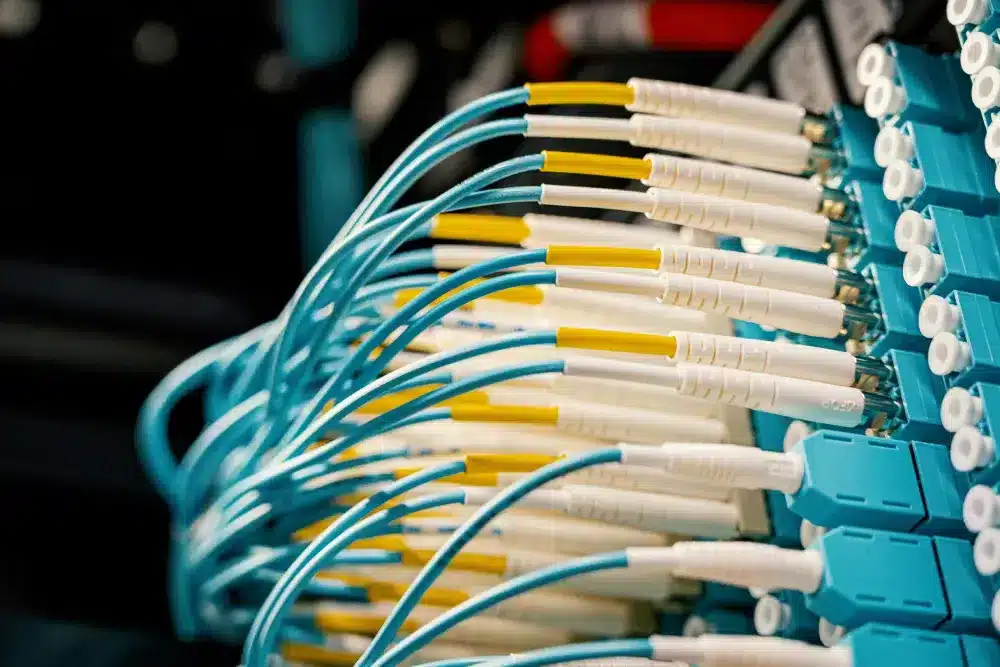
A reliable network infrastructure is not just a technical detail. It is the foundation of performance, stability, and security across gaming, business operations, and digital services. When you plan carefully, choose the right components, and build for scalability, your network infrastructure becomes easier to manage and much more resilient.
By combining solid IT infrastructure planning, smart network design, scalable server infrastructure, and proactive monitoring, you can support everything from a small setup to a full enterprise network or data center environment. And for gaming-specific routing issues, ExitLag can work as a helpful complement to an already optimized local setup.
If you want smoother performance and fewer connection problems, start by improving your network infrastructure today—then refine your routing, monitor your traffic, and keep evolving your system with purpose.
Got questions or want to connect with other players? Join the conversation at the ExitLag Forum!