
Every May, the Overwatch Anniversary pulls long-time players back into the queue. The game launched on May 24, 2016, and Blizzard has marked that date with events, recolored skins and throwback modes on and off ever since.
This year's Overwatch Anniversary, the 10th edition, was the biggest milestone the game has had. It also turned out to be one of the most argued-about events in recent memory, and Blizzard changed the rewards mid-event after players pushed back.
So, When Is The Overwatch Anniversary? The official birthday is May 24, and the anniversary event usually opens in mid-May. This year's 10th Anniversary event ran from May 12 to June 1, so the next one should land in a similar window next spring.
That's the short version. The longer version covers what the 10th edition actually handed out, why it got patched, and how to squeeze the most out of the next one:
- The full timeline of the 10th Anniversary event, week by week
- How the loot box pool worked and what the final reward was
- What changed after the backlash
- What we expect from the next anniversary
- Mistakes that cost players free cosmetics last time
When Is The Overwatch Anniversary? Dates and History
The date itself never moves. Overwatch went live worldwide on May 24, 2016, and that's the day the community treats as the game's birthday.
The event window moves a little each time. Blizzard tends to open the Overwatch Anniversary event one to two weeks before May 24, then lets it run into early June.
When Was The Overwatch Anniversary First Celebrated?
The first Overwatch Anniversary event came one year after launch. It ran until June 12 and set the template most later editions copied:
- New Legendary skins for 11 heroes, including D.Va's Cruiser look and Symmetra's Oasis skin
- A new dance emote for every hero on the roster
- Arcade modes like 3v3 Lockout Elimination
- Three new arena maps: Black Forest, Castillo and Necropolis
- A free weekend on PC, Xbox and PlayStation
If you started playing after the switch to free-to-play, that list explains why veterans still bring up the early anniversaries. The dances alone were a big deal back then.
How the Date Fits the Current Season Calendar
Overwatch now runs on a season model inside the Reign of Talon arc, which kicked off when the game dropped the "2" from its name earlier this year. The Overwatch Anniversary sat inside Season 2's midcycle update.
| Overwatch Anniversary Detail | 10th Anniversary (this year) | What We Expect Next |
|---|---|---|
| Official birthday | May 24 | May 24 |
| Event window | May 12 to June 1 | Mid-May to early June |
| Season placement | Reign of Talon Season 2 midcycle | Likely a spring season midcycle |
| Throwback modes | Classic 2016, Mystery Showdown, Classic 2020 | Not announced |
| Loot boxes | 15 Anniversary Loot Boxes plus community boxes | Not announced |
What the Overwatch 10th Anniversary Event Included
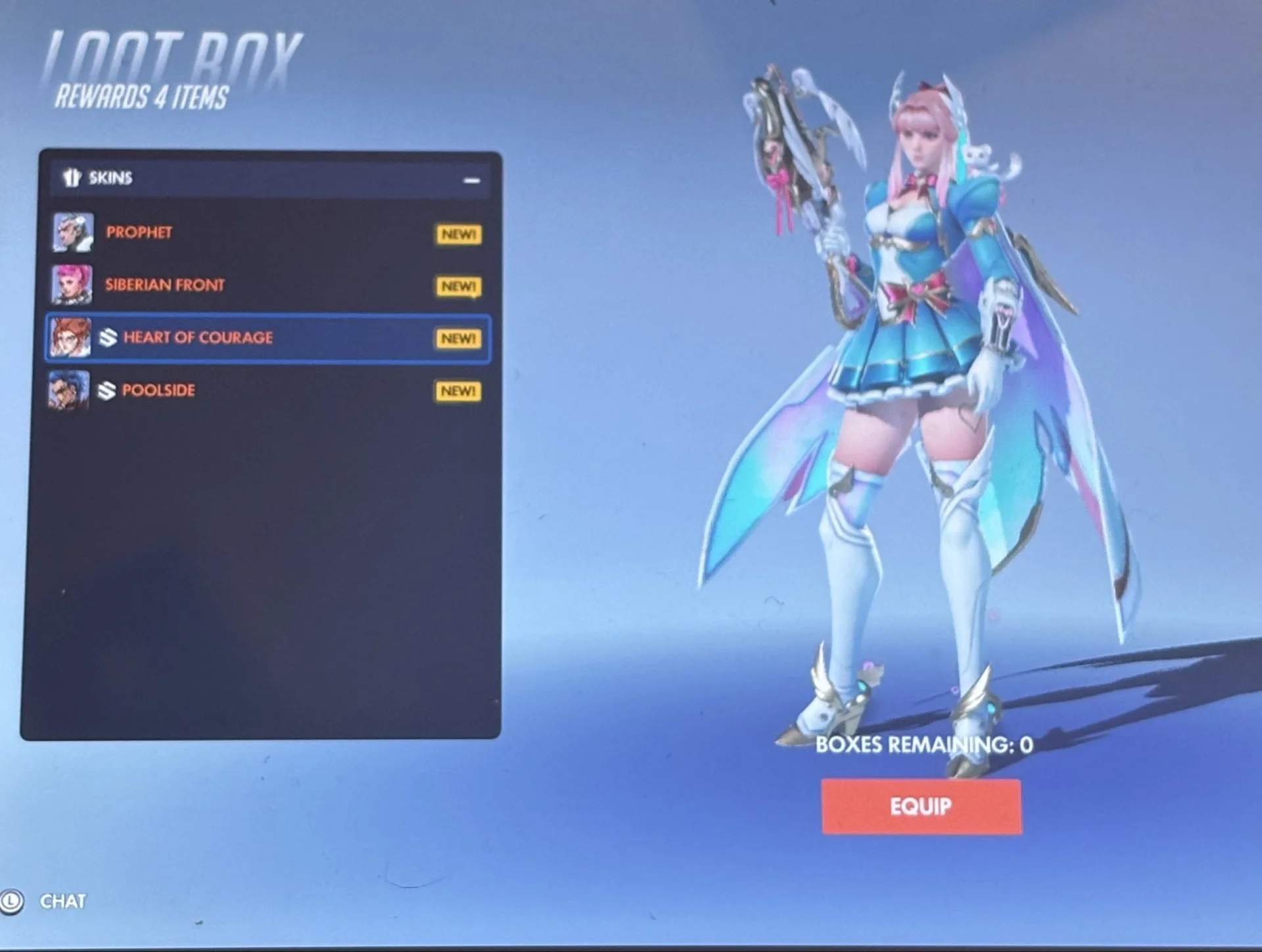
Blizzard ran the Overwatch 10th Anniversary event for three weeks. Each week brought back a different mode, and each week added five Anniversary Loot Boxes you could earn.
On top of that, the Overwatch Anniversary Event had a shared global progress bar that filled up as everyone played. When the community hit milestones, every player got rewards, even people who only logged in once.
Week-by-Week Modes in the Anniversary Overwatch Event
- Week 1 (May 12): Classic 2016, a throwback to the launch-era version of the game.
- Starting May 19: Mystery Showdown came back.
- Final week (from May 26): Classic 2020, a snapshot of the late original-game era.
We'd argue Classic 2016 was the best week of the whole event. Six-player teams, old ability kits and no role limits made for chaotic matches, and it reminded a lot of people why they bought the game in the first place.
Rewards From the Overwatch 10 Year Anniversary
For the Overwatch 10 Year Anniversary, the reward pool leaned heavily on the original roster. According to the official 10th Anniversary event post from Blizzard, the event included:
- Skins inspired by the launch heroes, in new colorways
- 22 exclusive cosmetics made by the dev team
- 11 cosmetics from community creators
- New music, updated menus and the original Winston cinematic
- Login rewards scaled by years of play, with tiers at 1, 3, 5, 7 and 10 years
The loot box pool had no duplicates. Once you cleared all of it, the last item was the Legendary 10-Years Cheers Tracer skin, which became the trophy piece of the event.
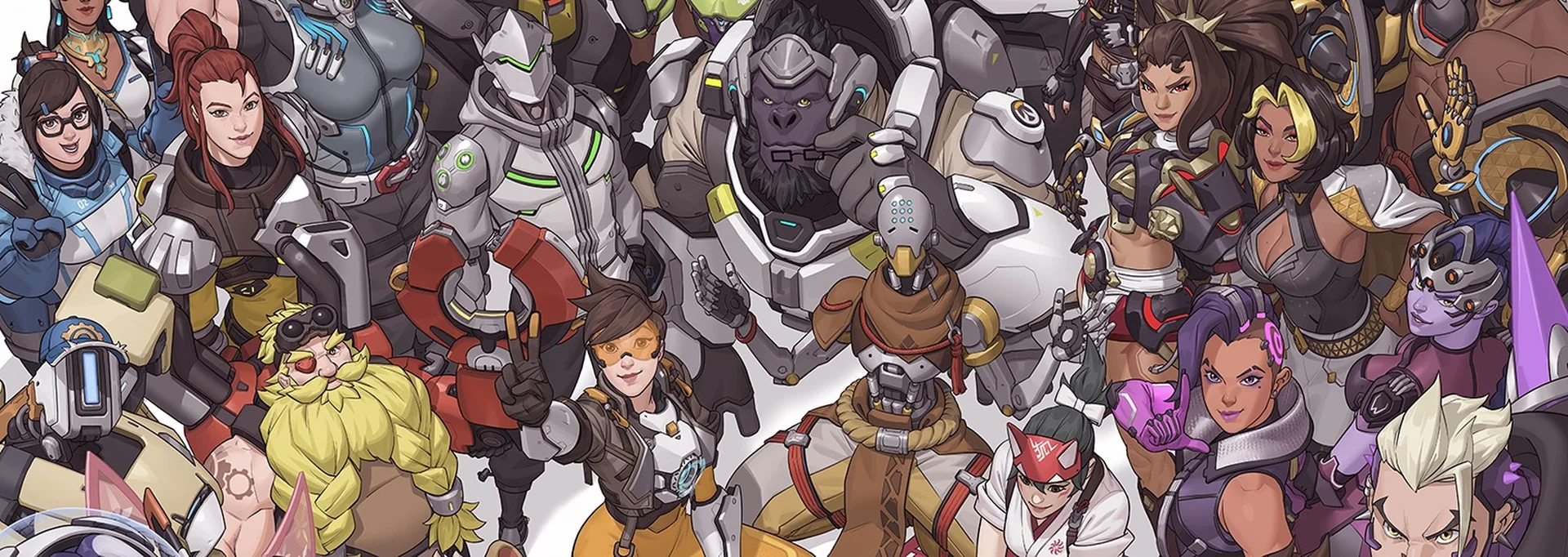
If you want a refresher on the heroes that got skins, our list of every Overwatch character and their role covers the full roster, from the original 21 launch heroes to the newest picks.
Why the Anniversary Event For Overwatch Got Patched Mid-Run
The launch week did not go well. Players opened their first boxes and found mostly purple-and-white recolors, plus name cards, icons and sprays.
The grind was the second problem. Earning all 15 Anniversary Loot Boxes originally took close to 100 matches, which is a lot for recolors.
What Players Complained About
The complaints were consistent across forums and social media:
- Recolored launch skins felt cheap for a 10-year milestone
- Close to 100 matches for 15 boxes was a heavy ask
- Reports said the Chinese version of the event handed out more rewards, including older battle pass skins
Game director Aaron Keller responded on X and called the criticism "fair." He also described the event as a one-off and said the team wanted the whole year to feel like a celebration.
What Blizzard Changed
The update went live on May 15, three days into the event. Blizzard moved the numbers like this:
- The match requirement for all 15 Anniversary Loot Boxes dropped to 60, with wins counting double.
- Community loot boxes doubled in Week 2.
- In Week 3, that number tripled.
- Everyone who logged in during Week 3 got a 10 Year Anniversary Loot Box with four guaranteed Legendary skins.
- The event ended up guaranteeing 10 Legendary skins in total.
That's a real improvement, and we think the Week 3 box was the best reward of the whole run. Still, the recolors stayed recolors, and some players never warmed up to the event.
Overwatch Anniversary 2026 vs. the Next One
The Overwatch Anniversary 2026 event is over, but the date keeps coming back. If Blizzard follows the same pattern, the 11th Overwatch Anniversary event should open around mid-May next year.
Nothing about it is announced yet. Season 5, "A Grim Doctrine," is live right now, and Season 6 is set for December 8 based on the in-game battle pass timer, so the next anniversary is still several seasons away.
When Overwatch Anniversary Returns, What Should You Expect?
Based on how the last one played out, this is what we'd watch for:
- Throwback modes. Classic modes were the most fun part last time, and Blizzard has shown it can bring them back on a weekly rotation.
- Fewer recolors. The backlash was loud, and the director publicly agreed with it.
- A community progress bar. It worked well and rewarded casual players.
- Login rewards tied to account age, which hit veterans in a good way.
One honest caveat: Blizzard has not confirmed any of this. Treat the list above as an educated guess built on one event, not a leak.
How to Track the Exact Start Date
The cleanest way to know when the next anniversary starts is the official news feed and the in-game news panel. Blizzard usually posts the midcycle roadmap a few days before an event goes live.
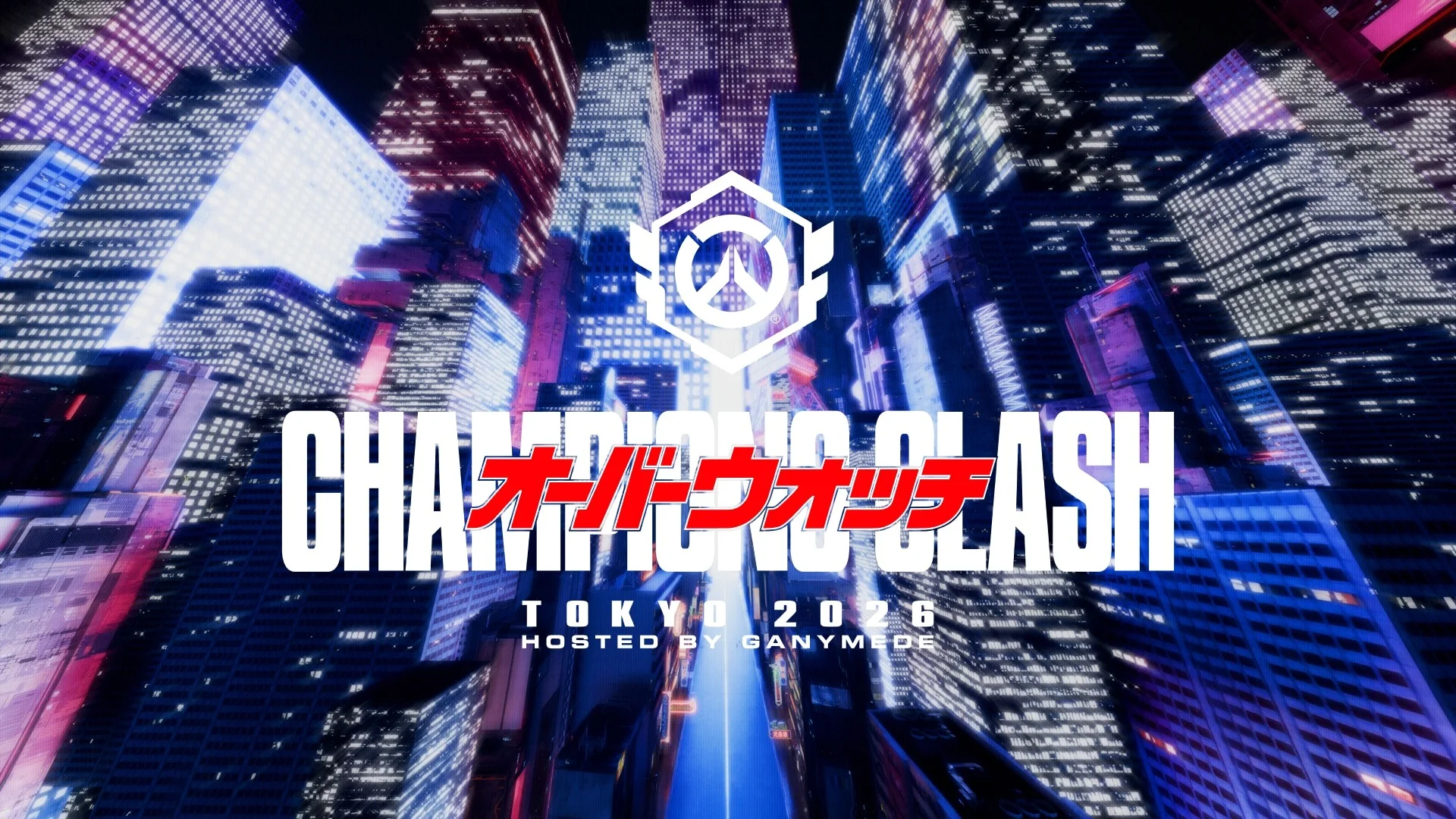
Esports broadcasts are another signal. The 10th Anniversary overlapped with the OWCS Champions Clash in Japan (May 22 to 24), and if you follow the top Overwatch players and esports scene, you'll often hear about events from casters before the patch lands.
How to Get the Most Out of an Anniversary Overwatch Event
Overwatch Anniversary events reward volume, but you can be smart about where that volume goes. Last time, wins counting double changed the math a lot.
Pro Tips: Farming the Overwatch Anniversary Event
- Play the challenge modes first each week: Weekly challenges reset with each new mode, so clearing them early stops you from falling behind when the next week starts.
- Queue with friends for faster wins: With wins counting double, a coordinated group cuts the 60-match requirement down a lot compared with solo queue.
- Log in during the final week, no matter what: Last time, the Week 3 login box alone gave four Legendary skins. Skipping one login would have cost you more than all the recolors combined.
- Use Competitive matches for both goals: If the event counts Competitive games, you can push your rank and earn boxes at the same time. Check our breakdown of Overwatch ranks and how the ladder works before you jump in.
- Fix your connection before the event starts: Event weeks bring big player spikes, and servers feel it. A stable route matters more when every win counts double.
Common Mistakes Players Make During the Overwatch Anniversary
- Waiting until the last week: Players who started late couldn't catch up when each week only offered five boxes. Fix: earn your weekly boxes in the week they appear.
- Ignoring the community progress bar: Some players didn't realize the global bar handed out free boxes. Fix: check the event page each week so you claim everything it unlocked.
- Playing with lag during throwback modes: Classic 2016 is fast and chaotic, and high ping makes launch-era burst damage and stuns feel even worse. Fix: read our guide on fixing Overwatch lag and sort out routing before the event.
- Assuming the rewards are final on day one: Blizzard changed the 10th Anniversary rewards three days in. Fix: don't burn out early, because the terms can improve.
Playing Overwatch Anniversary Events Without Lag
Why Event Weeks Hit Your Ping
Every Overwatch Anniversary pulls returning players back at the same time, and that spike shows up as rubber-banding, ping jumps and packet loss at peak hours. When you only have five boxes a week to earn, a lost match to lag stings more than usual.
Is ExitLag Safe to Use With Overwatch?
ExitLag is a game connection optimizer, not a VPN. It tests multiple network paths in real time and sends your Overwatch traffic through the fastest, most stable route to Blizzard's servers. Your game files stay untouched, with no code injection and no contact with anti-cheat.
ExitLag Features That Fit Event Weeks
A few features line up well with event weeks:
- Multipath Technology sends packets over several routes at once, so one bad hop doesn't drop your match.
- Multi-Internet keeps up to four connections active, like home Wi-Fi plus a mobile hotspot, and switches over if one drops.
- Traffic Shaper puts game traffic ahead of downloads and streams on the same network.
- PC Boost frees RAM and trims background processes for steadier FPS.
ExitLag supports over 4,000 games across more than 1,500 servers in 190+ countries. If you want the technical side, here's how ExitLag's routing actually works. One trade-off to know: it can't fix a weak Wi-Fi signal inside your house, so plug in a cable if you can.
If you play on PC, grab the ExitLag Download and test your route before the next event week starts.
Overwatch Anniversary: Final Takeaways
The quick facts are easy to remember. May 24 is the birthday, the event usually opens in mid-May, and the 10th edition ran May 12 to June 1 with three throwback modes.
What to Remember for Next Year
- Earn weekly boxes in the week they go live
- Log in during the final week for the biggest reward
- Watch the official news feed for the start date
Our Take on the Overwatch 10th Anniversary
It started rough and ended decent. The Classic 2016 week was a blast, the Week 3 Legendary box made up for a lot, and the 10-Years Cheers Tracer skin is still a nice flex.
Keep an eye on the news feed next spring, because the next Overwatch Anniversary will reward the players who start on day one.
All game images used in this blog post belong to Blizzard Entertainment. They are used for informational and educational purposes only and do not imply endorsement or affiliation with the rights holders.