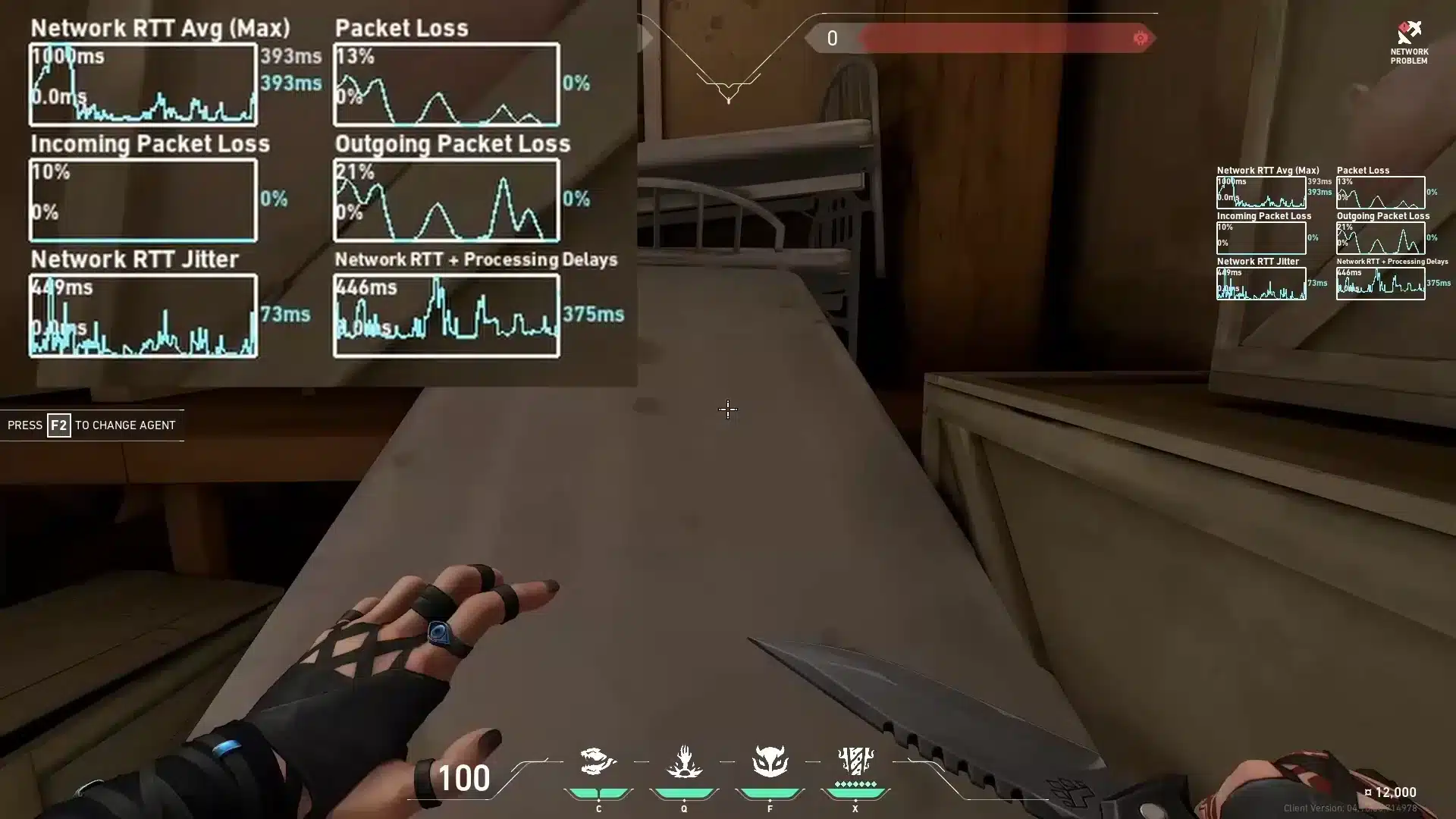
Playing Valorant becomes nearly impossible when every duel feels delayed, your agent teleports randomly, or bullets fail to register because of severe packet loss Valorant. These issues are even more frustrating when they happen during ranked matches where every point matters. Therefore, players who try to fix packet loss Valorant often discover that the real cause has nothing to do with FPS or hardware.
However, packet loss happens when some of your data never reaches the game server. Like this, even if your ping looks stable, lost packets cause movement delays, failed abilities and overall Valorant connection issues, making the game feel unresponsive. This makes aiming inconsistent, bullets unreliable and duels unfair, especially when you feel you reacted first but still lose the trade.
Finally, reducing packet loss requires optimizing the path your connection takes, stabilizing your route to the server, and eliminating any interruptions. When you understand how packet loss Valorant works and what causes it, you can apply the right solutions, prevent Valorant lag, and use proper tools designed specifically to reduce packet loss Valorant for smoother gameplay.

What is packet loss in Valorant?
Packet loss happens when data packets traveling between your PC and the servers fail to reach their destination. This interruption in data transmission causes delays, missing information and erratic in-game behavior. In simple terms, it's like sending messages that never arrive, the game doesn't get the information it needs.
When packet loss occurs, commands like shooting, strafing or activating abilities may not register properly. Even with low ping, packet loss breaks consistency because the server never receives all your inputs, which is critical in a tactical FPS like Valorant.
How packet loss affects gameplay
- Rubberbanding when strafing or peeking corners
- Hit registration failure, especially during fast duels
- Teleporting players, making aim prediction impossible
- Ability delays, causing missed utilities
- Movement stutter, harming aim timing
- Sudden disconnects, ruining competitive matches
- Shots not registering, even when perfectly lined up
Main causes of packet loss in Valorant
Inefficient routing
Your data travels through several routers until it reaches Riot’s servers. If one of these nodes is unstable or congested, packets get lost. Therefore, routing is one of the most common causes of packet loss Valorant.
Unstable connection
Wi-Fi interference, modem issues or ISP instability can cause packet corruption. Even good speeds can still lead to packet loss if the signal is unstable.
Server distance
The further you are from the game server, the more likely it is to lose packets along the way. Distance increases travel time and risk.
Network congestion
Multiple devices streaming or downloading in your home can overload your bandwidth. Like this, your game traffic competes with other tasks, causing packet loss.
Faulty hardware
Damaged ethernet cables, overheating routers or outdated network cards can corrupt packets, leading to consistent loss during gameplay.
How to identify packet loss in Valorant
In Valorant, packet loss appears as small red indicators in the upper right corner of the screen. Even if your ping is low, unstable movement or delayed actions reveal loss. You may also notice unpredictable enemy behavior or delayed hit feedback.
A second method is opening the command prompt and running a ping test to Riot’s server region. If you see inconsistent results or missing packets, that confirms the issue. Even 1% loss can greatly affect competitive performance.
If you experience constant rubberbanding or combat delays, you’re likely dealing with packet loss Valorant even if your ping seems fine.
Packet loss impact table
| Packet Loss % | Gameplay Impact | Severity |
| 0% | Perfect | Low |
| 1–2% | Minor delays | Medium |
| 3–5% | Noticeable lag | High |
| 6%+ | Unplayable | Critical |
Basic solutions to reduce packet loss
Optimize your local connection
- Use wired ethernet instead of Wi-Fi
- Close unnecessary background apps
- Update your network drivers
- Configure QoS to prioritize Valorant
- Test different LAN cables
- Restart router and modem
Contact your isp
If the problem persists, your ISP may be routing traffic inefficiently or experiencing line instability. You can request a line check or routing review. However, most ISPs cannot optimize gaming routes manually, which is why dedicated routing solutions become essential.
ExitLag: the definitive solution for packet loss in Valorant
What is ExitLag?
ExitLag is a software specialized in connection optimization, designed exclusively to stabilize online game routes. It uses advanced technology to eliminate packet loss, reduce latency, and guarantee consistent, reliable performance.
ExitLag is not a generic tool, it is engineered specifically for competitive gaming stability.
How ExitLag fixes packet loss
ExitLag uses Multi-Internet routing, allowing your data packets to travel through multiple paths at once. If one route becomes unstable, another instantly replaces it.
Main functions:
- Real-time route analysis
- Multiple simultaneous connections
- Automatic best-route selection
- Hop-by-hop optimization
- Connection stabilization
Advantages for Valorant players
- Elimination of packet loss Valorant with multi-route redundancy
- Lower latency, improving reaction time
- More stable connection, ideal for competitive play
- Protection against unstable routes that cause Valorant lag
- Simple interface, no technical skills required
- Works with all Valorant server regions
Is ExitLag worth using?
Absolutely. If you suffer from packet loss, unstable routes, or distant server connections, ExitLag drastically improves playability.

How to use ExitLag in Valorant
The process is extremely simple:
Step 1 – Access the official ExitLag website and download the application. There’s a free trial period for new users.
Step 2 – Install and open the program. Log in with your account.
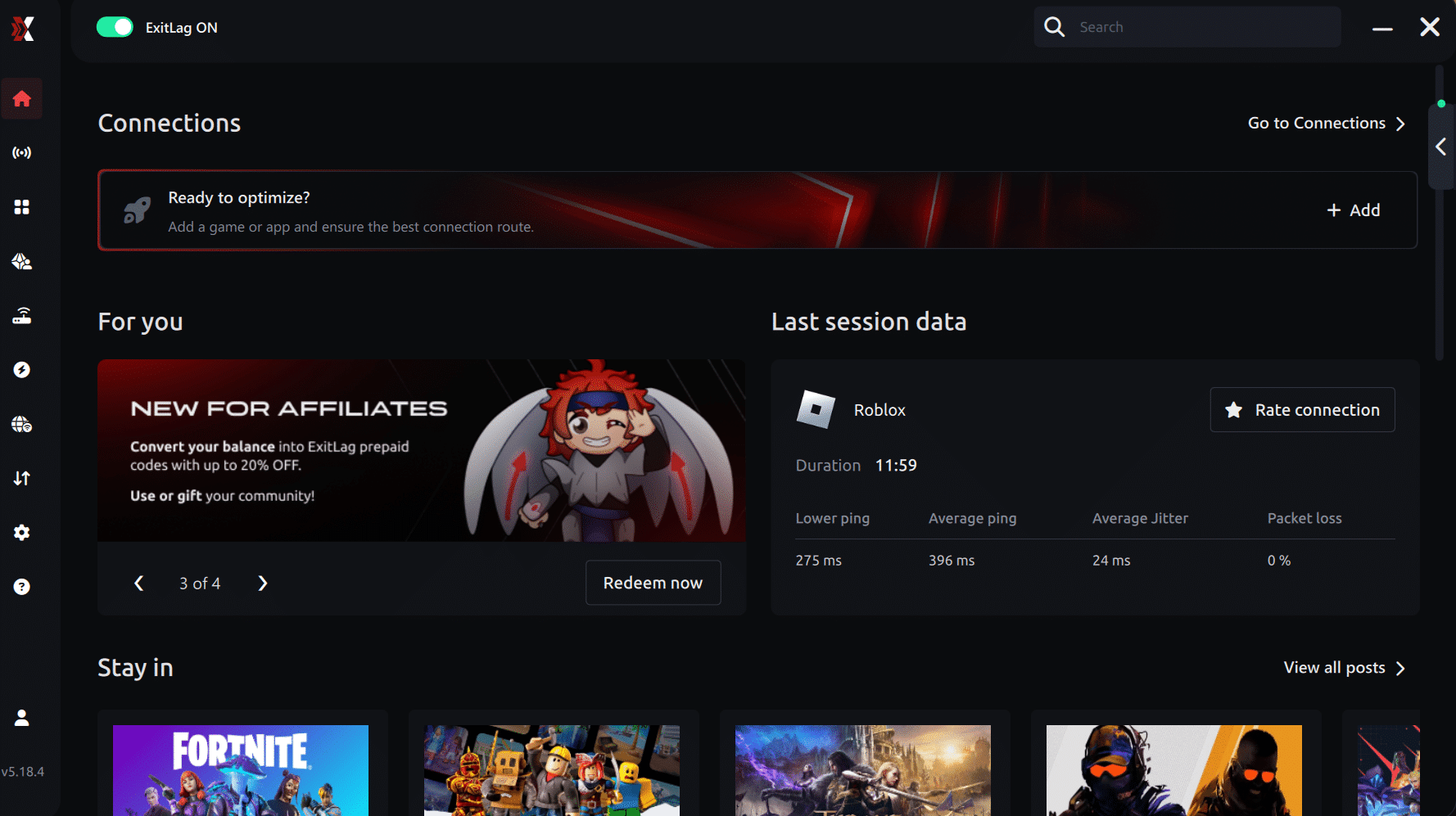
Connection screen Valorant
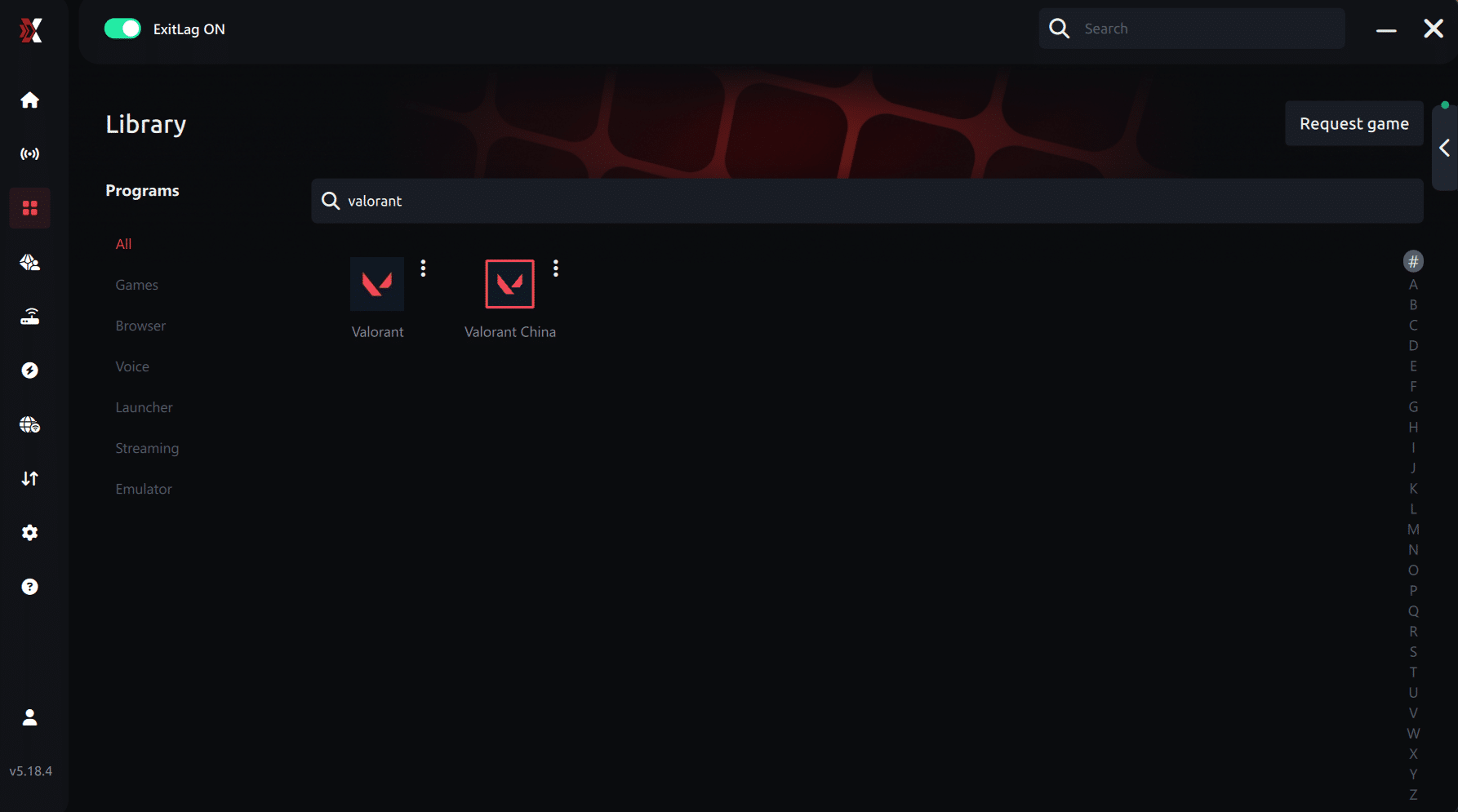
Step 3 – In the search bar, type “Valorant” and select the game from the list.
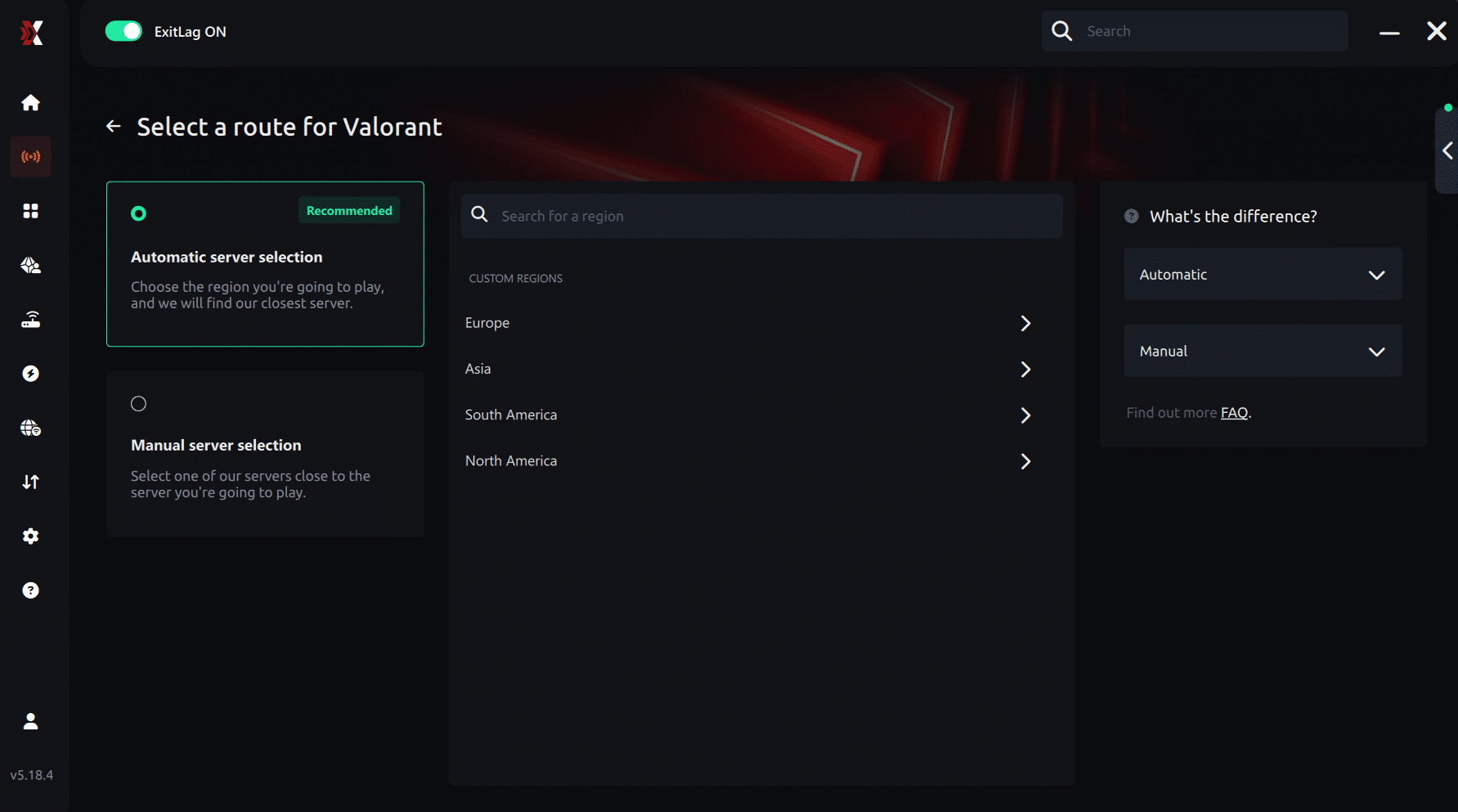
Step 4 – Choose the server manually
Based on the ping test results, you can manually choose the server that showed the lowest latency or the one that best meets your specific gaming needs.
Manual route
If you prefer to have full control over your connection, you can manually choose the server based on the ping test results. Simply select the server that showed the lowest latency or the one that best meets your specific gaming needs, allowing complete customization of your experience.
Step 5 – Click “Apply routes” or the play button. ExitLag will begin optimizing your connection automatically.
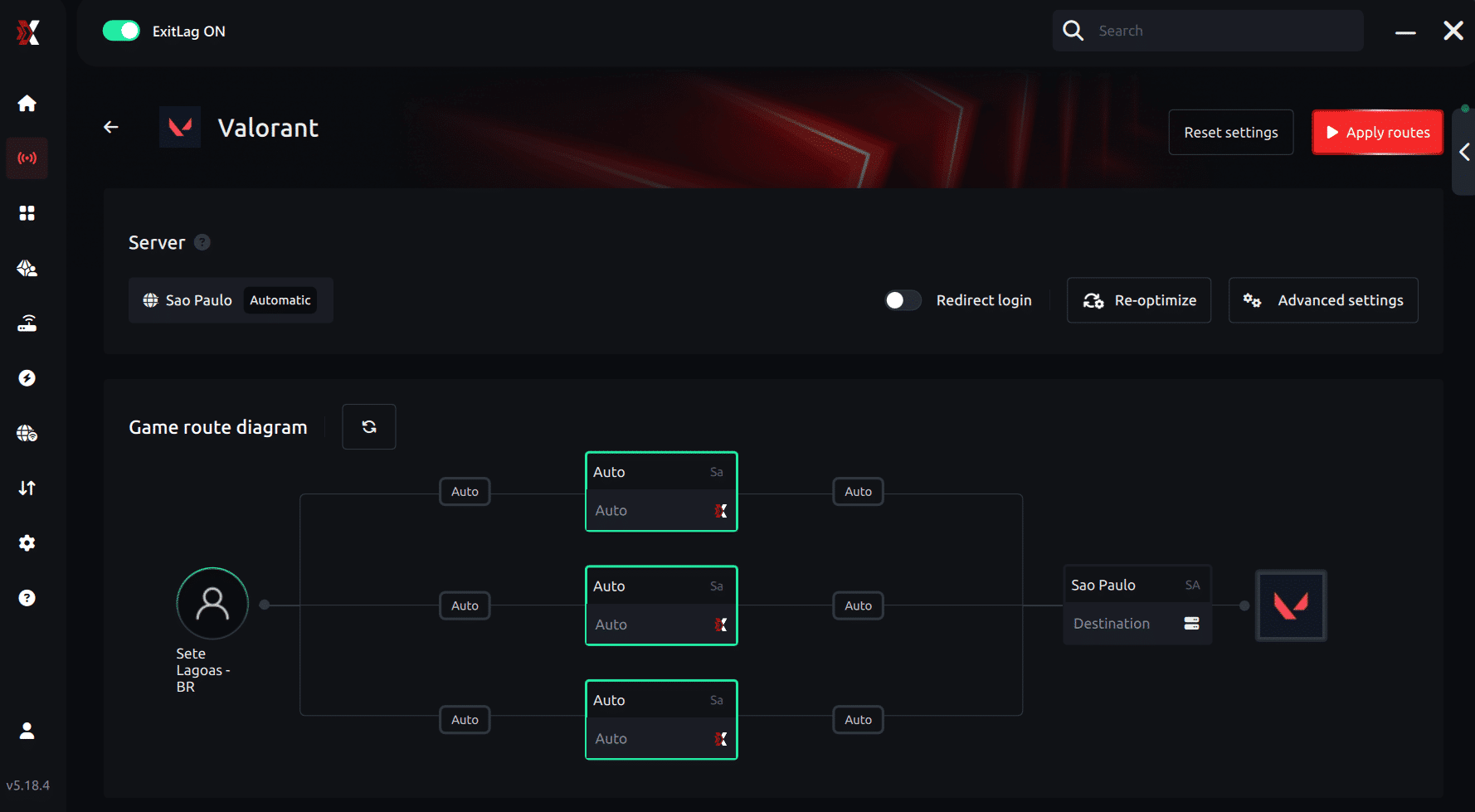
Step 6 – Wait a few seconds until optimization is complete. You’ll see ping indicators in the interface.
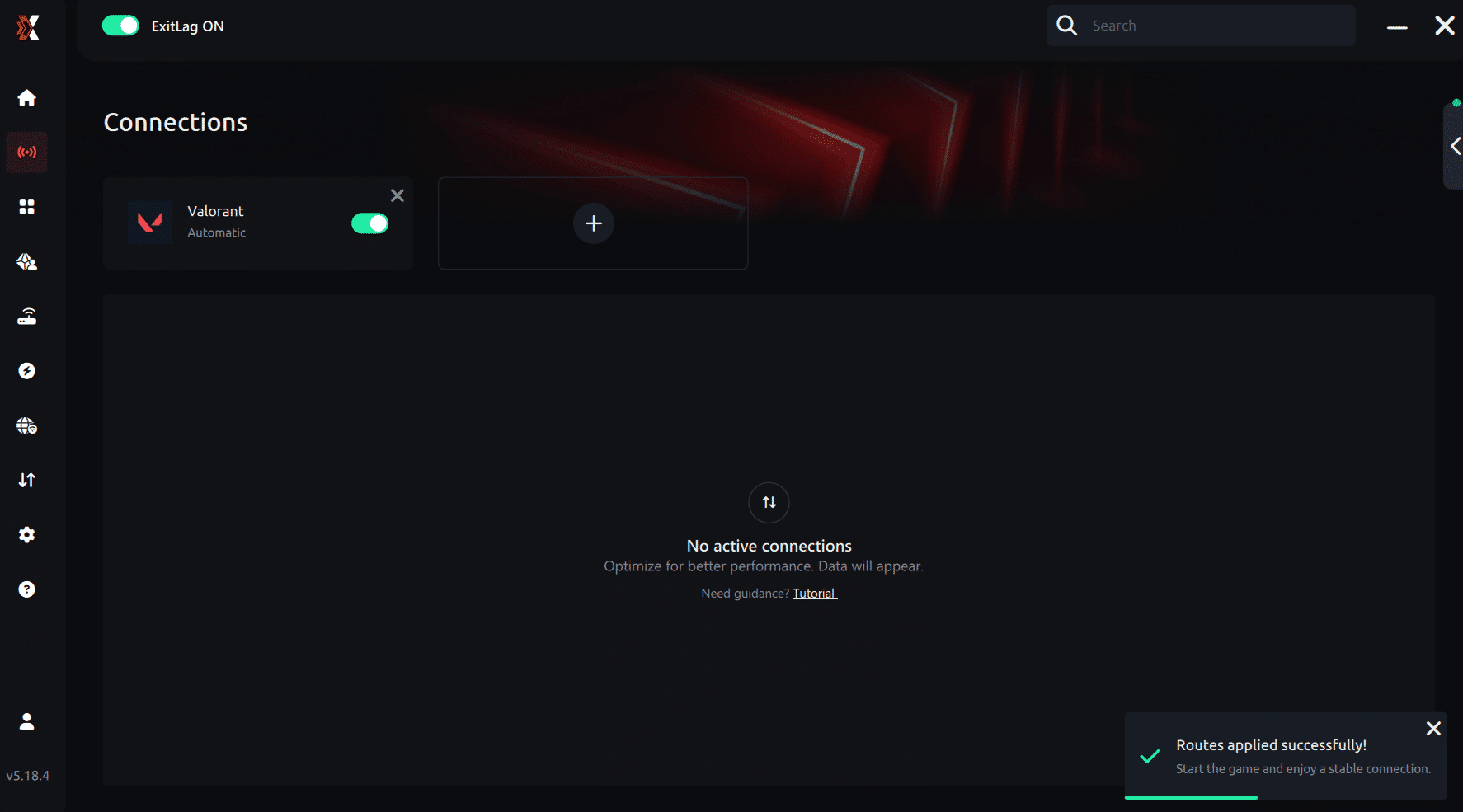
Step 7 – Launch Valorant normally. The optimization will already be active.
ExitLag runs in the background while you play, constantly adjusting routes to maintain the best possible performance.
How to use Ping for Games: step-by-step guide (Valorant)
Checking your connection quality before entering a match has never been easier. Here’s how to use Ping for Games in just a few steps:
1. Open the ExitLag software on your PC
Ensure the application is installed and open. The feature is integrated into the platform and available for free to all users.
2. Access the Network Analyzer tool
Locate the Network Analyzer in the software menu. This is where you’ll find Ping for Games along with other connection analysis features.
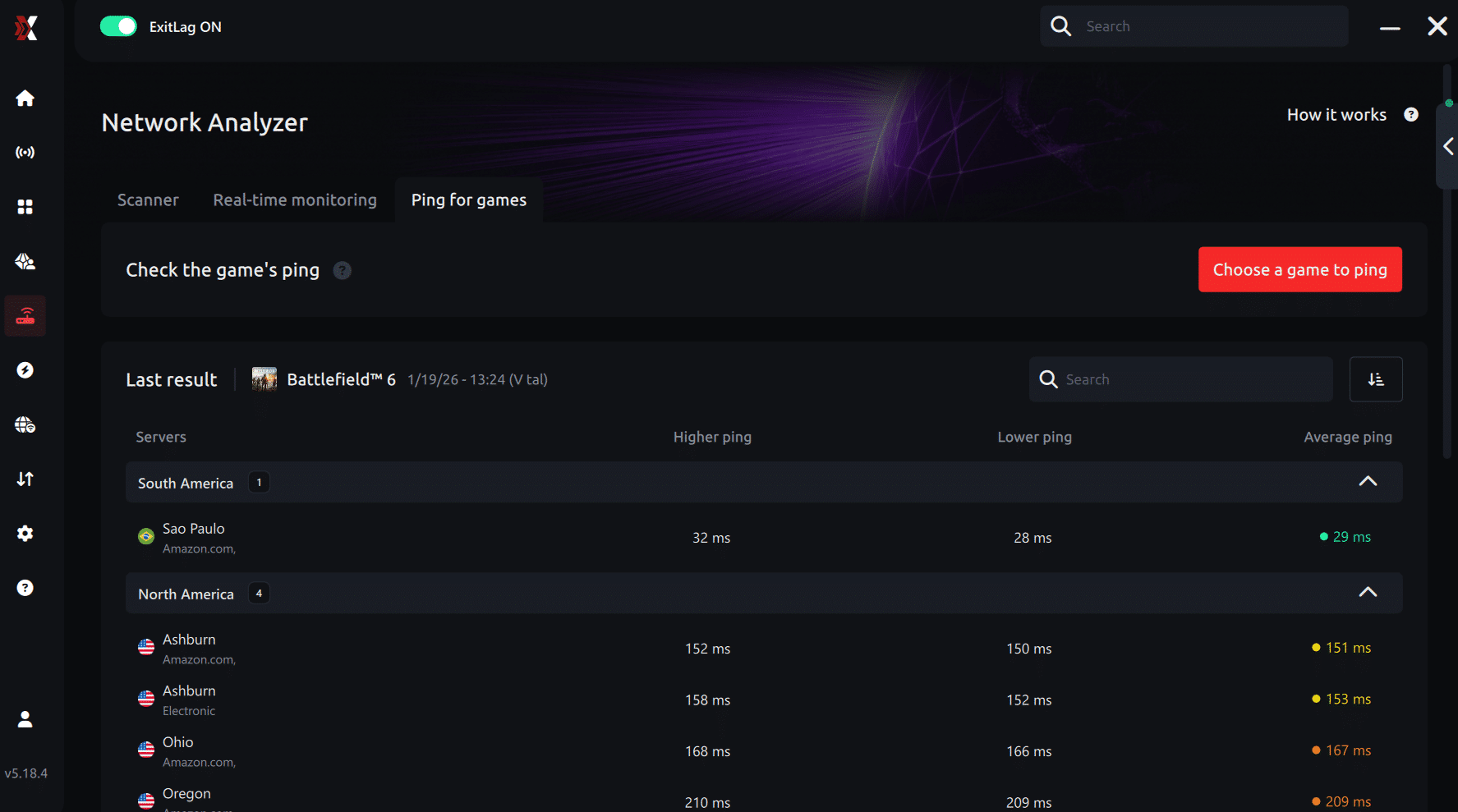
3. Select the game you want to test
Choose Valorant from the list. The tool supports major online multiplayer games, including FPS, Battle Royales, MOBAs, MMORPGs, and more.
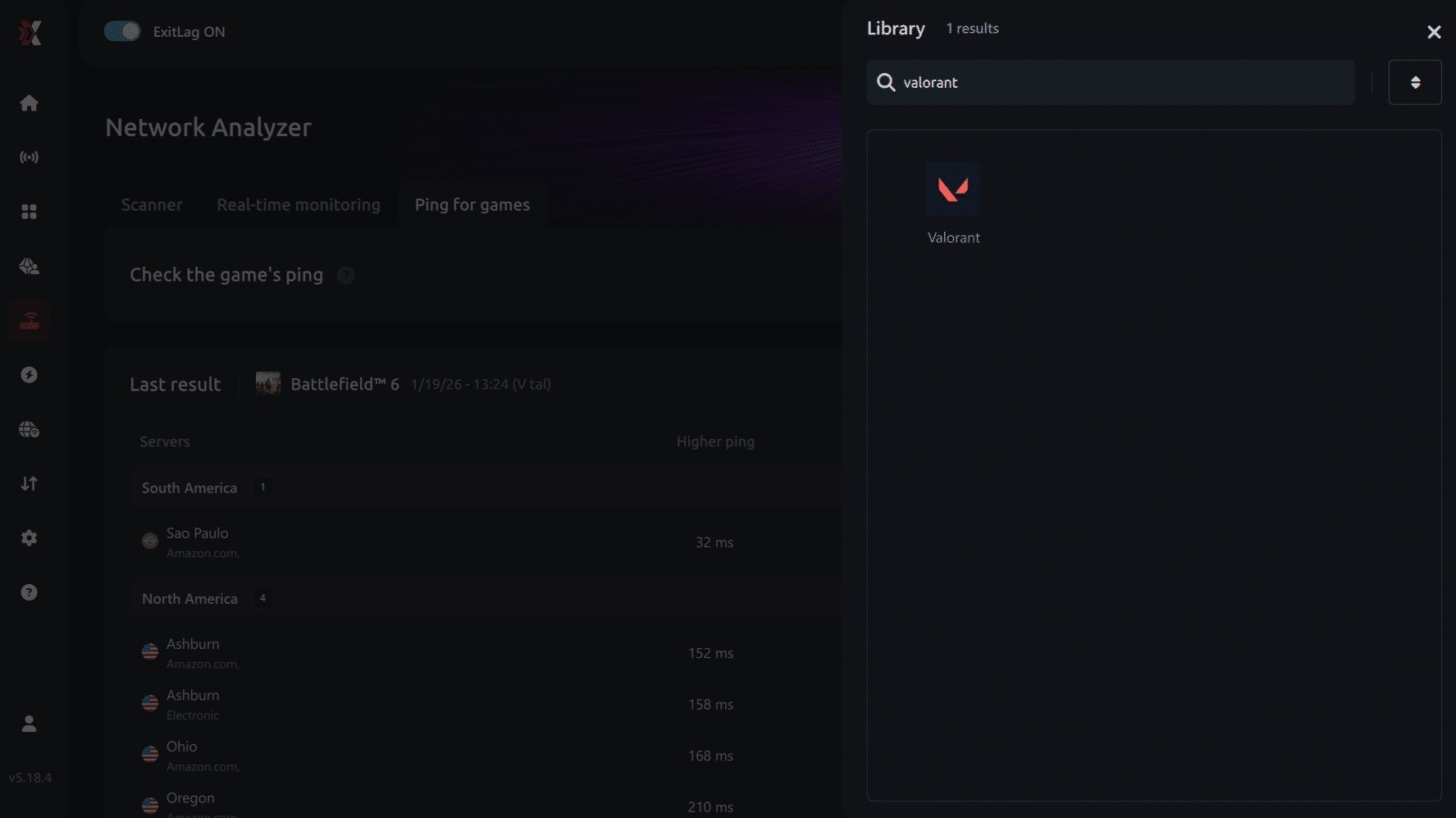
4. Choose the specific server
Select the exact Valorant server you want to test instead of a generic region. This ensures more accurate results for your match.
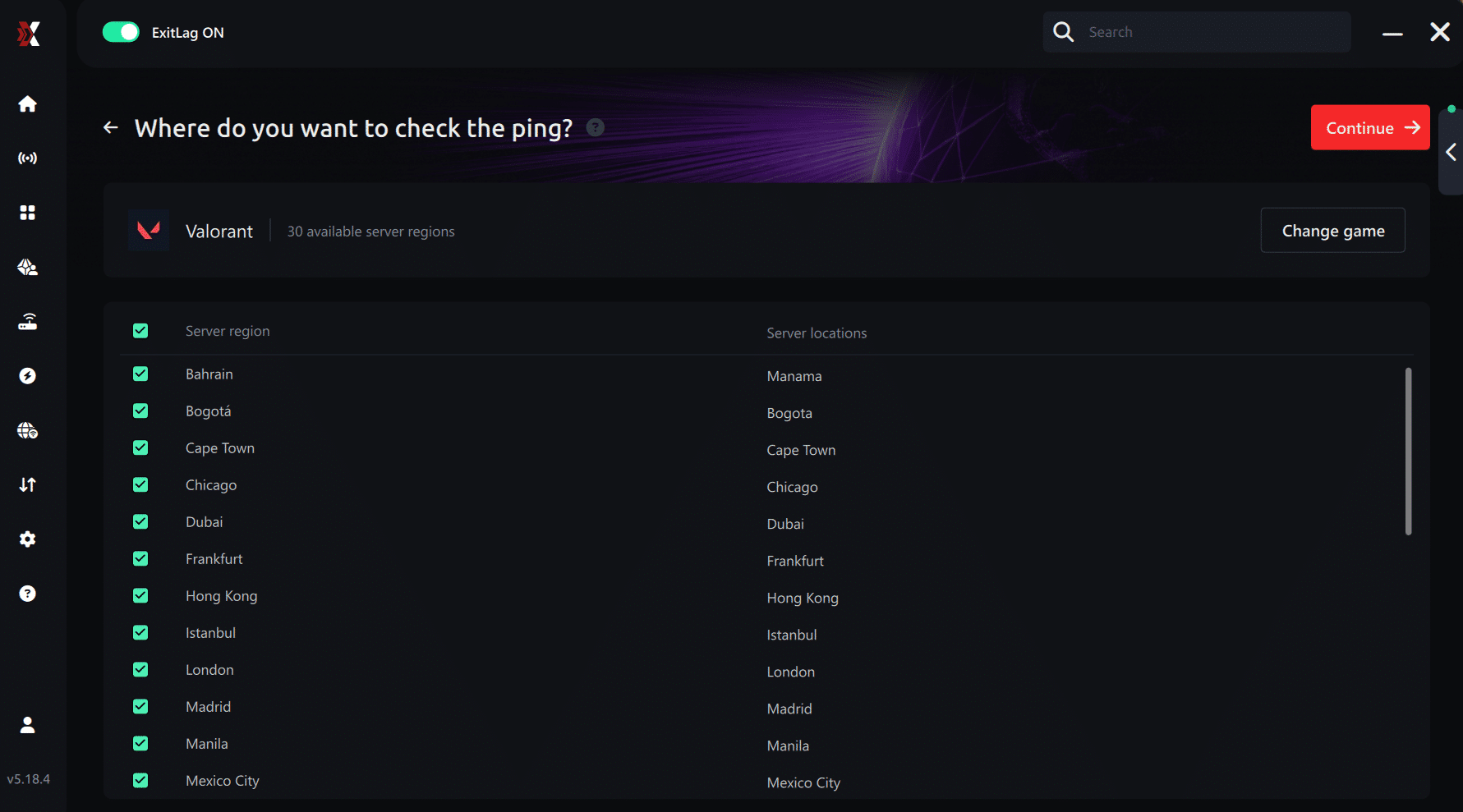
5. Start the ping test
With one click, the measurement is performed in real time between your device and the selected Valorant server, considering your current connection (cable or Wi-Fi).
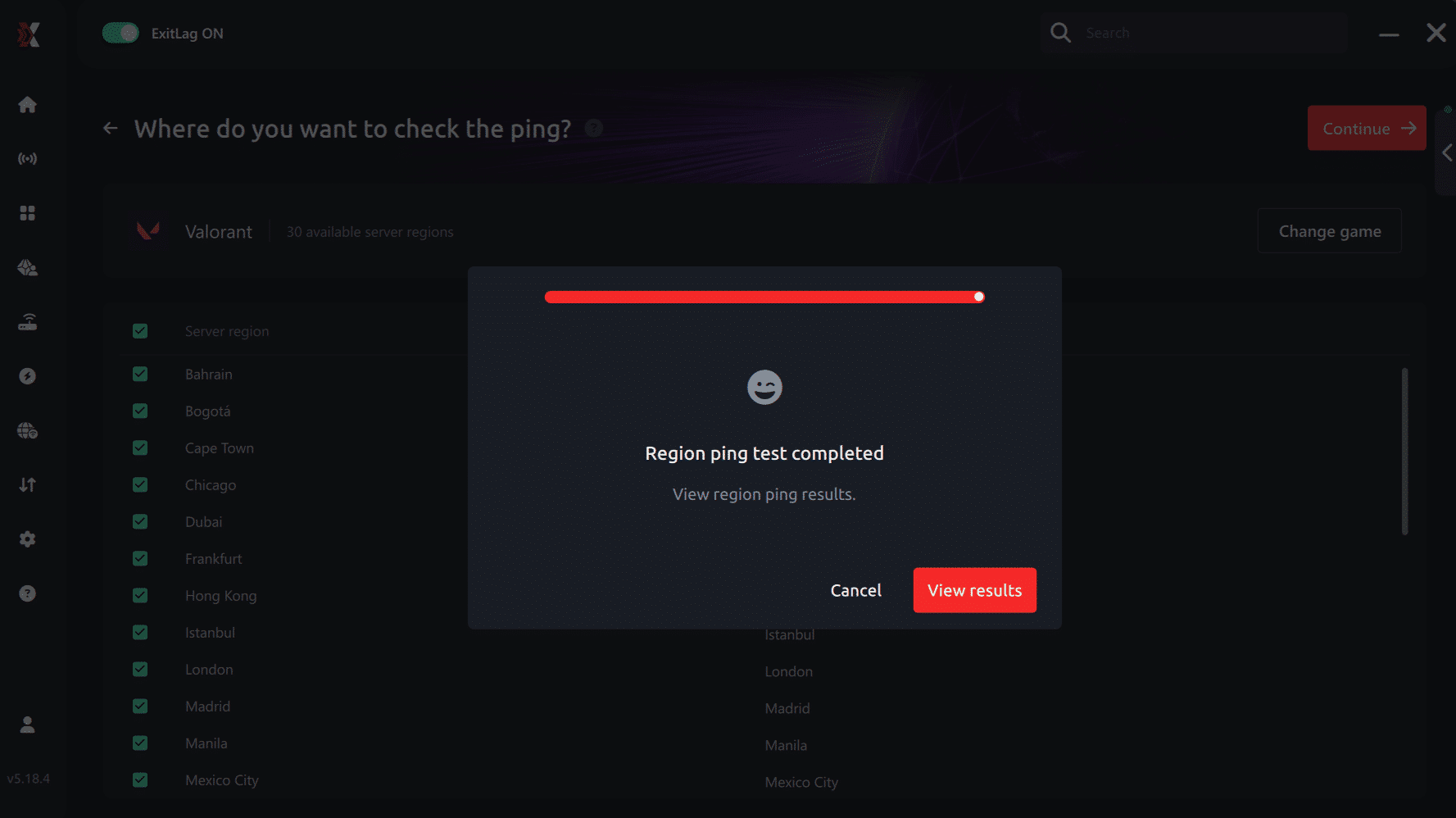
6. Analyze the results
Results appear in milliseconds (ms), automatically sorted from best to worst ping. You can also reorganize the view alphabetically if you prefer.
7. Choose the best server and play worry-free
With this information, simply select the server with the lowest latency and jump into Valorant knowing your connection is optimized.
Final thoughts: Play Valorant without lag forever
At the end of the day, Valorant lag should never decide your matches. You spend time mastering your aim, movement, and game sense — your internet connection should never be the reason you lose.
With ExitLag, you finally take control of your network performance. The software finds the fastest routes, eliminates lag, and stabilizes your ping so that every shot, every peek, and every clutch happens exactly when you want it to.
Try ExitLag for free right now and experience how smooth Valorant can be when your connection is fully optimized. Play with confidence, reach your full potential, and make lag a thing of the past.
Faq
Is packet loss the same as lag?
No. Lag comes from high ping, while packet loss happens when data fails to reach the server. You can have low ping and still experience severe packet loss.
Why do I have packet loss only in Valorant?
Different games use different servers. You may have stable routes for one title but unstable ones leading to Riot’s servers.
Can packet loss cause bans?
Not normally. Packet loss may cause erratic movement but is not flagged as cheating. The worst outcome is a disconnect.
How much packet loss is acceptable for competitive play?
Ideally 0%. Even 1% affects duels. Competitive FPS games demand perfect input transmission.
Can my hardware cause packet loss?
Yes. Damaged cables, old routers or failing NICs can corrupt packets.
Does ExitLag work on all Valorant servers?
Yes, it works for all regions as long as you select the correct route.
Eliminate packet loss and play Valorant smoothly
Packet loss doesn’t have to ruin your ranked experience. When you understand the causes and apply stable, optimized routing, you eliminate delays, regain control over your movement, and win fair duels. With advanced technology and real-time optimization, ExitLag becomes the definitive solution to fix packet loss Valorant and achieve stable performance.