Project Zomboid build 42 has changed the rhythm of survival in Knox Country. It is not simply a content drop with more places to loot. It reshapes how you plan a run, choose a base, manage food, and respond when one small mistake turns into a disaster. An expanded Project Zomboid map, deeper crafting, animals, and improved environmental systems make every trip outside feel more deliberate.
Before planning deeper routes, it helps to understand how classic locations still shape early decisions. A focused guide to the Project Zomboid Muldraugh map can make it easier to compare familiar survival zones with the new demands of Build 42.
For returning players, Project Zomboid build 42 demands a different mindset from Build 41. You can still survive by scavenging, fighting carefully, and avoiding unnecessary noise. However, long-term success now depends more heavily on production, seasonal planning, and knowing the risks around each Zomboid map area. In other words, the world gives you more freedom, but it also asks you to prepare for more problems.
The current Project Zomboid build 42 experience is available through the Unstable branch, where ongoing updates can affect mods and saves. Multiplayer is now playable in that branch, but it remains work in progress. Therefore, start with a fresh world when possible, back up important saves, and treat every PZ map decision as part of a larger survival plan.
This guide explains what matters most in the update. You will learn how the expanded world, crafting systems, farming, hunting, multiplayer, and network stability fit together. More importantly, you will see how to turn those systems into a practical routine instead of an overwhelming list of new mechanics.
What Is New in Build 42?
The biggest strength of Build 42 is that its systems reinforce one another. A larger world affects travel. Travel affects your storage plan. Storage affects whether your farm, workshop, and safehouse can support you through a bad season. As a result, Build 42 feels less like a scavenger sandbox and more like a long-term survival simulation.
Expanded World, Basements, and Vertical Routes
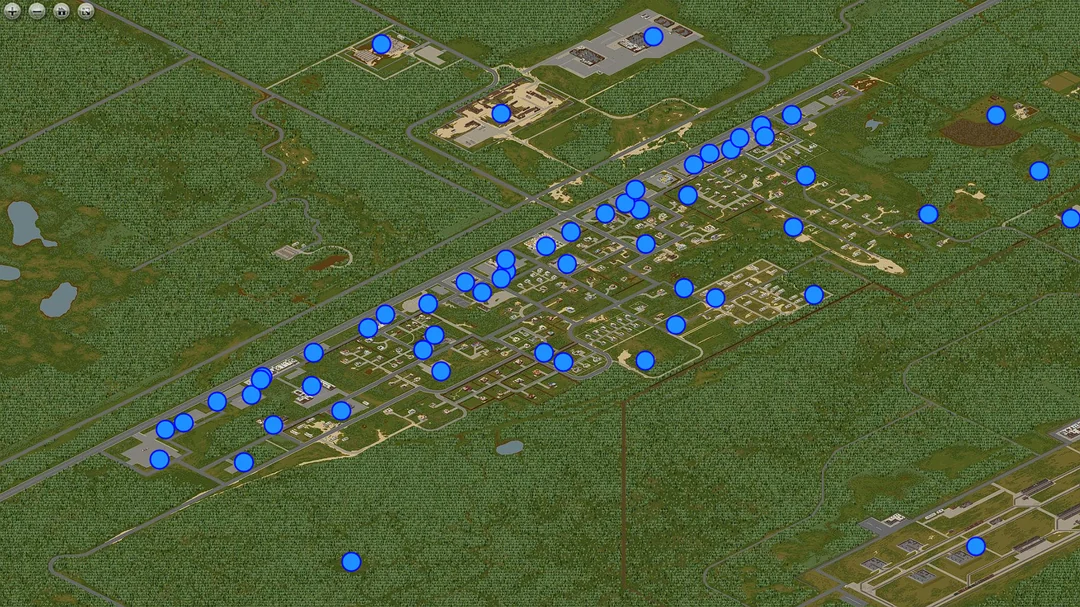
The Project Zomboid map adds more room for exploration and makes vertical space matter more. New and expanded locations create fresh looting routes, while multi-floor buildings, basements, and sublevels add risk to spaces that once felt predictable.
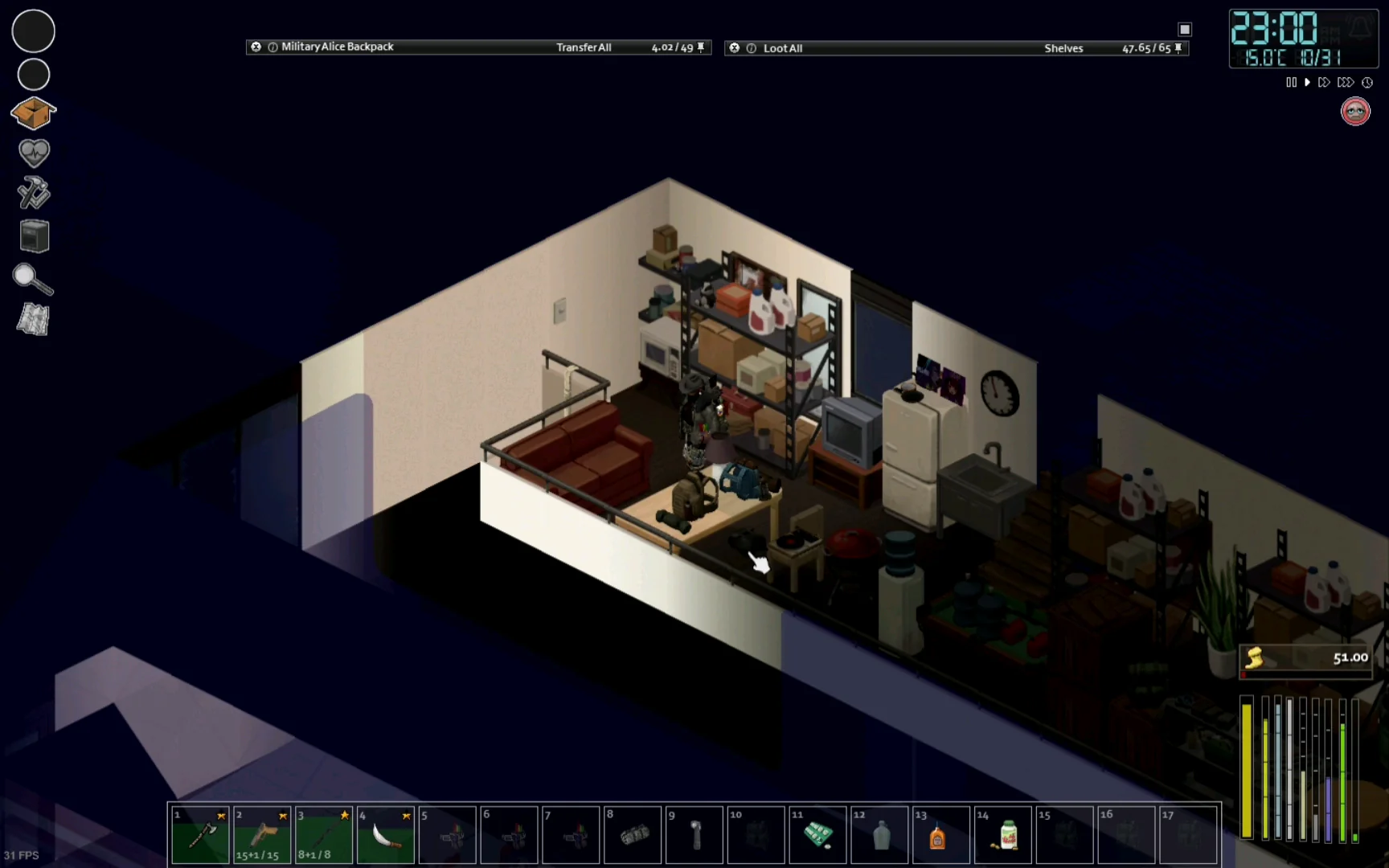
A staircase is no longer just a way to reach another room. It can become a trap, a choke point, or an escape route. Likewise, a basement can become valuable storage, a hidden workshop, or a dangerous dead end when the lights go out.
When reading the b42 map, focus on route quality rather than distance alone. A short route through a dense urban block may be worse than a longer drive that gives you fuel access, sightlines, and more exits.
Use this quick evaluation list before committing to a new area:
- Check every road in and out of the neighborhood.
- Identify nearby water, fuel, and medical supplies.
- Mark buildings with multiple exits.
- Avoid carrying heavy loot through unknown stairwells.
- Leave a vehicle facing your escape direction.
Crafting, Animals, and a More Independent Survivor
Crafting is no longer an optional side activity in this update. The update broadens the ways you make, repair, preserve, and organize the things that keep you alive. Pottery, blacksmithing, stoneworking, food preservation, and expanded construction systems create a stronger path away from pure loot dependence.
At the same time, animals and hunting turn the countryside into more than a quiet place to hide. Domestic animals can support a stable food supply, while wildlife makes patience and observation useful skills. Farming also becomes more connected to weather, daylight, and the changing season.
| Survival system | What it adds | Why it matters |
| Pottery and kilns | Containers, building items, and utility objects | Supports storage and self-sufficiency |
| Metalworking and forging | Tools, weapons, and repair options | Reduces dependence on rare loot |
| Animal husbandry | Food, materials, and ongoing care tasks | Creates sustainable base routines |
| Hunting and tracking | Wild food sources and exploration goals | Makes forests strategically useful |
| Seasonal farming | Crop planning tied to conditions | Rewards preparation over panic |
The expanded Project Zomboid map is what connects these systems. Farms, forests, towns, and industrial areas now serve different purposes in a longer supply chain. A great base is not simply isolated. It is positioned to make those systems work together.
Some players also like testing mechanics outside a normal survival run before committing to a long world. In that case, learning how Project Zomboid Cheat Engine tools work can help separate experimentation from serious saves, especially when Build 42 systems are still changing.
Is Project Zomboid Build 42 Multiplayer Available?
Yes. Multiplayer is available in the Unstable version of Project Zomboid build 42. That is an important correction for older guides, which may still describe Build 42 as single-player only. The feature was added during the Unstable cycle, but it is still evolving alongside the update’s broader balance, stability, and compatibility work.
Because the branch is Unstable, preparation matters. A server that runs well today may need attention after a patch, and a favorite mod may take time to become compatible. Therefore, treat your group world as something worth maintaining, not something you can set and forget. Project Zomboid build 42 rewards groups that document their setup before problems begin.
What to Expect From Build 42 Multiplayer
Multiplayer adds a new layer to the survival loop. Players can divide work, share equipment, defend a larger base, and take on longer expeditions. Yet the same freedom creates coordination problems. One person collecting food while another consumes every storage crate is not a system; it is a future argument.
The most effective groups give players clear responsibilities. For example:
- A builder manages walls, storage, and material collection.
- A farmer or animal handler tracks food production.
- A mechanic and driver maintains vehicles and fuel.
- A scout maps risky zones and marks loot targets.
- A medic or quartermaster protects shared supplies.
This approach turns a Zomboid map settlement into a functioning community. On a PZ map, shared routes also stop every player from making the same dangerous trip for the same item.
How to Protect Multiplayer Saves and Mod Setups
Before launching a server, test your settings with a small group. Start without a massive mod list. Then add content gradually, checking whether everyone can join and whether important recipes, vehicles, or map additions behave correctly.
Keep these habits in place. Your b42 map markers should be shared as carefully as your server settings:
- Back up the world before major game updates.
- Record the mod IDs and load order.
- Ask every player to update the same Workshop items.
- Create a simple rule for shared ammunition, fuel, and medical gear.
- Plan a fallback save in case the latest patch creates a problem.
The PZ map is more rewarding when a group has shared information. Use marked locations, clear callouts, and agreed rendezvous points. This reduces the chance that a rescue mission becomes a second rescue mission.
Platform setup matters too, especially when switching branches or keeping a group aligned after updates. Players using Valve’s launcher can review the Project Zomboid Steam version setup before changing builds, testing mods, or preparing a fresh multiplayer world.
How Do You Use the Build 42 Map Effectively?
The Project Zomboid build 42 map is not just a reference tool. It is a decision-making tool. Every symbol can help you remember a safe house, avoid a blocked road, or return to a generator before your food spoils. The more you annotate, the less you rely on memory during a high-pressure run.
Start by dividing your map knowledge into three levels: places you know are safe, places you have only surveyed, and places you want to avoid until you have better gear. This simple system keeps exploration from turning into random wandering.
Build a Reliable Navigation Routine
Use the Project Zomboid map to create repeatable routes between your base and essential resources. You do not need to clear an entire town. Instead, identify efficient loops that give you specific supplies with limited exposure.
A useful early-game route might include:
- One food location, such as a grocery store or farm.
- One medical location, such as a clinic or pharmacy.
- One hardware or warehouse stop for tools.
- One fuel option with a safe approach road.
- One backup house where you can rest or hide.
As your character becomes stronger, expand those loops. Add hunting grounds, lumber zones, and industrial sites. The best Project Zomboid build 42 map strategy is gradual expansion, not a reckless rush toward the biggest city.
Choose Base Locations With the Long Game in Mind
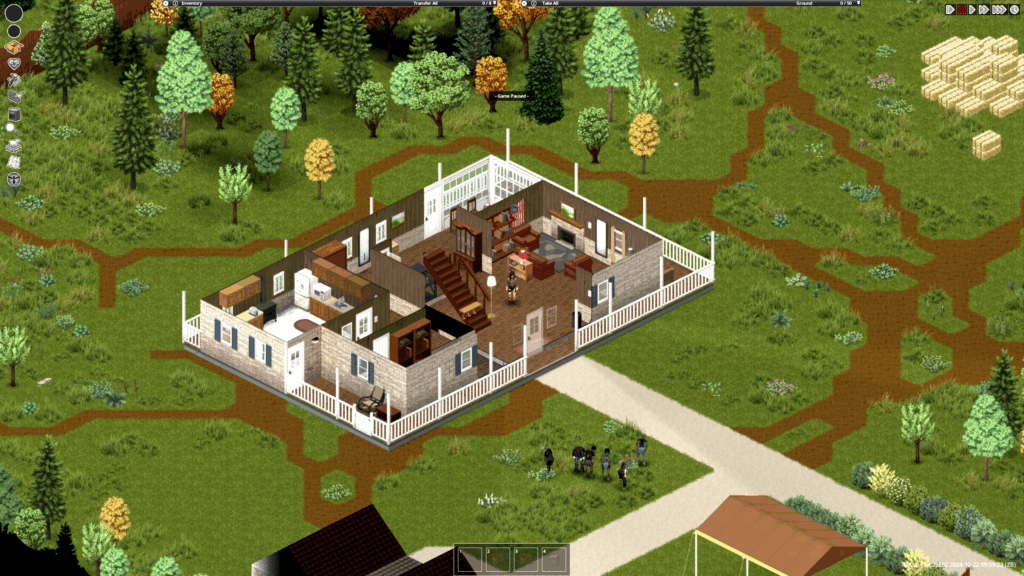
A base should support the life you want to build. A remote cabin may feel safe, but it can force long supply trips. An urban building may offer loot and water access, but it can be difficult to defend. In Build 42, a strong base also needs room for storage, crafting, food work, and possibly animals.
Compare common base styles before choosing one:
| Base type | Main advantage | Main risk |
| Rural property | Space for farming and animals | Long travel to specialty loot |
| Warehouse | Storage and work areas | Can attract attention in industrial zones |
| Suburban house | Easy access to basic supplies | Limited room and nearby zombies |
| Upper-floor building | Better control of entry points | Harder hauling and escape routes |
Your b42 map notes should include water access, nearby trees, vehicle paths, and alternate exits. Those details matter more than whether a building looks impressive on day one.
What Changes in Long-Term Survival?
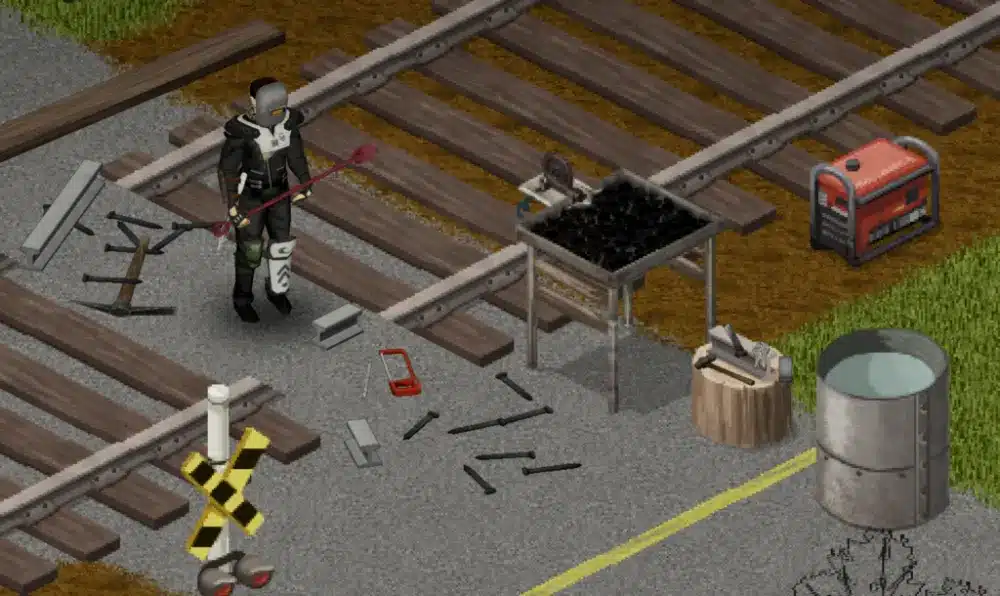
Project Zomboid build 42 makes the late game more demanding because it gives you more responsibilities. In earlier runs, surviving often meant finding enough canned food, weapons, and books to outlast the immediate crisis. Now, your routine can become a full production network: grow food, preserve it, maintain tools, care for animals, and prepare for changing weather.
That shift is what makes long-term worlds feel more alive. You are no longer waiting for loot to respawn or hoping one warehouse solves every problem. Instead, you are building a system that can survive scarcity.
Seasons, Food Preservation, and Resource Planning
Weather and seasonal conditions influence how you farm, forage, travel, and dress. A plan that works in summer may become inefficient when cold, rain, or shorter days arrive. Therefore, prepare before the season changes, not after your crops fail.
Use a simple seasonal checklist:
| Season | Priority | Practical action |
| Spring | Establish production | Plant, collect tools, and prepare storage |
| Summer | Build reserves | Preserve food and expand your base |
| Autumn | Secure winter supplies | Gather wood, repair clothing, and stock medicine |
| Winter | Reduce unnecessary risk | Rely on reserves and limit long travel |
The Zomboid map becomes more useful as seasons shift. A summer foraging route may not be the route you want during winter. Mark different sources of wood, shelter, water, and food so you always have alternatives.
Base Layout, Storage, and Daily Efficiency
A well-organized base saves time, and time is safety. Keep work areas close to the materials they use. Place food storage near cooking and preservation tools. Separate medical items from general loot. Leave a clear path to your exit vehicle.
For a practical Build 42 setup, create zones for:
- Living and sleeping.
- Food preparation and preservation.
- Crafting and tool repair.
- Bulk storage.
- Farming or animal care.
- Emergency supplies near the main exit.
This structure gives the PZ map a purpose beyond navigation. It helps you choose locations that support your workflow. A base with a great view but no usable supply route may become a burden long before the endgame.
Because Build 42 is still moving through active development, official updates are worth checking before starting a major save. The Project Zomboid development blog is the best place to follow patch notes, feature changes, and branch-related announcements straight from the team.
How Can ExitLag Improve Project Zomboid Build 42 Multiplayer?
ExitLag is relevant to Project Zomboid build 42 when you play online. In Project Zomboid build 42 multiplayer, it is not a single-player performance mod, and it cannot fix low frame rates caused by your PC, heavy graphics settings, or an overloaded server. Its purpose is connection optimization for multiplayer sessions, where ping spikes, packet loss, and unstable routing can affect how responsive the game feels. When a Project Zomboid map run relies on precise timing, connection consistency matters. A b42 map route is safer when every input reaches the server as consistently as possible.
That distinction is important. If the problem appears only when joining a distant server, playing with a large group, or connecting to a heavily modded world, network conditions may be part of the issue. In that case, ExitLag can help you look for a more consistent route between your connection and the game server.
When Connection Optimization Can Help
Online survival depends on more than your own internet speed. The route between your network and the server can create inconsistency, especially when the server is in another region. Symptoms may include delayed actions, rubberbanding, disconnects, or trouble staying in sync during busy moments.
When that route involves a crowded city edge or a long vehicle trip, test stability before treating it as your default run. ExitLag may be useful when you notice:
- Unstable ping on distant servers.
- Packet loss during large multiplayer sessions.
- Rubberbanding while driving or fighting.
- Frequent disconnects that do not happen in other games.
- Inconsistent performance after joining modded servers.
Use ExitLag as Part of a Smarter Multiplayer Setup
Start with the basics. Confirm that the server version matches yours. Update or remove incompatible mods. Close downloads running in the background. Then test your connection on the same server at different times.
After that, use ExitLag to optimize the route for your multiplayer session. Compare how the game feels during normal movement, driving, combat, and busy server events. This is more useful than judging performance from one quiet minute inside a safehouse.
ExitLag works best as one part of a complete setup:
- Keep your game and mods aligned with the server.
- Back up important multiplayer worlds.
- Use a stable server location when possible.
- Reduce background network traffic.
- Optimize your route with ExitLag when connection instability persists.
For players coordinating long trips across a Project Zomboid map, stability matters. Even a familiar Project Zomboid build 42 map route can become dangerous when a delayed door interaction or a character snapping back into a risky position breaks the plan. Treat every b42 map route as a moment where reliable timing still matters.
A better route will not make an unsafe Project Zomboid build 42 map run safe. However, it can help ensure your actions reach the server more consistently when survival depends on timing.
For broader game details, official downloads, and current information about the survival sandbox itself, the main Project Zomboid website is still the central reference. It is especially useful when you want to confirm the game’s official channels before relying on community tools or older guides.
FAQ
Build 42 introduces enough new systems that players often have practical questions before starting a fresh save. The answers below focus on what matters most for a smooth transition.
No. Build 42 is currently part of the Unstable branch. That means it receives active updates and may change before it reaches the stable branch. Back up saves and expect possible mod compatibility issues.
No. Build 41 saves are not compatible with Build 42. Start a new world instead of trying to force an old save into the update. This also gives you a cleaner chance to learn the new systems.
Yes. The world expansion, added locations, basements, and vertical exploration give you more places to explore and more ways to plan routes. Use your b42 map notes to track safe zones, resource hubs, and escape options.
No. ExitLag is designed for online connection optimization. It can support Project Zomboid multiplayer sessions, but it does not change offline or single-player performance.
Project Zomboid build 42 rewards players who slow down, prepare, and build routines that can survive a bad day. Learn your routes, keep a backup plan, and do not treat every new area as a simple loot run. The update is most satisfying when the expanded Project Zomboid map becomes a world you understand rather than a place you merely react to.
Ready to make your multiplayer survival sessions more consistent? Try ExitLag and see whether optimized routing helps you stay connected when your group needs every second to count.
Got questions or want to connect with other players? Join the conversation at the ExitLag Forum!