If you’ve been losing gunfights you should have won or watching enemies teleport across corners, chances are you’re dealing with Rainbow Six high ping. Above all, nothing disrupts a tactical FPS more than unstable latency. Therefore, when high ping strikes in Rainbow Six, every peek, shot, and rotation becomes unpredictable.
At first sight, the issue may seem random, but Rainbow Six high ping usually follows clear patterns related to routing, distance, or local network conditions. In this guide, you will understand exactly why it happens and how to fix it once and for all.

What is high ping in Rainbow Six?
At first, ping represents the latency between your device and the game server, measured in milliseconds (ms). In other words, it shows how long data packets take to travel, return, and update what you see on screen. When ping rises beyond normal ranges, your actions become delayed, positioning becomes inaccurate, and encounters turn inconsistent. Rainbow Six high ping typically appears as spikes above 80–100 ms, but in competitive environments, even 60 ms can feel punishing.
From the same point of view, the game relies heavily on precise hit registration, synchronized peeking, and near-instant information. Because of that, high latency disrupts the flow of packet exchange between your system and the servers, creating instability, rubberbanding, or desynchronization. However, the problem isn't always your internet speed—routing quality and distance often matter even more.
Lastly, it’s important to understand that ping is not the same as bandwidth. Even with fast download speeds, poor route quality can push your high ping higher and create instability during matches.
How high ping affects gameplay in Rainbow Six
Even more, Rainbow Six high ping can break the tactical experience of the game. Because the entire gameplay revolves around split-second precision, every millisecond counts. Below are the most common issues caused by unstable latency:
- Delayed hit registration during gunfights
- Rubberbanding while peeking or repositioning
- Late sound cues and desynchronized footsteps
- Disconnections during ranked matches
- Missed shots due to delay between input and server confirmation
- Delayed breaching gadgets or utility deployment
- Competitive disadvantage in clutch situations
Hit registration problems
Firstly, when ping rises, bullets may not register accurately. That’s because the server receives your packet too late, interpreting your shot out of sync with the opponent's position. Like this, you might feel you landed the shot, but the server disagrees.
Rubberbanding and delayed movement
At the same time, Rainbow Six high ping disrupts movement flow. You may push forward only to snap back a few steps, or peek corners and appear half a second later on the enemy’s screen. That way, your timing gets compromised, especially during advanced tactics like crouch-spamming, jiggle peeks, and fast rotations.
Main causes of high ping in Rainbow Six
Server distance
In advance, one of the biggest factors behind Rainbow Six high ping is how far you are from the active server. The greater the distance, the more nodes (hops) your data must cross. Therefore, milliseconds accumulate, creating instability and slower response times.
ISP / routing issues
Secondly, your ISP’s routing plays a major role. Even with high-speed internet, your packets may experience bad latency due to congested paths. Sometimes, ISPs choose cheaper routes that are longer or less stable. Be that as it may, this results in instant ping spikes.
Network congestion
Often, multiple devices connected at the same time can overload your home network. Streaming, downloads, cloud sync, or background apps can saturate your upload bandwidth, causing delays and repetitive spikes during matches.
Outdated hardware
As well as network issues, older network adapters, outdated drivers, or underperforming hardware can make your system respond slower when communicating with the servers. Even if the ping appears steady, inconsistencies can occur.
Game-specific cause
Lastly, Rainbow Six high ping may come from server instability during updates, maintenance, or peak hours. Ubisoft servers occasionally face overload, especially during new seasons or major patches.
How to check and test your ping in Rainbow Six
In the meantime, testing your ping is essential to understand whether the issue is local, regional, or server-side. Rainbow Six displays real-time latency directly in-game, allowing you to track fluctuations during matches.
Firstly, you can open the in-game options and enable network info to see ping, packet loss, and stability. This helps determine if the issue is routing-related or if it's caused by local congestion.
Now, you can also perform a system-level test. Running a command prompt ping test to a selected server or IP allows you to see variations in latency over time. Like this, you identify patterns such as constant spikes or unstable intervals.
In summary, here are quick reference values:
- 0–40 ms: Excellent
- 40–70 ms: Playable
- 70–120 ms: High ping
- 120+ ms: Severe latency issues
Ping levels classification
| Ping Range (ms) | Quality Level | Impact on Rainbow Six Gameplay |
| 0–20 ms | Excellent | Ultra-responsive movements, perfect hit registration, ideal for competitive play. |
| 20–40 ms | Very good | Smooth gameplay, minimal delay, reliable for ranked and tournaments. |
| 40–70 ms | Playable | Slight delay noticeable in tight duels but still competitive. |
| 70–120 ms | High ping | Significant delay, inconsistent peeks, disadvantage in gunfights. |
| 120–180 ms | Poor | Rubberbanding and late registration frequently occur. |
| 180–250 ms | Very poor | Major desync, missed shots, unpredictable timing. |
| 250+ ms | Critical / Unplayable | Severe lag, delayed actions, risk of disconnects and penalties. |
Basic fixes to reduce high ping in Rainbow Six
Optimize local connection
Beforehand, follow these steps to reduce Rainbow Six high ping quickly:
- Use a wired Ethernet cable
- Close background applications
- Disable automatic updates
- Limit devices connected to Wi-Fi
- Update network drivers
- Restart router or modem
Priority actions:
- Disable cloud sync
- Turn off streaming services
- Reduce interference around the router
Advanced actions:
- Change Wi-Fi channel
- Move router closer to the PC
- Disable power-saving features on the network adapter
Contact your ISP
Often, the source of the instability lies with your provider. That’s why contacting your ISP can reveal line issues, routing failures, or packet congestion. Ask them to:
- Check your physical line
- Reset routing tables
- Identify regional instability
In other words, request technical analysis if your latency increases at specific times. Then, confirm whether maintenance, noise, or interference might be affecting your connection.
Numbered list for ISP communication:
- Report unstable routing
- Request line tests
- Ask if your region is overloaded
- Confirm if upgrades or maintenance are planned
ExitLag: the best solution to fix high ping in Rainbow Six
In advance, if you’ve already tried basic fixes and still face Rainbow Six high ping, the real problem is usually routing. That’s because your ISP chooses default paths that may be congested or indirect. ExitLag, a software specialized in connection optimization, solves this by stabilizing routes and ensuring your packets reach Rainbow Six servers through the fastest and most reliable paths.

What is ExitLag?
ExitLag is a software focused on connection optimization. Instead of simply “improving” your routing, it restructures it, analyzing every possible path to the ARC Raiders servers. As a result, the software ensures smoother gameplay, lowers latency, and minimizes interruptions caused by inefficient routes or regional congestion. For players who constantly deal with ARC Raiders high ping, this type of system becomes essential.
Check the benefits:
- Traffic Shaper technology that prioritizes game traffic and prevents other applications from consuming bandwidth during matches.
- Multi-Internet support, allowing players to combine multiple connections and benefit from automatic failover if one network drops.
- FPS Boost feature that reduces background processes and improves system efficiency for smoother frame rates.
- Advanced custom settings for experienced players who want to manually fine-tune routes, protocols, and connection behavior.
- AI-powered automatic optimization that analyzes your gameplay patterns and adjusts routing in real time for maximum performance.
- One desktop account works on ExitLag Mobile, so players can optimize their mobile games using the same subscription.
- Global server presence across all continents, ensuring optimized routes no matter where the player is located.
- Dedicated support team available to assist players with optimization, configuration, and connectivity issues.
How ExitLag works
ExitLag uses Multi-Internet routing and real-time optimization to stabilize ARC Raiders traffic. The tool constantly examines available routes, searching for paths with fewer hops, lower delay, and less congestion. When it detects instability, it switches to a faster alternative instantly.
Real-time route analysis
First of all, the software constantly scans available routes and detects congestion points that cause Rainbow Six high ping.
Multiple routes simultaneously
Similarly, ExitLag sends your packets through several paths at once. If one route becomes unstable, others remain active, preventing spikes and rubberbanding.
Automatic best route selection
That way, the system always selects the fastest packet. This improves hit registration and reduces delay during quick engagements.
Hop optimization
Often, ISPs force your data through unnecessary nodes. ExitLag removes these extra hops, lowering latency.
Connection stabilization
In summary, your data flows consistently, avoiding jitter, desync, and packet loss.
Is ExitLag worth it for Rainbow Six?
Yes — ExitLag is worth it for Rainbow Six players who struggle with unstable routing, random ping spikes, or inconsistent latency. Because Rainbow Six relies heavily on timing, synchronized peeks, and precise hit registration, a stable path to the server matters as much as raw internet speed. ExitLag improves the route your connection uses, helping avoid congested or inefficient ISP paths that often create Rainbow Six high ping.
If you want more predictable gunfights, smoother rotations, and consistent matchmaking conditions, ExitLag provides a significant advantage by stabilizing your connection and reducing variability during ranked and competitive play.
How to use ExitLag in Rainbow Six Siege
The process is extremely simple:
Step 1 – Access the official ExitLag website and download the application. There’s a free trial period for new users.
Step 2 – Install and open the program. Log in with your account.
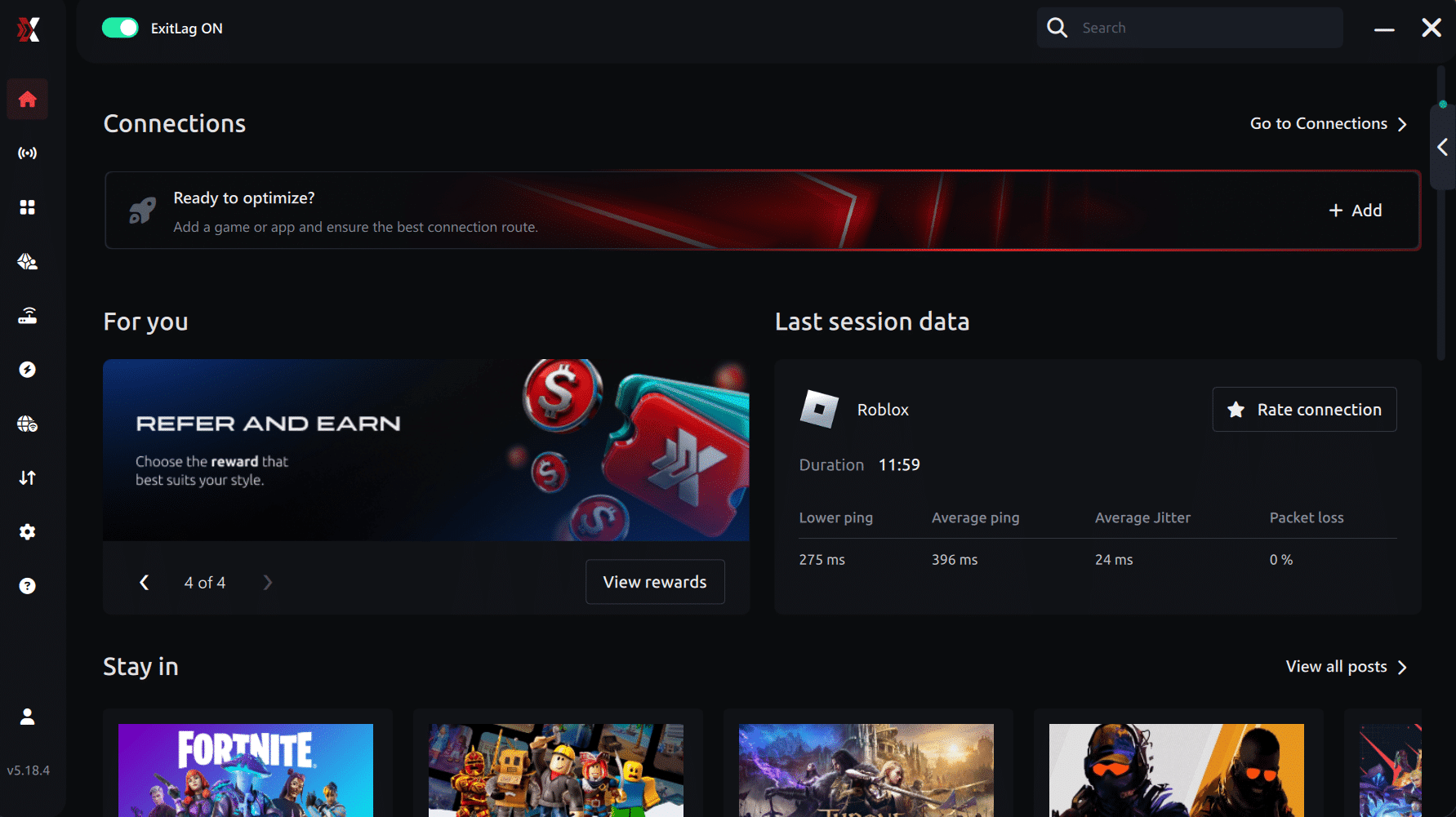
Step 3 – In the search bar, type “Rainbow Six Siege” and select the game from the list.
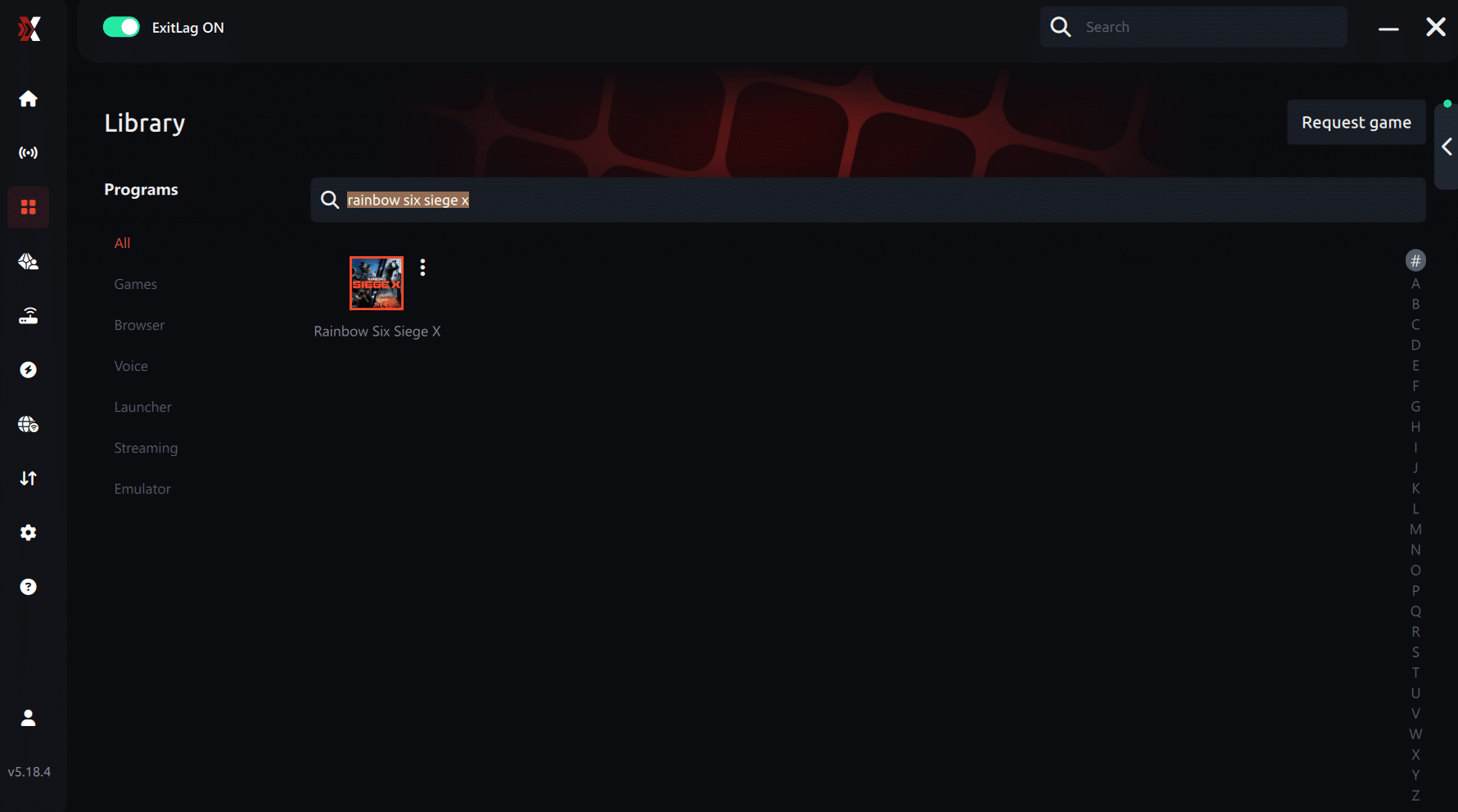
Step 4 – Choose between automated or manual route
Based on the results, you can let ExitLag automatically select the best route or manually choose the server that showed the lowest latency for your connection.
AI-optimized automated route
Based on the results, you can let ExitLag automatically select the best route through AI optimization. The system analyzes multiple connection paths in real time and automatically identifies the most efficient route for your connection, ensuring the lowest possible latency without requiring manual choices.
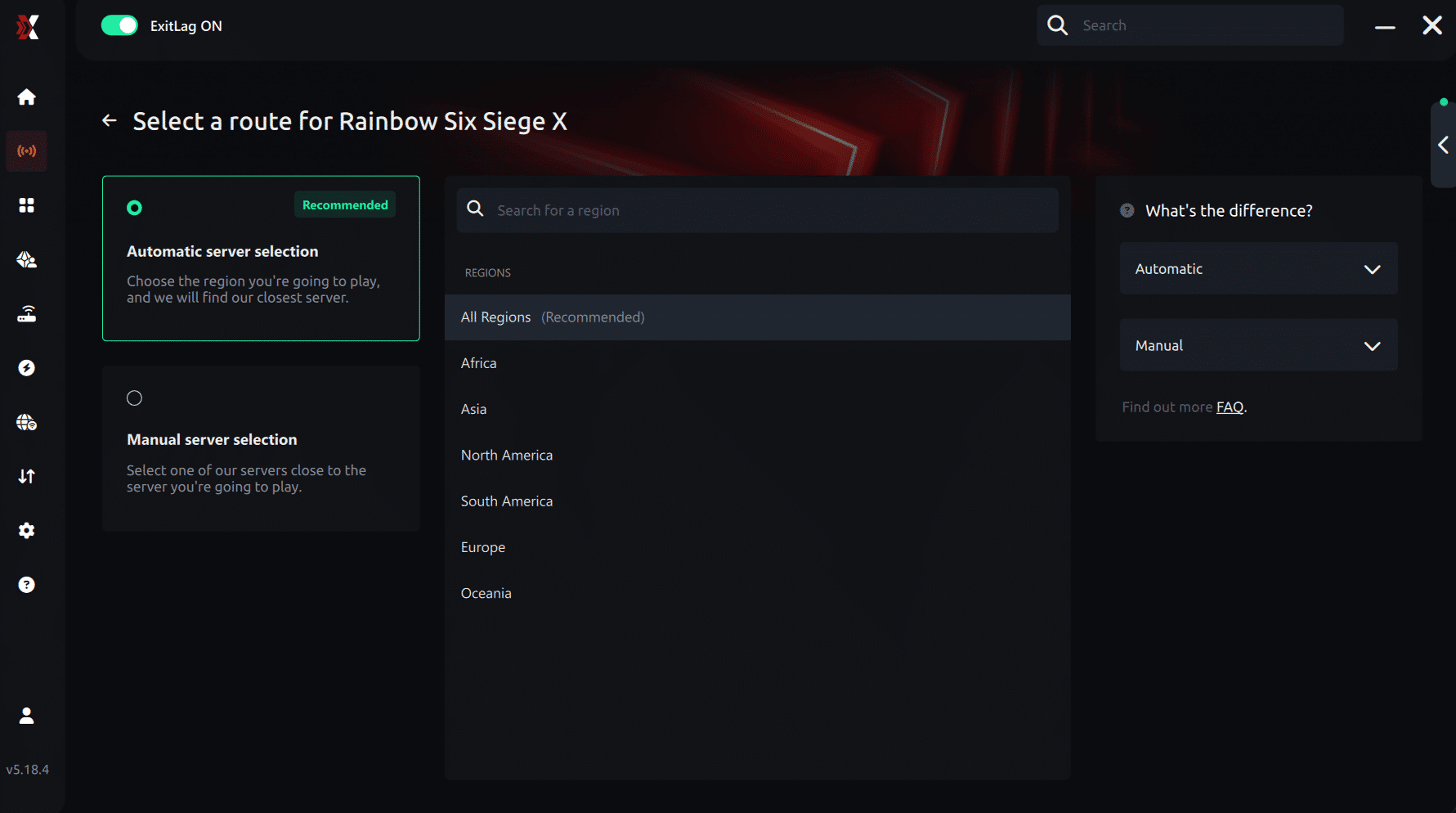
Manual route
If you prefer to have full control over your connection, you can manually choose the server based on the ping test results. Simply select the server that showed the lowest latency or the one that best meets your specific gaming needs, allowing complete customization of your experience.
Step 5 – Click “Apply routes” or the play button. ExitLag will begin optimizing your connection automatically.
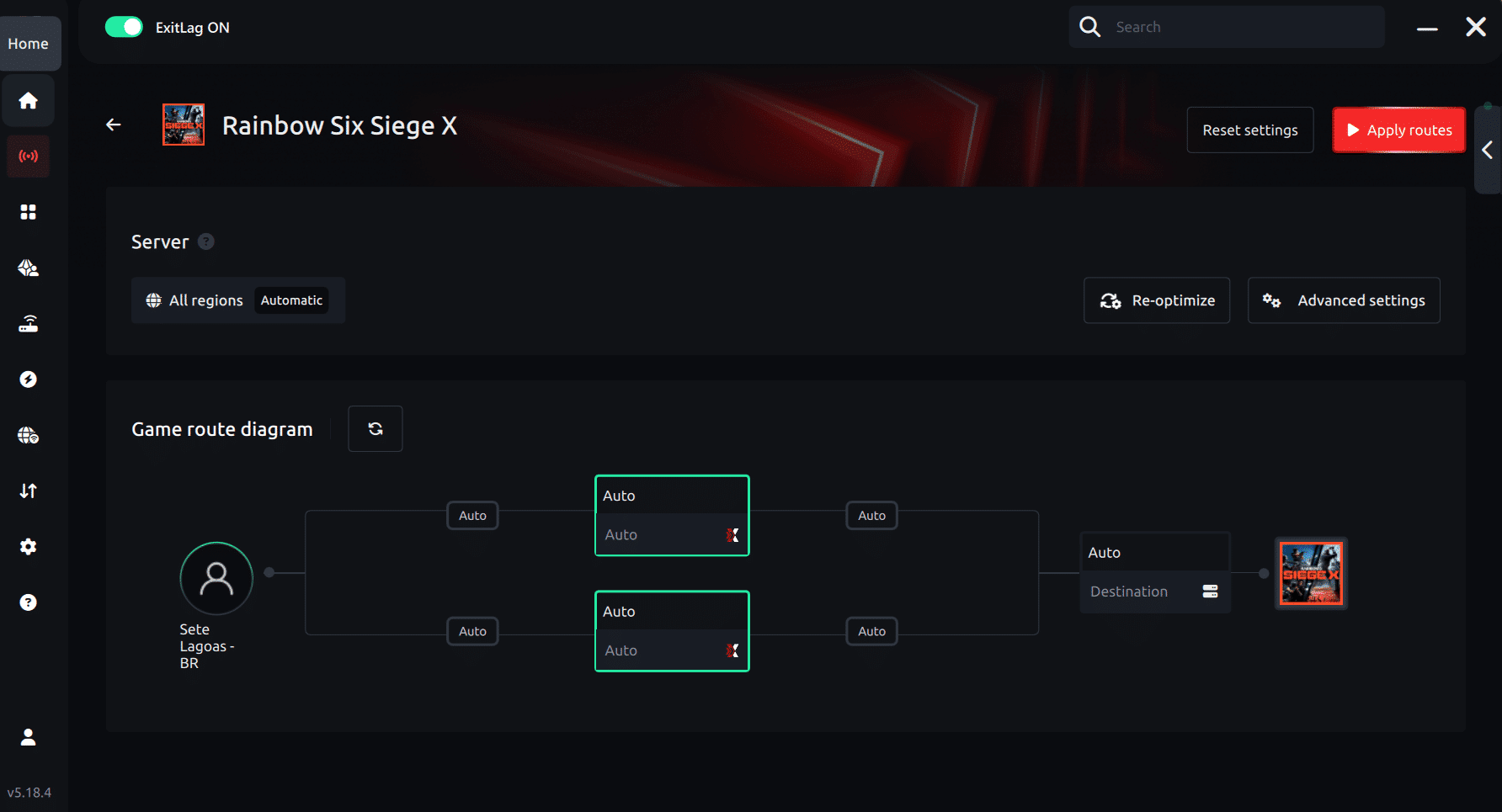
Step 6 – Wait a few seconds until optimization is complete. You’ll see ping indicators in the interface.
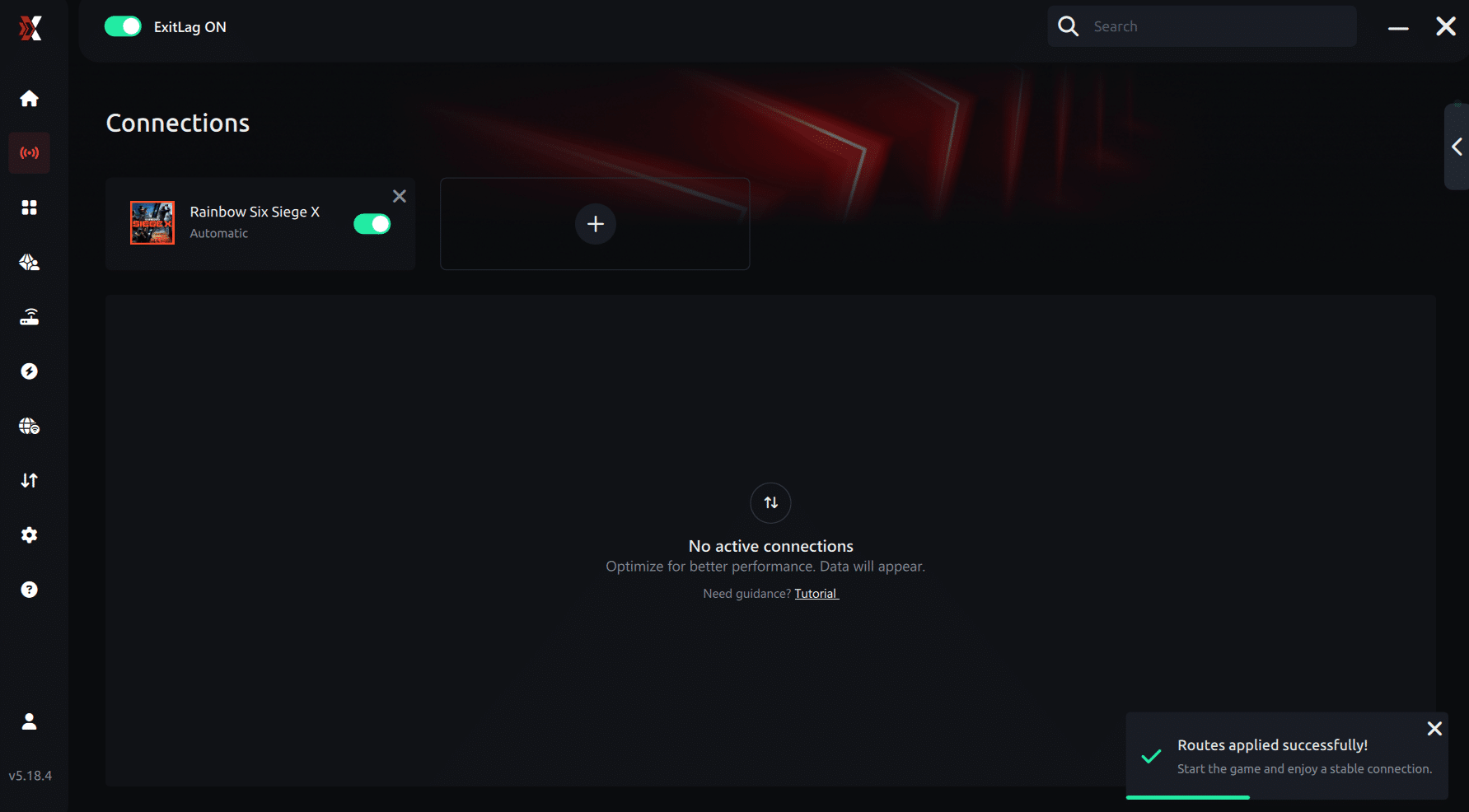
Step 7 – Launch Rainbow Six Siege normally. The optimization will already be active.
ExitLag runs in the background while you play, constantly adjusting routes to maintain the best possible performance.
How to use Ping for Games: step-by-step guide (Rainbow Six Siege)
Checking your connection quality before entering a match has never been easier. Here’s how to use Ping for Games in just a few steps:
1. Open the ExitLag software on your PC Ensure the application is installed and open. The feature is integrated into the platform and available for free to all users.
2. Access the Network Analyzer tool Locate the Network Analyzer in the software menu. This is where you’ll find Ping for Games along with other connection analysis features.
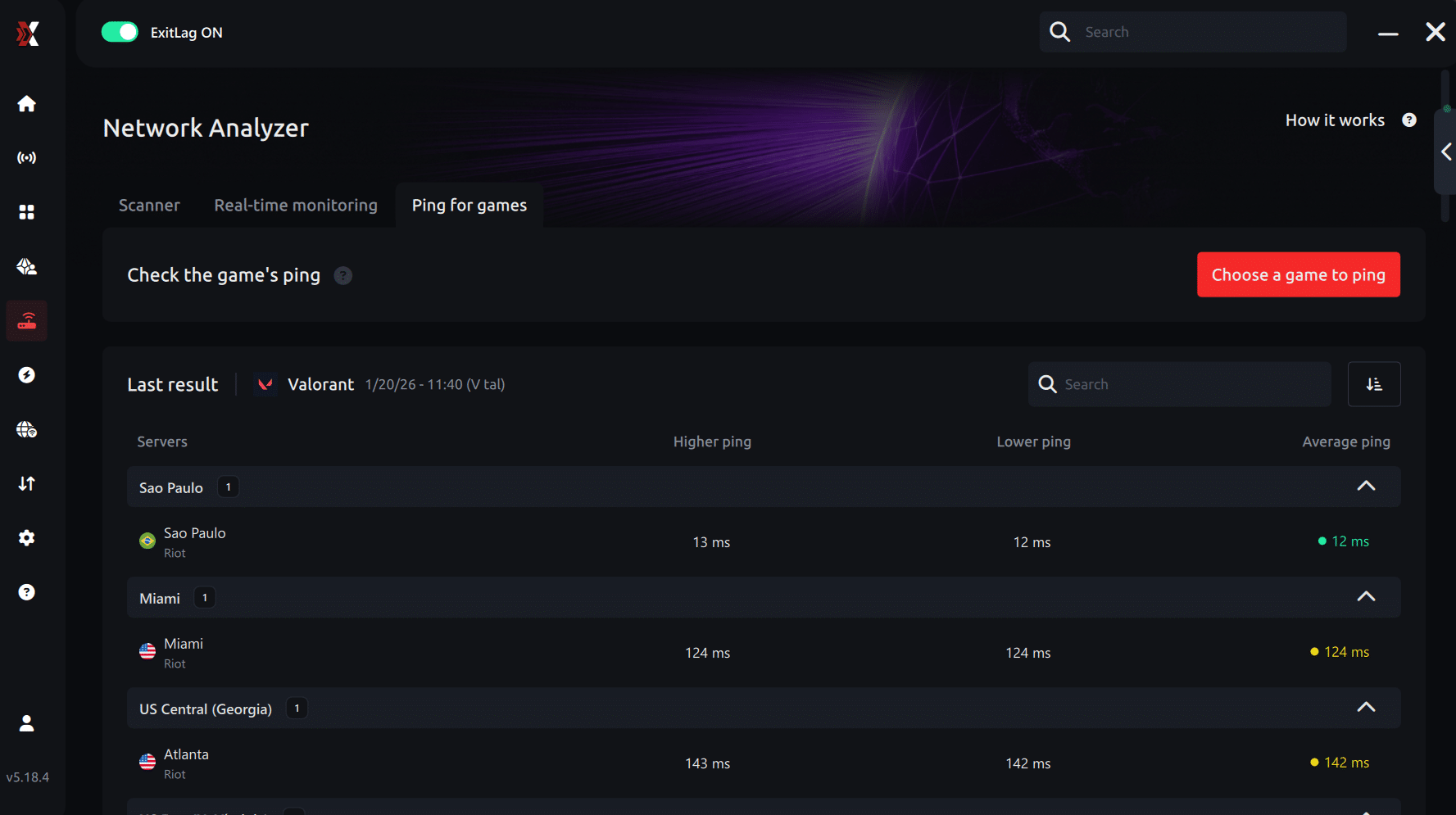
3. Select the game you want to test Choose Rainbow Six Siege from the list. The tool supports major online multiplayer games, including FPS, Battle Royales, MOBAs, MMORPGs, and more.
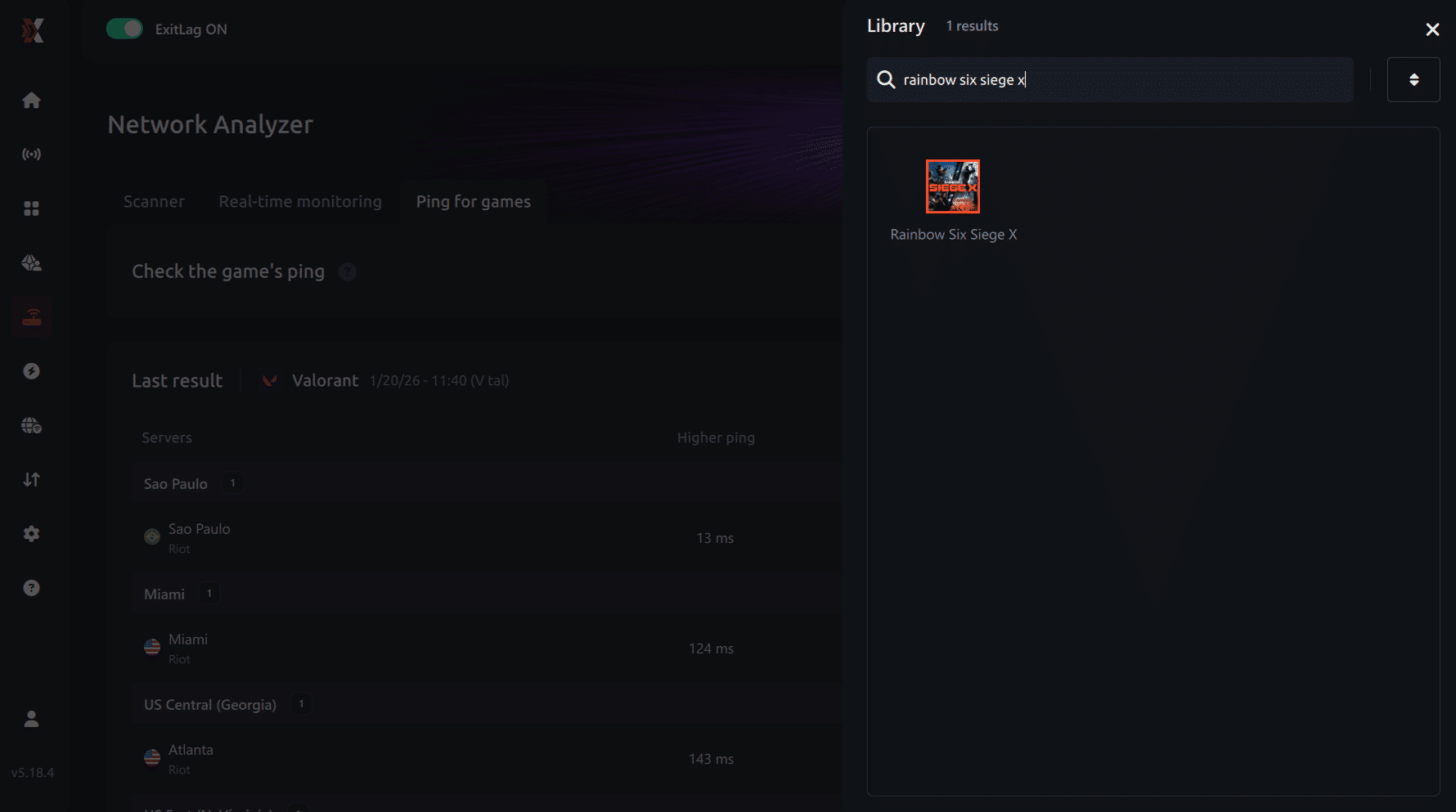
4. Choose the specific server Select the exact Rainbow Six Siege server you want to test instead of a generic region. This ensures more accurate results for your match.
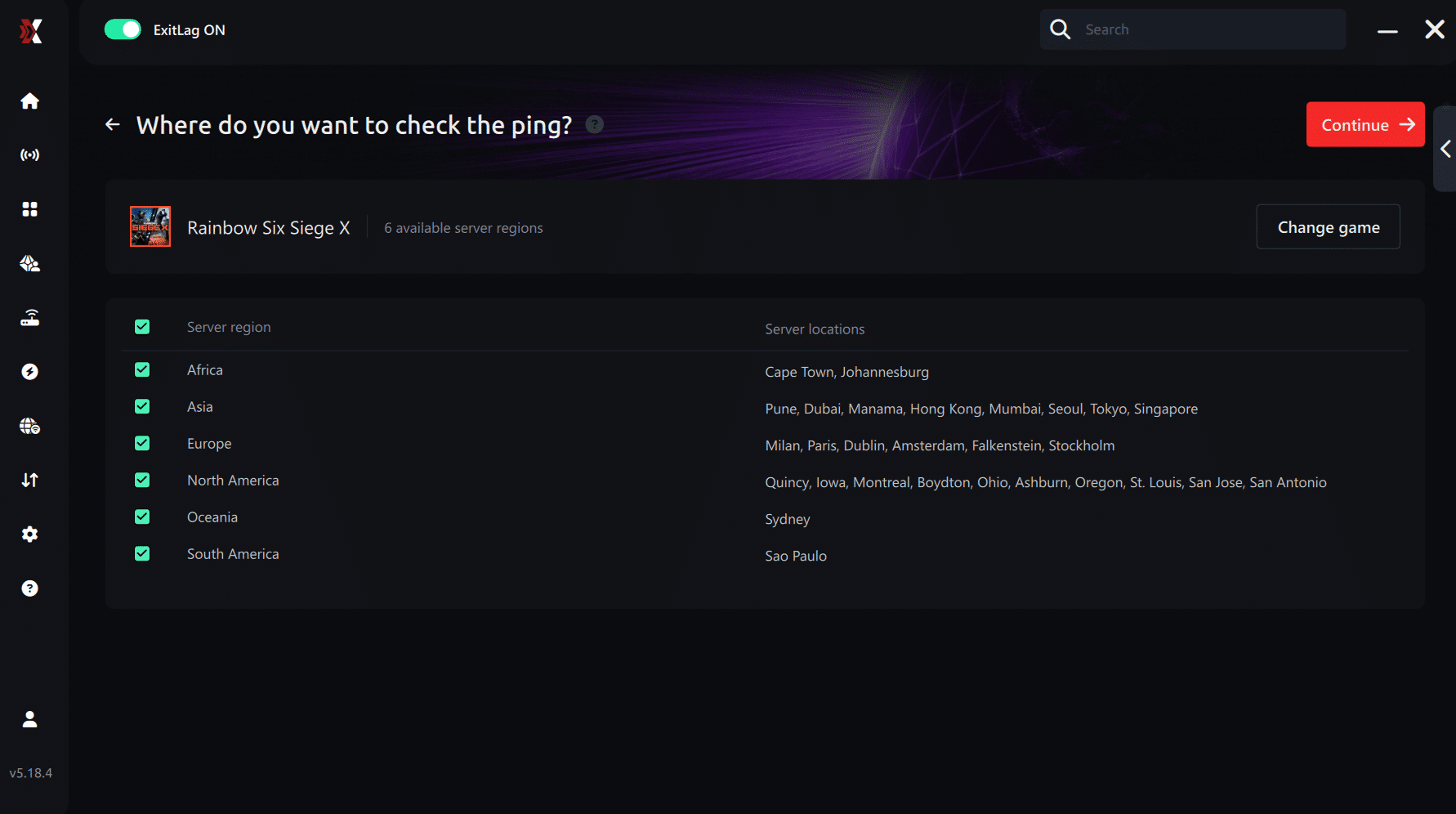
5. Start the ping test With one click, the measurement is performed in real time between your device and the selected Rainbow Six Siege server, considering your current connection (cable or Wi-Fi).
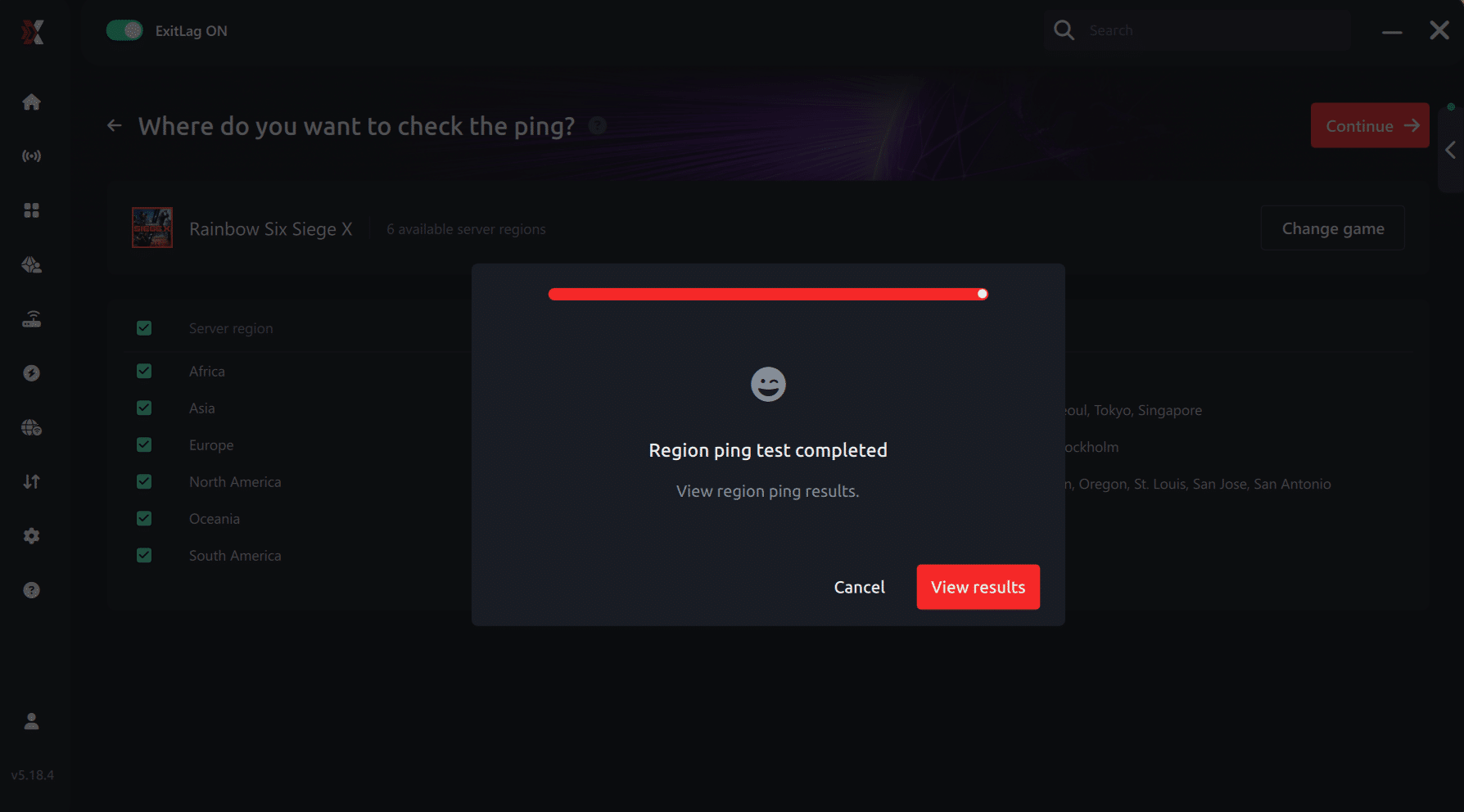
6. Analyze the results Results appear in milliseconds (ms), automatically sorted from best to worst ping. You can also reorganize the view alphabetically if you prefer.
7. Choose the best server and play worry-free With this information, simply select the server with the lowest latency and jump into Rainbow Six Siege knowing your connection is optimized.
Final thoughts: Play Rainbow Six Siege without lag forever
At the end of the day, Rainbow Six Siege lag should never decide your matches. You spend time mastering your aim, reflexes, and strategy your internet connection should never be the reason you lose.
With ExitLag, you finally take control of your network performance. The software finds the fastest routes, eliminates lag, and stabilizes your ping so that every shot, every breach, and every clutch happens exactly when you want it to.
Try ExitLag for free right now and experience how smooth Rainbow Six Siege can be when your connection is fully optimized. Play with confidence, reach your full potential, and make lag a thing of the past.
FAQ - Common Rainbow Six ping questions
Why does Rainbow Six have high ping sometimes?
Often, Rainbow Six high ping happens due to server distance, routing issues, Wi-Fi interference, or congestion at peak hours. Sometimes, ISPs reroute traffic at night, causing temporary instability.
Is ExitLag good for fixing high ping?
Definitely. It stabilizes your route, reduces spikes, improves packet flow, and provides consistent performance in competitive matches.
What is acceptable ping for Rainbow Six?
Anything below 40 ms is excellent. Between 40–70 ms is playable. Above 80 ms, you may feel disadvantage in duels and peeks.
Conclusion
In conclusion, fixing latency requires more than restarting your router or closing background apps. Because Rainbow Six relies on tactical precision and split-second reactions, unstable routes cause delayed shots, rubberbanding, and inconsistent timing. That’s why most players facing Rainbow Six high ping benefit from optimizing the connection path itself.For more insights, tutorials, and tips, visit the official ExitLag blog.
ExitLag delivers precisely that: stable, optimized, intelligent routing that keeps your gameplay smooth, predictable, and competitive. If you want consistent performance every match, this is the definitive solution.
Reduce your ping, stabilize your gameplay, and experience Rainbow Six the way it was meant to be played. Start optimizing your connection today and eliminate Rainbow Six high ping for good. Use your free trial, download ExitLag now!