A Roblox servers status check should be the first step when the website will not load, an experience refuses to open, purchases are delayed, or every server suddenly disconnects. The goal is to determine whether Roblox has a platform-wide incident, one experience is unavailable, or the problem exists only on your device or network.
Roblox remains free to access, although individual experiences and virtual items may include optional purchases. This guide to playing Roblox for free explains the basic access model while also helping you confirm whether Roblox servers status problems are preventing a normal login rather than a payment requirement or account limitation.
The Roblox servers status can change at any moment, so a static article should never claim that the platform is permanently online or offline. Instead, players should compare the official service dashboard with their device, connection, account, and the specific experience they are trying to join.
Is Roblox Down Right Now?
When players search is Roblox down, they are usually experiencing one or more common symptoms. The login page may not respond, experiences may fail to launch, avatars may appear blank, Robux transactions may remain pending, or Roblox Studio may refuse to publish changes.
These symptoms can come from a broad outage. However, they can also come from one service, one game, one platform, one account, or one internet connection.
The official status dashboard is the best first source because it separates player, creator, website, app, and backend services. A green overall Roblox status does not guarantee that every individual experience is functioning correctly, but an active incident is strong evidence that the problem is affecting Roblox infrastructure.
A proper Roblox servers status review should focus on the exact service that is failing rather than assuming every error means the whole platform is unavailable.
Check the Official Service Categories
Look for the component that matches your problem instead of reading only the general status headline.
| Symptom | Service to inspect | What it may indicate |
| Login page fails | Website or mobile app | Authentication or platform incident |
| Experiences will not start | Games or game joining | Joining or server disruption |
| Avatar appears blank | Avatar or asset delivery | Delayed image or asset service |
| Robux item is delayed | Marketplace or website | Purchase processing disruption |
| Studio cannot publish | Creator services or Studio | Creator platform incident |
| Progress will not save | Data Store | Experience data may be delayed |
| Friends list will not load | Social or website services | Account or social feature disruption |
During downtime, players may see failed game joins, delayed purchases, unusual loading times, or connection errors across the website and applications.
However, a service incident can be partial. Some users may connect normally while others cannot. One category may remain operational while another is degraded.
Therefore, Roblox down does not always mean every Roblox feature has stopped working.
Compare More Than One Signal
After reviewing the general status, compare it with what you can observe directly.
Try the following:
- Open the Roblox website and app separately.
- Test a second experience.
- Ask whether friends in another region can connect.
- Switch temporarily from Wi-Fi to mobile data.
- Test another supported device.
- Look for a consistent error code.
- Check whether only voice, chat, purchases, avatars, or Studio are affected.
- Restart the app before changing advanced settings.
If every experience fails on multiple devices and connections, the answer to is Roblox down is more likely to be yes.
If one experience fails while others work, its developer may have closed servers, published a broken update, limited access, or temporarily disabled the game.
Do not reinstall Roblox immediately during a confirmed outage. Reinstallation cannot repair platform infrastructure and may create additional work once the service returns.
How Can You Tell If Roblox Is Down or Your Connection Is the Problem?
A useful Roblox servers status diagnosis compares the scope of the issue.
Platform incidents usually affect many players, devices, regions, or services at the same time. Local problems normally follow one device, one router, one connection, or one account.
Start with a simple test. Open another website, streaming platform, or online game. If nothing connects, the problem is broader than Roblox.
If everything except Roblox works, continue with app, firewall, DNS, router, and account checks before concluding Roblox down.
This Roblox status comparison prevents unnecessary reinstalls and helps you decide whether to wait or troubleshoot locally.
Test the App, Device, and Installation
Restart Roblox completely instead of leaving it suspended.
On mobile, close it from the recent-apps screen. On Windows or macOS, confirm that no Roblox process remains active before reopening the application.
If the app is missing, outdated, or damaged, use this Roblox download and installation guide to reinstall it from an official source. Reinstallation is appropriate when only one device fails and the general Roblox status shows no widespread incident.
However, it should not be the first response to a platform outage.
Follow this order:
- Restart the device.
- Update Roblox through the official store or installer.
- Update the operating system.
- Confirm that date and time are set automatically.
- Disable a VPN temporarily for testing.
- Try another browser if only the website is affected.
- Clear the browser cache if the login page repeatedly reloads.
- Confirm that parental controls are not blocking Roblox.
- Check firewall and security settings.
- Reinstall only after the simpler steps fail.
Firewalls, slow connections, inconsistent wireless service, browser settings, extensions, and installation problems can all interfere with Roblox.
If the application works on one device but not another, the Roblox servers status is probably not the main cause.
Test the Network Without Changing Everything at Once
Change only one setting at a time. Otherwise, you may solve the issue without knowing which change fixed it.
Use this testing order:
- Restart the router.
- Move closer to the Wi-Fi access point.
- Use Ethernet when possible.
- Pause large downloads and video streams.
- Test mobile data or another trusted network.
- Return DNS settings to automatic if a custom DNS recently caused problems.
- Check whether school, work, hotel, or public Wi-Fi blocks gaming services.
- Test Roblox at a different time of day.
If Roblox works on mobile data but not your home network, the Roblox servers status is probably not the source of the problem.
Investigate the router, internet provider, DNS settings, firewall, or filtering rules.
Error codes can provide additional context, but they are not always proof of an outage. Roblox errors may represent timed-out connections, failed game joins, outdated app versions, permission restrictions, server shutdowns, or lost connections.
An error that appears in only one experience may point to that game rather than a platform-wide Roblox down event.
Testing a second experience is often faster than immediately changing advanced router settings.
Why Are Roblox Servers Not Working?
Roblox is not supported by one single server. It is a platform made of many services responsible for accounts, websites, apps, experience instances, matchmaking, stored data, avatars, assets, creator tools, payments, and communication.
That is why Roblox servers status reports should be read by component.
A player may be able to access the website but fail to join a game. Another player may enter an experience normally while avatar items, purchases, or images refuse to load.
The answer to is Roblox down may depend on which feature is actually failing.
Common Platform-Side Causes
Possible causes on Roblox’s side include:
- Unexpected software failures.
- Configuration errors.
- Capacity problems during unusual traffic spikes.
- Database or Data Store disruptions.
- Asset delivery failures.
- Authentication problems.
- Marketplace or transaction delays.
- Deployment issues after an update.
- Scheduled maintenance.
- Emergency maintenance.
- Infrastructure dependency incidents.
- Bugs affecting one platform or app version.
Long outages often create rumors because players do not immediately know what caused the disruption.
However, waiting for an official explanation is more reliable than assuming a maintenance period means is Roblox getting shut down.
During a confirmed incident, avoid repeatedly attempting the same purchase. A delayed transaction may still complete after the platform stabilizes, and repeating the purchase can create confusion.
Save receipts or screenshots when a transaction remains unresolved after service has returned.
Experience-Specific and Feature-Specific Failures
A single experience can stop working while the general Roblox status remains normal.
The developer may be:
- Publishing an update.
- Closing older servers.
- Correcting a script error.
- Restricting access.
- Recovering from a Data Store problem.
- Running a private test.
- Temporarily disabling the game.
- Moving players to newer server versions.
Feature-specific problems can be equally confusing.
Voice chat depends on account eligibility, permissions, device settings, microphone access, and support inside the selected experience. The Roblox voice chat setup guide helps distinguish a missing or disabled communication feature from a broader Roblox servers status incident.
Ask these questions before assuming the whole platform is offline:
- Can you join another experience?
- Does the feature work on another account?
- Is the experience private?
- Did the developer announce maintenance?
- Is the selected server full?
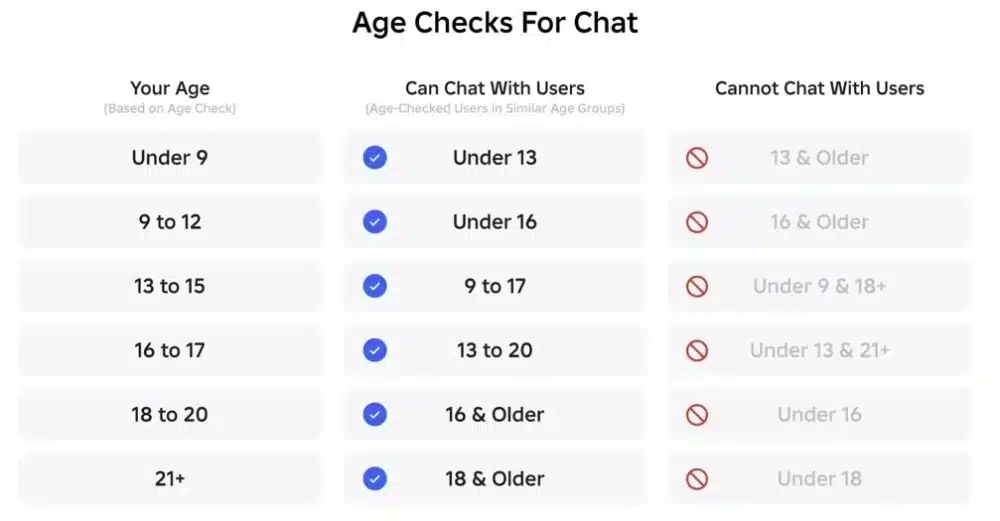
- Does the feature require age verification?
- Did the failure begin after a game update?
- Are other players reporting the same issue?
This prevents is Roblox down from becoming the default explanation for every isolated bug.
It also prevents a disabled feature from being interpreted as proof that is Roblox shutting down rumors are true.
Is Roblox Getting Shut Down?
There is currently no reliable evidence that Roblox is being shut down globally.
Searches for is Roblox getting shut down and is Roblox shutting down often increase after outages, regional restrictions, moderation controversies, fake screenshots, parody posts, or confusion about one individual experience closing.
A temporary service disruption is not evidence of a permanent shutdown.
Similarly, the closure of one game does not mean the entire Roblox platform is ending.
The current Roblox servers status, active experiences, creator updates, app releases, and company activity should be considered before believing a viral claim.
Why Shutdown Rumors Spread
False shutdown claims commonly use:
- Edited status-page screenshots.
- Fake messages designed to resemble official announcements.
- Old rumors with new dates.
- Parody accounts.
- Impersonation accounts.
- Regional restrictions presented as worldwide closures.
- Individual experiences shutting down.
- Temporary maintenance described as permanent.
- A creator leaving the platform.
- Legal criticism exaggerated into a shutdown announcement.
A period with Roblox down can make these claims feel believable. However, online platforms can experience outages without being permanently discontinued.
Before sharing a shutdown claim, verify:
- The publication date.
- The website domain.
- The account handle.
- Whether the source is verified.
- Whether the announcement exists outside a screenshot.
- Whether reliable outlets are reporting the same event.
- Whether the claim applies globally or only to one region.
Screenshots without a working source should not be treated as strong evidence.
How to Verify Whether a Shutdown Announcement Is Real
Use a clear verification order:
- Roblox’s official corporate or newsroom channels.
- The official service status dashboard.
- Roblox Support.
- Verified Roblox social accounts.
- Official company announcements.
- Reputable reporting that links to primary evidence.
Community posts can help show what individual players are experiencing, but they cannot confirm major company decisions.
The RobloxHelp community on Reddit can be useful for comparing device-specific errors, regional problems, and reports from other players. It is especially useful when is Roblox shutting down rumors begin with a local connection issue.
However, comments should be treated as community reports rather than official confirmation.
The answer to is Roblox getting shut down should change only when Roblox or another authoritative source announces a real closure.
What Should You Do When Roblox Is Down?
When Roblox servers status confirms an active incident, the best response is usually to stop troubleshooting local files and wait for the platform to recover.
Constantly reinstalling Roblox, clearing data, changing DNS servers, or resetting the router cannot repair a confirmed platform outage.
Protect your account while waiting.
Do not:
- Enter your password into an unofficial server-fix website.
- Download unknown repair applications.
- Trust posts offering free Robux as outage compensation.
- Repeat purchases without checking whether the first one completed.
- Disable important security settings.
- Delete account data.
- Follow random scripts or commands from comments.
The Roblox servers status should be checked again before you make major changes to the app, device, or network.
During a Confirmed Outage
Use this checklist:
- Read which components are affected.
- Check the latest incident update.
- Avoid repeating purchases.
- Do not reinstall unless you had a separate installation problem.
- Save screenshots or receipts for unresolved transactions.
- Avoid important sessions that depend on unsaved progress.
- Ignore fake compensation links.
- Wait for an official monitoring or resolved update.
- Restart Roblox after the incident is resolved.
A resolved notice means Roblox believes the service is operational again. However, your existing session or local cache may still need a restart.
If Roblox down symptoms continue only for you after the incident ends, return to local troubleshooting.
The official Roblox service status dashboard should be the final reference for active incidents and recent service history. It separates player, creator, website, app, and infrastructure components, making it more useful than a generic post that only asks is Roblox down.
After Service Is Restored
Once the Roblox status returns to normal:
- Close and reopen the app.
- Sign out and back in only if authentication remains stuck.
- Try a different experience first.
- Check delayed purchases.
- Verify avatar or inventory changes.
- Restart the device if images remain cached incorrectly.
- Contact support if account or transaction problems continue.
- Contact the experience developer if only one game lost progress.
Do not assume lost progress can be restored by reconnecting repeatedly.
Save behavior depends on each experience and how its developer manages player data. If only one game is affected, the developer is usually better positioned to investigate the issue.
How Can ExitLag Help With Roblox Connection Problems?
ExitLag cannot restore Roblox during an official outage, repair a broken experience, reverse moderation, recover account data, or make a disabled service operational.
However, it can help when Roblox servers status is normal and the remaining symptoms are linked to routing instability, packet loss, or an inconsistent connection between your network and supported game infrastructure.
The distinction matters.
When Roblox status reports an incident, wait for Roblox to resolve it.
When the platform is operational but your connection remains unstable, route testing becomes more relevant.
ExitLag should not be presented as a way to bypass a real Roblox down event. It is a connection-optimization option for problems that continue after the platform itself is confirmed operational.
Problems ExitLag May Help Address
ExitLag analyzes network routes and can direct supported traffic through optimized paths.
Depending on your internet provider, location, and destination, it may help with:
- Unstable latency.
- Packet loss.
- Route congestion.
- Repeated connection drops.
- Poor international routing.
- Performance that changes by time of day.
- Inconsistent paths to game infrastructure.
This does not guarantee lower ping or uninterrupted play.
Device performance, Wi-Fi interference, overloaded experience servers, app bugs, and Roblox infrastructure remain outside the control of a routing tool.
Problems That Require Another Solution
ExitLag will not fix:
- A confirmed platform outage.
- A deleted experience.
- A private experience.
- An account ban.
- An unsupported device.
- A broken game script.
- A purchase dispute.
- A moderation issue.
- Missing voice chat eligibility.
- Corrupted local files.
- Regional legal restrictions.
- A full experience server.
- A developer-side Data Store error.
Use ExitLag only after confirming that Roblox down reports do not match your situation.
Test the same experience, region, device, and time period before and after route optimization. Keep it enabled when the connection becomes measurably more stable.
Frequently Asked Questions
Roblox servers status information is most useful when it helps you choose the correct action.
Official incidents require patience. Isolated app failures require local troubleshooting. Shutdown rumors require verification from reliable sources.
The answers below cover the questions players ask most often during a disruption.
Check the official live dashboard for the current answer. A static article cannot guarantee that the service is still operational when you read it.
Compare the listed incident with the exact feature that is failing.
The issue may affect your device, account, internet provider, region, Wi-Fi, app version, or selected server.
Test another device and connection before concluding that the general Roblox status is responsible.
The developer may be updating the game, closing an old server, restricting access, or correcting an error.
If other experiences work, this is not strong evidence of a platform-wide Roblox servers status incident.
There is no reliable global shutdown announcement at the time of publication.
The search is Roblox getting shut down should be answered using current official evidence, not viral screenshots or repeated rumors.
Not necessarily.
It means the client lost its connection to the game server. The cause may be Roblox, the specific experience, your network, Wi-Fi interference, or the route between your device and the server.
No.
Wait until the official incident is resolved. Reinstall only when the platform is operational and one device continues to fail.
Yes, some network paths, internet providers, external platform services, and regional restrictions can affect groups of users differently.
The official dashboard may not immediately show every small regional problem.
Your home connection may have a DNS, firewall, routing, filtering, or router problem.
Restart the router and compare another Wi-Fi connection before changing advanced settings.
Contact Roblox Support with your username, device model, operating-system version, exact error message, and steps that reproduce the issue.
Include whether the problem affects multiple experiences, devices, and connections. Those details make the issue easier to investigate.
Check the official dashboard first, compare devices and networks second, and make local changes only when the evidence points to your setup. That process keeps rumors such as is Roblox getting shut down separate from real incidents and gives you a clearer answer when is Roblox down starts trending. When the platform is operational but your route remains unstable, test ExitLag to see whether it can improve connection consistency and make future Roblox servers status checks less confusing.
All game images used in this article belong to their respective owners. They are used for informational and educational purposes only and do not imply endorsement or affiliation with the rights holders.
Got questions or want to connect with other players? Join the conversation at the ExitLag Forum!