Rocket League Lag can ruin even the best plays, especially for players trying to reduce lag in Rocket League and achieve consistent performance. Although Rocket League is known for its fast-paced and highly competitive gameplay, the feeling of pressing a button and watching your car respond seconds later is frustrating and discouraging. This delay happens more often than most players expect, even with a seemingly stable internet connection.
Like this, it’s essential to acknowledge that lag doesn’t always come from your PC or console. Many players assume that upgrading hardware will fix the issue, but Rocket League Lag is often caused by connection problems rather than graphical limitations. When your internet struggles to communicate efficiently with the game servers, your commands are delayed, your car stutters, and your matches become unpredictable.
However, before applying solutions, you need to understand what lag actually is inside Rocket League. Lag refers to the delay between your input and the game server’s response. This delay is heavily influenced by your connection route, packet loss, and ping. When these factors spike, Rocket League Lag becomes noticeable and disrupts your ability to dribble, shoot, defend, or perform any technical maneuver reliably.

What causes lag in Rocket League
Lag in Rocket League is typically caused by a combination of online network factors. Understanding each one helps you diagnose where the instability comes from.
Connection routing problems
Your internet provider automatically selects a route for your data to reach the Rocket League servers. However, these paths aren’t always the most efficient. Sometimes, your data travels through congested or long-distance routes, causing unnecessary slowdown.
Packet loss
Packet loss occurs when pieces of your game data never reach the server. This leads to teleporting cars, unregistered hits, and desynchronized movements.
Geographic distance
The farther you are from the server, the longer your data takes to travel back and forth, increasing ping and causing additional lag.
Internet provider instability
Even if you have “good internet,” your ISP may be unstable during peak hours, resulting in spikes, jitter, and sudden drops.
Lag, ping and fps: the real differences
Many players confuse FPS drops with lag, but they’re not the same thing.
| Term | Meaning | Impact |
| Lag | Delay between your input and server response | Slow reactions, stuttered gameplay |
| Ping | Time for data to travel to the server and back | High ping = more delay |
| FPS | Frames per second (graphics performance) | Low FPS = visual choppiness |
Therefore, Rocket League can appear stable visually (high FPS) but still experience Rocket League Lag if your connection route is inefficient.
Why lag happens even with fast internet
Like this, even players with excellent download and upload speeds experience lag. Internet speed is not the same as connection quality. Your ISP chooses routes based on cost efficiency and traffic load, not gaming performance.
Imagine your data taking a “digital traffic jam” instead of the fastest highway. That’s exactly what happens with inefficient routing. When this occurs, even players trying to reduce lag in Rocket League experience spikes, delay, and unstable matches.

The definitive solution: ExitLag
However, what if you could manually choose the best and fastest route to Rocket League servers instead of relying on your provider’s default path?
That’s exactly what ExitLag offers.
ExitLag is a connection-optimization software built specifically for gamers. It uses intelligent multi-routing technology to ensure your data takes the shortest, most stable path to the server. By optimizing your route, ExitLag significantly reduces ping, minimizes packet loss, and prevents the unpredictable network behaviors that cause Rocket League Lag.
Benefits of ExitLag for Rocket League players
Lower and stable ping
ExitLag ensures your commands register faster, resulting in immediate responses.
Smoother matches even during peak hours
Its routing system avoids congested paths so your gameplay remains fluid, even when your ISP is overloaded.
Reduced packet loss
ExitLag stabilizes your connection, preventing teleporting cars or disappearing boost pads.
Improved consistency in ranked matches
Competitive Rocket League demands precision, and ExitLag delivers the stability required for high-level performance.
Easy to use
With a quick setup and clean interface, you don’t need technical knowledge to start optimizing.
- Faster routes
- Lower ping
- Less packet loss
- Higher stability
- Better ranked performance
How to use ExitLag in Rocket League
The process is extremely simple:
Step 1 – Access the official ExitLag website and download the application. There’s a free trial period for new users.
Step 2 – Install and open the program. Log in with your account.
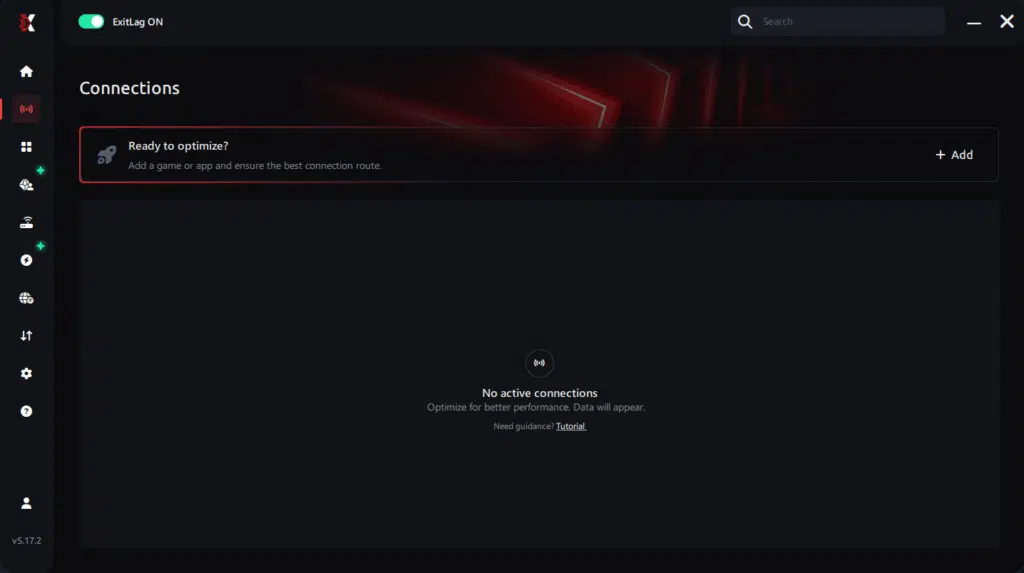
Step 3 – In the search bar, type “Rocket League” and select the game from the list.
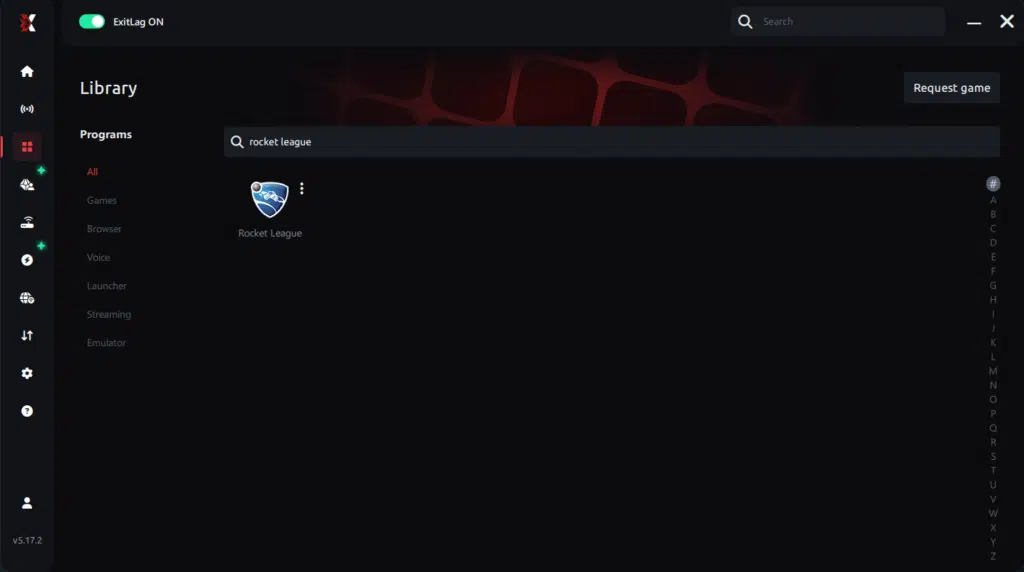
Step 4 – Choose between automated or manual route
Based on the results, you can let ExitLag automatically select the best route or manually choose the server that showed the lowest latency for your connection.
AI-optimized automated route
Based on the results, you can let ExitLag automatically select the best route through AI optimization. The system analyzes multiple connection paths in real time and automatically identifies the most efficient route for your connection, ensuring the lowest possible latency without requiring manual choices.
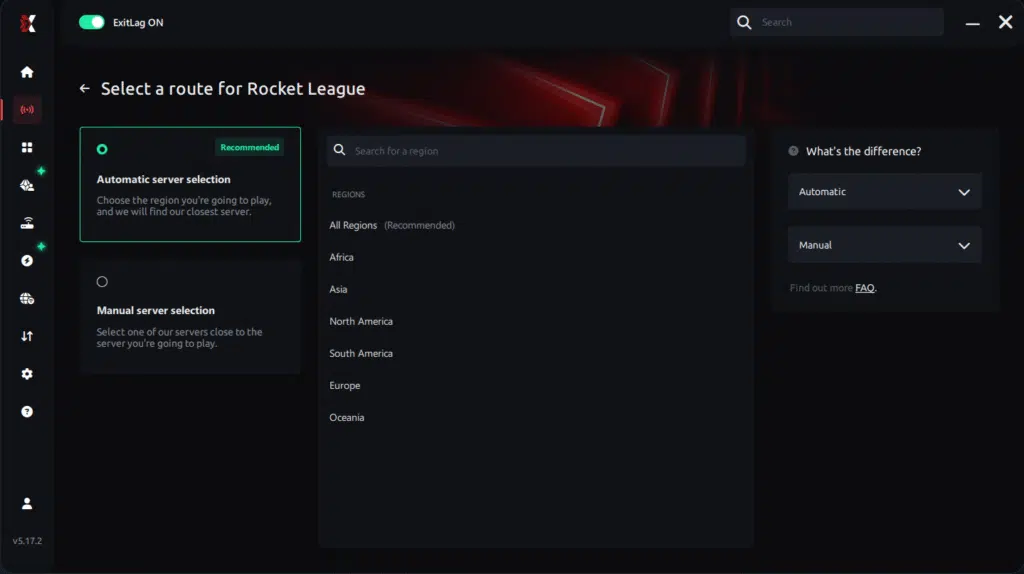
Manual route
If you prefer to have full control over your connection, you can manually choose the server based on the ping test results. Simply select the server that showed the lowest latency or the one that best meets your specific gaming needs, allowing complete customization of your experience.
Step 5 – Click “Apply routes” or the play button. ExitLag will begin optimizing your connection automatically.
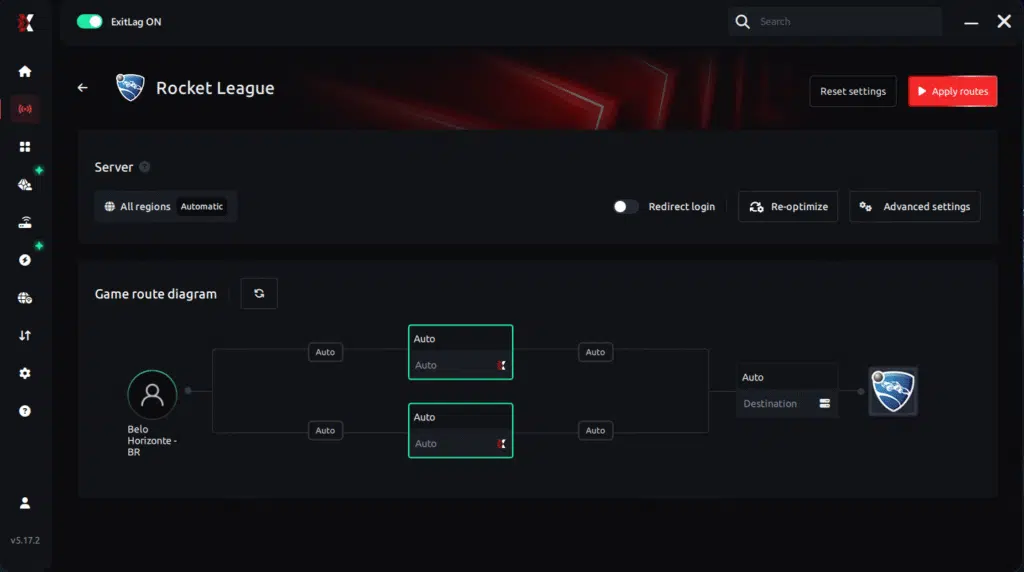
Step 6 – Wait a few seconds until optimization is complete. You’ll see ping indicators in the interface.
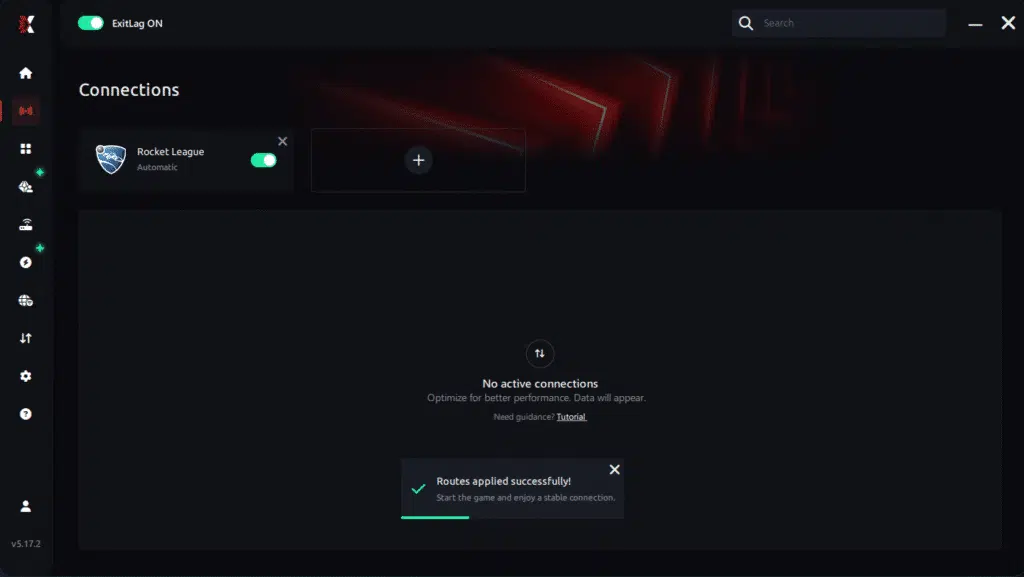
Step 7 – Launch Rocket League normally. The optimization will already be active.
ExitLag runs in the background while you play, constantly adjusting routes to maintain the best possible performance.
How to use Ping for Games: step-by-step guide (Rocket League)
Checking your connection quality before entering a match has never been easier. Here’s how to use Ping for Games in just a few steps:
1. Open the ExitLag software on your PC
Ensure the application is installed and open. The feature is integrated into the platform and available for free to all users.
2. Access the Network Analyzer tool
Locate the Network Analyzer in the software menu. This is where you’ll find Ping for Games along with other connection analysis features.
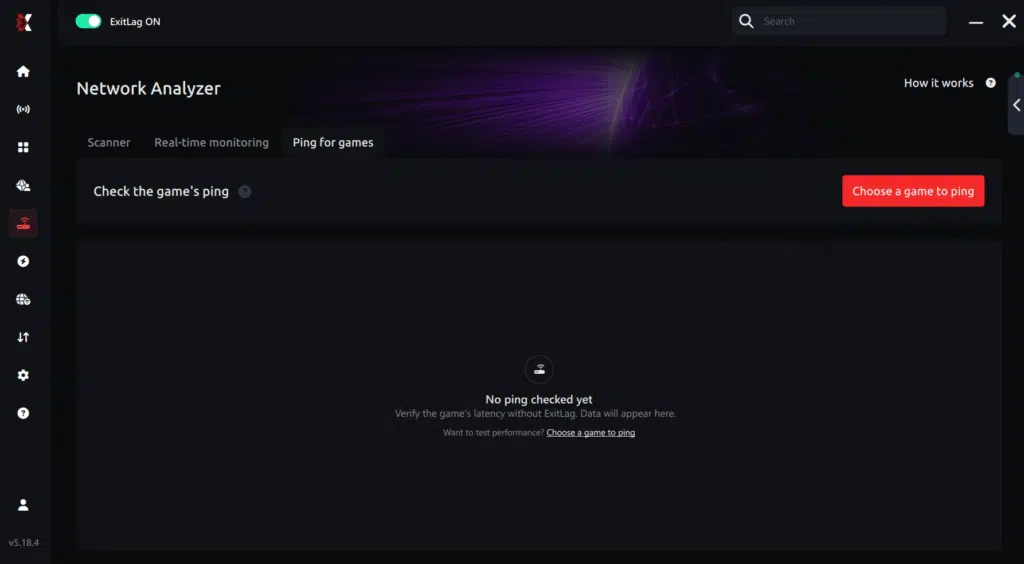
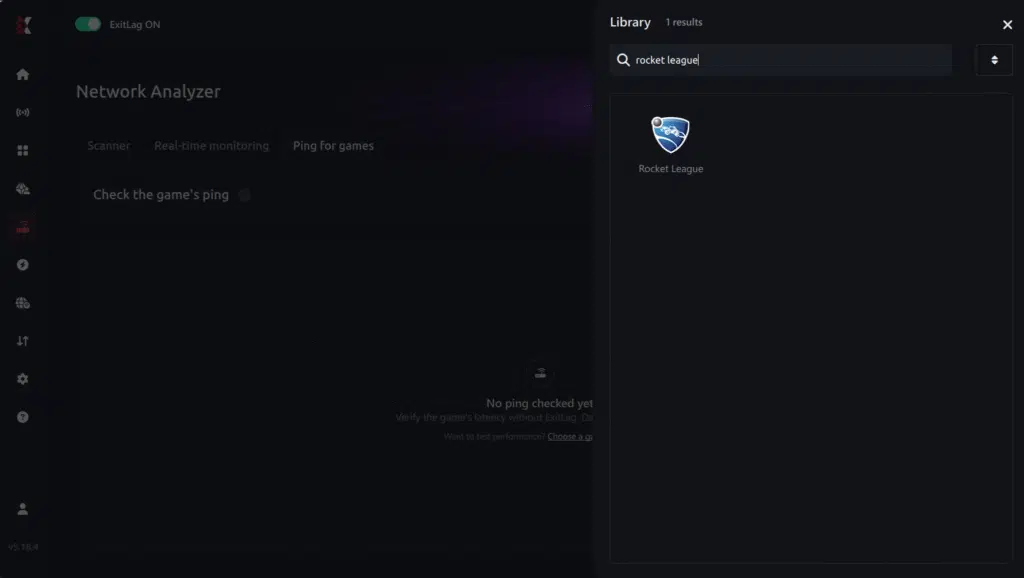
3. Select the game you want to test
Choose Rocket League from the list. The tool supports major online multiplayer games, including FPS, Battle Royales, MOBAs, MMORPGs, and more.
4. Choose the specific server
Select the exact Rocket League server you want to test instead of a generic region. This ensures more accurate results for your match.
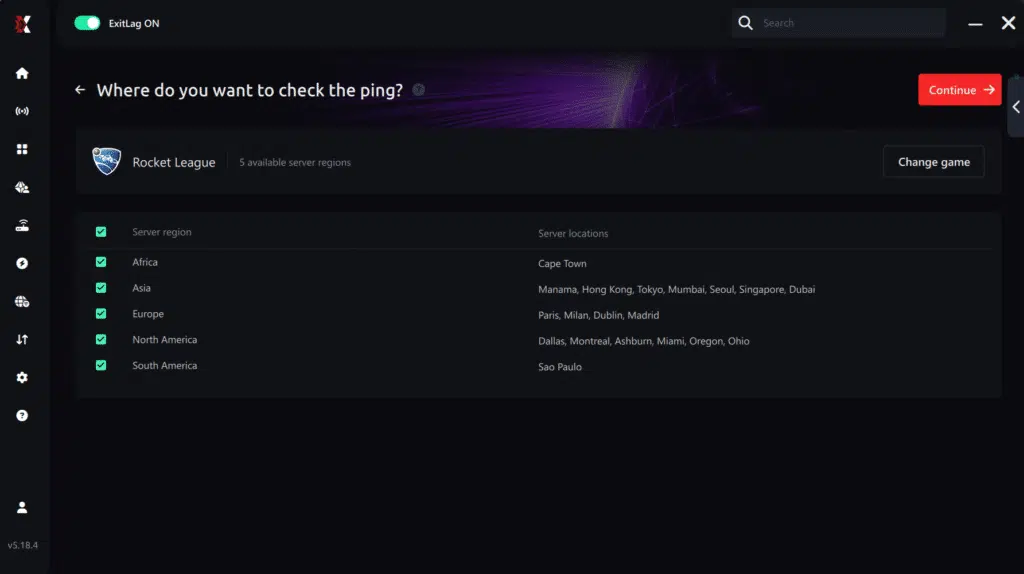
5. Start the ping test
With one click, the measurement is performed in real time between your device and the selected Rocket League server, considering your current connection (cable or Wi-Fi).
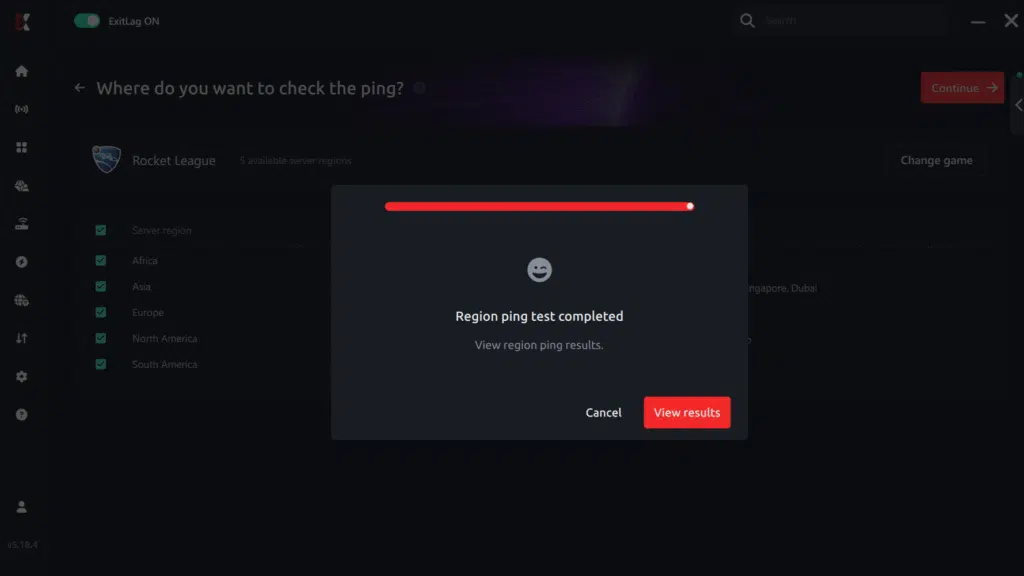
6. Analyze the results
Results appear in milliseconds (ms), automatically sorted from best to worst ping. You can also reorganize the view alphabetically if you prefer.
7. Choose the best server and play worry-free
With this information, simply select the server with the lowest latency and jump into Rocket League knowing your connection is optimized.
Final thoughts: Play Rocket League without lag forever
At the end of the day, Rocket League lag should never decide your matches. Whether you’re going for aerials, flip resets, or clutch saves, your connection should never be the reason for delayed touches or missed goals.
With ExitLag, you finally take control of your network performance. The software finds the fastest routes, eliminates lag, and stabilizes your ping so that every kickoff, every hit, and every goal happens exactly when you want it to.
Try ExitLag for free right now and experience how smooth Rocket League can be when your connection is fully optimized. Play with confidence, rank up faster, and make lag a thing of the past.
Eliminate Rocket League lag today
Finally, you no longer need to let Rocket League Lag ruin your plays or cost you ranked matches. ExitLag provides optimized routing, reduced packet loss, and the stability required to compete at your highest potential. For players determined to reduce lag in Rocket League once and for all, ExitLag is the most reliable and effective solution available.
Take control of your performance today. Start your free ExitLag trial and experience Rocket League with zero lag, maximum stability, and competitive-level precision.
Got questions or want to connect with other players? Join the conversation at the ExitLag Forum!