Starlink ping has become a popular topic among gamers looking for reliable internet in areas where fiber or cable connections aren’t available. Powered by a constellation of low Earth orbit (LEO) satellites, Starlink offers significantly lower latency than traditional satellite internet, making online gaming more practical than ever. While it may not always match fiber-optic performance, it represents a major leap forward for players in rural and underserved regions.
If you’re researching starlink ping, you’re probably wondering whether the service is fast enough for competitive gaming. The answer depends on several factors, including your location, network conditions, the distance to game servers, and how your home network is configured. Although latency can fluctuate more than on wired connections, many players enjoy a smooth multiplayer experience with proper optimization.
What is starlink ping? Ping measures the time it takes for information to travel between your device and a game server, then return. It’s expressed in milliseconds (ms), and lower numbers generally mean faster response times. For online games, ping is often more important than download speed because every movement, shot, and ability depends on fast communication with the server.
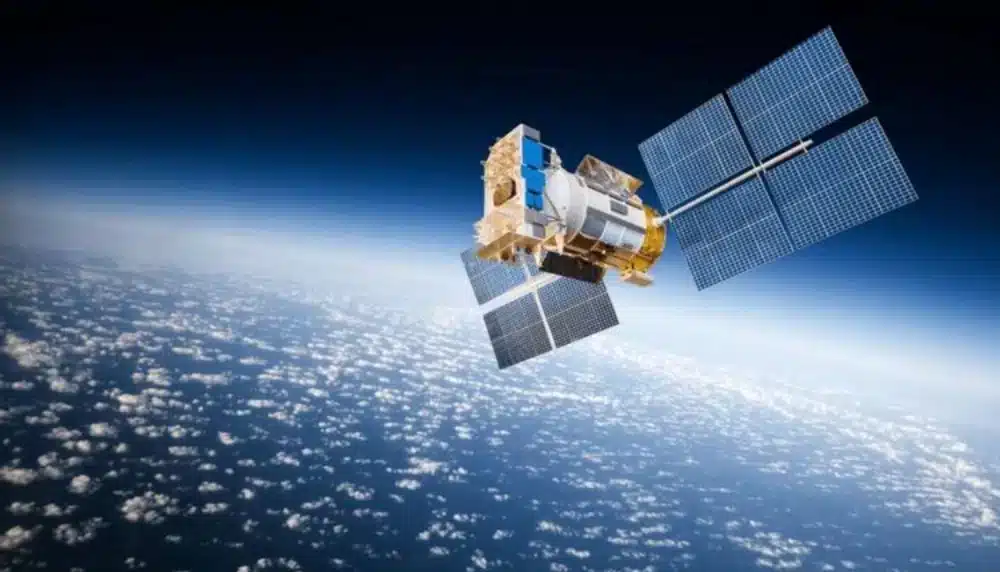
Unlike conventional satellite internet, which relies on satellites positioned more than 35,000 kilometers above Earth, Starlink uses thousands of satellites orbiting much closer to the planet. This dramatically reduces the distance data must travel, helping lower latency and improve responsiveness.
Even with this technological advantage, Starlink’s latency isn’t always identical to a wired broadband connection. Satellite handoffs, temporary obstructions, network congestion, and routing conditions can all influence ping throughout the day.
Fortunately, there are several ways to maximize Starlink’s gaming performance. By understanding what affects latency and optimizing both your home network and game settings, you can enjoy a smoother and more consistent online experience.
What Is Starlink Ping?
Before trying to reduce latency, it’s important to understand what ping actually measures and why it matters for gaming.
Understanding Ping and Latency
Ping is the round-trip travel time of a data packet between your device and a server.
In gaming, lower latency means:
- Faster response to player inputs
- More accurate hit registration
- Smoother character movement
- Better synchronization with other players
Although ping and latency are often used interchangeably, both describe the responsiveness of your network connection.
Typical Starlink Ping Ranges
Actual latency varies depending on your location and network conditions.
Many Starlink users experience:
- 20–40 ms: Excellent for most online games
- 40–60 ms: Very good for multiplayer gaming
- 60–100 ms: Still suitable for many competitive titles
- 100+ ms: Noticeable delays may occur
Because satellite connections are dynamic, latency may fluctuate more than on fiber or cable.
Why Ping Fluctuates
Unlike wired infrastructure, Starlink constantly communicates with moving satellites.
Latency changes may result from:
- Satellite transitions
- Network congestion
- Temporary signal obstructions
- Weather conditions
- ISP routing beyond the satellite network
Small fluctuations are normal and usually don’t interrupt gameplay.
Low Earth Orbit Satellites
Starlink’s greatest advantage comes from its use of low Earth orbit (LEO) satellites.
Compared to traditional satellite internet, this design provides:
- Shorter signal travel distance
- Lower latency
- Improved responsiveness
- Better support for real-time applications
This architecture makes online gaming, video calls, and cloud applications much more practical than older satellite technologies.
What Affects Starlink Ping?
Several factors influence your latency while using Starlink.
Some are within your control, while others depend on network conditions.
Satellite Handoffs
As satellites move across the sky, your terminal switches communication from one satellite to another.
These handoffs are generally seamless, but they can occasionally produce:
- Small latency spikes
- Brief packet delay
- Minor connection fluctuations
Most players never notice these transitions during casual gameplay.
Weather Conditions
Although Starlink is designed to operate in challenging environments, severe weather may still affect signal quality.
Heavy conditions such as:
- Intense rain
- Snow accumulation
- Dense storms
can occasionally increase latency or reduce connection stability until conditions improve.
Network Congestion
Like any internet service, Starlink performance may vary during busy usage periods.
Higher demand can lead to:
- Increased latency
- Temporary slowdowns
- Slightly less consistent performance
Peak evening hours often see the greatest network activity.
Distance to the Game Server
Even with an excellent Starlink connection, server distance still matters.
Selecting the closest available game region generally results in:
- Lower ping
- Faster matchmaking
- Better responsiveness
- Reduced packet travel time
Whenever possible, choose servers located nearest to your geographic region.
Is Starlink Good for Gaming?
For many players, the answer is yes.
While fiber remains the gold standard for competitive gaming, Starlink has dramatically expanded gaming possibilities for users who previously relied on older satellite services or unstable wireless internet.
Competitive Games
Fast-paced games demand low latency.
Examples include:
- First-person shooters
- MOBAs
- Fighting games
- Battle royales
Starlink performs well for many of these titles, though occasional latency fluctuations may still occur.
Casual Multiplayer Games
Casual online experiences are generally less sensitive to small ping variations.
Popular genres include:
- Survival games
- MMORPGs
- Racing games
- Sandbox titles
Most players report a smooth experience in these types of games.
Cloud Gaming
Cloud gaming places additional demands on network responsiveness.
A stable Starlink connection can support cloud gaming services, although performance depends on:
- Regional infrastructure
- Server proximity
- Local network conditions
Lower latency always improves streaming responsiveness.
Voice Chat Performance
Applications such as Discord and in-game voice chat typically perform well over Starlink.
Stable latency helps maintain:
- Clear communication
- Reduced voice delay
- Fewer interruptions
- Better coordination during multiplayer sessions
Basic Ways to Improve Starlink Ping
Many latency improvements begin with your home network.
Optimize Dish Placement
Proper installation is essential.
Ensure your Starlink dish has:
- A clear view of the sky
- Minimal obstructions
- Stable mounting
- Correct alignment
Trees, buildings, and other obstacles can interrupt satellite communication.
Use Ethernet Whenever Possible
Although Wi-Fi is convenient, Ethernet generally provides:
- Lower latency
- Greater stability
- Less interference
- More consistent gaming performance
Competitive players should prioritize wired connections whenever practical.
Minimize Network Congestion
Other devices can increase latency by consuming available bandwidth.
Before gaming:
- Pause large downloads.
- Stop cloud backups.
- Limit video streaming.
- Disconnect unused devices.
- Close unnecessary background applications.
Reducing simultaneous traffic improves overall connection consistency.
Keep Hardware Updated
Regular firmware updates improve compatibility and performance.
Check periodically for updates to:
- Your Starlink router
- Mesh Wi-Fi devices
- Network adapters
- Operating system
Updated hardware helps maintain optimal performance.
Additional Tips Before Troubleshooting
Before assuming Starlink itself is causing latency issues, verify your local network.
Take these simple steps:
- Restart your Starlink router.
- Check for obstructions using the Starlink app.
- Connect via Ethernet if available.
- Test your latency at different times of day.
- Select the nearest game server region whenever possible.
These checks often resolve common performance concerns without requiring additional configuration.
Why Stable Ping Matters More Than Fast Speeds
Many gamers focus on download speeds, but online games use relatively little bandwidth compared to video streaming or large downloads.
Instead, consistency is the key factor. A stable connection with 35 ms of latency usually delivers a better gaming experience than one fluctuating between 20 ms and 90 ms. Consistent ping improves movement, aiming, ability timing, and communication with game servers.
Advanced Ways to Improve Starlink Ping
If you’ve already optimized your basic network setup but still experience inconsistent starlink ping, there are additional steps that can help improve connection stability. While some factors—such as satellite positioning and regional congestion—are outside your control, optimizing your local network can reduce latency spikes and create a smoother gaming experience.
Optimize Your Router Settings
Your home network plays a significant role in gaming performance.
To get the best results:
- Keep your Starlink router firmware updated.
- Position the router in a central, elevated location.
- Minimize physical obstacles between the router and your gaming device.
- Restart your networking equipment periodically.
- If using a third-party router, enable gaming-friendly features like Quality of Service (QoS) when available.
These adjustments help ensure gaming traffic receives consistent priority.
Reduce Wi-Fi Interference
Although Starlink supports wireless gaming, Wi-Fi interference can introduce additional latency.
Common sources include:
- Thick walls
- Smart home devices
- Bluetooth accessories
- Nearby wireless networks
- Microwave ovens
Whenever possible, connect your gaming PC or console through an Ethernet adapter compatible with your Starlink setup to reduce interference.
Monitor Network Performance
Monitoring your connection helps identify recurring problems.
Useful metrics include:
- Ping
- Packet loss
- Jitter
- Upload stability
- Download consistency
Testing your connection at different times of the day can reveal whether latency increases are related to local congestion or temporary network conditions.
Keep Your Gaming Device Updated
Network performance isn’t determined by your internet connection alone.
Regularly update:
- Network adapter drivers
- Operating system
- Game client
- Router firmware
These updates often include performance improvements and bug fixes that contribute to more stable gameplay.
Starlink vs. Fiber and Cable for Gaming
Starlink has dramatically improved satellite internet for gamers, but it still differs from traditional wired broadband technologies.
Understanding these differences helps set realistic expectations.
Latency Comparison
Each connection type has unique strengths.
Generally:
- Fiber: Lowest and most consistent latency.
- Cable: Low latency with good overall stability.
- Starlink: Competitive latency with occasional fluctuations due to satellite networking.
For many players in rural areas, Starlink offers significantly lower latency than legacy satellite services and provides an experience that is suitable for most online games.
Stability Differences
Fiber connections benefit from fixed physical infrastructure.
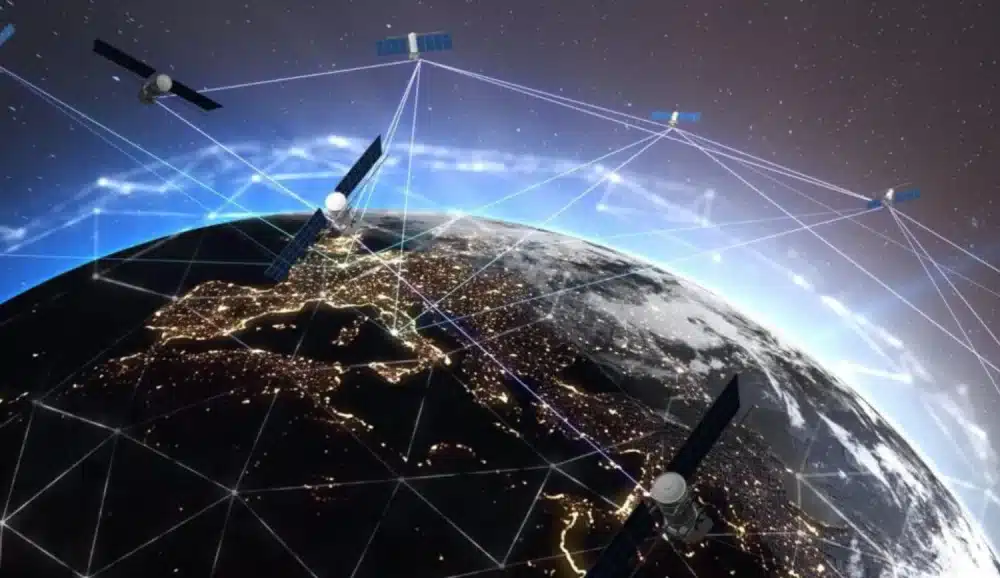
Starlink, on the other hand, depends on communication between your terminal and satellites moving in low Earth orbit.
As a result, Starlink users may occasionally notice:
- Small latency variations
- Brief packet delay
- Minor routing adjustments
Most of these fluctuations are short-lived and have little impact on casual gaming.
Best Use Cases
Starlink is particularly well suited for players who:
- Live in rural or remote areas.
- Don’t have access to fiber.
- Experience poor DSL performance.
- Need reliable broadband where cable isn’t available.
For these users, Starlink can transform online gaming from nearly impossible to highly enjoyable.
Limitations to Consider
Although Starlink performs remarkably well, it still has some limitations.
These include:
- Weather-related signal interruptions in severe conditions.
- Temporary congestion during peak usage.
- Slightly higher latency than premium fiber services.
- Dependence on clear sky visibility.
Knowing these limitations helps players optimize expectations and troubleshoot more effectively.
Optimize Starlink Gaming with ExitLag
Even with a high-quality internet connection, the route your traffic takes after leaving the Starlink network can influence gaming performance. Once your data reaches terrestrial infrastructure, inefficient ISP routing or congested network paths may still increase latency before reaching the game server.
ExitLag is designed to optimize that portion of the connection by intelligently selecting more efficient routes to supported game servers.
Its core technologies include:
- Multipath Connection, which transmits traffic across multiple optimized routes simultaneously.
- Real-Time Optimization, continuously monitoring network conditions and adjusting routes automatically.
- Traffic Shaper, prioritizing gaming packets over less time-sensitive traffic.
- A global server infrastructure covering multiple regions around the world.
For Starlink users, ExitLag may help reduce:
- High latency caused by inefficient routing.
- Packet loss.
- Network jitter.
- Connection instability during online matches.
- Unexpected ping spikes after traffic leaves the local network.
Getting started is simple:
- Create an ExitLag account.
- Download and install the application.
- Select your game from the supported library.
- Apply the recommended optimization routes.
- Launch the game and start playing.
Because ExitLag supports more than 3,000 games, it can optimize a wide variety of multiplayer titles on the same account.
Starlink Connection Comparison
| Connection Type | Typical Ping* | Stability | Gaming Suitability |
| Fiber | 5–20 ms | Excellent | Outstanding for competitive gaming |
| Cable | 10–35 ms | Very Good | Excellent for most online games |
| Starlink | 20–60 ms (varies by location and conditions) | Good to Very Good | Excellent for most multiplayer games, especially where fiber isn’t available |
| Traditional Geostationary Satellite | 500+ ms | Low | Not recommended for real-time competitive gaming |
*Actual latency varies depending on location, routing, server distance, and current network conditions.
Additional Tips for Better Starlink Gaming
To maintain consistently low latency:
- Keep your Starlink dish free from obstructions.
- Use Ethernet whenever possible.
- Close background downloads before gaming.
- Choose the nearest available game server.
- Reboot networking equipment occasionally.
- Monitor your connection using the Starlink app.
Following these best practices helps reduce avoidable latency and maintain smoother online gameplay.
Frequently Asked Questions
For most online games, a ping between 20 and 60 milliseconds provides a responsive experience. Actual performance depends on your location, server distance, and current network conditions.
Yes. Many competitive games are playable on Starlink, particularly for users without access to fiber or cable internet. While occasional latency fluctuations can occur, overall performance is significantly better than traditional satellite internet.
Latency can vary because of satellite handoffs, temporary network congestion, weather conditions, local Wi-Fi interference, or the routing path between your connection and the game server.
Heavy rain, snow, or severe storms may temporarily affect signal quality, potentially increasing latency or causing brief interruptions. Under normal weather conditions, performance generally remains stable.
Yes. While ExitLag cannot change the satellite portion of the connection, it can optimize routing after traffic enters terrestrial internet infrastructure. By reducing inefficient routes, packet loss, and network instability, it can improve the overall online gaming experience for many supported titles.
Get the Best Gaming Experience with Starlink
Maintaining a stable starlink ping is about more than achieving the lowest latency possible. Consistency is what makes online games feel responsive, whether you’re competing in ranked matches, exploring open worlds with friends, or enjoying fast-paced shooters.
Start by optimizing your Starlink installation, minimizing Wi-Fi interference, and keeping your hardware up to date. If routing inefficiencies continue to affect your connection after traffic leaves the Starlink network, ExitLag provides intelligent route optimization through Multipath Connection, Real-Time Optimization, and Traffic Shaper technologies, helping deliver lower latency, reduced packet loss, and a smoother gaming experience across more than 3,000 supported online games.
Got questions or want to connect with other players? Join the conversation at the ExitLag Forum!