What is a DNS issue is one of the most common questions people ask when websites suddenly stop loading despite having an active internet connection. DNS problems can prevent your browser, applications, or online games from reaching their servers, making it seem like the internet is down when the real issue lies in how domain names are being resolved.
If you’ve ever searched what is a DNS issue, you’ve probably encountered messages like “DNS server not responding,” “DNS_PROBE_FINISHED_NXDOMAIN,” or “Server IP address could not be found.” These errors occur when your device cannot translate a website’s domain name into its corresponding IP address, preventing communication with the destination server.
So, what is a DNS issue exactly? The Domain Name System (DNS) acts as the internet’s directory. Instead of remembering numerical IP addresses for every website or online game, users simply enter easy-to-read domain names. DNS servers perform the translation behind the scenes, allowing your device to locate the correct destination in seconds.
Without DNS, every online activity would require manually entering IP addresses. Whether you’re browsing websites, downloading updates, joining multiplayer games, or connecting to cloud services, DNS works continuously in the background to establish those connections.
Although DNS problems may seem intimidating, they are often straightforward to identify and fix. Understanding how DNS works is the first step toward resolving connection issues and improving your overall online experience.
What Is a DNS Issue?

Before fixing DNS errors, it’s helpful to understand how the system operates.
How DNS Works
DNS stands for Domain Name System.
Its primary purpose is to convert domain names into IP addresses that computers use to communicate.
For example:
- www.example.com
- play.gamepublisher.com
- support.company.com
Each of these names corresponds to a unique IP address stored within the DNS system.
Whenever you enter a web address, your device sends a DNS request to locate the appropriate server before establishing the actual connection.
The DNS Lookup Process
A DNS lookup happens almost instantly.
The simplified process looks like this:
- You enter a website address.
- Your device checks its local DNS cache.
- If unavailable, it contacts a DNS resolver.
- The resolver locates the correct IP address.
- Your browser connects to the destination server.
This entire sequence usually takes only milliseconds.
Why DNS Resolution Matters
Without successful DNS resolution, your internet connection may still function, but websites and online services become inaccessible.
Common examples include:
- Websites failing to load.
- Game launchers unable to connect.
- Cloud applications timing out.
- Software updates failing.
Because DNS is involved before communication begins, even a fast internet connection becomes unusable if name resolution fails.
Common DNS Terminology
Several terms frequently appear during troubleshooting.
These include:
- DNS server
- DNS resolver
- DNS cache
- Authoritative DNS server
- Recursive DNS lookup
Understanding these concepts makes diagnosing connection issues much easier.
What Causes a DNS Issue?
DNS errors can originate from several different sources.
Some occur locally on your device, while others happen within your internet provider’s infrastructure.
DNS Server Outages
Sometimes the DNS servers themselves experience temporary outages.
When this happens, your device cannot resolve domain names, even though your internet connection remains active.
Fortunately, these interruptions are usually short-lived.
Incorrect Network Configuration
Incorrect settings can also trigger DNS failures.
Examples include:
- Invalid DNS server addresses.
- Corrupted network settings.
- Misconfigured routers.
- VPN conflicts.
Reviewing your network configuration often resolves these issues quickly.
ISP DNS Problems
Many internet providers operate their own DNS infrastructure.
If those servers become overloaded or experience technical difficulties, users may encounter:
- Slow website loading.
- Intermittent connectivity.
- Failed domain resolution.
- Random browsing interruptions.
Switching to a trusted public DNS service can sometimes improve reliability.
Firewall or Antivirus Interference
Security software occasionally blocks DNS traffic unintentionally.
This may occur after:
- Software updates.
- Security policy changes.
- Firewall misconfiguration.
- VPN installation.
Temporarily disabling security software for testing can help determine whether it’s responsible.
Common Symptoms of DNS Issues
DNS failures produce recognizable symptoms.
Learning to identify them speeds up troubleshooting.
Websites Won’t Load
The most obvious symptom is when websites fail to open despite an active internet connection.
You may receive browser messages indicating that the server cannot be found.
DNS_PROBE Errors
Google Chrome commonly displays errors such as:
- DNS_PROBE_FINISHED_NXDOMAIN
- DNS_PROBE_FINISHED_NO_INTERNET
- DNS_PROBE_STARTED
These messages indicate problems resolving domain names.
Gaming Connection Problems
Online games also depend on DNS during login and server discovery.
DNS failures may cause:
- Launcher errors.
- Login failures.
- Matchmaking issues.
- Server lists not loading.
Once connected, gameplay generally relies on direct IP communication, but DNS remains essential during initial connections and updates.
Slow Domain Resolution
Not every DNS issue results in complete failure.
Sometimes websites eventually load—but much more slowly than expected.
Delayed DNS lookups can make browsing feel sluggish even when download speeds remain high.
Basic Ways to Fix a DNS Issue
Many DNS problems can be resolved using simple troubleshooting steps.
Restart Your Router
Restarting your networking equipment clears temporary errors.
Power cycling often refreshes DNS communication between your router and your ISP.
Flush the DNS Cache
Your operating system stores recently visited DNS records locally.
If outdated entries remain cached, they can cause incorrect routing.
Flushing the DNS cache forces your computer to request fresh DNS information.
Change Your DNS Servers
Public DNS providers often offer fast and reliable service.
Popular options include:
- Google Public DNS
- Cloudflare DNS
- OpenDNS
Switching providers can resolve ISP-related DNS issues.
Restart Your Device
Although simple, restarting your computer or console refreshes network services and clears temporary system errors that may interfere with DNS resolution.
Prevent Future DNS Problems
Preventative maintenance helps reduce recurring DNS errors.
Some best practices include:
- Keep your router firmware updated.
- Update your operating system regularly.
- Avoid conflicting VPN or proxy configurations.
- Use reputable DNS providers.
- Restart networking equipment occasionally.
These habits contribute to a more stable internet experience over time.
Why DNS Matters for Online Gaming
DNS is often overlooked by gamers because it only participates during certain stages of an online connection. However, it plays an important role when launching games, authenticating accounts, downloading updates, and locating matchmaking or login servers.
A reliable DNS service won’t directly lower in-game latency, but it can make connecting to online services faster and more dependable. Once gameplay begins, other networking factors—such as routing quality, packet loss, and server distance—have a much greater impact on responsiveness.
Advanced DNS Troubleshooting
If the basic troubleshooting steps don’t resolve the problem, it’s time to investigate your network configuration more thoroughly. Advanced diagnostics can help determine whether the issue originates from your device, router, ISP, or DNS provider.
Verify Your DNS Settings
Incorrect DNS configuration is one of the most common causes of persistent connection issues.
Check that your device is using valid DNS servers and that no outdated or incorrect addresses have been entered manually.
On most operating systems, you can verify:
- Preferred DNS server
- Alternate DNS server
- Automatic DNS assignment
- IPv4 and IPv6 DNS settings
If you’re unsure which DNS provider to use, switching to a trusted public service can help rule out ISP-related issues.
Test DNS Using Command Prompt or Terminal
Several built-in networking tools can diagnose DNS problems.
Useful commands include:
- nslookup
- ping
- ipconfig /flushdns (Windows)
- ipconfig /renew
- tracert or traceroute
For example, nslookup lets you verify whether a DNS server can successfully resolve a domain name. If it fails while your internet connection remains active, the problem is likely related to DNS resolution rather than overall connectivity.
Reset Your Network Configuration
Corrupted network settings can interfere with DNS requests.
A complete network reset refreshes:
- IP configuration
- DNS cache
- TCP/IP settings
- Network adapters
After performing a reset, restart your device and test the connection again.
Update Network Drivers
Outdated network drivers occasionally cause communication issues that affect DNS lookups.
Keeping your drivers updated ensures compatibility with:
- New operating system updates
- Router firmware improvements
- Network security enhancements
Although driver updates don’t directly improve DNS speed, they can eliminate compatibility problems that interfere with network communication.
Best DNS Servers for Gaming and Browsing
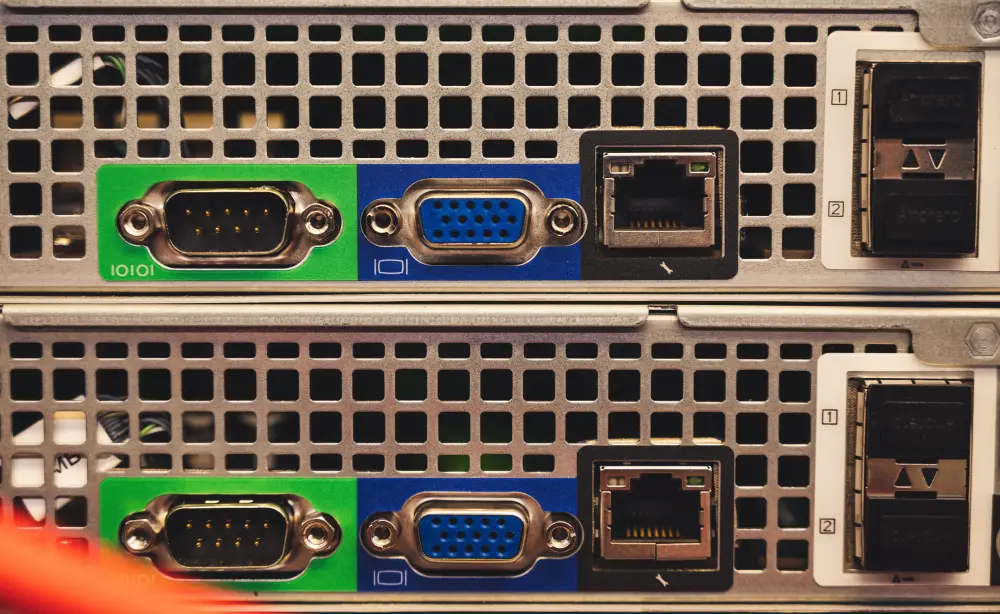
Not all DNS providers perform identically. While changing DNS won’t increase your internet speed, a fast and reliable DNS service can reduce the time it takes to resolve domain names.
Google Public DNS
Google Public DNS is one of the most widely used public DNS services.
Advantages include:
- Global infrastructure
- High reliability
- Excellent uptime
- Easy configuration
It’s often a good choice for users looking for a dependable alternative to ISP-provided DNS servers.
Cloudflare DNS
Cloudflare’s public DNS service is known for its speed and privacy.
Benefits include:
- Fast DNS resolution
- Strong privacy policies
- Global server network
- Reliable performance
Many users report quick domain lookups across a wide range of websites and online services.
OpenDNS
OpenDNS, operated by Cisco, combines DNS resolution with optional security features.
Additional capabilities include:
- Malware filtering
- Phishing protection
- Content filtering
- Custom security policies
This makes it a popular option for both home users and businesses.
Choosing the Right DNS Provider
The best DNS provider depends on several factors.
Consider:
- Geographic location
- Server availability
- Privacy preferences
- Reliability
- Security features
Testing multiple providers can help identify the one that performs best for your specific location.
DNS Issues and Online Gaming
DNS plays an important role in online gaming, but many misconceptions exist regarding its impact on latency.
Understanding what DNS does—and doesn’t do—helps set realistic expectations.
DNS vs. Ping
DNS and ping are often confused, but they measure completely different aspects of a network connection.
DNS is responsible for translating domain names into IP addresses before communication begins.
Ping measures the round-trip travel time between your device and a game server after the connection has already been established.
Changing DNS may slightly improve the speed of initial server lookups, but it generally does not reduce in-game latency.
DNS and Packet Loss
Packet loss occurs when data fails to reach its destination.
Unlike DNS issues, packet loss usually results from:
- Network congestion
- Poor routing
- Wi-Fi interference
- ISP infrastructure
- Hardware problems
Although both problems affect connectivity, they require different troubleshooting approaches.
Can DNS Reduce Latency?
One of the biggest myths in gaming is that changing DNS dramatically lowers ping.
In reality:
- DNS affects how quickly domains are resolved.
- Ping depends on routing, server distance, and network quality.
- DNS changes rarely produce noticeable improvements during active gameplay.
However, using a reliable DNS provider can improve login times, launcher performance, and website responsiveness.
How ExitLag Complements DNS Optimization
While DNS helps your device locate game servers, it does not determine the route your gaming traffic takes after the connection begins.
This is where ExitLag provides additional value.
ExitLag focuses on optimizing routing between your device and supported game servers using several proprietary technologies, including:
- Multipath Connection, which sends traffic across multiple optimized routes simultaneously.
- Real-Time Optimization, continuously monitoring network conditions and adjusting routes.
- Traffic Shaper, prioritizing gaming packets over less time-sensitive traffic.
- A global server infrastructure designed to improve route stability across different regions.
For online games, ExitLag may help reduce:
- High latency caused by inefficient routing.
- Packet loss.
- Network jitter.
- Connection instability.
- Sudden ping spikes.
Using a reliable DNS service together with optimized routing creates a stronger overall networking setup for competitive gaming.
DNS Troubleshooting Reference
| DNS Problem | Possible Cause | Recommended Fix | Difficulty |
| DNS server not responding | ISP outage or DNS provider issue | Switch to a public DNS server | Easy |
| Websites won’t load | Failed DNS resolution | Flush DNS cache and restart router | Easy |
| Slow website loading | Slow DNS provider | Try Google Public DNS or Cloudflare DNS | Easy |
| DNS_PROBE errors | Corrupted DNS cache | Flush DNS and restart browser | Easy |
| Intermittent DNS failures | Router or network configuration | Reset network settings and update firmware | Medium |
| Game launcher cannot connect | DNS resolution failure | Verify DNS configuration and internet connectivity | Medium |
Best Practices to Prevent DNS Issues
Following a few simple habits can minimize future DNS-related problems:
- Keep your router firmware updated.
- Restart your networking equipment occasionally.
- Use reputable public DNS providers if necessary.
- Update your operating system regularly.
- Avoid conflicting VPN or proxy configurations.
- Verify DNS settings after changing routers or ISPs.
Preventative maintenance often eliminates many recurring network issues before they affect your browsing or gaming experience.
Frequently Asked Questions
A DNS issue occurs when your device cannot translate a domain name into its corresponding IP address, preventing access to websites, online services, or game servers.
Yes. If DNS resolution fails, your browser cannot locate the destination server, even if your internet connection is otherwise working normally.
Usually no. Changing DNS may improve how quickly domains are resolved, but in-game latency depends primarily on routing quality, server distance, and overall network conditions.
Popular choices include Google Public DNS, Cloudflare DNS, and OpenDNS. The best option varies depending on your location and network environment.
ExitLag does not replace DNS services. Instead, it complements a healthy DNS configuration by optimizing the routing between your device and supported game servers, helping reduce latency, packet loss, and connection instability during online gameplay.
Improve Your Online Experience Beyond DNS
Understanding what is a dns issue helps you troubleshoot one of the internet’s most common connectivity problems. While DNS is responsible for translating domain names into IP addresses, it represents only one part of the networking process. Once that connection is established, routing quality, server distance, and network stability become the primary factors affecting online performance.
For gamers, combining a reliable DNS provider with ExitLag creates a more complete optimization strategy. While DNS ensures fast and dependable server resolution, ExitLag enhances the path your gaming traffic takes through technologies like Multipath Connection, Real-Time Optimization, and Traffic Shaper, helping deliver lower latency, reduced packet loss, and a smoother multiplayer experience across more than 3,000 supported games.
All game images used in this blog belong to their respective developers and publishers. They are used for informational/educational purposes only and do not imply endorsement or affiliation with the rights holders.
Got questions or want to connect with other players? Join the conversation at the ExitLag Forum!