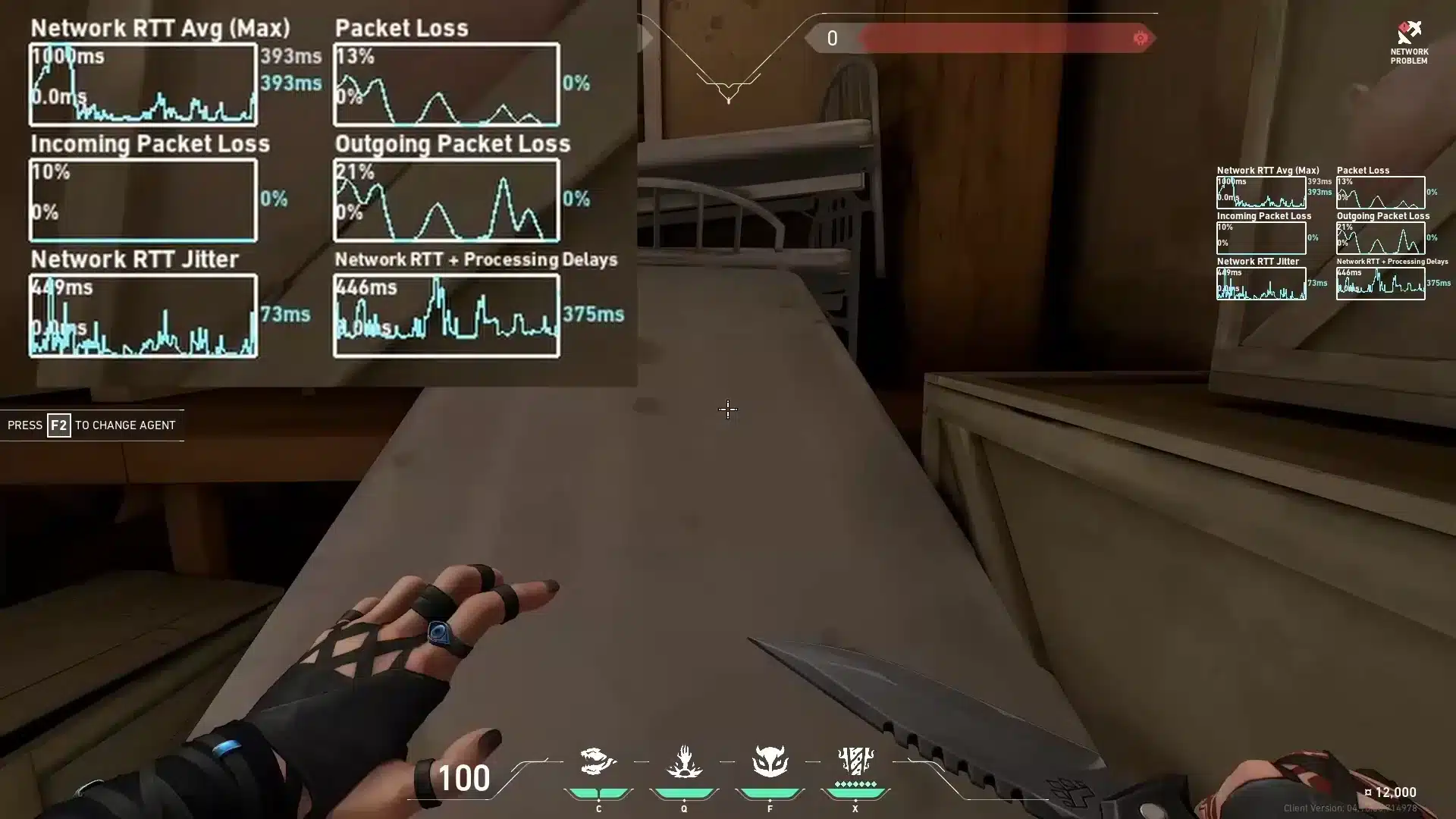
Few things feel as frustrating as loading into Valorant (or any online game that envolve online connection) and watching your shots register late, abilities fail to activate, or your character jitter around the map because of high ping. When Valorant high ping hits during clutch rounds, every decision becomes harder and every duel becomes unpredictable.
Valorant high ping not only delays your actions but also amplifies issues like Valorant latency, turning competitive matches into a struggle. Even more, players facing Valorant connection issues often feel helpless as the spikes appear out of nowhere during critical moments.

What is high ping?
At first sight, Valorant high ping represents the amount of time it takes for your PC to exchange data packets with the game’s servers. This delay, measured in milliseconds (ms), directly determines how quickly your actions appear on-screen.
In other words, ping is simply your connection’s reaction time. When Valorant high ping occurs, each command—shooting, moving, or using abilities—arrives late on the server. Therefore, even if you aim correctly, what the server “sees” may be delayed.
Above all, stable latency is the key to consistent gameplay. Spikes or irregular responses lead to the familiar symptoms of lag Valorant, especially during intense gunfights.
Check also: The Latest Valorant Update: What’s New and What to Expect
How high ping affects gameplay in Valorant
Whenever ping rises, your gameplay suffers in several ways. Like this, players often experience:
- Delayed hit registration.
- Rubberbanding during sprints or directional changes.
- Desynchronized player models.
- Ability delay or activation failures.
- Increased peeker’s advantage for opponents.
- Disconnections during high-traffic moments.
- Ranked performance penalties due to unstable connection.
High ping and duels in Valorant
In Valorant, duel timing defines victory. According to the game’s design, milliseconds matter. When your ping is high, your shots can appear late to the server, meaning opponents often see and react before your screen updates. That way, what looks like a fair duel on your monitor could be completely different on the server’s side.
How lag affects ranked performance
From the same point of view, competitive matches amplify the impact of unstable latency. As much as you adapt your aim, movement, and timing, Valorant latency spikes can completely change how the match flows. In advance, players often lose ranking points not because of lack of skill, but because lag Valorant causes inconsistencies in duels and rotations.
Main causes of high ping in Valorant
At first, several factors contribute to unstable ping. Continuing, the main causes include:
Server distance
When you connect to a distant region, milliseconds (ms) increase naturally. Often, automatic matchmaking places players in suboptimal servers depending on time of day or population.
ISP and routing issues
Your provider may route your data through long, congested, or inefficient paths. Beforehand, ISPs choose routes automatically, and these paths aren’t always optimized for gaming traffic.
Network congestion
Sometimes multiple devices use the same network. Streaming, downloads, smart devices, and background apps cause Valorant connection issues by competing for bandwidth.
Outdated hardware or Wi-Fi equipment
Wi-Fi packets suffer interference. That’s why wired connections drastically reduce ping variation. Possibly, an old router or modem contributes to random latency spikes.
Game-specific Valorant settings or updates
Sometimes updates introduce connection bugs. Also, settings like packet buffering or background processes may influence stability.
You may also like: The Best Valorant skins: How to Get Them and Which Are Worth It
How to check and test your ping in Valorant
Firstly, Valorant displays your ping directly on the scoreboard and via network graphs. You can enable these options in the settings menu to monitor fluctuations.
In the meantime, OS-level tools help diagnose issues. On Windows, the ping command reveals how fast your connection responds to servers. Additionally, tracert identifies each hop along your route, revealing where instability occurs.
Still, as a general rule:
- 0–30 ms: ideal
- 30–60 ms: good
- 60–90 ms: acceptable
- 90+ ms: problematic for competitive play
Ping levels classification in Valorant
| Ping Range | Classification |
| 0–30 ms | Excellent |
| 30–60 ms | Good |
| 60–90 ms | Playable |
| 90–150 ms | Problematic |
| 150+ ms | High risk of lag |
Basic fixes to reduce high ping in Valorant
Now that the causes are clearer, the next step is applying reliable tweaks that can immediately reduce latency. In advance, these fixes address common Valorant connection issues, helping stabilize gameplay before moving to advanced solutions.
Optimize local connection
- Use an Ethernet cable instead of Wi-Fi.
- Close background apps that consume bandwidth.
- Update network drivers and router firmware.
- Disable unnecessary overlays and launchers.
- Restart modem and router to refresh routing.
- Prioritize Valorant traffic in router QoS, if available.
Additional stability tips:
- Avoid playing while downloads or cloud backups run.
- Remove bandwidth-heavy smart devices from the network.
Situational actions that help:
- Temporarily disable Windows auto-updates during matches.
- Stop VPNs, proxies, or other tools that reroute traffic.
Contact your ISP
Sometimes the root issue is outside your control. According to network behavior patterns, routing and line quality significantly influence ping consistency. Be that as it may, contacting your ISP is recommended when frequent spikes persist.
When contacting support, ask for:
- A routing review to game servers.
- Line quality and signal tests.
- Packet loss diagnostics.
- A modem or infrastructure revision if instability is constant.
These steps are essential because many lag Valorant spikes originate from routing inefficiencies rather than your PC.

Check this: Valorant Schedule: Upcoming Events, Tournaments, Updates & Maintenance
ExitLag: the best solution to fix high ping in Valorant
From now on, this is the most important section. ExitLag helps mitigate the main causes of Valorant high ping by optimizing your route and improving connection stability. Instead of relying on your ISP’s automatic, often inefficient paths, ExitLag selects faster, more stable channels designed for gaming reliability.
What is ExitLag?
ExitLag is a specialized software focused entirely on connection optimization for online games. Above all, it analyzes your traffic and stabilizes your routing so Valorant receives the most consistent flow of data possible.
In the same way a power stabilizer protects electronic equipment, ExitLag works as a smart connection stabilizer, ensuring predictable latency even when your network or region is congested.
How ExitLag works
ExitLag uses a powerful, multi-layer optimization system:
- Real-time route analysis
- Multiple routes simultaneously
- Automatic best route selection
- Hop optimization to reduce unnecessary jumps
- Connection stabilization to avoid ping spikes
Together with these mechanisms, the tool constantly adjusts itself while you play, guaranteeing better Valorant latency and fewer disruptions during duels.
Advantages for Valorant players
More stable ping ExitLag’s route control helps keep your ping consistent. Even so, this reduces the unpredictable timing that makes abilities and shots feel delayed.
Less packet loss By bypassing congested routes, ExitLag can reduce packet loss—one of the main hidden causes of Valorant connection issues.
Fewer spikes during peak hours While servers become overloaded at night or during events, ExitLag finds alternative paths, maintaining fluid gameplay.
Better hit registration With stable latency, bullets register more accurately. That way, your duels rely on your skill—not on unstable server communication.
More consistent ranked performance In competitive play, milliseconds define outcomes. ExitLag gives you a reliable foundation for aiming, reacting, and rotating without random delays.
Is ExitLag worth it for Valorant?
Definitely. If you experience lag Valorant, unpredictable spikes, instability during ranked, or routes that fluctuate depending on your region, ExitLag becomes a powerful ally. Players who depend on timing, precision, and consistency gain a clear advantage, especially during clutch moments.
How to use ExitLag in Valorant
The process is extremely simple:
Step 1 – Access the official ExitLag website and download the application. There’s a free trial period for new users.
Step 2 – Install and open the program. Log in with your account.
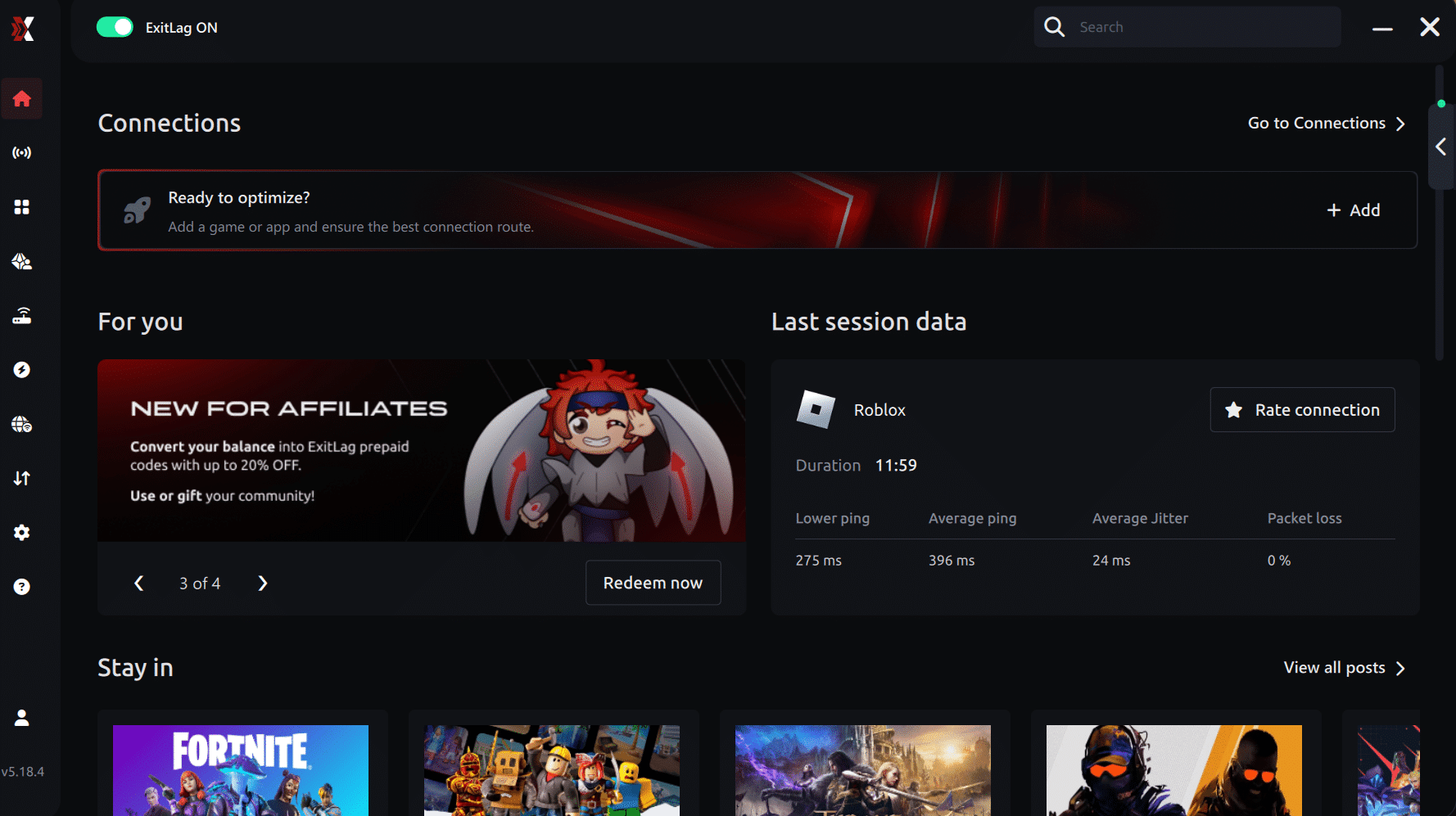
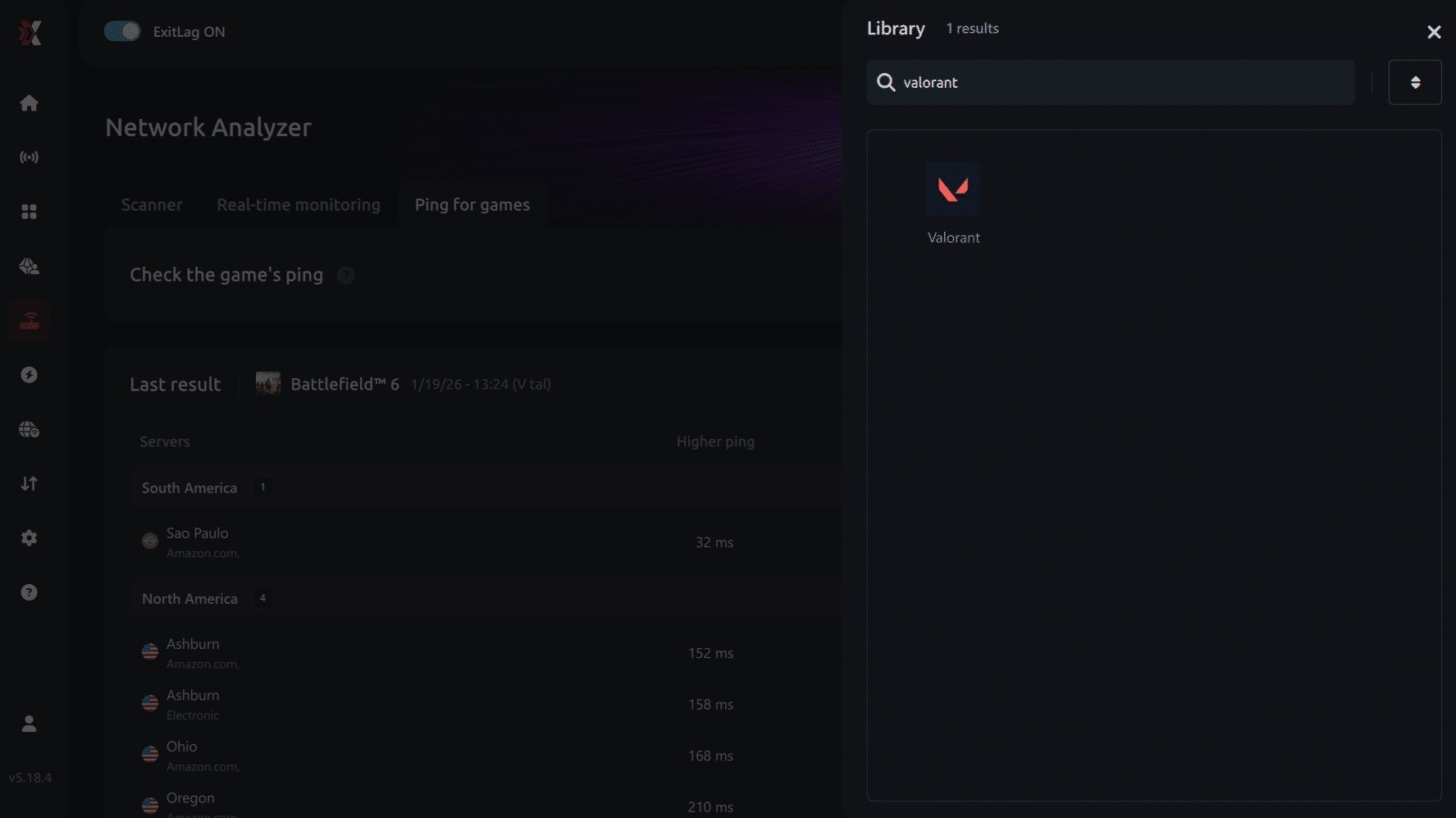
Connection screen Valorant Step 3 – In the search bar, type “Valorant” and select the game from the list.
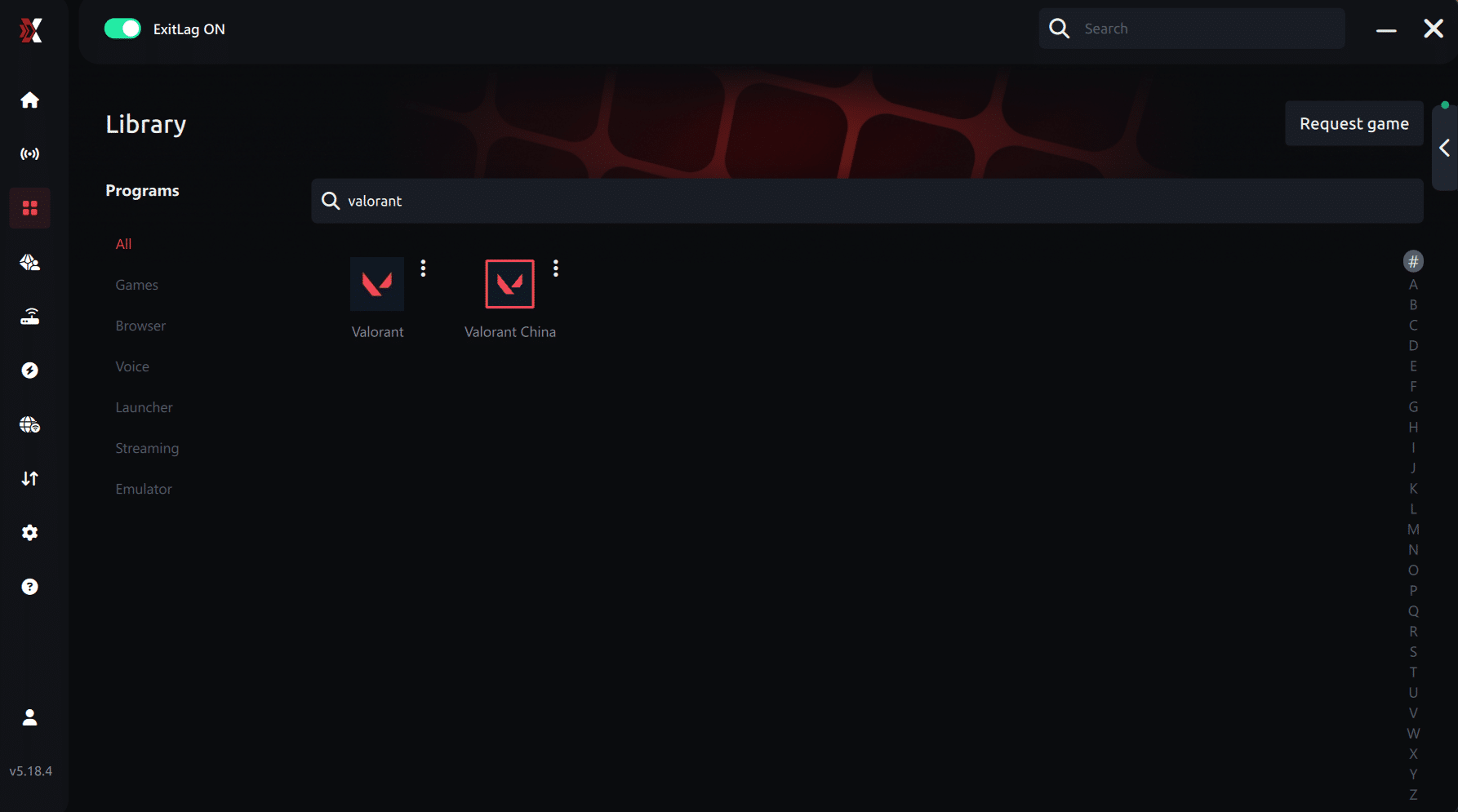
Step 4 – Choose the server manually
Based on the ping test results, you can manually choose the server that showed the lowest latency or the one that best meets your specific gaming needs.
Manual route
If you prefer to have full control over your connection, you can manually choose the server based on the ping test results. Simply select the server that showed the lowest latency or the one that best meets your specific gaming needs, allowing complete customization of your experience.
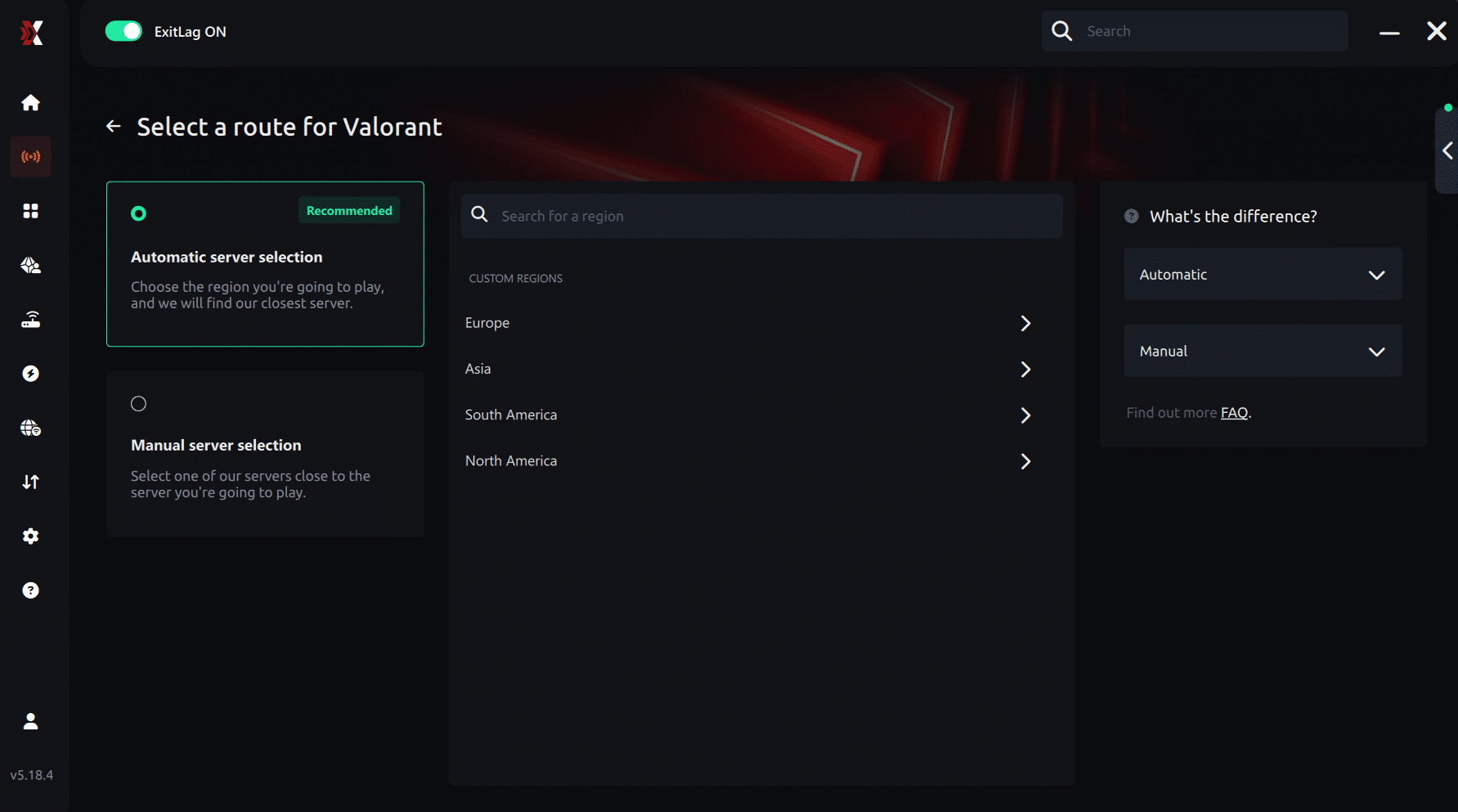
Step 5 – Click “Apply routes” or the play button. ExitLag will begin optimizing your connection automatically.
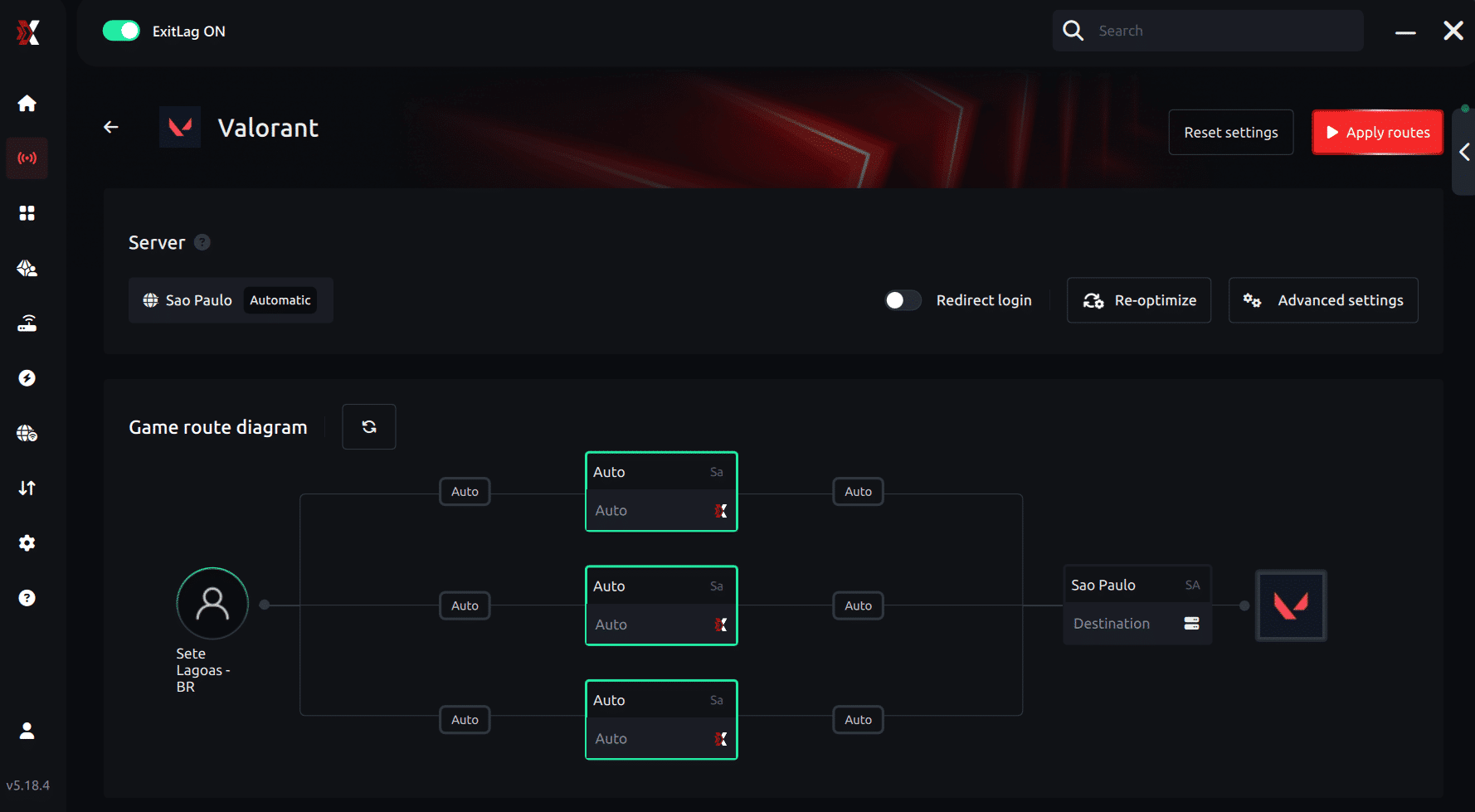
Step 6 – Wait a few seconds until optimization is complete. You’ll see ping indicators in the interface.
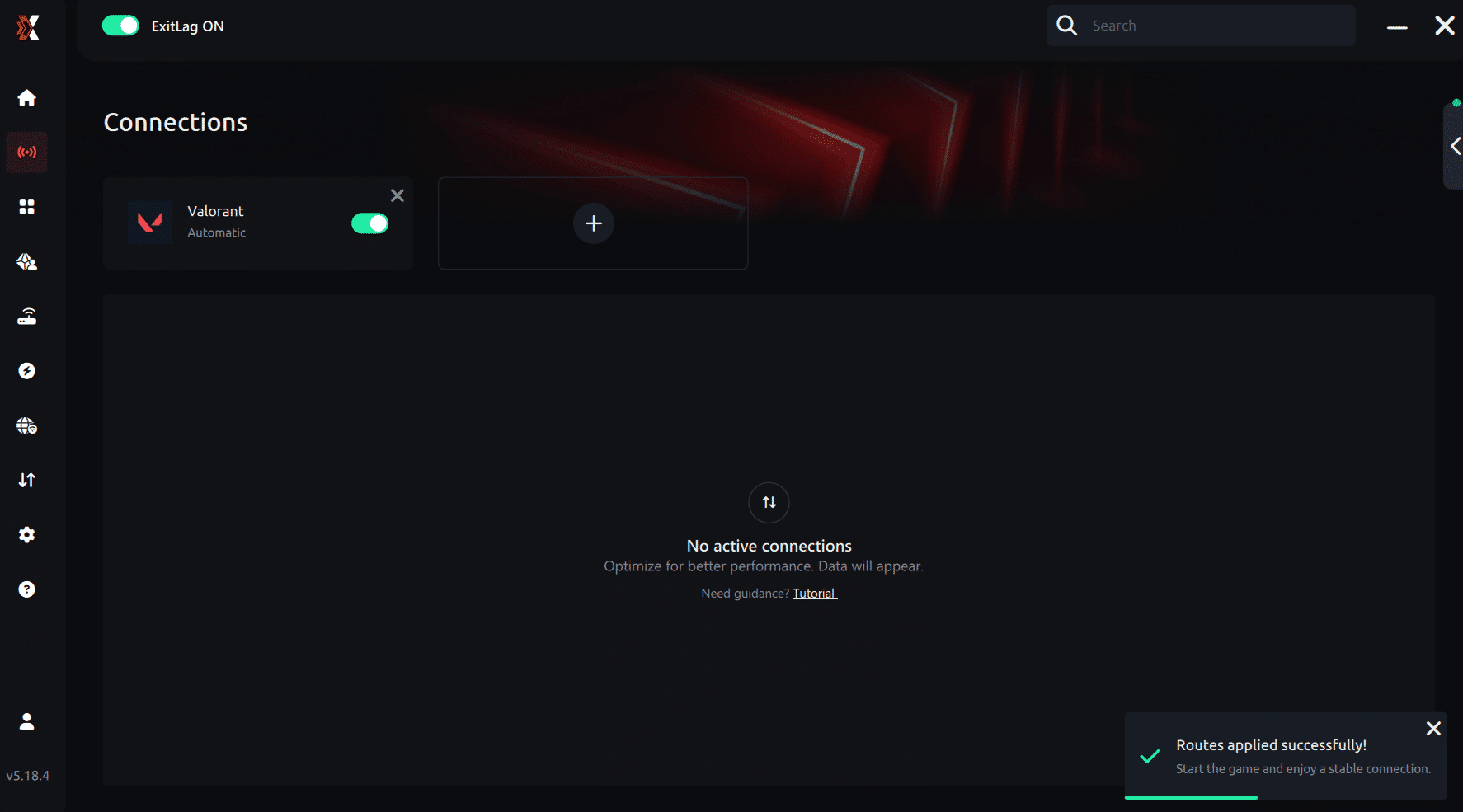
Step 7 – Launch Valorant normally. The optimization will already be active.
ExitLag runs in the background while you play, constantly adjusting routes to maintain the best possible performance.
How to use Ping for Games: step-by-step guide (Valorant)
Checking your connection quality before entering a match has never been easier. Here’s how to use Ping for Games in just a few steps:
1. Open the ExitLag software on your PC Ensure the application is installed and open. The feature is integrated into the platform and available for free to all users.
2. Access the Network Analyzer tool Locate the Network Analyzer in the software menu. This is where you’ll find Ping for Games along with other connection analysis features.
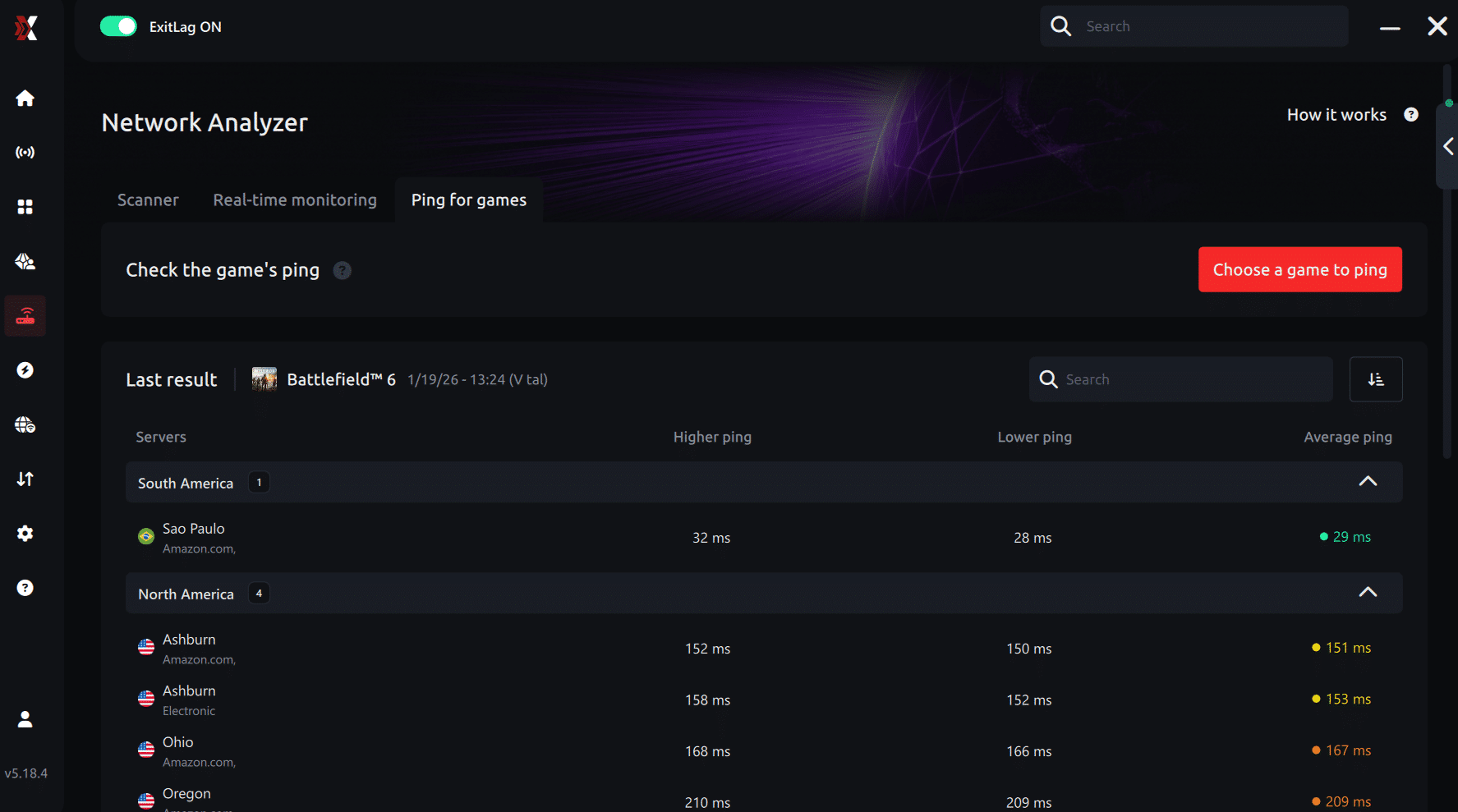
3. Select the game you want to test Choose Valorant from the list. The tool supports major online multiplayer games, including FPS, Battle Royales, MOBAs, MMORPGs, and more.
4. Choose the specific server Select the exact Valorant server you want to test instead of a generic region. This ensures more accurate results for your match.
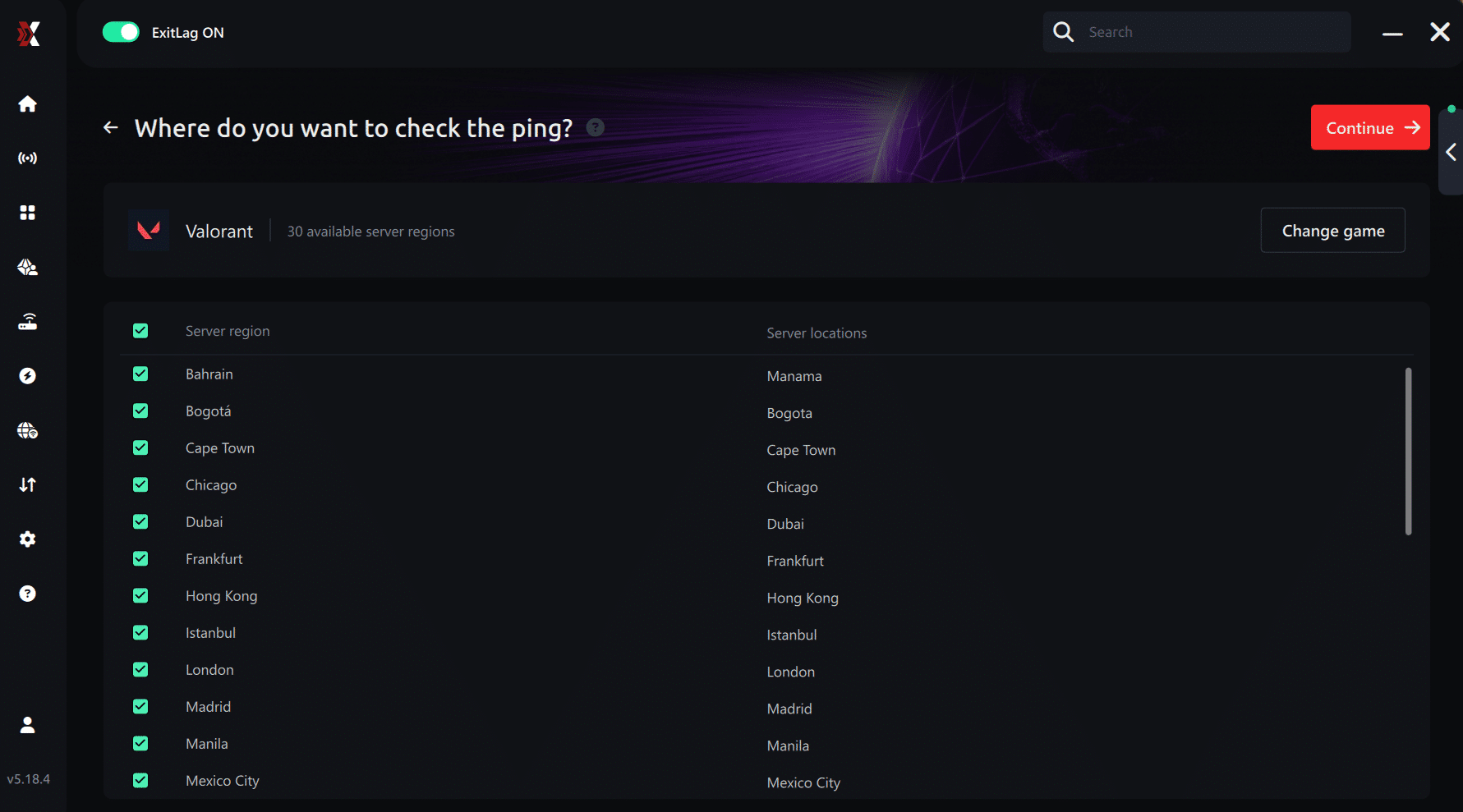
5. Start the ping test With one click, the measurement is performed in real time between your device and the selected Valorant server, considering your current connection (cable or Wi-Fi).
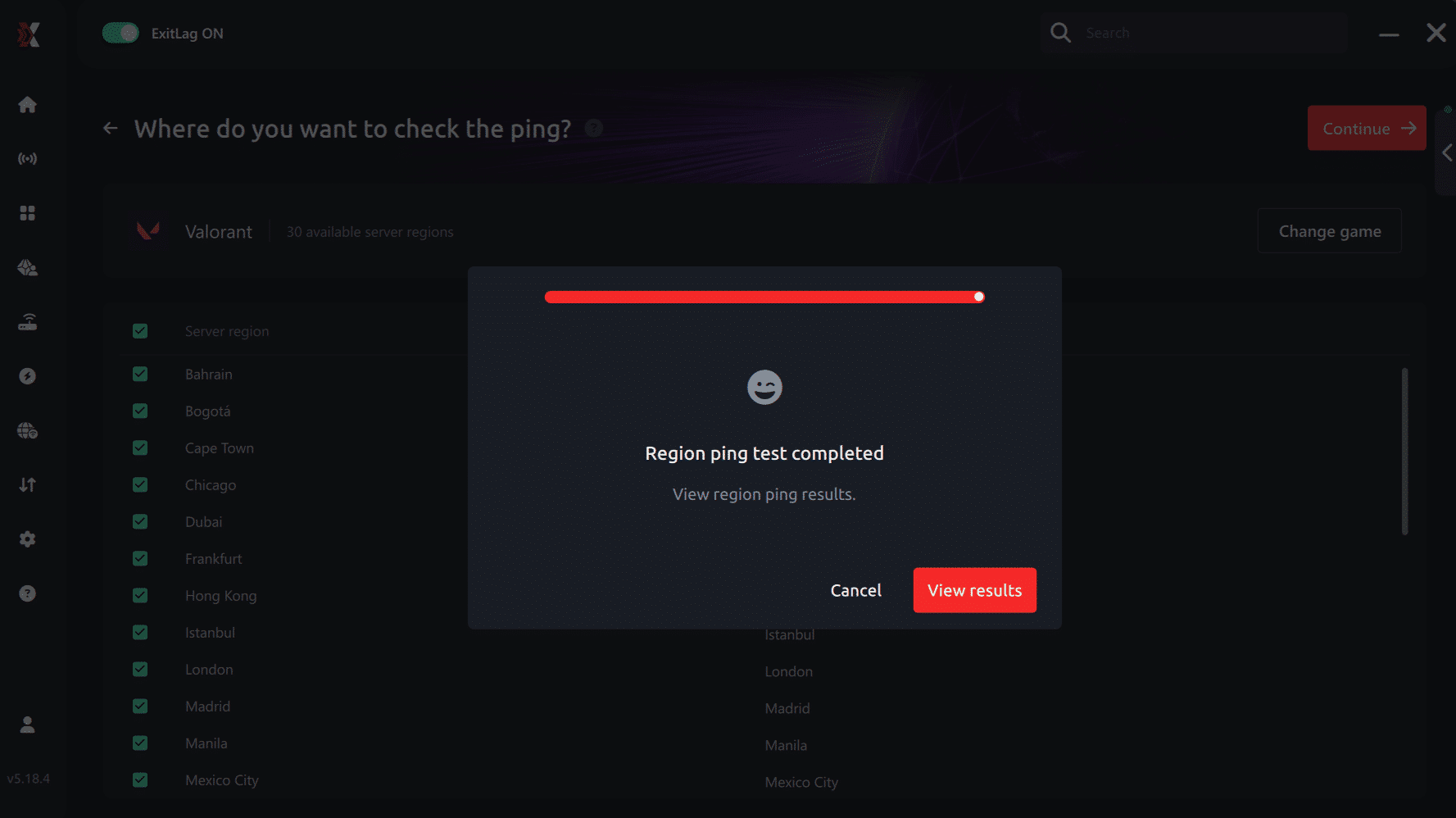
6. Analyze the results Results appear in milliseconds (ms), automatically sorted from best to worst ping. You can also reorganize the view alphabetically if you prefer.
7. Choose the best server and play worry-free With this information, simply select the server with the lowest latency and jump into Valorant knowing your connection is optimized.
Final thoughts: Play Valorant without lag forever
At the end of the day, Valorant lag should never decide your matches. You spend time mastering your aim, movement, and game sense — your internet connection should never be the reason you lose.
With ExitLag, you finally take control of your network performance. The software finds the fastest routes, eliminates lag, and stabilizes your ping so that every shot, every peek, and every clutch happens exactly when you want it to.
Try ExitLag for free right now and experience how smooth Valorant can be when your connection is fully optimized. Play with confidence, reach your full potential, and make lag a thing of the past.
FAQ: everything about high ping in Valorant
What causes high ping in Valorant?
Several factors can cause high ping, including server distance, inefficient ISP routing, overloaded networks, and Wi-Fi interference. Sometimes Windows or background apps also trigger Valorant connection issues by consuming bandwidth without warning. Then, when multiple causes combine, Valorant high ping becomes frequent even on fast internet plans.
How do I check my ping in Valorant?
Valorant shows your ping on the scoreboard and through the in-game network graph. You can also run OS commands like ping or tracert to measure latency consistency. While the game values reveal real-time performance, external tests uncover hidden issues such as unstable hops or inconsistent routing.
What is good ping for Valorant?
In advance, below 30 ms is excellent. Between 30–60 ms is still very good for competitive performance. Anything above 90 ms starts to affect duels noticeably. Although some players adapt to higher values, unstable latency—spikes or fluctuations—is far more harmful than a constant number.
Can high ping get you banned in Valorant?
No. Riot does not ban players for technical issues like ping instability. However, consistent Valorant latency spikes may cause disconnections or AFK penalties if the system detects you leaving matches unintentionally. That’s why stability is crucial, especially in ranked.
Does ExitLag work for Valorant?
Yes. ExitLag is designed to optimize routing for online games, and Valorant is one of the most commonly optimized titles. As well as helping reduce high ping, it can minimize spikes, reduce packet loss, and improve hit registration by stabilizing your traffic path.
How can I lower Valorant latency without changing my internet plan?
Often, you can improve performance by using Ethernet, closing background apps, disabling overlays, updating drivers, optimizing router QoS, or switching server regions. Even so, when routing is the main issue, these fixes help only partially. ExitLag helps provide a more stable, optimized path even if your plan remains the same.
Conclusion
In conclusion, solving Valorant high ping requires understanding the causes, applying basic fixes, and optimizing your connection for competitive consistency. Basic steps like switching to Ethernet or updating drivers help eliminate simple issues, while ExitLag provides a powerful tool for improving routing, stability, and predictable latency. For more insights, tutorials, and tips, visit the official ExitLag blog.
Valorant high ping no longer needs to ruin your duels or ranked matches. From now on, you have the tools and the knowledge to fix it and play at the performance level you deserve. Use your free trial, download ExitLag, activate your routes, and experience a smoother, more stable Valorant session immediately.