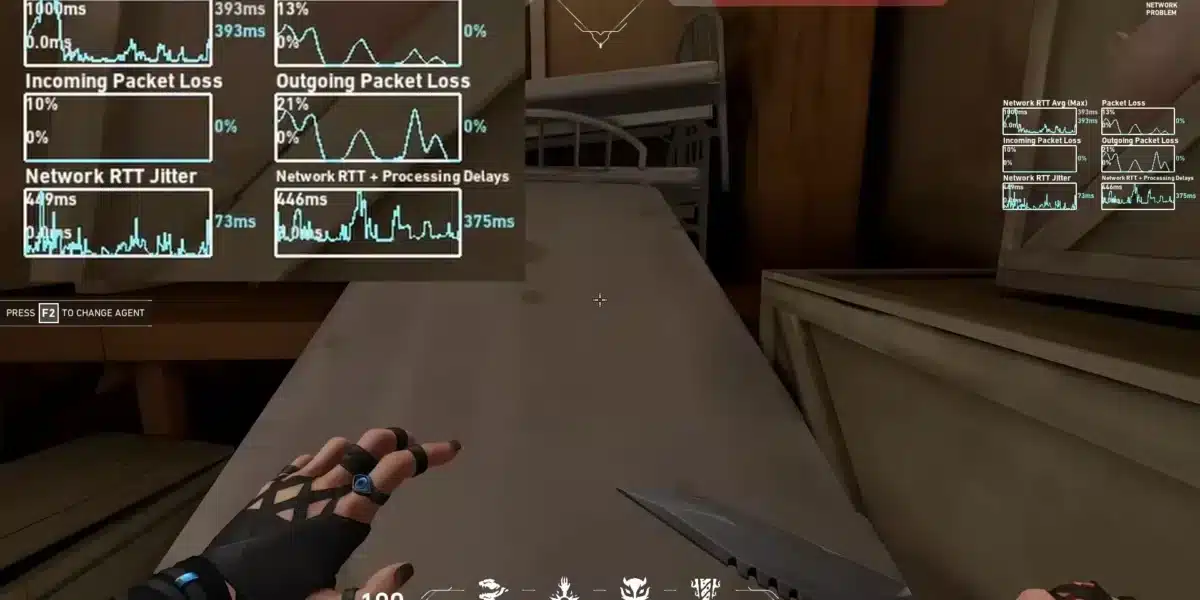
The Valorant update for Patch 13.00 is one of the biggest recent changes to Riot’s tactical shooter, bringing Act 4 content, agent balance updates, a new map in Competitive, a limited-time mode, ranked adjustments, and several client improvements. For players who want to stay competitive, understanding what changed in the latest Valorant update is just as important as practicing aim, lineups, and team communication.
Before testing the Valorant update in ranked or Premier, make sure your game runs smoothly. ExitLag’s guide to the best graphic settings to play Valorant can help you reduce visual clutter, improve FPS stability, and make the latest Valorant update easier to evaluate during real matches.
This Valorant update also matters because it affects different types of players at the same time. Competitive players need to learn Summit, Sentinels feel stronger, Initiators have shorter cooldowns, Bandit users have new tuning to test, and anyone dealing with a slow download may still need help with Valorant getting ready update errors or a Valorant update 0.1KB/s problem.
What Is the Latest Valorant Update?
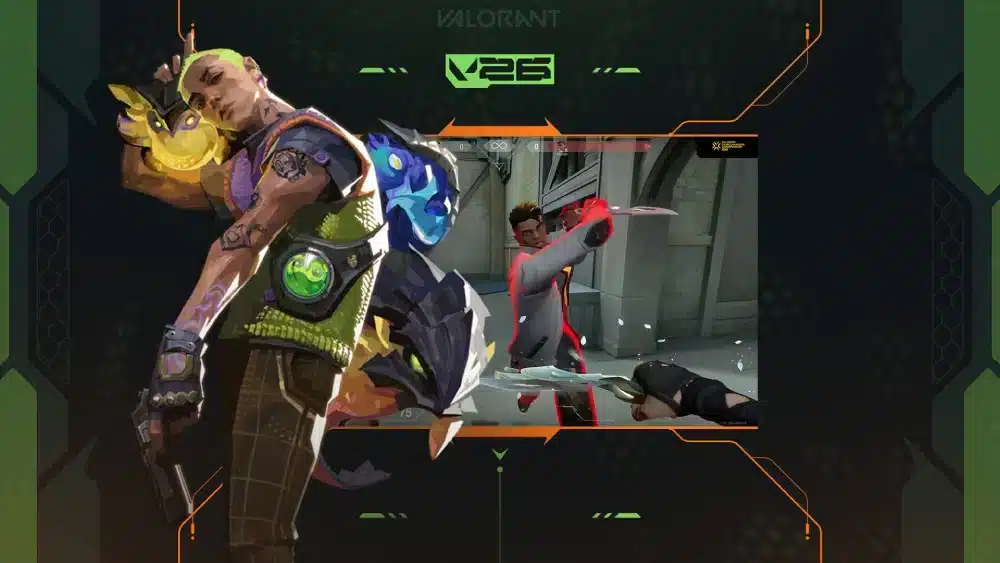
The latest Valorant update is Patch 13.00, released for Season 2026 Act 4. It introduces a major content and balance refresh, including agent updates, Competitive changes, the Summit map, the Retake limited-time mode, weapon tuning, client changes, and bug fixes.
This patch is especially important because it does not focus on only one part of the game. Instead, it touches agents, maps, ranked progression, game modes, weapons, audio clarity, and client notifications. That makes it one of the most relevant Valorant updates for both casual and ranked players.
Main Patch 13.00 Highlights
Here are the biggest changes from the Valorant update:
| Category | Main Change |
| Agents | Sentinel buffs and Initiator cooldown reductions |
| Map pool | Summit and Sunset in Competitive and Deathmatch |
| Removed maps | Fracture and Pearl out of Competitive and Deathmatch |
| New mode | Retake limited-time mode |
| Weapon tuning | Bandit improvements |
| Ranked | RR/MMR calculation changes |
| Client | Inbox feature added |
| Audio | Omen Shrouded Step clarity update |
| Bugs | Several general, agent, and visual fixes |
The main takeaway is simple: this is not a small bug-fix patch. The Valorant update today changes how some roles feel, how the map pool works, and how ranked progression may be experienced by many players.
Why This Update Matters for Ranked Players
Ranked players should pay close attention to this patch because Summit is now available in Competitive. Learning a new map early can give you an advantage, especially while other players are still discovering default setups, spike plant spots, retake paths, and common angles.
The RR/MMR changes also matter. Riot adjusted Ranked Rating calculations so players may feel less stuck when they are consistently winning. On PC, matchmaking changes are also intended to keep the average rank of each team within one sub-tier more often.
That means the Valorant update can affect both how matches feel and how your climb progresses. Still, players should avoid assuming every ranked result is caused by the patch. Individual performance, team coordination, map knowledge, and match quality still matter.
What Changed in Valorant Patch 13.00?
Patch 13.00 changes several gameplay systems at once. Sentinels received buffs, Initiators got shorter cooldowns, Omen received audio clarity changes, Summit entered Competitive, and Retake arrived as a fast limited-time mode.
Players who return after a break may feel like the rhythm of the game changed. Site hits may become more punishable against stronger Sentinels, Initiators may have more late-round utility, and Summit will demand new callouts and setups.
For players who like collecting free rewards while staying active after updates, ExitLag’s guide to Valorant codes and free rewards in 2026 is a useful companion. It keeps reward hunting separate from patch analysis, so you can follow Valorant updates without confusing gameplay changes with cosmetic promotions.
Agent Balance Changes
The Valorant update strengthens several Sentinels. Cypher’s Trapwire windup is shorter, Killjoy’s Turret fires faster, Nanoswarm lasts longer, and Alarmbot moves faster. Veto, Sage, and Deadlock also received adjustments that improve their ability to control space or survive pressure.
Initiators received cooldown reductions too. Sova, Fade, Skye, Breach, and KAY/O have shorter signature ability cooldowns, while Gekko’s reclaimed ability cooldowns are also reduced. These changes can make late-round utility more available, especially in rounds where teams slow down instead of committing early.
For ranked players, the practical impact is clear:
- Sentinel anchors may be harder to overwhelm.
- Repeated five-player rushes may be punished more often.
- Initiators may regain utility more reliably.
- Late-round executes may become more tactical.
- Teams may need better utility baiting and trading.
The Valorant update rewards players who understand role value. If you only run into sites without clearing utility, this patch may feel harder.
Map, Mode, and Weapon Updates
Summit is now part of the Competitive queue. It is a 5v5 Spike mode map set in a Radiant training academy in the mountains of China, with three lanes, two sites, and droppable walls that can reshape fights during the round.
The map pool also changed. Summit and Sunset are in Competitive and Deathmatch, while Fracture and Pearl are out of those queues. For players tracking the Valorant update today, this map rotation is one of the most important changes to learn immediately.
Retake also arrived as a limited-time 3v3 Spike mode. The Spike starts planted, one team defends, and the other team coordinates a retake. Since each round focuses on post-plant pressure, the mode can be useful for practicing fast decision-making, crossfires, and utility usage.
Bandit received tuning as well. Recovery, tap efficiency, and pitch recoil were adjusted to make the weapon more reliable while keeping it positioned as a precision option between other pistols.
Why Is My Valorant Update Stuck at 0.1KB/s?
A Valorant update stuck at 0.1KB/s usually points to a download, routing, Riot Client, DNS, storage, firewall, or local network issue. It does not always mean Riot’s servers are down, although server congestion can also affect update speed after a major patch.
The Valorant update 0.1KB/s issue is frustrating because it can look like the patch is frozen. Sometimes the download is actually preparing files in the background. Other times, the Riot Client is stuck and needs a restart, repair, or network reset.
Common Causes of Slow Valorant Updates
Several issues can slow or freeze a Valorant update:
| Cause | What It Means |
| Riot Client cache issue | The launcher may be stuck preparing or verifying files |
| Network congestion | Your route to Riot’s servers may be unstable |
| DNS problem | Your system may be resolving servers inefficiently |
| Firewall or antivirus conflict | Security tools may slow or block the update |
| Disk issue | Low space or slow storage can delay patching |
| Background downloads | Other apps may be consuming bandwidth |
| Server demand | Many players may be updating at once |
The first step is to identify whether the problem is download speed, file verification, or local storage. A Valorant getting ready update message often means the client is preparing files, not necessarily downloading them.
Quick Fixes for Valorant Update 0.1KB/s
Try these fixes in order:
- Pause and resume the update.
- Close Riot Client completely and reopen it as administrator.
- Restart your PC.
- Check available disk space.
- Disable VPNs or unstable proxy tools.
- Temporarily pause other downloads.
- Restart your router.
- Change DNS to a reliable provider.
- Allow Riot Client and VALORANT through firewall settings.
- Run a repair through the Riot Client when available.
Avoid deleting random game folders unless you know what they do. VALORANT uses Riot Client and Vanguard, so removing files manually can create more problems.
If the Valorant update 0.1KB/s issue continues, check whether other Riot services are slow too. If everything else on your connection works normally, the issue may be tied to the launcher, Riot’s servers, or the specific route between your ISP and the update server.
How Do I Fix Valorant Getting Ready Update?
The Valorant getting ready update message usually appears when the Riot Client is preparing, verifying, or applying game files. In many cases, waiting a few minutes is normal. However, if the message remains stuck for a long time, the client may need troubleshooting.
This problem is different from a normal slow download. A slow download shows low speed. A stuck preparation phase may show little movement because the launcher is checking files, allocating space, or preparing the patch.
What the Getting Ready Message Means
The Valorant getting ready update message can mean:
- The Riot Client is checking existing files.
- The patch is being prepared before download.
- Files are being unpacked or verified.
- Vanguard-related files are being checked.
- Disk write speed is slowing the process.
- The launcher is stuck and needs a restart.
This is why patience and diagnosis matter. Restarting too quickly can sometimes make the process repeat. However, if nothing changes after a long time, closing and reopening Riot Client is reasonable.
Step-by-Step Troubleshooting
Use this process:
- Wait a few minutes to confirm it is actually stuck.
- Close Riot Client from the system tray.
- Restart Riot Client as administrator.
- Restart your PC if the same message returns.
- Check disk space on the drive where VALORANT is installed.
- Temporarily close heavy background apps.
- Make sure Windows updates are not running in the background.
- Check firewall permissions for Riot Client.
- Repair the installation if the Riot Client offers that option.
- Reinstall only as a last resort.
After fixing the launcher, test the game in the Practice Range before jumping into ranked. A major Valorant update can affect performance, settings, and gameplay feel, so one quick test can prevent avoidable problems during your first match.
How Can Players Adapt to the New Valorant Update?
Players should adapt to the Valorant update by reviewing agent changes, learning Summit, testing Retake mode, checking performance settings, and studying how the new ranked adjustments feel over several matches. One match is not enough to judge the patch.
The best approach is to separate gameplay changes from technical issues. First, make sure the update installed correctly. Then check FPS, ping, and input feel. After that, focus on agents, maps, and strategy.
Learn Summit Before Ranked Pressure
Summit entering Competitive is one of the biggest changes in the Valorant update. New maps create uncertainty because players do not yet know the safest defaults, best lurk timings, strongest post-plant positions, or common utility paths.
Start by learning:
- Site names.
- Main lanes.
- Mid control routes.
- Defender rotations.
- Attacker defaults.
- Plant spots.
- Retake paths.
- Common first-contact angles.
- Droppable wall interactions.
A good way to practice is to enter custom games and walk the map slowly. Look for sound cues, off-angles, wallbangs, elevation changes, and fast rotation routes before relying on ranked teammates to call everything.
For players who want better team coordination after a new patch, ExitLag’s guide on how to find Valorant teammates for ranked and team play fits naturally here. New Valorant updates are easier to learn with players who communicate, share callouts, and review mistakes together.
Reconsider Your Agent Pool
Sentinel buffs may make site anchoring more rewarding. If you play Cypher, Killjoy, Veto, Sage, or Deadlock, this is a good time to test setups and learn how your utility performs after the update.
Initiator players should also review cooldown timing. If signature abilities return faster, you may be able to gather information or support late-round executes more often.
Duelists and Controllers should adapt too. Stronger Sentinel utility means entry paths may require better recon, baiting, smoke timing, and trading. A careless rush can become more expensive after this Valorant update.
Where Can I Check Valorant Update Today?

The safest place to check a Valorant update today is Riot’s official VALORANT website and news hub. Patch notes, game updates, trailers, map announcements, esports news, and event details are published through official channels before being summarized elsewhere.
Community posts, YouTube videos, and social media clips can be useful, but they may also mix confirmed changes with speculation. For patch-sensitive information, official sources should always come first.
Use Official Sources First
You can visit the official VALORANT website to confirm current game information, news, and major updates. This is the safest starting point when you need to verify whether a Valorant update today is real, delayed, or already live.
Official sources are especially important when a patch affects:
- Ranked rules.
- Agent balance.
- Map rotation.
- New modes.
- Weapon tuning.
- Client features.
- Known issues.
- Bug fixes.
If a change is not listed officially, treat it carefully. Some gameplay impressions appear before players fully understand the patch.
Check Patch Notes Before Changing Settings
After reading patch notes, avoid changing all your settings immediately. Sometimes players blame a new update for performance issues when the real cause is a driver update, background software, router problem, or local FPS instability.
A simple post-update checklist helps:
| Area | What to Check |
| FPS | Test Practice Range and one unrated match |
| Ping | Watch for spikes across several rounds |
| Settings | Confirm crosshair, graphics, and audio did not reset |
| Agents | Review your main agent changes |
| Maps | Learn new callouts before ranked |
| Client | Check Inbox, queue, and mode changes |
| Storage | Make sure the patch installed fully |
This makes each Valorant update easier to handle and prevents unnecessary panic after one bad match.
How ExitLag Helps After a Valorant Update
ExitLag can help players optimize connection routes and improve stability after a Valorant update, especially when the patch brings more players online and server demand feels heavier. It does not guarantee lower ping for every user, and it cannot fix Riot server outages or local hardware issues. However, it can help when routing instability is part of the problem.
After large Valorant updates, players often notice connection changes because many users return at once, update files at the same time, and queue into new content. In some cases, the issue is not the patch itself, but the route your connection takes to reach the server.
Why Updates Can Affect Connection Feel
A Valorant update can make connection issues more visible because players are more sensitive to change. If your ping spikes after patching, you may assume the update broke the game. Sometimes that is possible, but other causes are common.
Your match experience can be affected by:
- ISP routing.
- Packet loss.
- Wi-Fi interference.
- Server distance.
- Background downloads.
- Router instability.
- Regional congestion.
- Riot Client downloads continuing in the background.
ExitLag helps by optimizing routes for supported games. That can improve stability when your default path to the server is inefficient or unstable.
What ExitLag Can and Cannot Do
ExitLag can help with:
- Route optimization.
- Connection stability.
- Reducing packet loss in some cases.
- Making ping more consistent.
- Improving gameplay feel when routing is the issue.
ExitLag cannot guarantee:
- A specific ping number.
- Better performance for every player.
- Fixes for Riot server outages.
- Fixes for weak Wi-Fi.
- Fixes for low FPS.
- Instant rank improvement.
That distinction matters. A Valorant update may change the game, but your connection, PC, and local network still shape how that update feels.
FAQ
Below are the most common questions about the latest Valorant update, slow downloads, stuck launcher messages, and current patch changes.
The latest Valorant update is Patch 13.00 for Season 2026 Act 4. It includes Summit in Competitive, Retake mode, Sentinel buffs, Initiator cooldown reductions, Bandit tuning, RR/MMR changes, Inbox in the client, and bug fixes.
The most important Valorant update today changes include Summit entering Competitive, Sunset returning to Competitive and Deathmatch, Fracture and Pearl leaving those queues, Retake mode launching, and several agent balance updates.
The Valorant update 0.1KB/s issue can happen because of Riot Client problems, server congestion, DNS issues, firewall conflicts, disk space problems, or unstable routing. Restarting the client, checking storage, pausing other downloads, and reviewing firewall permissions can help.
To fix Valorant getting ready update, wait a few minutes, restart Riot Client as administrator, check disk space, close background apps, restart your PC, and repair the installation if needed. Reinstalling should be a last option.
Yes. In Patch 13.00, Summit entered the Competitive queue. Riot also added a Summit-only queue for a limited time using the Swiftplay format.
Patch 13.00 removed Fracture and Pearl from Competitive and Deathmatch queues. Summit and Sunset are in those queues.
Retake is a limited-time 3v3 Spike mode focused on post-plant situations. The Spike starts planted, one team defends, and the other team tries to retake and defuse.
Yes. Cypher, Killjoy, Veto, Sage, and Deadlock received buffs or improvements in Patch 13.00. These changes strengthen defensive tools and site anchoring.
You can read official patch notes and announcements through Riot’s VALORANT news and game updates page. This is the best source for confirmed Valorant updates, known issues, trailers, and patch details.
ExitLag can help with route optimization and connection stability after a Valorant update, but it does not directly repair Riot Client files or guarantee faster patch downloads. For launcher errors, you should also troubleshoot the client, disk space, firewall, and local network.
Final Thoughts
The Valorant update for Patch 13.00 is a major Act 4 refresh with enough changes to affect ranked, casual play, team strategy, and technical preparation. Summit entering Competitive is the biggest learning challenge, while Sentinel buffs, Initiator cooldown reductions, Retake mode, Bandit tuning, and ranked adjustments all deserve attention.
Players should treat the update in two parts. First, solve technical issues such as Valorant getting ready update errors or a Valorant update 0.1KB/s download. Then, focus on gameplay changes, including map knowledge, role adjustments, and team communication.
Use official sources to confirm every Valorant update today, avoid relying on rumors, and test your setup before ranked. For smoother matches, review your graphics settings, keep your client updated, and try ExitLag to help optimize your connection route. The better your setup feels, the easier it becomes to understand and enjoy the Valorant update instead of fighting against lag, instability, or avoidable technical problems.
All game images used in this article belong to their respective owners. They are used for informational and educational purposes only and do not imply endorsement or affiliation with the rights holders.
Got questions or want to connect with other players? Join the conversation at the ExitLag Forum!