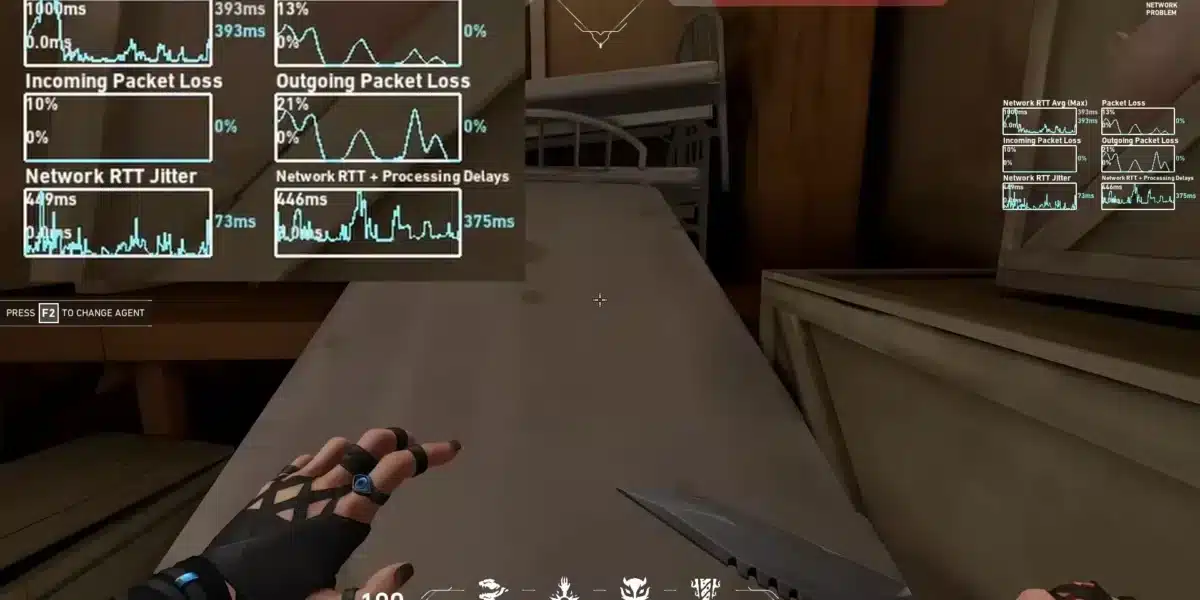
Valorant lag can make even the most skilled players miss crucial shots, lose gunfights, or struggle to react during fast-paced rounds. Because Riot Games designed Valorant around precise movement, accurate aim, and low-latency gameplay, even small connection issues can have a noticeable impact on your performance.
If you’ve searched for valorant lag, you’re likely experiencing delayed movement, teleporting enemies, or frequent valorant lag spikes during matches. While some problems are caused by Riot server maintenance, many originate from unstable internet connections, high ping, packet loss, or inefficient routing between your device and the game servers.
So, what is valorant lag? In simple terms, it’s any delay between your actions and the server’s response. Lag can affect movement, shooting, abilities, hit registration, and communication with teammates. Understanding the type of lag you’re experiencing is essential because not every issue has the same cause or solution.
Unlike single-player games, Valorant depends on constant communication between your computer and Riot’s servers. Every movement, bullet fired, and ability used must be transmitted almost instantly. If that communication slows down or becomes unstable, gameplay suffers.
Fortunately, many lag-related problems can be diagnosed and resolved with the right troubleshooting steps. Whether the issue is caused by your home network, internet provider, or hardware configuration, improving stability often leads to a significantly smoother competitive experience.
This guide explains the most common causes of lag, why valorant lag spikes happen unexpectedly, and the best ways to optimize your connection for consistent gameplay.
What Causes Valorant Lag?
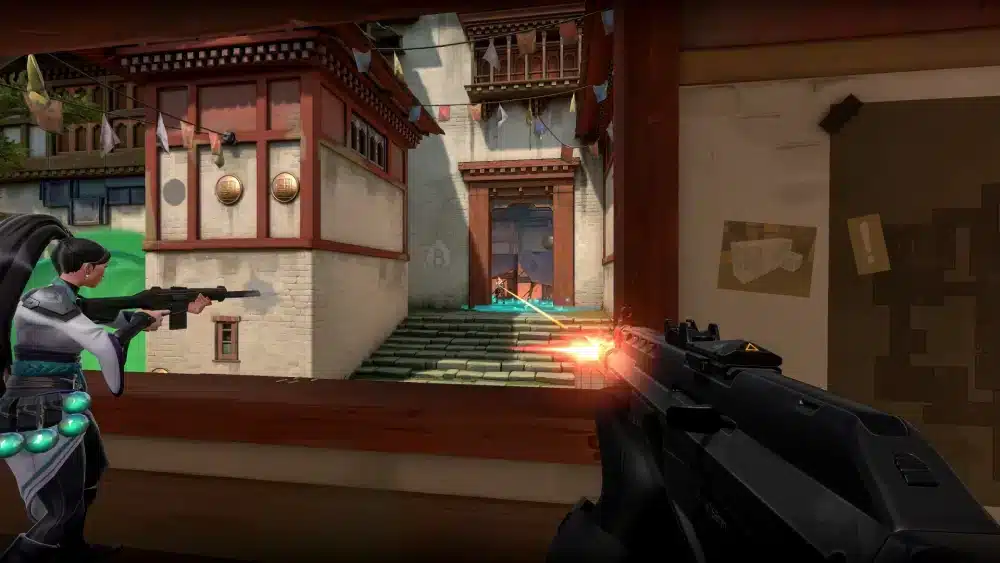
Lag can originate from several different sources.
Some are network-related, while others involve your computer or game settings.
High Ping
Ping measures how long data takes to travel between your computer and the Valorant server.
Higher latency often results in:
- Delayed movement
- Slower hit registration
- Late ability activation
- Reduced responsiveness
For competitive matches, maintaining the lowest stable ping possible is always preferable.
Packet Loss
Packet loss occurs when information never reaches the game server.
Symptoms include:
- Rubberbanding
- Missed shots
- Teleporting players
- Delayed animations
Even small amounts of packet loss can noticeably affect gameplay.
Network Congestion
Busy home networks often contribute to unstable connections.
Common causes include:
- Large downloads
- Video streaming
- Cloud backups
- Multiple active devices
Reducing simultaneous internet usage can improve stability during matches.
Hardware Limitations
Not all lag is network-related.
Older hardware may struggle to maintain stable performance due to:
- Slow processors
- Limited RAM
- Outdated graphics cards
- Aging storage drives
Low frame rates are sometimes mistaken for network lag.
Understanding Valorant Lag Spikes
Unlike consistently high ping, valorant lag spikes appear suddenly.
Your connection may perform perfectly one moment before latency increases dramatically for several seconds.
What Are Lag Spikes?
Lag spikes are temporary increases in latency.
During a spike, you may notice:
- Frozen movement
- Delayed gunfire
- Teleporting enemies
- Sudden ping increases
After a few moments, performance often returns to normal.
Why Do They Happen?
Several factors contribute to sudden latency spikes.
These include:
- ISP routing changes
- Temporary congestion
- Wi-Fi interference
- Background downloads
- Router instability
Identifying recurring patterns helps narrow down the cause.
ISP Routing Problems
Your internet provider determines the path your traffic takes before reaching Riot’s servers.
Poor routing may create:
- Higher ping
- Inconsistent latency
- Packet loss
- Regional instability
Routing problems are often outside the player’s direct control.
Wi-Fi Instability
Wireless connections are more vulnerable to interference than Ethernet.
Common sources include:
- Thick walls
- Bluetooth devices
- Neighboring Wi-Fi networks
- Smart home electronics
Competitive players generally benefit from using a wired connection whenever possible.
How to Identify the Type of Lag
Not every performance problem is caused by your internet connection.
Understanding the difference saves time during troubleshooting.
Network Lag
Network lag affects communication with the server.
Symptoms include:
- High ping
- Packet loss
- Rubberbanding
- Delayed hit registration
FPS Lag
Frame rate drops occur when your computer cannot render the game smoothly.
Indicators include:
- Stuttering visuals
- Low FPS
- Choppy animations
- GPU or CPU bottlenecks
Lowering graphics settings often improves frame rates.
Server Lag
Sometimes Riot’s servers experience temporary issues.
Possible symptoms include:
- Widespread disconnects
- Matchmaking delays
- Login failures
- Regional outages
Checking Riot’s Service Status page helps determine whether the issue is server-related.
Input Delay
Input delay differs from network latency.
It refers to the delay between pressing a key or clicking the mouse and seeing the action appear on-screen.
Causes may include:
- Display settings
- Graphics synchronization
- Hardware limitations
- Background processes
Basic Ways to Fix Valorant Lag
Many lag issues can be resolved without advanced networking knowledge.
Restart Your Router
Restarting your modem and router refreshes your connection and clears temporary networking problems.
Use Ethernet
A wired connection provides:
- Lower latency
- Better stability
- Reduced interference
- More reliable packet delivery
Ethernet remains the preferred option for competitive gaming.
Close Background Applications
Programs running in the background may consume valuable bandwidth.
Before playing:
- Pause downloads.
- Stop cloud synchronization.
- Close unnecessary browser tabs.
- Exit streaming applications.
Reducing background traffic allows Valorant to use your connection more efficiently.
Update Drivers
Outdated software may contribute to performance issues.
Regularly update:
- Graphics drivers
- Network drivers
- Windows
- Valorant client
These updates often improve compatibility and stability.
Quick Checklist Before Playing
Before jumping into ranked matches:
- Restart your router if needed.
- Close unnecessary background programs.
- Select the nearest Riot server.
- Verify no downloads are running.
- Check Riot’s server status for ongoing maintenance.
These simple steps help eliminate many common causes of lag.
Why Stable Connections Matter in Valorant
Valorant rewards precision more than almost any other competitive shooter. Consistent latency is often more valuable than simply having the lowest ping possible. A stable connection improves hit registration, movement accuracy, reaction time, and overall match consistency.
Advanced Ways to Reduce Valorant Lag
If basic troubleshooting hasn’t solved your valorant lag, there are additional optimization techniques that can improve connection stability and reduce latency during competitive matches.
Many of these adjustments focus on eliminating unnecessary network traffic and ensuring your system communicates with Riot’s servers as efficiently as possible.
Optimize Windows Network Settings
Your operating system handles thousands of network requests every day.
Keeping Windows optimized can improve gaming performance by reducing unnecessary background activity.
Some recommended practices include:
- Install the latest Windows updates.
- Disable unnecessary startup applications.
- Pause automatic downloads before gaming.
- Keep network adapter drivers updated.
- Enable Game Mode if you’re using Windows 10 or Windows 11.
Although these changes won’t eliminate every networking issue, they help create a more stable gaming environment.
Configure Your Home Network
A properly configured network reduces interruptions during online matches.
For the best experience:
- Place your router in a central location.
- Restart networking equipment periodically.
- Avoid connecting too many active devices simultaneously.
- Use modern Wi-Fi standards if Ethernet isn’t available.
- Keep router firmware updated.
Small improvements to your home network often result in more consistent gameplay.
Reduce Background Traffic
Bandwidth-intensive applications can interfere with online gaming.
Before launching Valorant, consider closing:
- Streaming platforms
- Cloud synchronization software
- Large downloads
- Automatic game updates
- File-sharing applications
Prioritizing gaming traffic minimizes unnecessary congestion.
Monitor Packet Loss
Valorant includes built-in network statistics that help identify connection problems.
Useful indicators include:
- Ping
- Packet loss
- Network RTT
- Frame rate
- Server tick rate
Monitoring these metrics allows you to distinguish between network instability and hardware-related performance issues.
How to Fix Valorant Lag Spikes
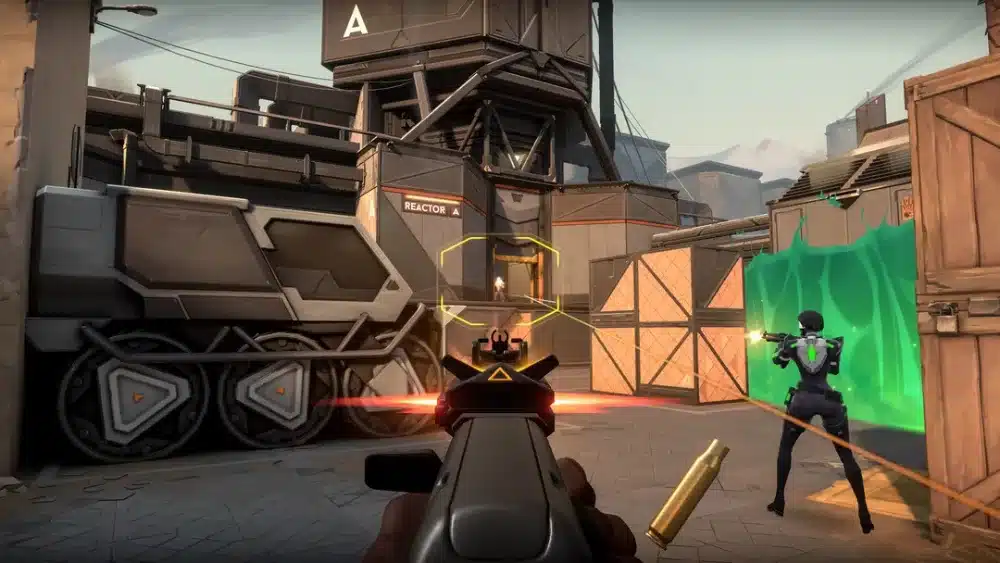
Unlike consistently high ping, valorant lag spikes appear unexpectedly and may disappear just as quickly.
Understanding what triggers these sudden increases in latency makes them easier to prevent.
Eliminate Wi-Fi Interference
Wireless interference is one of the most common causes of unstable latency.
Potential sources include:
- Thick walls
- Smart home devices
- Bluetooth peripherals
- Nearby wireless networks
- Microwave ovens
Whenever possible, connect your gaming PC using Ethernet for maximum stability.
Select the Best Riot Server
Choosing the closest available server helps reduce both average latency and connection variability.
Lower server distance typically provides:
- Faster response times
- Better hit registration
- Reduced latency
- Smoother movement
Avoid manually selecting distant regions unless necessary for cross-region play.
Check Riot Server Status
Not every lag spike originates from your own network.
Before troubleshooting extensively, visit Riot’s official Service Status page to determine whether maintenance or regional outages are affecting gameplay.
If Riot confirms an ongoing incident, waiting for service restoration is usually the best course of action.
Optimize ISP Routing
Even when your internet speed appears excellent, inefficient routing between your ISP and Riot’s servers can increase latency.
Some players experience:
- High ping despite fast internet
- Random packet loss
- Inconsistent latency
- Regional routing issues
These situations often require routing optimization rather than additional bandwidth.
Improve Valorant Lag with ExitLag
Internet speed is only one part of online gaming performance. Once your data leaves your home network, it travels through multiple internet providers before reaching Riot’s servers. If those routes are congested or inefficient, latency and packet loss may increase.
ExitLag is designed to optimize that path by selecting more efficient routes between your device and supported game servers.
Its proprietary technologies include:
- Multipath Connection, sending traffic through multiple optimized routes simultaneously.
- Real-Time Optimization, continuously monitoring network conditions and adjusting routes automatically.
- Traffic Shaper, prioritizing gaming packets over less time-sensitive traffic.
- A worldwide server infrastructure built to improve connection stability across different regions.
For Valorant players, ExitLag may help reduce:
- High ping
- Packet loss
- Network jitter
- Routing instability
- Unexpected latency spikes
Getting started is simple:
- Create an ExitLag account.
- Download and install the application.
- Select Valorant from the supported games list.
- Apply the recommended optimization routes.
- Launch the game and start playing.
With support for more than 3,000 online games, ExitLag can also optimize your connection for many other multiplayer titles.
Valorant Lag Troubleshooting Guide
| Problem | Possible Cause | Recommended Fix |
| High ping | Distant server or poor ISP routing | Select the closest Riot server and optimize routing |
| Packet loss | Network congestion or unstable Wi-Fi | Switch to Ethernet and close background downloads |
| Lag spikes | Wi-Fi interference or routing changes | Restart your router and reduce wireless interference |
| Rubberbanding | Connection instability | Check packet loss and verify network stability |
| FPS drops | Hardware limitations | Lower graphics settings and update GPU drivers |
| Login or matchmaking issues | Riot server maintenance | Check Riot Service Status before troubleshooting |
Best Practices for Stable Gameplay
Maintaining a reliable connection requires consistent network maintenance.
For the best experience:
- Use Ethernet whenever possible.
- Keep Windows and drivers updated.
- Restart networking equipment regularly.
- Avoid large downloads while gaming.
- Connect to the nearest Riot server region.
- Monitor in-game network statistics.
Following these habits reduces the likelihood of recurring performance issues.
Frequently Asked Questions
Valorant may lag because of high ping, packet loss, network congestion, Wi-Fi interference, ISP routing issues, hardware limitations, or temporary Riot server maintenance.
Valorant lag spikes are commonly caused by unstable Wi-Fi, ISP routing changes, background downloads, temporary congestion, or intermittent packet loss.
You can reduce ping by selecting the closest server region, using an Ethernet connection, minimizing background traffic, updating your networking equipment, and optimizing your internet routing.
Yes. ExitLag helps optimize the route between your device and Riot’s servers, reducing latency, packet loss, and routing instability caused by inefficient internet paths. However, it cannot resolve server outages or scheduled maintenance on Riot’s side.
A fast internet connection doesn’t always guarantee low latency. Poor routing, packet loss, network congestion, or unstable wireless connections can still create lag despite high download speeds.
Gain a Competitive Edge with a Stable Connection
Understanding valorant lag is the first step toward improving your competitive performance. By identifying whether your issues stem from high ping, packet loss, hardware limitations, or valorant lag spikes, you can apply targeted solutions instead of relying on trial and error.
For players seeking even greater connection stability, ExitLag complements a well-optimized network with Multipath Connection, Real-Time Optimization, and Traffic Shaper technologies. By intelligently optimizing the route between your device and Riot’s servers, ExitLag helps reduce latency, minimize packet loss, and deliver a smoother, more consistent experience across Valorant and more than 3,000 supported online games.
All game images used in this blog belong to Riot Games. They are used for informational/educational purposes only and do not imply endorsement or affiliation with the rights holders.
Got questions or want to connect with other players? Join the conversation at the ExitLag Forum!