Leveling in Aion 2 is expected to be a core part of your journey – not just to hit max level, but to shape your character’s build, gear efficiency, and participation in PvE or PvP content. Whether you’re playing on mobile or PC, these leveling tips will help you move faster, stay efficient, and avoid common traps.
From campaign navigation to instance usage, this guide focuses on both casual and hardcore player goals. Whether you’re preparing for competitive content or just looking to enjoy the story, efficient leveling makes a difference.
Understanding the Leveling Curve in Aion 2
According to developer previews and early devlog reports, NCSoft may introduce “easy-mode instance dungeons for newcomers” and a scalable world design. While this phrasing isn’t confirmed in an official press release, it has appeared in media coverage of internal streams and pre-launch briefings.
What this suggests:
- Early levels are likely faster-paced and serve as a tutorial phase
- Quests and campaigns are expected to guide most of your first 10–20 levels (though this is based on developer patterns and not a confirmed roadmap)
- Grinding mobs may still play a role, especially in mid-levels, but the design aim appears more guided than entirely free-form
- The leveling system will likely tie into unlocks for essential systems like mounts, wings, or class passives
Keep in mind: all gameplay systems may vary at final launch, and different regions may receive updates on staggered timelines. Since Aion 2 is officially launching in Korea and Taiwan on November 19, 2025, international players may encounter variations in XP gain, quest pacing, or dungeon unlocks.
Beginner Progression (Levels 1–30)
When you first start your journey, focus on the following:
- Follow main story/campaign quests: The game is designed with “campaigns” (or chapters) which likely provide large XP rewards and unlock key systems (skills, mounts, zones). These quests often guide your introduction to the major zones and help define your character’s narrative path.
- Complete area unlocks: As you reach new zones or regions, early unlock quests usually give bonus XP and gear. Use them to stay ahead of the XP curve without heavy grinding.
- Use your bonuses: If the game offers early-game XP boosts (login rewards, event buffs, premium bonuses), apply them for the greatest effect in early levels. Combine boosts with daily XP multipliers to accelerate progress.
- Don’t skip side quests entirely – even though your main campaign will carry you, side quests can fill gaps, give useful resources, and reduce grinding time. Some of them may also unlock achievements or faction reputation benefits.
- Group when possible: If an instance or dungeon is available for your level, run it with a group – the bonus XP from a clear plus group synergy tends to exceed solo grinding in many MMOs. Forming a leveling party also increases survival, particularly in elite or contested zones.
Mobile Work-Flow Tips
Since Aion 2 supports mobile platforms (and possibly cross-play), keep mobile-specific habits in mind:
- Play in shorter sessions: mobile gaming often suits bursts of play. Use your main campaign to progress, then auto-farm or use optional features when you have limited time. Prioritize resource collection or pet evolution tasks during idle sessions.
- Check connectivity: mobile networks may fluctuate. A stable WiFi or 4G/5G connection will reduce time lost to lag or disconnects. ExitLag Mobile may assist in regions with routing issues.
- Monitor thermal output: high frame rate play on mobile may increase battery drain or device temperature. Enable battery saver or graphics throttling modes for long sessions.
Mid-Game & Efficient Grinding (Levels 30–60)
Once you enter mid-levels, the pace may slow relative to the initial rush. Here are strategies to maintain efficiency:
Prioritize high-yield activities
- Instance dungeons: These tend to offer more XP per minute than open-world mob grinding, especially if you clear them fast and efficiently. Keep track of dungeon resets and enter as soon as they’re available.
- Repeatable daily/weekly quests: If available, these quests often offer consistent XP and rewards. Some dailies may also tie into reputation or crafting progression, giving dual benefits.
- Campaigns & unlocks: Leave any major unlock quest chains (which should give large XP bonuses) intact until you have used your XP boosts or until you’re ready to progress. Doing them at the wrong time (without bonuses) can reduce efficiency. Use a planner or checklist to align quests with optimal grind times.
Best Farming Spots (Hypothetical)
Since detailed maps and zones for Aion 2’s launch aren’t fully disclosed, the following guidance remains speculative. Players should keep in mind that zones and farming maps are subject to change depending on final game balance and regional updates. General MMO wisdom still applies:
- Farms where mobs are clustered, respawn quickly, and you hit them without downtime. Optimal layouts include circular patrol paths and pull-friendly spawn grids.
- Areas where fewer players compete for mobs (to avoid wait time). Consider off-peak hours or private channels (if the game supports them).
- Zones that scale to your level or slightly above so you can clear mobs quickly without dying. Gear up before venturing into red-level areas.
- Use zones unlocked by campaign quests, so you don’t waste time travelling or unlocking. Keep fast-travel points activated.
Time Management & Burnout Avoidance
- Don’t chase every side quest – know when to move on. The law of diminishing returns applies: once quest XP versus time drops, shift your focus. Skip low-efficiency fetch quests if they’re not linked to reputation.
- Use auto-features or farming modes if mobile-supported to reduce manual workload. Use manual when you need precision or chain combos for bonus XP.
- Take periodic breaks or rotate characters if burnout hits – a rested mindset often speeds leveling more than constant play under fatigue. Watch for fatigue systems (if implemented) that reduce XP gains over time.
Advanced Growth & End-Game Preparation
As you approach the cap (or near high teens/low tens of levels remaining), your strategy should shift slightly:
- Begin gear optimization early: Leveling faster doesn’t help if you lag behind on gear or upgrades. Use your XP gains to also focus on equipment upgrades. Enhance, socket, and modify gear to match your evolving skillset.
- Prepare for content gating: Many MMOs lock higher-tier content behind level plus gear or unlock quests. Stay ready for those checkpoint quests.
- Join a guild early: Guilds often provide XP bonuses, unlocks, or group run opportunities. This speeds progression and opens up more content. Participate in guild missions or PvP objectives for bonus XP.
- Explore all systems: If the game offers profession/crafting, mounts, or other auxiliary systems, start them before cap. They often scale along with your level and can provide XP or good gear sets. Some crafting systems may require leveling investment to access top tiers.
Best Class Progression Paths for Fast XP Gains
While Aion 2’s class system has not yet been fully detailed, developer previews and community interpretations suggest that some classes might offer faster leveling experiences. However, no official confirmation exists that any class will level faster than others.
Likely Fast-Leveling Class Types (Speculative Based on MMO Genre Norms)
- Mage/Caster archetypes: Typically equipped with AoE spells and ranged safety, ideal for mob farming and dungeon clears.
- Rogue/Scout types: Known for fast single-target burst, great for boss quests or high XP-per-kill targets.
- Support/Hybrid classes: May struggle early but gain party invites easily, especially in XP-rich dungeons.
Until full class data is revealed, players should treat these roles as speculative and test multiple archetypes in beta or early launch to find optimal leveling speed.
Tracking XP and Progress with Tools
Efficiency depends on tracking your gains. Aion 2 is expected to feature, based on MMO standards:
- On-screen XP bars with real-time updates (to be confirmed)
- Combat log or activity trackers (to be confirmed)
- Dungeon timers and clear summaries (to be confirmed)
For advanced users, external apps or overlays (e.g., via PC tools) may allow:
- XP per hour calculations
- Session tracking with reset markers
- Alerts for dungeon resets or event spawns
Be cautious: on mobile, overlays can consume battery and reduce frame rate.
Mobile-Specific Progression Tips
Session Optimization
- Use rest zones: Log off in designated areas to earn rested XP (if implemented).
- Enable low-power modes: Prioritize performance for farming sessions; toggle visuals down for longer grinds.
Touch Interface Management
- Re-map UI if customizable: keep skill buttons and potions accessible.
- Use pop-up cooldown indicators or sound alerts for buff/dot cycles.
Network Adaptation
- Avoid leveling in unstable network zones; a disconnect can undo progress or cause missed kills.
- Consider apps like ExitLag Mobile to stabilize packet delivery and reduce ping spikes.
Avoiding Leveling Traps and Wasted Time
Some mistakes slow down many MMO players. Avoid:
- Overcommitting to dead-end zones with poor XP-to-time ratios
- Grinding mobs significantly above your level (slow kill speed)
- Ignoring gear upgrades – your damage output directly affects grind efficiency
- Forgetting to use consumables (XP potions, stat food)
Note: The final leveling system in Aion 2 may vary across patches and regional versions, so best practices could shift post-launch.
If the game introduces PvP zones with level brackets, avoid leveling beyond key breakpoints before gearing appropriately.
Preparing for Post-Leveling Systems
Once you hit level cap:
- Shift to gear farming: dungeons, world bosses, crafting
- Start endgame unlock quests: reputation, raid entry, elite dungeons
- Engage in PvP or faction-based content for unique rewards
- Explore alternate specs or class evolutions, if offered
Many MMOs include mastery trees or power ceilings that tie back to progression. Staying active post-cap ensures smooth scaling.
Reminder: The endgame system may vary depending on future patches and regional adjustments.
Final Thoughts: Leveling in Aion 2 is a Journey
Rather than a chore, Aion 2 aims to make leveling a rewarding and immersive process. Smart players will pace themselves, rotate between activities, and take advantage of system bonuses.
Use every tool available – from auto-features to guild perks – and treat the leveling curve as preparation for Aion 2’s vast world of PvP, lore, and high-end challenges.
Stay alert to patches and future balance updates: XP rates, dungeon caps, or quest lines may shift post-launch. Aion 2’s evolution will reward those who adapt.
How to use ExitLag in Aion 2
The process is extremely simple:
Step 1 – Access the official ExitLag website and download the application. There’s a free trial period for new users.
Step 2 – Install and open the program. Log in with your account.
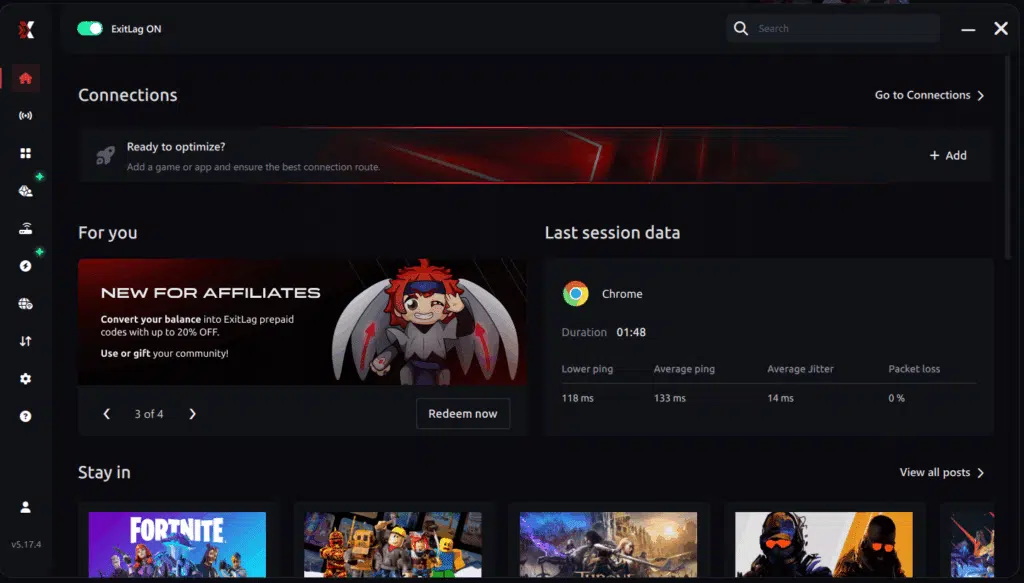
Step 3 – In the search bar, type “Aion 2” and select the game from the list.
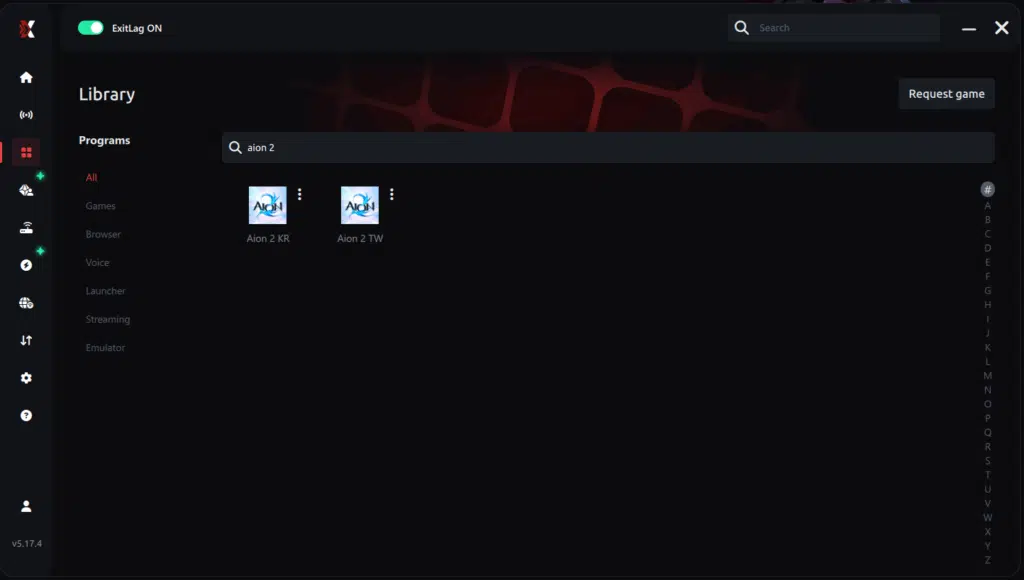
Step 4 – Choose between automated or manual route
Based on the results, you can let ExitLag automatically select the best route or manually choose the server that showed the lowest latency for your connection.
AI-optimized automated route
Based on the results, you can let ExitLag automatically select the best route through AI-optimized . The system analyzes multiple connection paths in real-time and automatically identifies the most efficient route for your connection, ensuring the lowest possible latency without requiring manual choices.
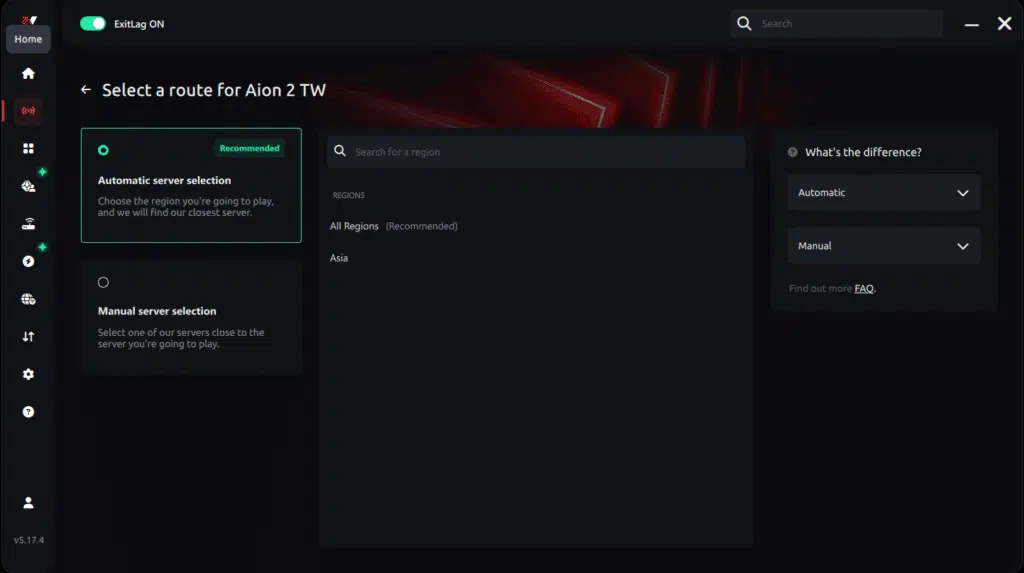
Manual route
If you prefer to have full control over your connection, you can manually choose the server based on the ping test results. Simply select the server that showed the lowest latency or the one that best meets your specific gaming needs, allowing complete customization of your experience.

Step 5 – Click “Apply routes” or the play button. ExitLag will begin optimizing your connection automatically.
AI-optimized automated route:

Manual route:

Step 6 – Wait a few seconds until optimization is complete. You’ll see ping indicators in the interface.
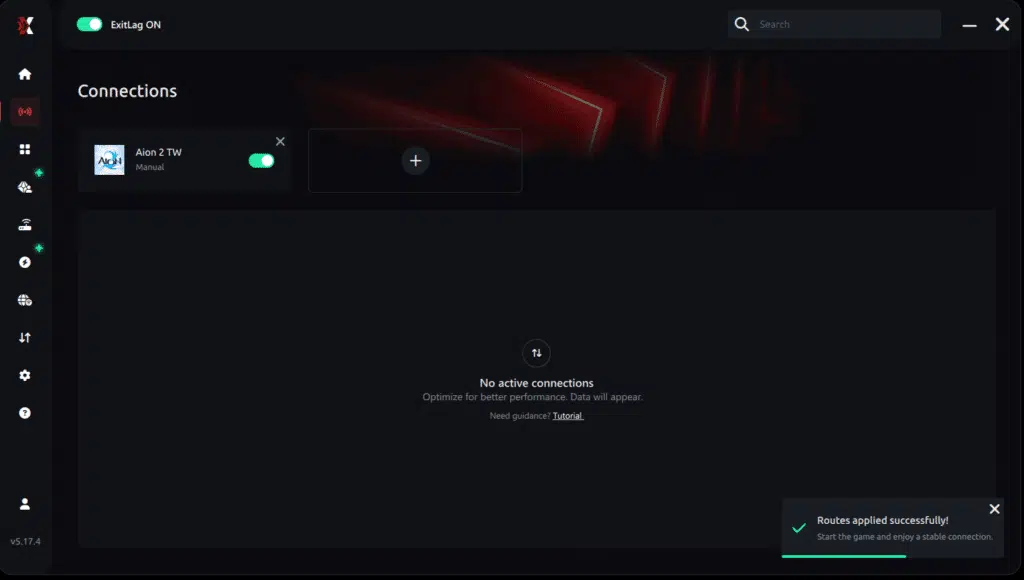
Step 7 – Launch Aion 2 normally. The optimization will already be active.
ExitLag runs in the background while you play, constantly adjusting routes to maintain the best possible performance.
How to use Ping for Games: step-by-step guide
Checking your connection quality before entering a match has never been easier. Here’s how to use Ping for Games in just a few steps:
1. Open the ExitLag software on your PC
Ensure the application is installed and open. The feature is integrated into the platform and available for free to all users.
2. Access the Network Analyzer tool
Locate the Network Analyzer in the software menu. This is where you’ll find Ping for Games along with other connection analysis features.
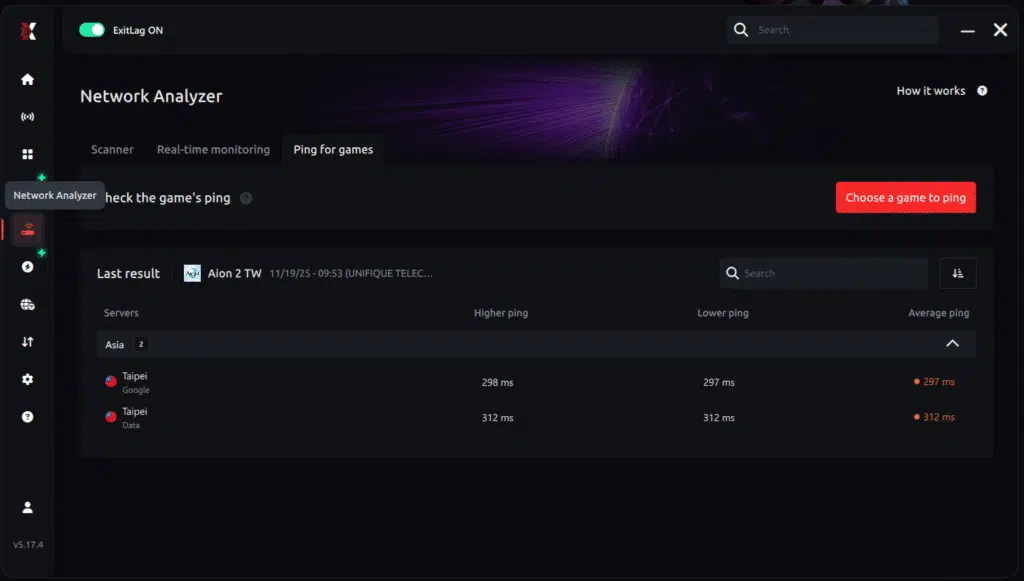
3. Select the game you want to test
Choose from the list the title you plan to play. The tool supports major online multiplayer games, including MOBAs, FPS, Battle Royales, MMORPGs, and more.
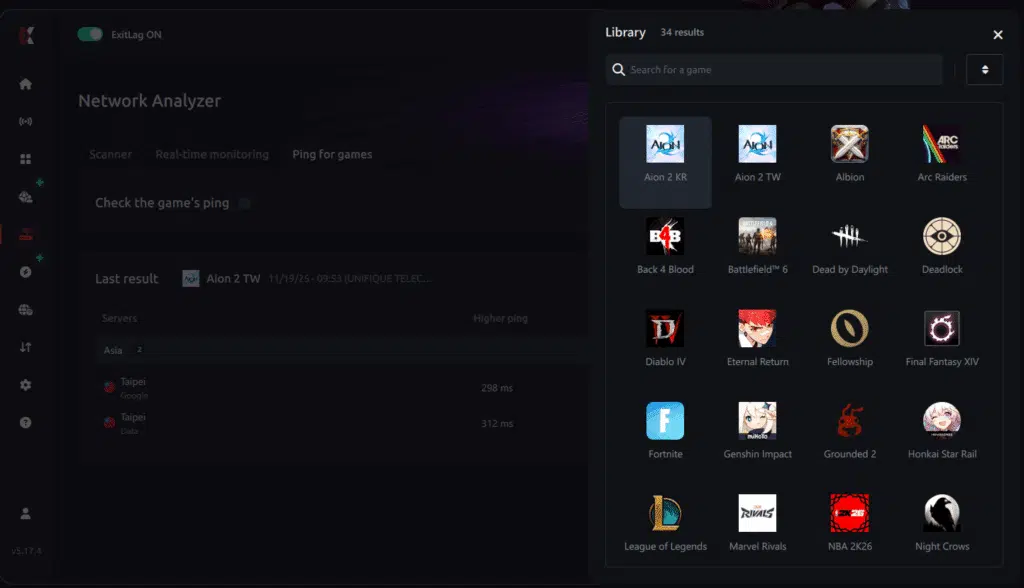
4. Choose the specific server
Now you select directly the server you want to test, instead of just a generic region. This ensures much more accurate results for your choice.
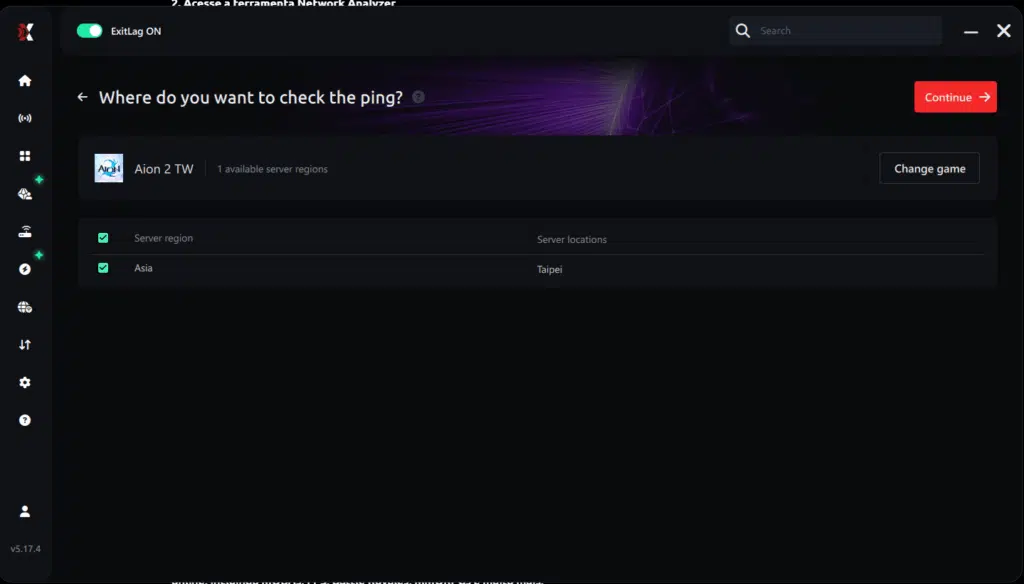
5. Start the ping test
With one click, the measurement is performed in real-time between your device and the chosen server, considering your current connection (cable or Wi-Fi).
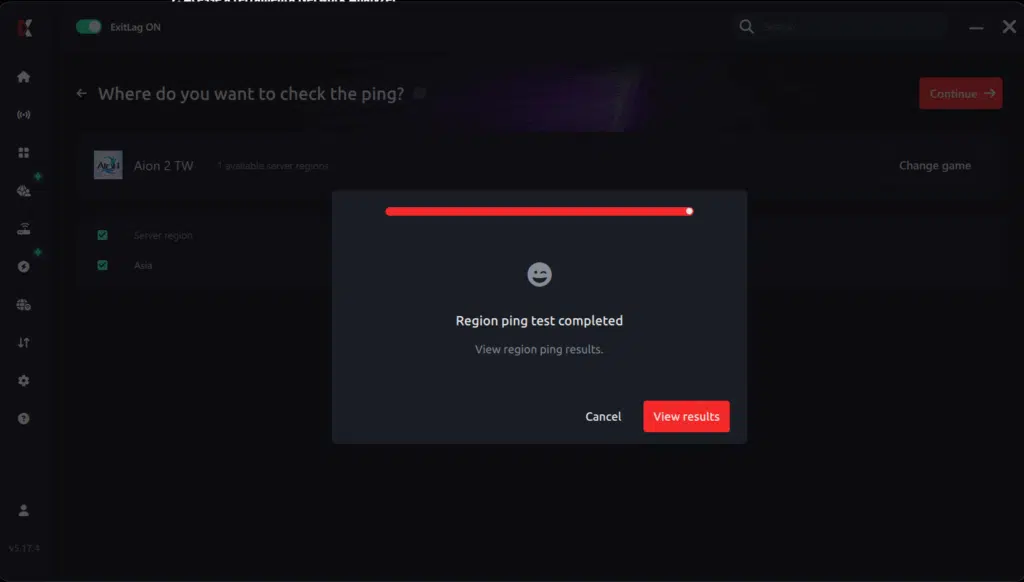
6. Analyze the results
Results appear in milliseconds (ms), automatically sorted from best to worst ping. You can also reorganize the view alphabetically, if you prefer.
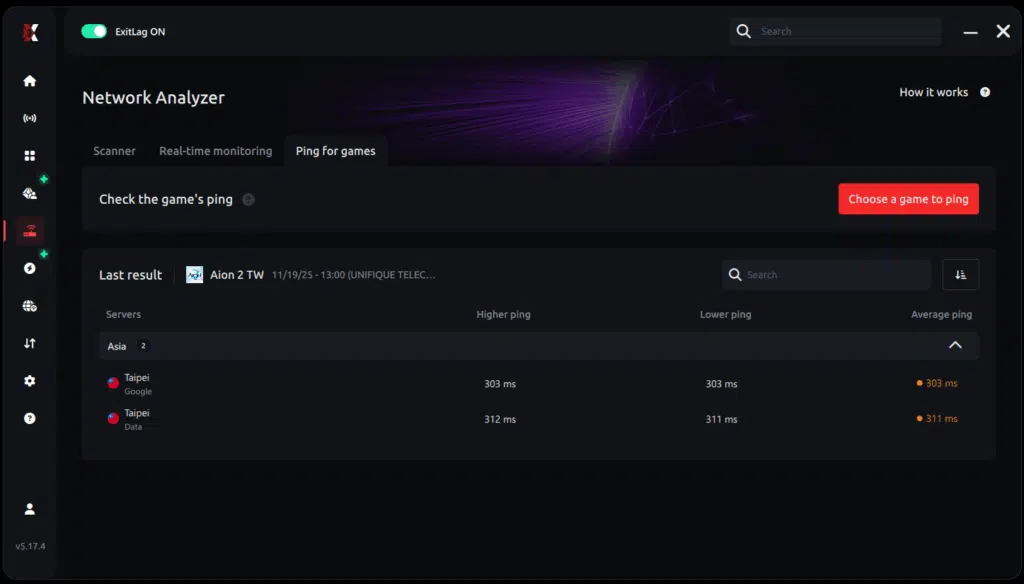
7. Choose the best server and play worry-free
With the information in hand, just select the server with the lowest latency and enter the match knowing your connection is optimized.
General Disclaimer
“All game images used in this blog belong to NCSoft. They are used for informational/educational purposes only and do not imply endorsement or affiliation with the rights holders.”
Got questions or want to connect with other players? Join the conversation at the ExitLag Forum!