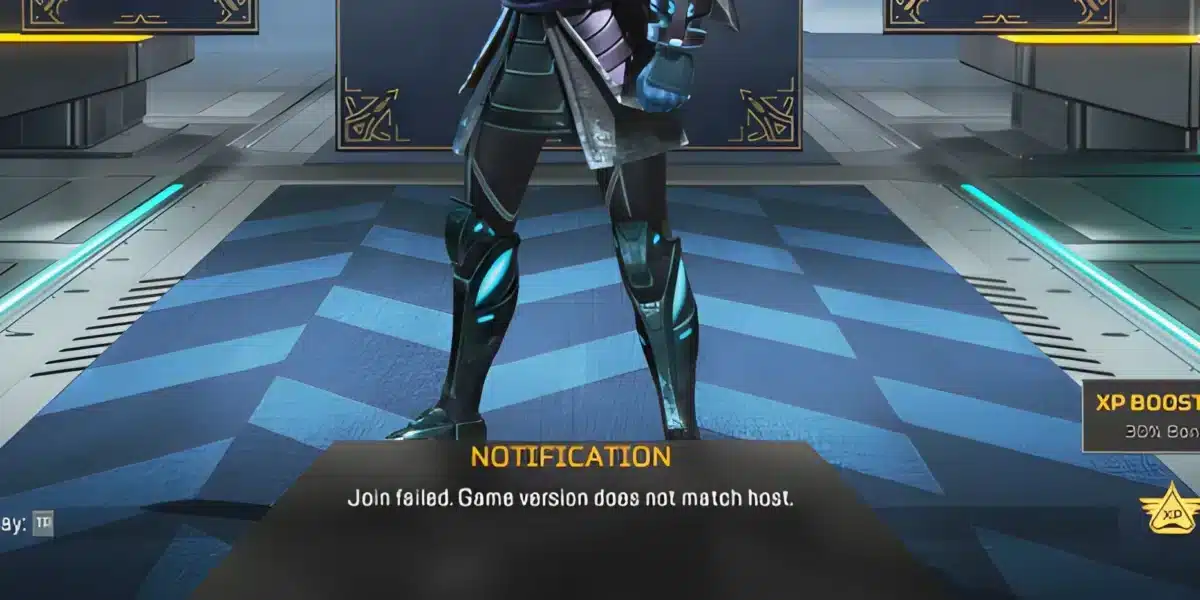
The latest update for Apex Legends has introduced major technical improvements for competitive and casual players alike. Apex Legends Season 29 Bug Fixes and PC Performance changes are now one of the most discussed topics within the community because stability and responsiveness directly affect gameplay quality. As a result, players are looking for ways to combine the update improvements with network optimization tools like ExitLag.
In addition, Respawn focused heavily on reducing crashes, improving frame pacing, and optimizing matchmaking stability. Apex Legends Season 29 Bug Fixes and PC Performance updates also target CPU usage spikes and GPU instability during high-action moments. Therefore, many PC players are already reporting smoother gameplay experiences across ranked and public matches.
Moreover, the update delivers important quality-of-life improvements that help reduce stuttering and inconsistent frame delivery. Apex Legends Season 29 Bug Fixes and PC Performance enhancements become even more effective when paired with optimized routing solutions from ExitLag. Consequently, players can experience lower latency, fewer packet loss issues, and more reliable online matches.

How Apex Legends pc stability improved in season 29
Engine updates reduced common crashes
One of the biggest goals behind the recent update was improving client stability. Many users previously experienced random freezes during character selection, team fights, or map transitions. However, the new patch significantly reduced these problems.
Respawn implemented backend optimizations that now handle memory allocation more efficiently. Because of this, players with mid-range PCs are seeing more stable sessions during long gameplay periods.
The update also improved:
- Texture streaming consistency
- GPU resource allocation
- CPU scheduling during combat scenes
- Background shader processing
Consequently, players now experience fewer interruptions during ranked matches.
Match loading times became faster
Another noticeable improvement involves loading speeds. Previously, some users reported extended black screens before entering matches. Now, transitions are smoother and more consistent.
Furthermore, optimized data streaming allows maps to render faster, especially on SSD installations. Players using ExitLag may notice even better responsiveness because routing optimization complements server communication improvements.
Massive engine and performance optimizations explained
Better frame pacing during heavy combat
The update introduced Massive engine and performance optimizations that directly affect FPS consistency. Rather than focusing only on maximum frame rate, Respawn also targeted frame stability.
This means combat now feels smoother during chaotic fights involving multiple squads, abilities, and explosions. In competitive shooters, stable frame pacing is often more important than raw FPS numbers.
Additionally, several internal rendering systems were adjusted to reduce sudden GPU spikes.
| Improvement area | Previous issue | Season 29 result |
| Frame pacing | Random FPS drops | More stable gameplay |
| GPU usage | Sudden spikes | Better consistency |
| CPU threading | Combat stutters | Reduced interruptions |
| Shader loading | Delayed textures | Faster rendering |
As a result, overall gameplay responsiveness improved considerably.
ExitLag helps reduce online instability
Even with engine improvements, internet routing still impacts competitive performance. Therefore, many players use ExitLag to stabilize their connection.
ExitLag can help by:
- Reducing packet loss
- Improving route stability
- Lowering latency spikes
- Optimizing server communication
Moreover, combining optimized networking with Season 29’s technical improvements creates a smoother competitive experience overall.
Legend specific balance and fixes affect gameplay
Character abilities feel more responsive
Respawn also introduced Legend specific balance and fixes to improve gameplay consistency between characters. Some legends previously suffered from animation delays or unreliable tactical activation.
Now, responsiveness feels noticeably smoother across multiple characters. Consequently, ability timing during close-range fights became more reliable.
Several improvements include:
- Faster animation synchronization
- Better hit registration consistency
- Improved tactical cooldown behavior
- Reduced ability desync in high latency matches
Because of these changes, competitive balance feels more refined.
Hit registration became more reliable
Another important adjustment involves hit detection improvements. Players often complained about bullets appearing to connect visually without dealing damage.
Season 29 addresses several backend synchronization problems related to server-client communication. As a result, gunfights now feel more accurate and responsive.
Additionally, ExitLag can further improve this experience by stabilizing route communication between the player and game servers.
Best pc settings for higher FPS in Apex Legends
Video settings that improve stability
Although the update improves performance automatically, proper settings still make a huge difference. Players with older hardware can gain significant FPS improvements by adjusting graphics options carefully.
Here are some recommended competitive settings:
| Setting | Recommended value |
| Texture streaming budget | Medium |
| Shadow detail | Low |
| Volumetric lighting | Disabled |
| Anti-aliasing | TSAA |
| Ambient occlusion | Disabled |
These adjustments reduce GPU load while maintaining visual clarity.
Furthermore, lowering unnecessary visual effects improves visibility during fights.
Nvidia and AMD optimization tips
Players should also update GPU drivers regularly because modern drivers often include game-specific optimizations.
Recommended optimization steps include:
- Enable Game Mode in Windows
- Disable unnecessary overlays
- Update graphics drivers
- Use ExitLag for route optimization
In many situations, these simple tweaks can dramatically improve gameplay smoothness.
Apex Legends season 29 competitive experience
Ranked matches feel more consistent
Many ranked players noticed that server responsiveness improved significantly after the update. This directly affects tracking accuracy and reaction timing during fights.
Additionally, reduced frame inconsistency helps players maintain smoother aim control during intense engagements.
Because ranked gameplay depends heavily on reaction speed, these technical improvements provide a meaningful competitive advantage.
Apex Legends season 29 improves match quality
The launch of Apex Legends Season 29 also introduced several backend matchmaking adjustments. Although not every change was officially detailed, many players report fewer unstable lobbies and reduced server-side lag.
Moreover, ExitLag users often experience additional stability improvements due to optimized traffic routing. Consequently, the combination creates a more reliable online environment for competitive play. In many cases, Apex Legends Season 29 Bug Fixes and PC Performance improvements become even more noticeable when network stability is optimized properly.
How to reduce input lag in Apex Legends on pc
Mouse response feels faster with optimized settings
Input lag is one of the biggest problems for competitive players in Apex Legends. Even when FPS looks stable, delayed mouse response can negatively affect tracking and reaction speed during fights.
Fortunately, several small adjustments can improve responsiveness significantly. Lowering graphics settings that heavily impact CPU usage often helps reduce rendering delay. In addition, using NVIDIA Reflex or AMD Anti-Lag may improve overall input responsiveness.
Players should also:
- Disable V-Sync
- Use fullscreen mode
- Close unnecessary background apps
- Keep polling rate consistent
As a result, aiming feels smoother and more precise during combat situations.
ExitLag helps maintain stable responsiveness
Network instability can sometimes create delayed gameplay reactions that feel similar to input lag. Therefore, connection quality is just as important as hardware optimization.
ExitLag improves route communication between your PC and game servers, helping maintain more stable responsiveness during matches. Consequently, movements, shots, and ability activations feel more consistent throughout gameplay.
Best hardware upgrades for Apex Legends performance
SSD upgrades improve loading consistency
Although software optimization matters, hardware still plays a major role in overall performance. One of the best upgrades for Apex Legends players is moving the game to an SSD.
Traditional hard drives often struggle with texture streaming and loading transitions. However, SSD storage improves map loading speeds and reduces texture pop-in during matches.
Benefits of SSD upgrades include:
- Faster game startup
- Reduced loading screen times
- Better texture rendering
- Improved system responsiveness
Because of this, gameplay feels smoother overall.
RAM and CPU upgrades improve stability
Players using older systems may also benefit from upgrading RAM capacity or CPU performance. Modern battle royale games rely heavily on multitasking and fast asset streaming.
For example, upgrading from 8GB to 16GB RAM can reduce background memory bottlenecks. Similarly, stronger CPUs improve frame consistency during large fights involving multiple squads.
Combined with ExitLag routing optimization, these upgrades can dramatically improve long-term competitive performance.
How future updates may improve Apex Legends performance
Respawn continues focusing on optimization
Recent updates suggest that Respawn is investing more resources into long-term optimization improvements. This is especially important because competitive players expect stable FPS and responsive servers at all times.
Future patches may continue improving:
- Server tick stability
- Shader compilation
- CPU optimization
- Matchmaking responsiveness
Consequently, overall gameplay quality may continue improving across future seasons.
Competitive players benefit from stable performance
In highly competitive environments, consistency matters more than occasional high FPS numbers. Players need reliable frame pacing, accurate hit registration, and stable ping during every engagement.
Because of that, optimization updates combined with ExitLag network improvements create a much stronger competitive environment for ranked gameplay. Over time, these improvements help make Apex Legends feel smoother, faster, and more reliable for every type of player.
How ExitLag enhances Apex Legends pc performance
Better routing reduces packet loss
Even with local hardware optimization, unstable routing can still create lag spikes and rubberbanding. Therefore, ExitLag remains useful for players who want a more consistent online experience.
By optimizing data routes between your PC and game servers, ExitLag helps maintain stable communication throughout matches.
This can improve:
- Hit registration
- Movement responsiveness
- Ability timing
- Match stability
As a result, players often notice smoother engagements during high-pressure situations.
Lower ping helps competitive gameplay
Low latency is extremely important in fast-paced shooters like Apex Legends. Even small ping spikes can negatively affect tracking accuracy and reaction timing.
Therefore, reducing latency fluctuations provides a noticeable gameplay advantage. Combined with the recent technical improvements, optimized routing can significantly improve consistency during ranked play.
You can learn more about network optimization tools directly atExitLag Official Website.
Common performance problems and solutions
Why stuttering still happens on some systems
Despite the update improvements, some players still experience occasional stutters. Usually, these issues are related to local hardware configurations rather than the game itself.
Common causes include:
- Outdated GPU drivers
- Background applications
- Overheating components
- Incorrect graphics settings
Therefore, monitoring system performance is still essential for maintaining stable gameplay.
How to fix random FPS drops
Players dealing with inconsistent FPS can try several optimization methods.
Recommended fixes include:
- Verify game files regularly
- Disable unnecessary startup programs
- Use fullscreen exclusive mode
- Lower VRAM-intensive settings
Additionally, network instability may sometimes feel like FPS lag. Consequently, ExitLag can help distinguish between connection issues and hardware-related performance problems.
Why season 29 matters for competitive players
Technical improvements changed gameplay feel
This update represents one of the most meaningful technical improvements in recent seasons. Rather than focusing entirely on cosmetic content, Respawn invested heavily in gameplay stability and responsiveness.
As a result, many players now enjoy smoother aiming, faster loading times, and fewer interruptions during matches.
The overall gameplay loop feels more polished and competitive than before.
Long term performance improvements look promising
Respawn’s recent optimization direction suggests that future updates may continue prioritizing technical stability. This is especially important for esports players and competitive grinders who demand consistency.
Ultimately, the combination of improved engine optimization, better server behavior, and routing tools creates a much stronger gameplay experience. For players seeking maximum competitive stability, Apex Legends Season 29 Bug Fixes and PC Performance improvements paired with ExitLag provide one of the smoothest versions of Apex Legends so far.
Got questions or want to connect with other players? Join the conversation at the ExitLag Forum!