

Minecraft hosting allows players to create private servers with full control over gameplay settings. First of all, hosting services make server setup simple, reliable, and affordable for all players.
Whether playing with friends or building communities, Minecraft server hosting transforms multiplayer experiences. However, many players struggle with Minecraft lag issues affecting their server performance significantly.
Moreover, understanding what is Minecraft hosting helps players choose appropriate services wisely. These platforms provide technical resources creating lag-free environments for friends and communities worldwide.
What is Minecraft hosting and why use it?
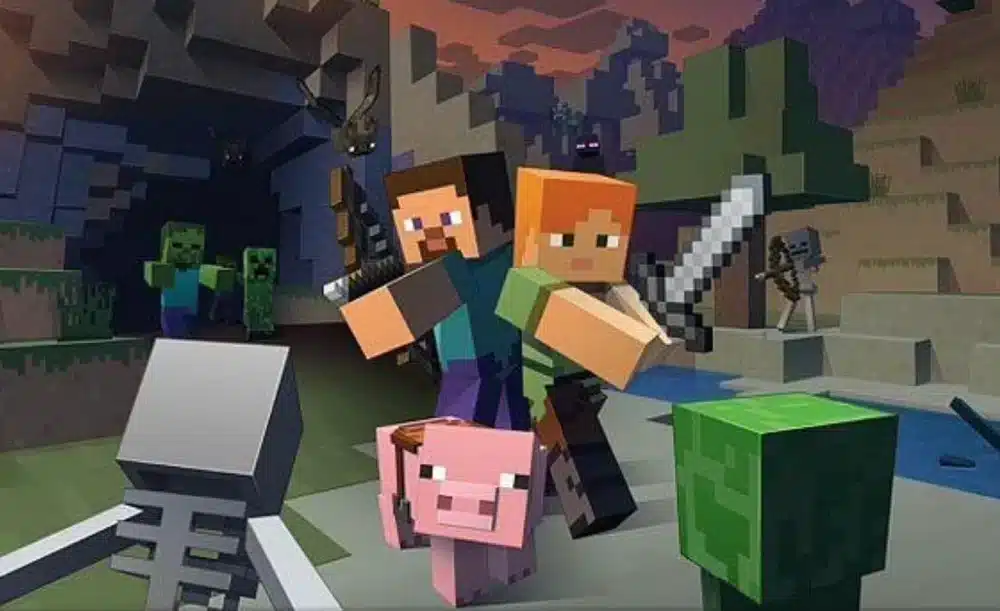
Above all, Minecraft hosting gives players freedom to tailor gaming environments completely. In the same way that Minecraft gameplay offers creativity, hosting enables customization.
Understanding server hosting benefits
Minecraft server hosting provides technical resources and tools needed for smooth multiplayer experiences. Therefore, players enjoy better stability, reliable uptime, and scalable resources handling large groups.
Key hosting benefits:
- Full control over gameplay settings
- Custom mod and plugin support
- Adjustable player limits
- Dedicated server resources
- DDoS protection included
- Automated backup systems
Consequently, hosting services eliminate technical barriers for non-technical players. Moreover, these platforms handle infrastructure while players focus on gameplay.
Types of Minecraft hosting
Different best Minecraft hosting types suit various needs and budgets. In other words, understanding options helps match services to requirements.
Hosting types available:
- Shared hosting: Affordable, shares resources with other servers
- Dedicated hosting: Exclusive resources, highest performance
- Cloud hosting: Scalable, pay for resources used
- VPS hosting: Virtual private servers, balanced performance
- Managed hosting: Provider handles all technical aspects
Similarly, each type offers specific advantages depending on player count. Therefore, evaluate needs before committing to subscriptions.
What are the best Minecraft hosting services for 2026?
Before selecting providers, comparing Minecraft server hosting options ensures optimal choices. In that regard, 2026 offers improved services with better performance and features.
Top-tier hosting providers
Firstly, premium best Minecraft hosting services provide superior performance and support. Therefore, serious communities invest in quality platforms ensuring stability.
Premium hosting options:
- Apex Hosting: Industry-leading support, DDoS protection, instant setup, automated backups, user-friendly control panel
- Hostinger: Affordable premium plans, excellent uptime, mod support, beginner-friendly interface
- ScalaCube: One-click modpack installations, extensive plugin library, competitive pricing
- BisectHosting: High-performance hardware, 24/7 expert support, global server locations
Additionally, these providers offer trial periods testing services risk-free. Moreover, customer support quality distinguishes premium from budget options.
Budget-friendly hosting solutions
On the other hand, cheap Minecraft hosting provides excellent value for smaller communities. Consequently, budget options suit casual players and friend groups.
Affordable hosting providers:
- Shockbyte: Economical plans, 24/7 support, free subdomain access, reliable uptime
- Pebblehost: Competitive pricing, instant setup, mod support, Discord integration
- Sparked Host: Budget-friendly, solid performance, easy configuration
- Bloom.host: Value-oriented, modern hardware, generous resource allocation
Similarly, budget providers deliver satisfactory performance for smaller player counts. Therefore, evaluate player needs before selecting plans.
Specialized hosting services
Minecraft host platforms specializing in specific features attract niche communities. In that regard, specialized services excel in particular areas.
Specialized options:
- Nodecraft: Quality-focused, limited slots, superior stability
- MCProHosting: Enterprise-grade, massive server capacity
- Nitrado: Console and PC support, cross-platform hosting
- Realms Plus: Official Mojang hosting, integrated seamlessly
As a result, specialized platforms serve unique requirements effectively. Moreover, they often include exclusive features unavailable elsewhere.
Minecraft hosting comparison 2026
| Provider | Starting Price | DDoS Protection | Mod Support | Best For | Uptime Guarantee |
| Apex Hosting | $7.99/month | Yes | Excellent | Communities | 99.9% |
| Hostinger | $5.49/month | Yes | Good | Beginners | 99.9% |
| Shockbyte | $2.99/month | Yes | Good | Budget users | 99% |
| ScalaCube | $2.00/month | Yes | Excellent | Modded servers | 99.9% |
| Nodecraft | $4.17/month | Yes | Excellent | Quality seekers | 99.99% |
How to set up Minecraft server hosting?
Understanding Minecraft hosting setup processes helps players launch servers quickly. In other words, following systematic steps ensures smooth configurations.
Initial setup process
Firstly, Minecraft server hosting requires account creation and plan selection. Therefore, choose providers offering appropriate features and capacities.
Setup steps:
- Register account: Create account with chosen hosting provider
- Select plan: Choose plan matching player capacity needs
- Configure settings: Set server name, game mode, difficulty
- Install mods: Add popular Minecraft mods enhancing gameplay
- Configure plugins: Install essential plugins for administration
- Test server: Verify everything functions before inviting players
Additionally, most best Minecraft hosting platforms provide setup wizards. Moreover, video tutorials guide users through processes.
Server configuration essentials
Minecraft host platforms offer control panels managing server settings easily. Consequently, administrators customize experiences without technical expertise.
Critical configurations:
- Player slot limits and whitelist
- Game mode (Survival, Creative, Adventure)
- Difficulty settings and mob spawning
- World generation and seed selection
- PvP and friendly fire settings
- Chat moderation and permissions
Similarly, regular configuration reviews maintain optimal server environments. Therefore, adjust settings based on player feedback.
Mod and plugin installation
Minecraft server hosting supports extensive customization through mods and plugins. In that regard, one-click installers simplify complex processes.
Popular server enhancements:
- EssentialsX: Core server management tools
- WorldEdit: Terrain modification and building
- LuckPerms: Advanced permission management
- Dynmap: Real-time web-based map
- Vault: Economy and permission system
- CoreProtect: Rollback and anti-grief
As a result, enhanced servers attract more players and retain communities. Moreover, mods transform vanilla Minecraft into unique experiences.
How to optimize Minecraft hosting performance?
Beyond selecting providers, optimizing Minecraft hosting ensures smooth gameplay. In the same way that FPS optimization matters client-side, server optimization affects everyone.
Server performance optimization
Firstly, cheap Minecraft hosting often requires additional optimization maximizing limited resources. Therefore, implementing best practices improves experiences significantly.
Performance optimization tips:
- Limit view distance to 8-10 chunks
- Use performance-enhancing plugins like Paper
- Preallocate world chunks reducing lag
- Schedule regular server restarts
- Monitor resource usage actively
- Remove unnecessary plugins periodically
Additionally, regular maintenance prevents performance degradation over time. Moreover, monitoring tools identify bottlenecks before becoming critical.
Connection stability improvements
Minecraft server hosting requires stable connections preventing disconnections during gameplay. Consequently, network optimization complements server performance improvements.
Network optimization strategies:
- Select geographically closer server locations
- Use wired connections for server hosting
- Configure router QoS prioritizing gaming
- Monitor bandwidth usage patterns
- Implement DDoS protection measures
- Use connection optimization tools
Similarly, stable connections prevent frustrating mid-game disconnections. Therefore, invest time optimizing network infrastructure.
Player capacity planning
Best Minecraft hosting plans should match expected player counts. In other words, undersized servers cause lag while oversized waste money.
Capacity planning guidelines:
| Player Count | Recommended RAM | CPU Cores | Storage | Bandwidth |
| 1-10 players | 2-4 GB | 2 cores | 10 GB | 100 Mbps |
| 10-25 players | 4-6 GB | 4 cores | 20 GB | 250 Mbps |
| 25-50 players | 8-12 GB | 6 cores | 40 GB | 500 Mbps |
| 50-100 players | 16+ GB | 8+ cores | 80+ GB | 1 Gbps |
Consequently, proper capacity planning prevents performance issues proactively. Moreover, scalable plans allow growth without migration.
What makes great Minecraft hosting in 2026?
Selecting Minecraft hosting requires evaluating multiple factors beyond price. In that regard, quality providers excel across several dimensions.
Essential hosting features
Above all, Minecraft server hosting must deliver consistent uptime and performance. Therefore, reliable infrastructure forms the foundation of quality hosting.
Must-have features:
- 99.9%+ uptime guarantees
- DDoS protection and security
- Automated daily backups
- One-click mod installations
- Intuitive control panels
- 24/7 customer support
- Multiple server locations
- Scalable resource allocation
Additionally, responsive support teams resolve issues quickly minimizing downtime. Moreover, security features protect against malicious attacks.
Value beyond pricing
Cheap Minecraft hosting isn't always the best value long-term. Consequently, evaluate total cost of ownership including support quality.
Value considerations:
- Support response times
- Backup frequency and retention
- Server migration assistance
- Refund and trial policies
- Community resources available
- Software update frequency
Similarly, premium providers often save time and frustration justifying costs. Therefore, balance budget against feature requirements carefully.
How to invite players to your server?
After completing Minecraft host setup, sharing servers with players is straightforward. In other words, various methods suit different community sizes.
Sharing server information
Minecraft server hosting platforms provide IP addresses or custom domains. Therefore, distribute connection information through appropriate channels.
Distribution methods:
- Direct IP address sharing
- Custom domain configuration
- Discord server invitations
- Social media announcements
- Gaming community forums
- Friend network referrals
Additionally, whitelist systems control server access preventing griefing. Moreover, application processes build committed communities.
Community building strategies
Best Minecraft hosting combined with active community management creates thriving servers. Consequently, implement engagement strategies retaining players.
Community engagement tactics:
- Regular events and competitions
- Clear server rules and enforcement
- Active moderator teams
- Player feedback incorporation
- Reward systems for participation
- Collaborative building projects
As a result, engaged communities grow organically through word-of-mouth. Moreover, satisfied players become server ambassadors.
Minecraft hosting questions answered
Common questions about Minecraft hosting deserve clear, direct answers. Therefore, this section addresses frequently asked queries.
What is Minecraft hosting?
Minecraft hosting provides server infrastructure allowing players to create private multiplayer worlds with custom settings, mods, and player management.
How much does Minecraft server hosting cost?
Minecraft server hosting costs range from $2.50-$50+ monthly depending on player capacity, resources, and features. Budget options start around $2.50/month.
What is the best Minecraft hosting?
Best Minecraft hosting depends on needs. Apex Hosting excels for communities, Hostinger for beginners, Shockbyte for budgets, ScalaCube for mods.
Can I host Minecraft server free?
Free cheap Minecraft hosting options exist but offer limited resources, uptime, and support. Quality paid hosting ensures better experiences.
How many players can my server host?
Player capacity depends on allocated resources. 2GB RAM supports ~10 players, 4GB handles ~25, 8GB manages ~50 with proper optimization.
Do I need technical knowledge?
No, modern Minecraft host platforms provide user-friendly interfaces and one-click installations. Technical knowledge helps but isn't required.
Choose perfect Minecraft hosting today
Minecraft hosting transforms multiplayer experiences through customization and control. From budget cheap Minecraft hosting to premium providers, 2026 offers excellent options.
Whether selecting best Minecraft hosting for communities or casual Minecraft server hosting for friends, proper evaluation ensures satisfaction. Moreover, combining quality hosting with optimization creates exceptional experiences.
For smooth server performance, ensure proper Minecraft installation on all players' systems. Using optimization tools prevents connection issues.
Download your free server setup checklist with configuration guides and optimization tips. Launch your perfect Minecraft host today.
Ready for lag-free Minecraft servers? Optimize connections for smooth multiplayer gameplay. Try ExitLag free trial and host Minecraft hosting servers flawlessly.


