

Mirage is one of the most iconic and widely played maps in CS2, loved by both competitive and casual players for its balanced layout and strategic depth. Mastering Mirage smokes is essential for gaining a tactical edge, as they allow teams to control key areas, execute bombsite takes efficiently, and create opportunities for surprise plays.
Understanding how to use Mirage smokes effectively can transform your gameplay, giving you the precision needed to outsmart opponents and secure rounds consistently. Whether you are aiming to improve your mid control, dominate bombsites, or execute flawless fakes, knowing the right smoke spots is a game-changer.
In this guide, you will discover step-by-step strategies, visual lineups, and expert tips on Mirage smokes that will elevate your CS2 performance. Dive in and start mastering the essential smokes that will make every round count.
Why Smokes Are Essential in Mirage
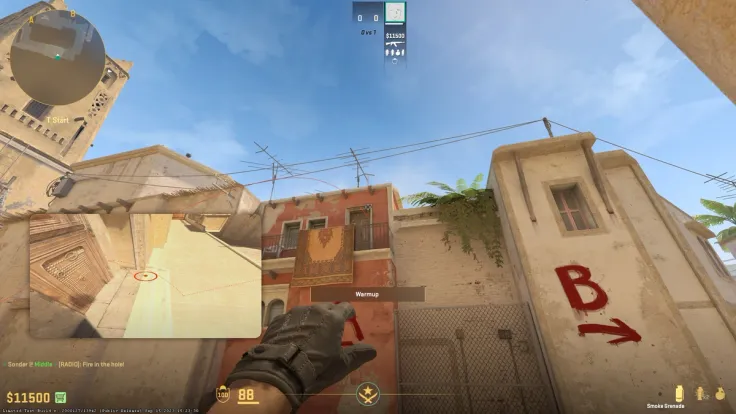
In CS2, mastering smoking Mirage spots is crucial for both tactical advantage and team coordination. Proper smoke usage allows you to control key areas of the map, execute bombsite attacks efficiently, and set up convincing fake plays that can mislead opponents.
Learning the right smokes gives you a clear edge in competitive matches and helps maintain map control under pressure.
Using CS2 smokes effectively is not just about throwing grenades; it’s about timing, positioning, and understanding the flow of the game. Whether you’re pushing A site, holding mid, or rotating to B, smokes can block sightlines, limit enemy vision, and create openings for your team.
Key Advantages of Using Smokes in Mirage
Mastering smokes in Mirage provides several strategic benefits that can change the outcome of rounds. By understanding the core advantages of smoke usage, players can plan attacks and defenses more effectively:
- Map Control: Block critical lines of sight to safely advance or defend;
- Bombsite Execution: Clear angles and corners, allowing for coordinated pushes;
- Fake Plays: Simulate attacks on one site while preparing to hit another;
- Safety During Rotations: Cover your team while moving between sites;
- Clutch Opportunities: Isolate or delay opponents, giving you crucial time.
Tools and Strategies for Effective Smokes
For players looking to practice, CS2 insta smokes maps and workshop scenarios provide the perfect environment. These maps let you rehearse lineups, understand grenade trajectories, and experiment with creative smokes without the pressure of a live match.
Combining this practice with in-game experience ensures your smoke plays are precise and effective.
Essential Smokes for Bombsite A
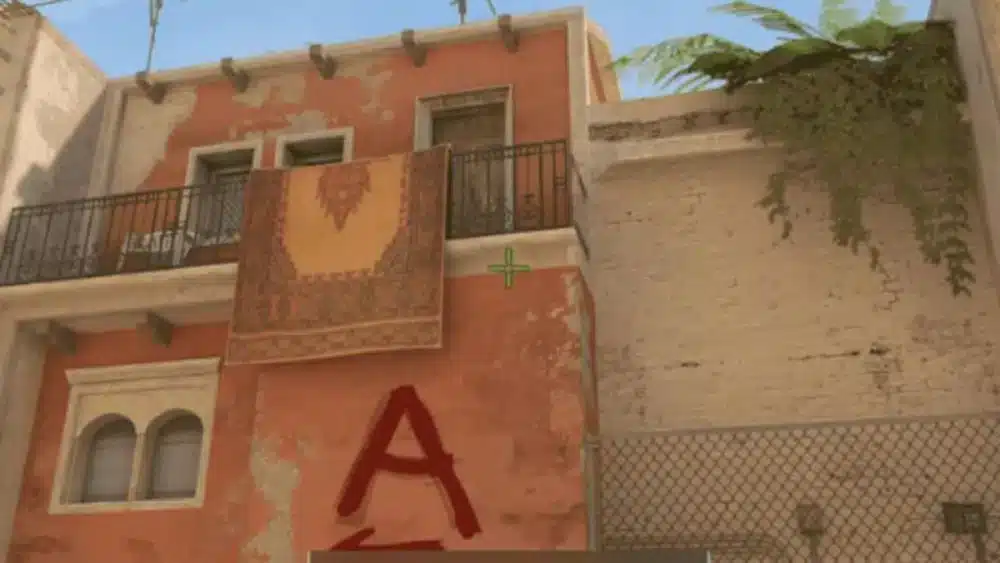
Controlling Bombsite A in Mirage is critical for securing rounds, and knowing the proper smoke lineups can make the difference between a successful push and a failed attack.
Using A site smokes Mirage allows you to block enemy vision, isolate angles, and create safe paths for your team to enter the site. Practicing these smokes consistently ensures you can execute strategies quickly and efficiently under pressure.
How to Smoke CT in Mirage
One of the most important smokes for A site control is the CT smoke. Blocking this angle reduces the risk of being picked off by defenders and allows your team to plant safely. Learning how to smoke CT in Mirage is essential for coordinated pushes and retakes.
Step-by-step CT smoke lineup:
- Position yourself at T ramp, aiming at the top corner of the small roof across CT spawn;
- Use a running throw to reach the optimal trajectory;
- Ensure the smoke lands perfectly to block CT’s line of sight, giving your team cover.
How to Smoke Jungle in Mirage
Another critical position to cover is Jungle, which connects mid to A site. A proper how to smoke Jungle Mirage lineup prevents defenders from rotating quickly and gives attackers control over the site.
Step-by-step Jungle smoke lineup:
- Stand near the corner of T ramp or near the default boxes for a precise angle;
- Aim at a fixed reference point on the building or rooftop to ensure consistency;
- Throw the smoke and confirm it lands in Jungle, cutting off rotations from mid and connector.
Additional Smokes for A Site: Stairs
Blocking Stairs is equally important, as it protects players entering from A site while covering crossfire angles. Combining CT, Jungle, and Stairs smokes creates a safer environment for bomb plants and coordinated pushes.
Top Stairs smoke tips:
- Use a standing throw from T spawn or near default boxes;
- Aim for the edge of the Stairs area to fully block enemy vision;
- Practice timing with your team to execute simultaneous smokes for maximum effectiveness.
By mastering these A site smokes Mirage, including CT, Jungle, and Stairs, players can control the pace of the round, reduce risks, and increase the likelihood of successful site takes.
Important Smokes for Mid Control
Mid control is one of the most decisive areas in Mirage. Securing mid allows your team to rotate faster between sites, cut off enemy movements, and apply pressure on multiple angles.
Proper mirage smokes in this zone, including Window, Connector, and Top Mid, are essential for controlling the tempo of the game and creating opportunities for successful attacks or retakes.
How to Smoke Window in Mirage
Controlling Window can prevent defenders from picking your teammates from mid or A site. A well-placed mirage window smoke gives your team the freedom to advance safely and execute coordinated plays.
Step-by-step Window smoke:
- Stand near T-side top mid boxes or default spot for accuracy;
- Aim at a reference point on the Window ledge or building top;
- Perform a running or standing throw depending on your lineup to ensure the smoke lands perfectly.
How to Smoke Connector in Mirage
Connector is a crucial path linking Mid to A site. Blocking this route with a how to smoke connector Mirage lineup limits enemy rotations and secures a safer route for attackers.
Step-by-step Connector smoke:
- Position yourself at Mid, near T-side boxes or corner;
- Aim at a specific mark on the building or rooftop for consistent throws;
- Throw and verify that the smoke covers the Connector entrance fully.
Additional Mid Smokes: Top Mid
Top Mid smokes are also vital for preventing defenders from peeking or holding aggressive angles. Coordinating Window, Connector, and Top Mid smokes creates a strong mid control setup for both attacks and fakes.
Mid Smokes Overview
| Smoke Location | Throw Position | Aim Reference | Purpose |
| Window | Top Mid Boxes | Window Ledge | Block enemy vision, safe advance. |
| Connector | Mid Corner | Rooftop Edge | Cut rotations, secure route to A. |
| Top Mid | Mid T Boxes | Upper Ledge | Control mid aggression, support site pushes. |
Using these Mirage Smokes CS2 effectively will help your team dominate mid, maintain map control, and set up high-percentage site executes. Practicing these lineups on CS2 insta smokes maps ensures consistency and accuracy during real matches.
Smokes for Bombsite B and Rotations
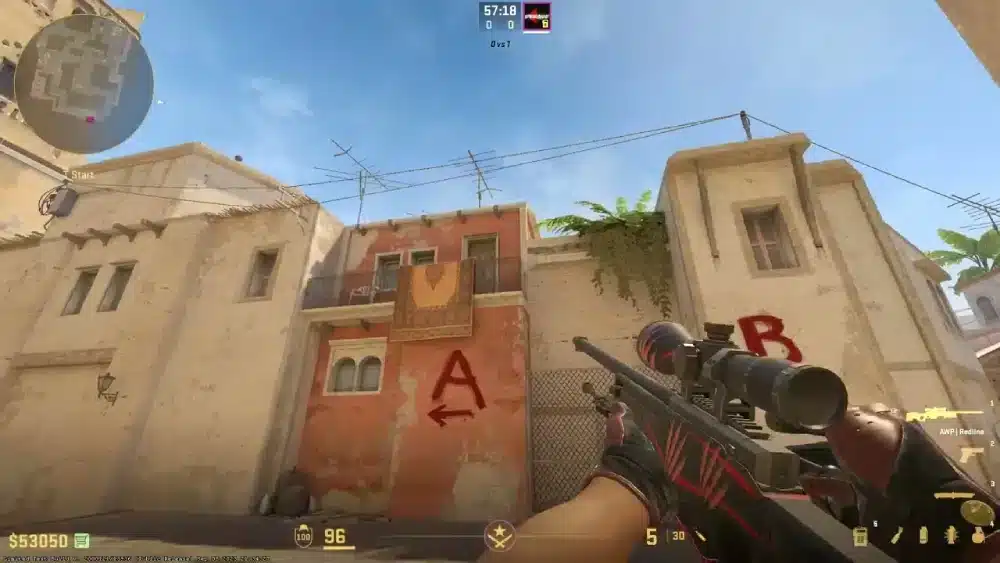
Controlling Bombsite B in Mirage requires precise smoke usage to block enemy vision and secure safe entry. Proper CS2 mirage smokes allow your team to execute split attacks, fake plays, and rotations without being easily picked off.
Knowing the right smokes for Catwalk, Market, and Van is essential for creating high-pressure scenarios that force defenders to make mistakes.
How to Smoke Catwalk
Catwalk is a critical path for attacking B site from Mid. A well-placed smoke here limits enemy vision and helps coordinate team pushes.
Step-by-step Catwalk smoke:
- Stand near Mid boxes or default reference points;
- Aim at the edge of the Catwalk or rooftop for accuracy;
- Throw the smoke to fully block defenders from spotting your approach.
How to Smoke Market and Van
Blocking Market and Van gives attackers safer options for splitting B site or faking a push. Using mirage smokes cs2 map lineups ensures your team can manipulate rotations and catch defenders off guard.
Step-by-step Market/Van smoke tips:
- Use T-side default spots or near B apartments for lineup;
- Aim at fixed points on the walls or edges for consistent throws;
- Execute smokes simultaneously with teammates to create effective split attacks.
Tips for Effective B Site Control
When planning B site strategies, combining CS2 game smokes for Catwalk, Market, and Van can maximize your team’s efficiency:
- Execute simultaneous smokes for coordinated split attacks;
- Use fakes to lure rotations before committing to the site;
- Rotate quickly between A and B while maintaining smoke coverage;
- Communicate with teammates for precise timing and placement.
Tools to Practice Smokes
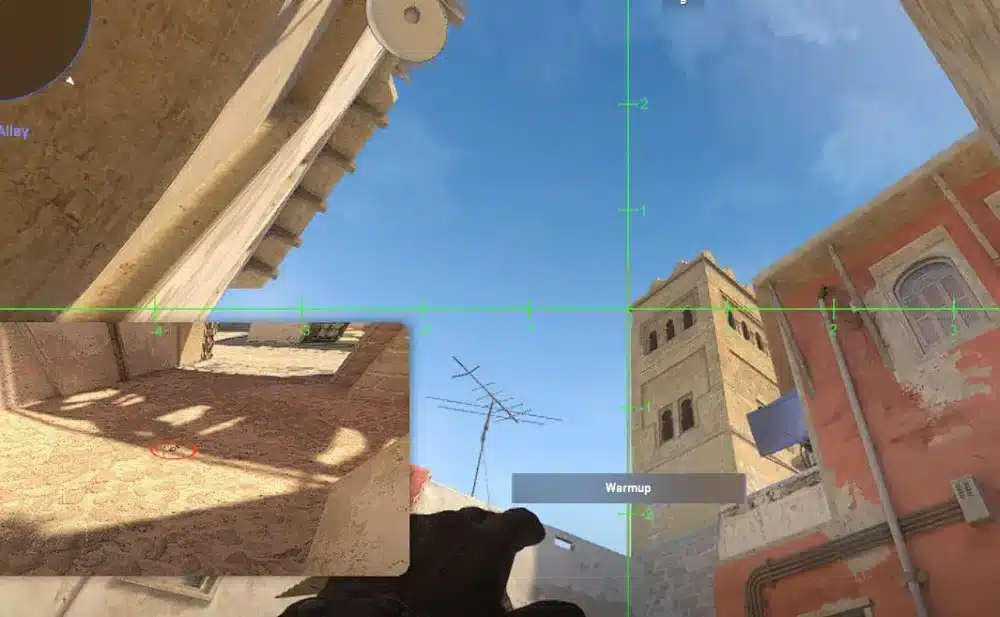
Learning lineups is only the first step. To become consistent in matches, you need to dedicate time to practice smokes under controlled conditions. Using CS2 smokes training tools like workshop maps, practice commands, and trusted community resources helps you refine your mechanics and improve accuracy in real matches.
Workshop Maps for Smokes Training
Steam Workshop offers dedicated practice maps that allow players to focus on grenade mechanics. These maps include markers, lineup guides, and reset options so you can repeat throws until you achieve consistency.
- A popular option is the Yprac Mirage Smoke Practice Map, which includes visual aids and feedback;
- Another useful tool is the Crashz’ Smoke Practice Map, designed to help players master lineups across multiple maps.
These maps simulate real scenarios, letting you perfect your CS2 insta smokes maps lineups before applying them in ranked matches.
Useful Console Commands for Practice
In addition to workshop maps, console commands can help recreate real-game situations. By adjusting timers, grenade regeneration, and round conditions, you can streamline your training process.
Some essential commands include:
- sv_cheats 1 → Enables practice features;
- mp_roundtime_defuse 60 → Extends round timer for longer training sessions;
- sv_infinite_ammo 1 → Grants unlimited smokes for repetition;
- noclip → Allows free movement for positioning and lineup testing.
Using these commands ensures you can test CS2 smokes from any angle, repeat throws quickly, and refine your execution until it becomes muscle memory.
Trusted Community Resources
Beyond maps and commands, reliable community platforms provide updated smoke lineups and video tutorials. One of the most recommended sources is CSNades.gg, which offers visual guides for Mirage and other maps. YouTube creators also post detailed tutorials that showcase the latest lineups adapted to CS2 mechanics.
FAQ
To smoke CT, line up from T ramp or palace with a reliable reference point, then use a running throw. This smoke blocks defenders at CT spawn and gives your team safe access to A site.
From top mid, align your crosshair with a rooftop marker and throw. This smoke blocks Connector vision, preventing rotations and helping attackers control mid and A pushes.
Position near T ramp, aim at a building edge, and throw. The smoke lands perfectly in Jungle, cutting rotations from mid and securing A site execution.
The essential A site smokes Mirage include CT, Jungle, and Stairs. Together, these three create strong coverage, block crossfires, and enable safe plants.
Yes, CS2 introduced slight changes in grenade physics, so lineups have been updated. Practicing on CS2 insta smokes maps or using resources like CSNades.gg ensures accuracy in the current version.
Master Mirage Smokes and Dominate Your Matches
Now that you know the essential Mirage smokes, it’s time to put them into practice and refine your execution. By mastering smokes for CT, Jungle, Connector, and B site, you’ll gain full control of Mirage and give your team a tactical advantage every round.
For ranked matches, precision is key. That’s why ExitLag helps you maintain network stability, lower ping, and ensure your smokes land exactly where they should, without the frustration of lag or packet loss.
Download ExitLag Now and Improve Your CS2 Experience
Got questions or want to connect with other players? Join the conversation at the ExitLag Forum!

