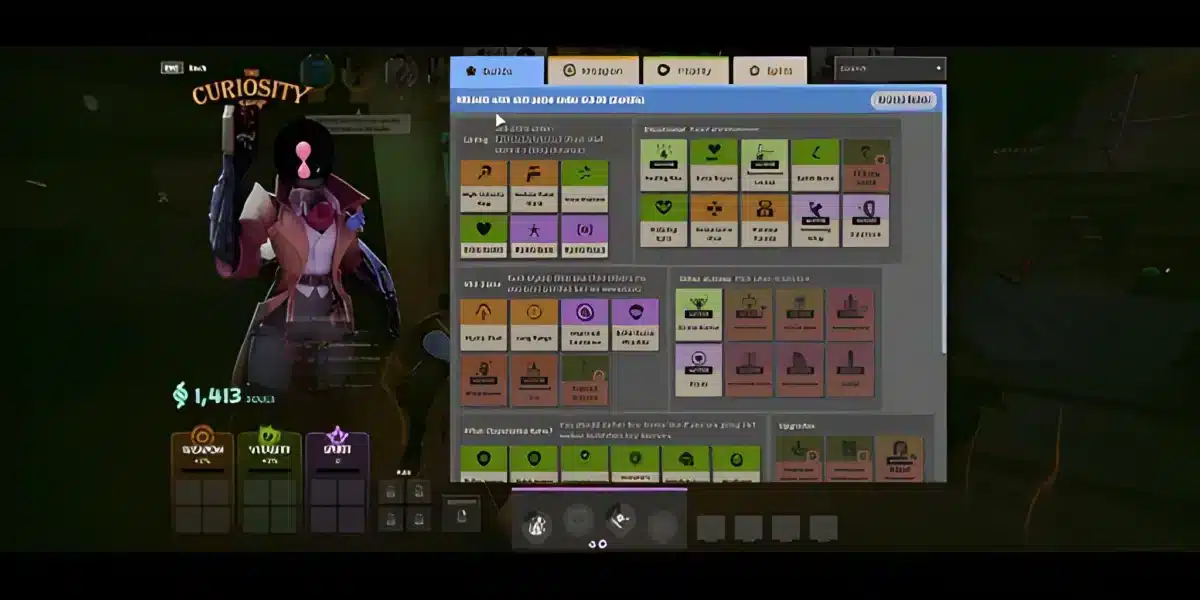
Deadlock mods are becoming a growing topic among players who want to customize and improve their gameplay experience. Even though the game is still evolving, interest in Deadlock modding continues to increase as the community explores new possibilities.
Right now, Deadlock mods are mostly focused on quality-of-life improvements, visual tweaks, and experimental changes. Unlike fully supported mod ecosystems, Deadlock modding is still in an early stage, which makes understanding how it works even more important. And before we continue, know that to know more about all the relevant content about gaming, you just have to check our blog.

What are Deadlock mods?
They are custom modifications created by players to change visuals, improve usability, or experiment with gameplay elements of the Deadlock game. In other words, mods allow players to personalize the game beyond its default settings.
As more players search for best Deadlock mods, deadlock qol mods, and even deadlock skin mods, it becomes clear that customization is already an important part of the experience.
What are Deadlock mods and how do they work?
Understanding how Deadlock mods function is the first step before installing anything.
How Deadlock modding works
Deadlock modding usually involves modifying game files or using external tools:
- Custom files replace or enhance in-game assets
- Some mods adjust interface elements
- Others change visuals like skins or effects
Because of this, players need to be careful when installing mods.
Is Deadlock modding officially supported?
At the moment:
- There is no full official mod support
- The game is still evolving
- Modding is mostly community-driven
Therefore, players should always verify sources before installing anything.
Firstly, you should read: Why Is My Ping So High? Troubleshooting Guide
Best Deadlock mods to try right now
Even in early stages, some best Deadlock mods stand out for improving the experience.
Deadlock QoL mods
Deadlock QoL mods focus on improving usability:
- Cleaner UI elements
- Better visibility settings
- Improved readability during fights
These mods do not change gameplay balance but make the game easier to play.
Deadlock skin mods
Another popular category is Deadlock skin mods:
- Custom character appearances
- Visual-only modifications
- Cosmetic enhancements
For example, some players search for specific options like deadlock furry mod or other themed skins.
How to install Deadlock mods correctly
One of the most common questions is how to install Deadlock mods safely.
Basic installation steps
To install mods, you typically need to:
- Download the mod files from a trusted source
- Locate your Deadlock installation folder
- Place the files in the correct directory
- Launch the game and test the mod
Following these steps helps avoid common issues.
Where to put Deadlock mods
Knowing where to put Deadlock mods is essential:
- Usually inside the game directory
- Sometimes in specific mod folders
- Depends on the type of mod
Always follow the instructions provided by the mod creator.
You may also like: Lag spikes: how to reduce lag in online game for a smoother experience
Deadlock mod manager and tools
As modding grows, tools like a Deadlock mod manager may become more relevant.
What is a mod manager?
A mod manager helps you:
- Install mods easily
- Enable or disable modifications
- Avoid file conflicts
This makes modding much more accessible.
Current state of Deadlock mod tools
Right now:
- Tools are limited
- Most installations are manual
- Community solutions are emerging
However, this is expected to improve over time.
How to mod Deadlock safely
Safety is one of the biggest concerns when dealing with mods.
Tips for safe modding
To avoid problems, follow these guidelines:
- Download only from trusted sources
- Avoid unknown executables
- Backup your game files before installing mods
These steps reduce the risk of errors or security issues.
Common mistakes to avoid
Many players run into issues because they:
- Install incompatible mods
- Ignore instructions
- Modify critical game files incorrectly
Therefore, always proceed carefully.
Check also: Lagging Define: Understanding and Resolving Lag Issues
Why connection stability still matters with Deadlock mods
Even if you improve your game with mods, performance still depends on your connection.
In a competitive environment like Deadlock, lag can affect:
- Input timing
- Ability execution
- Reaction speed
That is why ExitLag becomes essential. It optimizes your connection in real time, ensuring stable routing and reducing ping spikes.
Above all, combining Deadlock mods with a stable connection allows you to get the best possible performance and experience from the game.
Deadlock mods continue to grow in popularity as more players explore customization, performance tweaks, and experimental features. As the Deadlock mods scene evolves, knowing which mods to use and how to manage them efficiently becomes essential.
Best Deadlock mods to use right now
Finding the best Deadlock mods can significantly improve your experience, especially when focusing on usability and visuals.
Quality-of-life mods
Deadlock qol mods are among the most popular because they improve gameplay without affecting balance:
- Cleaner UI and HUD adjustments
- Better visibility during fights
- Improved readability of abilities and effects
These mods are ideal for competitive players who want clarity and consistency.
Visual and skin mods
Another popular category includes Deadlock skin mods:
- Custom character skins
- Themed visual changes
- Experimental cosmetic designs
Some players look for specific options like deadlock furry mod or stylized skins, but these remain purely cosmetic.
Check this: Ping for Gaming: what’s slowing your sessions and how to prevent
Deadlock mod manager and installation tools
As modding grows, tools like a Deadlock mod manager become increasingly important.
What a Deadlock mod manager does
A mod manager simplifies the process by allowing you to:
- Install mods automatically
- Enable or disable mods easily
- Avoid conflicts between files
This is especially useful when using multiple mods at once.
Deadlock mod installer options
Although tools are still limited, some community solutions act as a deadlock mod installer, helping players manage files more efficiently.
Right now, most installations are manual, but this is expected to evolve.
How to mod Deadlock step by step
Understanding how to mod Deadlock correctly prevents errors and improves your experience.
Step-by-step modding process
- Download a trusted mod
- Locate your Deadlock installation folder
- Backup original files
- Place mod files in the correct directory
- Launch the game and test changes
Following this process reduces the risk of issues.
How to mod Deadlock skins
If you are focusing on how to mod Deadlock skins, the process is similar:
- Replace visual files only
- Avoid modifying core gameplay files
- Always keep backups
This ensures your game remains stable.
Deadlock modding community and resources
The Deadlock modding community is still growing but already active.
Deadlock modding Discord and communities
Many players share mods and tips through:
- Community Discord servers
- Forums and mod-sharing platforms
- Social media groups
Searching for a deadlock modding discord can help you stay updated.
Why community matters in modding
Community involvement helps:
- Discover new mods faster
- Avoid unsafe downloads
- Learn installation techniques
Because of this, staying connected is highly recommended.
Read also: Ping ms for Gaming: reduce the lag, enhance your experience
Best Deadlock mods by category
| Mod Type | Purpose | Difficulty | Impact Level | Recommended For |
| QoL mods | UI and gameplay clarity | Easy | Medium | Competitive players |
| Skin mods | Visual customization | Easy | Low | Casual players |
| Experimental mods | New features and changes | Medium | High | Advanced users |
| Manager tools | Mod organization | Easy | High | All players |
This table helps you quickly understand which mods Deadlock players should prioritize depending on their goals.
Why ExitLag improves your Deadlock mod experience
Even with the best mods installed, performance still depends on your connection. Deadlock is a competitive online game where timing is everything.
Connection issues can cause:
- Delayed inputs
- Missed abilities
- Inconsistent gameplay
ExitLag solves this by optimizing your connection routes in real time.
With ExitLag, you get:
- Lower ping and more stability
- Reduced packet loss
- Faster response times
As a result, your modded experience becomes smoother and more reliable. ExitLag can drastically improve your gameplay for an accessible price. To know more, check our pricing page.

Frequently Asked Questions (FAQ)
What are Deadlock mods?
Deadlock mods are custom modifications that change visuals, improve usability, or add experimental features to the game.
How to install Deadlock mods?
To install mods, download the files, place them in the correct game directory, and follow the mod creator’s instructions.
Where to put Deadlock mods?
Mods are usually placed inside the game’s installation folder or a specific mod directory, depending on the mod type.
Is Deadlock modding safe?
Modding can be safe if you download from trusted sources and always backup your files before installing anything.
Can ExitLag help when using mods?
Yes. ExitLag improves connection stability and reduces lag, making your gameplay smoother even when using multiple mods. You can test it for free.
You should check more games compatible with ExitLag at our official games page.
In conclusion
Deadlock mods offer a powerful way to customize and improve your gameplay experience, from simple UI tweaks to advanced visual changes. As the modding scene grows, players will have even more ways to personalize their experience.
However, customization alone is not enough. Performance remains critical in a competitive game like Deadlock.
If you want smoother gameplay, faster reactions, and a consistent experience while using Deadlock mods, start using ExitLag now and take your performance to the next level. Download ExitLag now!
Got questions or want to connect with other players? Join the conversation at the ExitLag Forum!