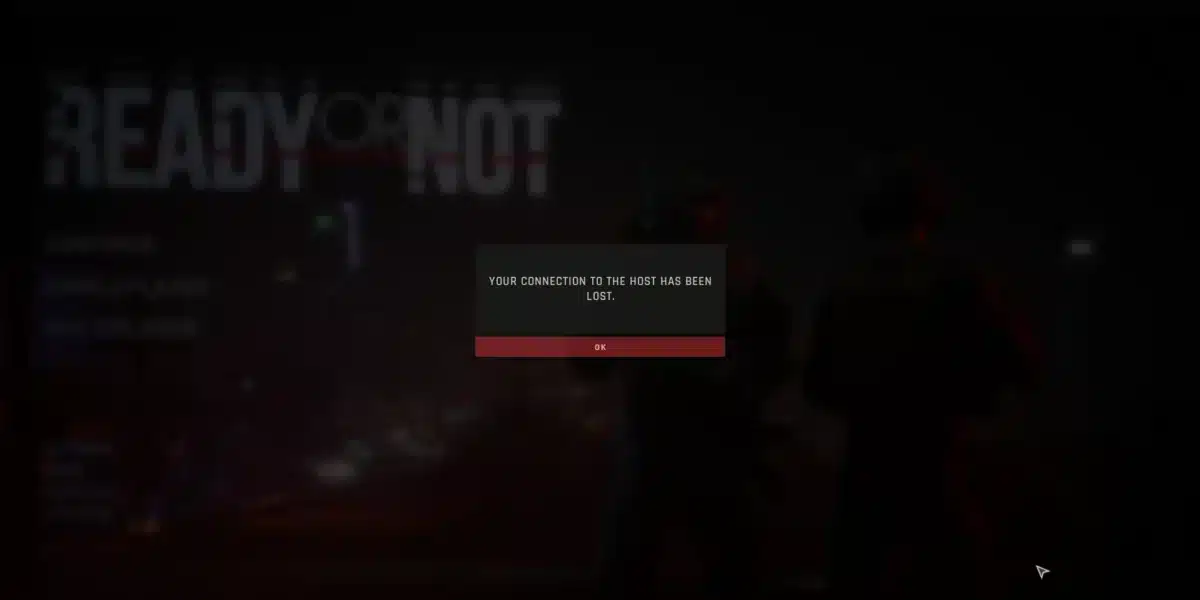
If you’ve ever lost a ranked match due to lag, high ping, or random freezes, you already know how frustrating it is to lose a game because of your connection. The good news is that ExitLag exists, a solution built specifically for gamers that helps you reduce lag in online games.
Learn everything you need to know about ExitLag: how it works, which games it supports, how much it costs, whether it’s safe, and how the software can transform your gaming experience.
If you’re ready to stop dealing with connection instability and start playing with the performance you deserve, keep reading.

What is ExitLag?
ExitLag is a connection optimization software for online games. It works as a route optimizer that automatically identifies the fastest and most stable path between your computer (or mobile device) and the game server you’re playing on.
To put it simply, think of ExitLag as a GPS for your internet. Just like a GPS finds the quickest route to your destination, ExitLag analyzes thousands of network paths in real time and selects the best route so your data reaches the game server in the shortest time possible.
What technology does ExitLag use?
The software uses proprietary Multipath technology and Artificial Intelligence to distribute your data across multiple routes simultaneously. If one route becomes congested or unstable, the system automatically redirects traffic to an alternative path without any noticeable interruption in your game.
ExitLag operates servers distributed globally and supports a wide range of online games, already used by millions of players across multiple countries. The software is trusted and recommended by professional players like FalleN (CS2), among other pro players and streamers in the competitive scene.
Beyond route optimization, ExitLag also includes features such as FPS Boost, Traffic Shaper, Network Analyzer, and Multi Internet.
What types of games should I use ExitLag for?
ExitLag is designed for any online game that relies on a stable connection to remote servers. It’s especially effective in genres where milliseconds make the difference between winning and losing.
The main game genres include:
- FPS (First-Person Shooter): Valorant, CS2, Call of Duty, Overwatch 2, Apex Legends, and Rainbow Six Siege. In shooter games, the difference between landing or missing a shot can be directly tied to your ping. ExitLag helps keep latency low and stable, ensuring your actions are registered in real time.
- MOBA (Multiplayer Online Battle Arena): League of Legends, Dota 2, and Smite. In these games, an unstable connection can cause ability delays, unwanted teleports, and avoidable deaths.
- MMORPG (Massively Multiplayer Online RPG): World of Warcraft, Final Fantasy XIV, Lost Ark, Black Desert Online, and New World.
- Battle Royale: Fortnite, PUBG, and Warzone. In matches with dozens of players, a stable connection is essential to avoid teleporting, rubberbanding, and disconnections.
It’s worth noting that ExitLag also works with fighting games, simulators, survival titles (like Rust and DayZ), and games such as Roblox, GTA Online, and Minecraft. If a game has an online server, ExitLag can optimize your connection to it.
Benefits of ExitLag in online games
Using ExitLag brings a range of advantages that go beyond simply reducing ping. Here are the main benefits the software offers for your gaming experience:
Ping reduction in games
ExitLag finds the most efficient route to the game server, reducing latency and ensuring your actions are processed faster. Players report ping reductions of 30% to 70%, especially when playing on international servers.
Greater connection stability
No more ping spikes and random freezes. ExitLag keeps your connection consistent, without sudden variations that hurt in-game performance.
Packet loss reduction
Packet loss is one of the biggest enemies of smooth gameplay. The software minimizes this issue by using more reliable routes and redistributing data through alternative paths.
FPS boost
ExitLag makes operating system adjustments on your computer to free up resources and increase your frames per second in games. This feature is free for all users.
Traffic shaper
Prioritizes game traffic over other applications consuming bandwidth, such as downloads, streams, or background updates.
Real-Time optimization
The software continuously monitors network conditions and adjusts routes automatically. If a path becomes congested, ExitLag redirects traffic instantly.
Multi Internet
If you have more than one internet connection available (wired and Wi-Fi, for example), ExitLag lets you use both simultaneously, increasing redundancy and stability.
What is ping in online games?
Ping (also called latency) is the time it takes for your data to travel from your computer to the game server and back. It’s measured in milliseconds (ms).
ExitLag directly reduces ping by finding shorter and more stable network routes between you and the server. In many cases, your ISP’s default route isn’t the most efficient, and that’s exactly where ExitLag makes a difference.
In other words, the lower the ping, the faster the communication between you and the server. In practical terms, a low ping means that when you click to fire a weapon, use an ability, or move in the game, that action is registered almost instantly on the server.
For reference: a ping below 30ms is considered excellent for competitive gaming. Between 30ms and 60ms is good for most games. Between 60ms and 100ms, the delay starts to become noticeable. Above 100ms, lag can seriously compromise gameplay, especially in FPS and MOBA titles.
What is packet loss?
Packet loss occurs when some of the data sent between your computer and the game server gets lost along the way. Imagine you’re sending letters through the mail: packet loss would be like some of those letters never reaching their destination.
In online games, packet loss shows up as momentary freezes, characters teleporting, actions that don’t register, and even disconnections. Even a small packet loss rate (above 1%) can have a noticeable impact on gameplay.
ExitLag combats packet loss using its Multipath technology, which sends your data through multiple routes at the same time. If packets are lost on one route, data traveling through alternative paths ensures that communication with the server isn’t interrupted.
What is lag in games?
Lag is the term gamers use to describe any delay or slowness in communication between your device and the game server. It’s the visible result of issues like high ping, packet loss, and connection instability.
In practice, lag manifests in several ways: your character may move with a delay, your actions may take time to execute, enemies may appear or disappear suddenly (rubberbanding), and in extreme cases, you may get disconnected from the match.
It’s important to understand that lag isn’t always related to your internet speed. You can have a 300 Mbps connection and still experience lag if the route between your computer and the game server isn’t efficient. That’s exactly the problem ExitLag solves: it optimizes the connection route, not the internet speed itself.
How much does ExitLag cost?
ExitLag offers different subscription plans to fit gamers with various needs and budgets. Here are the available options:
- Individual plans: ExitLag offers monthly, quarterly, semi-annual, and annual plans with progressive discounts for longer commitments. The annual plan provides the best value, compared to the monthly plan.
- Multiplayer (shared) plans: allows a single subscription to be shared, making the per-person cost even more affordable.
Before subscribing, you can try ExitLag for free for 3 days without entering any credit card information. It’s a great way to experience the benefits before making your decision.
Note: promotional prices may vary, so check the official pricing page for the most up-to-date information.
Is ExitLag reliable?
Yes, ExitLag is reliable. It’s a well-established company with years of experience in the market, used by millions of gamers worldwide and recommended by esports professionals and renowned streamers.
The software doesn’t modify any game files or make invasive changes to your operating system. It operates exclusively at the network level, optimizing connection routes between your device and game servers. Your data isn’t encrypted or redirected for purposes other than optimizing your gaming experience.
ExitLag also provides 24/7 technical support via website chat and Discord, with a dedicated team ready to help users set up the software and troubleshoot any issues. The cancellation policy guarantees a full refund if canceled within 7 days of the first purchase.
Can using ExitLag get you banned?
No, ExitLag does not cause bans in games, as the software operates exclusively at the network level, optimizing connection routes between your device and game servers. It does not modify, alter, or inject code into any game files.
Furthermore, there are no recorded cases of players being banned solely for using ExitLag in games like Valorant, CS2, League of Legends, Fortnite, or any other popular title. The software is widely used by professional players in tournaments and competitions, which further confirms its safety.
To stay safe, it’s recommended to follow some best practices: don’t use ExitLag alongside cheats, scripts, or hacking tools; avoid pirated or cracked versions of the software; and don’t run traditional VPNs simultaneously with ExitLag.
Does ExitLag really help?
Yes, ExitLag works and truly helps improve the gaming experience in most scenarios. The software is especially effective in the following situations:
- Games without local servers: if you play titles that don’t have servers in your region (such as Final Fantasy XIV, for example), ExitLag can drastically reduce latency by finding optimized routes to servers in North America, Europe, or Asia.
- Connection instability: if your ping fluctuates a lot during matches with frequent spikes, the software stabilizes the connection by distributing data across multiple routes.
- Packet loss: if you experience momentary freezes and actions that don’t register, ExitLag’s Multipath technology is highly effective at reducing this problem.
- Competitive players: for those seeking maximum consistency and precision in ranked matches, ExitLag provides a more predictable and reliable network environment.
It’s worth noting that the degree of improvement varies based on your base connection quality and distance from the server. Players who already have excellent connections and play on nearby servers may notice more subtle improvements, while players with unstable connections or who play on international servers tend to see more significant differences.
The best way to find out if ExitLag works for your situation is to take advantage of the free 3-day trial and evaluate the results for yourself.
What is the best way to fix lag in games?
ExitLag is the best solution to fix lag in games, especially if you experience freezes in online matches, offering the most complete and effective approach.
It’s worth noting that having fast internet is important, but it doesn’t solve everything. Often, the problem isn’t your connection speed but rather the route your data takes to reach the server. It’s like having a powerful car on a road full of potholes and detours: top speed doesn’t matter if the path isn’t right.
How to subscribe to ExitLag
Subscribing to ExitLag is a quick and simple process. Follow these steps:
1. Visit the official website and click “Get ExitLag” to get started.

2. Choose your plan: after the trial period, visit the pricing page and select the plan that best fits your profile (monthly, quarterly, semi-annual, annual, or multiplayer).

3. Create your account: fill in your basic information (name, email, and password).

4. Complete your purchase: select your payment method and finalize your subscription.

5. Download the software: after creating your account, download ExitLag for your computer (Windows) or install the app on your phone (Android/iOS). That’s it! Just set up your desired game in the software and start playing with an optimized connection.

Enjoy 3 free days: when you log in for the first time, you’ll have access to 3 free days with all features available. Take the opportunity to test it across all the games you play.
Is ExitLag a VPN?
No, ExitLag is not a VPN. This is one of the most common questions among gamers, and the distinction is important.
A VPN (Virtual Private Network) encrypts all of your device’s internet traffic and redirects it through a remote server, changing your IP address. This can increase latency due to encryption and rerouting, and in many games, using a VPN can result in a ban.
ExitLag doesn’t encrypt your data, doesn’t change your IP address, and doesn’t redirect all of your internet traffic. In other words, it only acts on the connection between your device and online game servers, optimizing routes to reduce latency.
In summary, the key differences are: a VPN encrypts data (ExitLag doesn’t); a VPN changes your IP (ExitLag keeps your original IP); a VPN can increase latency (ExitLag reduces latency); and a VPN can cause game bans (ExitLag doesn’t).
ExitLag was built specifically for gamers who need performance, not anonymity or browsing privacy protection.
Ready to fix your lag in online games?
Now that you know everything about ExitLag, why not try it and feel the difference for yourself? Create your account now and enjoy 3 free trial days! Test it on all your favorite games and discover what it’s like to play with an optimized connection.
Got questions or want to connect with other players? Join the conversation at the ExitLag Forum!