Fortnite Mobile App Bonus Goals are a dedicated set of quests that Epic Games created specifically for players on the mobile app. They exist separately from the standard Battle Pass progression and weekly challenges, offering additional rewards just for playing Fortnite natively on your phone or tablet. Getting them all unlocked is one of the best ways to pull ahead on XP, earn free cosmetics, and make your mobile sessions feel more rewarding from match one.
The Bonus Goals system is designed to be accessible. Unlike competitive challenges that require specific eliminations or ranked placements, these goals are built around earning XP through normal gameplay. Play enough matches, complete enough quests, and the rewards unlock automatically. The catch is that progress only counts when you are playing the mobile app natively. Sessions through cloud gaming on Safari or Xbox Cloud Gaming do not count toward the XP thresholds.
This guide covers what Bonus Goals are, how the XP reward system works, every method for earning XP efficiently, and practical tips for finishing them faster than average without changing how you play.
For everything about the Fortnite experience beyond mobile-specific content, the ExitLag Fortnite guide covers modes, progression, and cross-play in full.

What Are Fortnite Mobile App Bonus Goals?
Fortnite Mobile App Bonus Goals are special quests that became available starting with Chapter 5 Season 4. They are accessible only through the mobile app and reward players with free cosmetics, XP boosts, and account rewards for playing on a phone or tablet.
The key distinction from standard quests is the unlock condition. Instead of requiring you to complete specific in-game tasks (deal 500 damage with SMGs, open chests in named locations), the Mobile App Bonus Goals primarily require earning XP while playing on mobile. The XP can come from any source within the game: Battle Royale matches, Zero Build, Blitz Royale, Creative maps, weekly quests, or any other XP-generating activity, as long as you are playing natively on the mobile app.
Think of them as milestone markers that unlock progressively. Each threshold of cumulative XP earned on mobile unlocks the next reward.
What Rewards Can You Earn?
The Bonus Goals reward pool has historically included:
- Account XP: Large XP grants that accelerate your Battle Pass progression
- Battle Stars: Currency used to unlock items within the Battle Pass
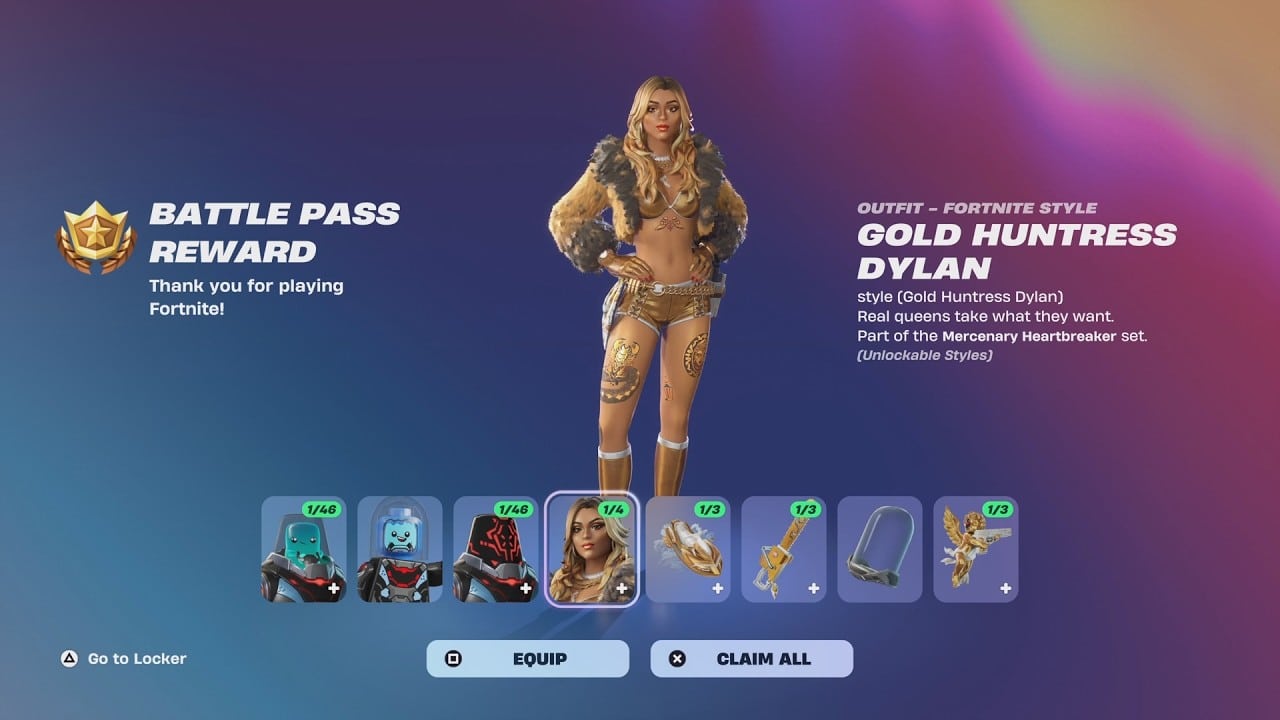
- Exclusive cosmetic items: Skins, back blings, pickaxes, emotes, loading screens, and sprays that are tied specifically to the mobile promotion period
- Invited friend rewards: Bonus cosmetics for bringing a friend to play Fortnite on mobile with you
Past Bonus Goal events included rewards like:
- The Chord Kahele outfit and its associated bundle of cosmetics (available for a limited period)
- The Yeddy pet back bling (earned by inviting a friend to play on mobile)
- Multiple loading screens, sprays, and emotes tied to specific XP milestone thresholds
Rewards are free and do not require a Battle Pass to unlock. They are available to any player who plays Fortnite natively on mobile during the active event window.
How to Access Fortnite Mobile App Bonus Goals
Finding Bonus Goals in the Game
When a Bonus Goals event is active, you can find and track your progress through:
- Open Fortnite Mobile on your phone or tablet
- From the lobby, navigate to the Quests tab (the icon with a checklist, typically in the left sidebar or along the bottom navigation)
- Look for a dedicated Mobile App quest category or a Bonus Goals section
- Your current XP progress toward each threshold appears here with a progress bar
- Completed milestones show which rewards you have claimed
The game also sends push notifications when a new Bonus Goals event launches, making it easy to know when they are available without checking manually.
When Are Bonus Goals Available?
Bonus Goals events are time-limited. They run for a defined window, typically several months, and expire at a set date after which incomplete rewards can no longer be earned. The rewards and dates are tied to specific seasons and promotional periods.
The most reliable way to stay current on active events:
- Check the News section in the Fortnite lobby, which highlights active promotions and their end dates
- Follow the official Fortnite social media accounts, which announce new Bonus Goals events when they launch
- Visit the Quests tab at the start of each new season to check for new event-specific quest categories
How to Earn XP for Bonus Goals: Every Method
Because Bonus Goals are tied to XP earned on mobile, any activity that generates XP contributes to your progress. These are the fastest and most efficient sources.
Weekly Quests: Highest XP Per Session
Weekly quests release every Tuesday and offer the largest XP amounts per individual objective. Each weekly quest typically awards 15,000 to 30,000 XP per task, and a full set of weekly objectives can provide several hundred thousand XP when completed in a single session.
To maximize weekly quest XP for Bonus Goals:
- Open the Quests tab at the start of each week
- Read every weekly quest before entering a match
- Drop into a game and try to complete multiple objectives in a single match where the tasks overlap (visiting a location is often combined with dealing damage in that location)
- Complete the full weekly set each Tuesday for the largest single-session XP gains
Kickstart Quests: Easy XP at Season Start
At the beginning of every season, Epic adds a Kickstart quest set with simple objectives like visiting specific named locations, opening chests, or dealing damage to structures. These award 20,000 XP each and are designed to be completable by new players in their first few matches.
Complete all Kickstart quests in your first session of a new season. They are the fastest guaranteed XP at the start of each seasonal period.
Creative Mode: Daily XP Cap
Playing eligible Creative maps earns XP up to a daily cap. The daily XP limit from Creative is typically lower than competitive Battle Royale, but it is one of the most consistent and low-effort sources.
Practical approach:
- Find a Creative XP map by searching "XP" in the Discover section
- Play until the XP rate slows significantly (this indicates you have approached the daily cap)
- Come back the next day to start earning again
Community-made XP maps designed specifically for efficient leveling are widely shared on Reddit, YouTube, and TikTok. Search "Fortnite XP map" on any platform to find the current most efficient options for the active season.
Daily Bonus Goals: Consistent Small XP
Daily challenges in Fortnite offer smaller XP rewards than weekly quests but reset every day. Completing three daily challenges consistently across a week adds up to significant cumulative XP for Bonus Goals progress.
Daily challenges are simple enough to complete in the background of regular play: deal a set amount of damage, collect materials, or use a specific item type. The objectives appear in the Quests tab and track automatically during matches.
Battle Royale and Zero Build: XP from Playing
Playing standard Battle Royale and Zero Build generates XP from:
- Survival time: Simply staying alive longer earns XP passively each match
- Eliminations: Each elimination contributes XP
- Placement: Top 10, top 5, and Victory Royale placements award significant bonuses
- Victory Crown: Carrying a Victory Crown into a match provides bonus XP for all actions during that game
- Damage dealt: Total damage across the match contributes to XP
Even without completing specific objectives, playing matches earns meaningful XP toward Bonus Goals thresholds over time.
Supercharged XP: The Catch-Up System
If you have not played Fortnite for a day or more, the game automatically activates Supercharged XP when you return. This is a temporary rate boost that helps you catch up to players who have played more consistently.
Supercharged XP is visible in the lobby as an indicator showing that your current sessions will earn at a higher rate than normal. Use this window strategically by running weekly quests and Creative sessions while it is active, since every XP source earns more during the Supercharged period.
The Invite a Friend Bonus Goal
Several Bonus Goals events have included a specific goal tied to inviting a friend to play Fortnite on mobile. The Yeddy pet reward was the most prominent example of this category.
How it works:
- Go to the Quests tab and find the invite-a-friend Bonus Goal
- Use the in-game referral link or shareable invite through your Epic Games account
- Your friend must download Fortnite and play on mobile using the invite
- Once your friend completes a qualifying action (typically earning a threshold amount of XP on mobile), the reward unlocks for your account
The invite reward is separate from the XP-based goals and requires a genuine new or returning mobile player to complete the action on their own device.
Tips to Complete Bonus Goals Efficiently
Tip 1: Combine Weekly Quests with Matches
Do not run matches without first reading the active weekly quests. Many objectives complete passively if you are aware of them: visiting specific locations, gathering materials, and dealing damage all happen naturally in any match. Players who check quests before queuing complete them in 30 to 50% fewer matches than players who play without tracking active objectives.
Tip 2: Use Blitz Royale for Fast XP Cycles
Blitz Royale (under five minutes per match) lets you complete more match-based XP actions per hour than standard Battle Royale. More frequent placement bonuses, more elimination opportunities per hour, and faster access to survival XP all make Blitz the most time-efficient format for accumulating general match XP.
Tip 3: Play During Double XP Events
Epic Games runs Double XP weekends and events periodically throughout each season. During these windows, all XP earned in any mode doubles. Playing actively during Double XP events cuts the time required to reach Bonus Goals milestones roughly in half.
Monitor the in-game News section and follow official Fortnite channels for Double XP event announcements, as they are often only announced a day or two in advance.
Tip 4: Squad Up with Friends
Completing match objectives with a squad increases efficiency for goals that require specific actions. Teammates can assist with material gathering, direct enemies toward you for eliminations, and revive you to extend your survival time. More survive time and more objective completion per match means more XP per session toward Bonus Goals thresholds.
Tip 5: Prioritize the Most Valuable Rewards First
Review the full reward list and progression path before playing. Some Bonus Goals milestones unlock at lower XP thresholds and deliver high-value rewards (skins, bundles). Others require significantly more XP for smaller rewards (sprays, loading screens). If you have limited play time in the event window, focus your sessions on the sessions that push you toward the highest-value unlocks first.
Tip 6: Use Creative XP to Fill Daily Progress Gaps
On days when you cannot run full Battle Royale sessions, Creative maps keep XP accumulating toward the Bonus Goals threshold. Even 15 to 20 minutes on a high-yield Creative XP map each day maintains consistent progress without requiring the full commitment of a competitive match session.
Important: Cloud Gaming Does Not Count
Progress toward Fortnite Mobile App Bonus Goals requires playing the game natively on the mobile app. XP earned through cloud gaming services (GeForce NOW through Safari, Xbox Cloud Gaming, or Amazon Luna) does not count toward the mobile-specific Bonus Goals thresholds.
This means players who use cloud gaming for their primary Fortnite Mobile sessions need to download and install the native app to access Bonus Goals progress. The XP earned through cloud gaming still contributes to your Battle Pass and account level, but the Bonus Goals tracking requires native app sessions specifically.
For installation instructions, how to get the Fortnite Mobile app on iOS covers every iOS installation method. For Android, how to get Fortnite on Android walks through the full setup.
How Lag Affects Your Bonus Goals Progress
Every XP-generating action in Fortnite depends on the server confirming your actions. A Quest objective that requires dealing 1,000 damage only progresses when the damage registers on the server. Packet loss and routing instability between your device and Epic's servers cause actions to fail to register, meaning the XP and quest progress from those actions never arrive.
When your connection is unstable during a Bonus Goals session:
- Damage dealt sometimes registers without XP credit
- Quest objective counters freeze and fail to update
- Match results screen occasionally does not award full XP due to synchronization failures
- The match may disconnect before the end-of-game XP summary appears
ExitLag eliminates these issues by ensuring the routing between your device and Epic's servers is stable and low-latency throughout every session.
ExitLag is a connection optimizer used by over 30 million players across 4,000+ game titles including Fortnite. For the Fortnite Mobile app guide covering every feature from modes to settings, that is the full companion resource for mobile players. For getting started on iOS, how to play Fortnite iPhone covers the complete iPhone setup and first-session experience.
How ExitLag helps you earn Bonus Goals progress without connection interruptions:
- Real-Time Optimization: Continuously selects the lowest-latency route to Fortnite's servers. Quest objective tracking and XP credit both require server confirmation, and lower latency means those confirmations arrive faster and more reliably.
- Multipath Technology: Routes game data through multiple simultaneous network paths. If one path drops a packet, the others carry that data without the loss affecting what the server registers. Damage dealt, materials gathered, and quests triggered all reach the server even when a single network path degrades.
- Traffic Shaper: Prioritizes Fortnite traffic above every other application on your device. Background downloads, social media, and streaming services cannot spike your ping during the moments when XP and quest credit matter most.
- Multi-Internet: Supports up to four simultaneous internet connections. If your Wi-Fi connection drops during a long Bonus Goals session, a backup connection takes over without disconnecting you from the match or losing the in-progress XP.
Setting up ExitLag for Fortnite Mobile Bonus Goals:
- Download ExitLag from exitlag.com/mobile
- Search for Fortnite and enable optimization
- Launch Fortnite Mobile normally
- Enable Net Debug Stats in Settings under Game UI to confirm ping stability
- Check your Quests tab after each session to confirm objective progress is tracking correctly
For details on how other mobile players have set up the app for better play, how to play Fortnite mobile covers controls, settings, and session setup from the beginning.
Pro Tips: Fortnite Mobile App Bonus Goals
- Set a weekly session goal rather than a daily one: Bonus Goals progress accumulates toward XP thresholds that span multiple sessions. Rather than trying to maximize XP every single day, aim for a total XP target per week that keeps you on track to hit the milestone rewards before the event ends.
- Track the event end date from day one: Bonus Goals events expire. Knowing how many days remain in the event lets you calculate how much XP you need to earn per session to reach all rewards without a last-minute sprint.
- Complete the invite-a-friend goal early: If the active event includes an invite-based reward, send the referral immediately rather than leaving it for the end. Your friend needs time to download the app and reach the qualifying XP threshold before the event closes. Waiting until the final week often results in friends not completing their side in time.
- Save Creative XP sessions for after weekly quests: Weekly quests release every Tuesday and offer significantly more XP per hour than most Creative maps. Prioritize weekly quests on Tuesday and Wednesday, then use Creative to fill XP gaps later in the week when you cannot commit to full Battle Royale sessions.
Common Mistakes When Completing Bonus Goals
- Playing through cloud gaming and wondering why Bonus Goals progress is not moving: Cloud gaming sessions do not count toward mobile-specific Bonus Goals. Fix: Install the native Fortnite mobile app and play through it for all sessions intended to generate Bonus Goals progress.
- Not checking the event end date until the final days: Players who discover the event is ending soon often find they cannot complete all milestones in the remaining time. Fix: Check the Quests tab for the active event's end date on the first day you play, and calculate a weekly XP target that gets you to all desired rewards before the deadline.
- Running matches without reading active weekly quests first: Weekly quest XP is the fastest path to Bonus Goals milestones, but it is wasted if you complete quests without awareness. Fix: Open the Quests tab before every session and identify which weekly and daily objectives you can complete during that play period. The difference in XP per session between quest-aware and quest-unaware play is significant.
Start Earning Bonus Goals Rewards Today
Fortnite Mobile App Bonus Goals are available free to every mobile player. The only requirements are the native app, enough time to earn XP, and a stable connection so every action you take registers on the server correctly.
Download ExitLag for Mobile before your next session and make sure your connection never costs you quest credit or XP during your Bonus Goals runs.
All product names, logos, and trademarks mentioned in this article belong to their respective owners. Fortnite and related marks are trademarks of Epic Games. Apple, iPhone, iOS, and App Store are trademarks of Apple Inc. Android and Google Play are trademarks of Google LLC. They are used for informational and educational purposes only and do not imply endorsement or affiliation with the rights holders.