Racing fans are always looking for the next level of immersion, realism and competitive gameplay. That is exactly why F1 24 has become one of the most discussed Formula 1 games among PC players and sim racing enthusiasts.
With improved physics, updated driver mechanics and deeper customization, F1 24 offers a more dynamic racing experience for casual players and competitive gamers alike. Moreover, the game introduces new handling systems, strategic gameplay and refined visuals that make every lap feel more authentic.
So, what is F1 24 and why is it attracting so much attention from racing fans? F1 24 is the official Formula 1 racing game developed by Codemasters and EA Sports, featuring licensed teams, drivers, tracks and updated gameplay systems designed to recreate the real Formula 1 experience on PC and supported platforms.
Whether you want better lap times, realistic driving, optimized graphics or smoother online races, understanding the mechanics of the game can make a huge difference.
In addition, connection stability is extremely important during competitive races, especially for players who compete online.
F1 24 gameplay improvements and racing experience

F1 24 introduces several gameplay changes compared to previous Formula 1 titles. As a result, players immediately notice improvements in vehicle handling, traction control and steering responsiveness.
The game was designed to make cars feel more connected to the track. Therefore, braking zones, corner entries and acceleration phases require more precision than before.
Improved car handling and physics
One of the biggest changes in F1 24 is the updated dynamic handling system. The cars now react more naturally during high-speed turns and sudden directional changes.
Players who enjoy simulation racing will appreciate the more realistic tire behavior. In addition, weight transfer feels smoother during aggressive maneuvers.
Key gameplay improvements include:
- Better traction control behavior;
- More realistic suspension response;
- Improved steering precision;
- Enhanced curb interaction;
- Refined tire temperature management.
These adjustments create a more immersive racing experience for both beginners and advanced drivers.
Career mode and progression system
Career mode continues to be one of the strongest features in the game. Players can manage their driver journey while competing across the Formula 1 calendar.
In addition, the progression system allows users to improve performance through upgrades, practice sessions and strategic team decisions.
Important career mode features include:
- Driver development system;
- Team reputation mechanics;
- Contract negotiations;
- Technical upgrades;
- Rivalry progression.
Because of these features, long-term gameplay becomes far more engaging and rewarding.
F1 24 setups for better performance
Finding the ideal F1 24 setups can dramatically improve lap times and car stability. In fact, setup optimization is one of the most important aspects of competitive racing.
Different tracks require completely different configurations. For example, low-downforce setups work better on tracks with long straights, while high-downforce setups improve cornering performance on technical circuits.
Understanding setup adjustments
Before changing settings, players should understand how each adjustment impacts the car.
Here is a quick comparison table for common setup elements:
| Setup Element | Effect on Performance | Best Usage |
| Front Wing | Improves cornering grip | Technical tracks |
| Rear Wing | Adds rear stability | Wet conditions |
| Suspension | Affects responsiveness | Street circuits |
| Differential | Controls traction | Slow corners |
| Tire Pressure | Impacts tire wear | Long races |
These settings directly influence car balance, braking efficiency and acceleration performance.
F1 24 Bahrain setup recommendations
The F1 24 bahrain setup is especially important because Bahrain combines long straights with heavy braking zones.
A balanced setup usually works best for this circuit. Players should prioritize traction and braking stability while maintaining decent straight-line speed.
Recommended adjustments include:
- Medium front wing levels;
- Stable rear suspension;
- Slightly lower tire pressures;
- Balanced differential settings;
- Moderate brake bias.
Because Bahrain has several traction zones, smooth throttle control becomes essential for consistent lap times.
How setups impact online racing
Online races require even more consistency than offline gameplay. Therefore, unstable setups can quickly ruin competitive sessions.
Many players use custom F1 24 setups to maximize tire longevity during ranked races. Meanwhile, aggressive configurations may improve qualifying performance but hurt race pace.
This balance between speed and consistency is what separates casual racers from competitive drivers.
F1 24 PC performance and optimization
Many players choose F1 24 pc because of the superior graphics customization and hardware flexibility available on computers.
PC players can fine-tune visual settings for higher frame rates while maintaining visual quality. Consequently, gameplay becomes smoother during intense races.
Best graphics settings for stable gameplay
Optimized settings improve responsiveness and reduce distractions during races.
Recommended adjustments include:
- Lower shadow quality for better FPS;
- Medium reflections for balanced visuals;
- High texture quality for sharper cars;
- Motion blur disabled for clarity;
- DLSS or FSR enabled when available.
Stable frame rates are especially important in competitive races where reaction time matters.
Why connection quality matters in racing games
Online racing games depend heavily on stable connections. Even small packet loss spikes can create delayed steering inputs and inconsistent braking.
This becomes frustrating during wheel-to-wheel battles or qualifying laps.
That is why many players use optimization tools like ExitLag to improve route stability and reduce connection fluctuations during online races.
Unlike a VPN, ExitLag focuses specifically on optimizing game traffic routes. As a result, players can experience smoother online sessions with lower instability.
F1 24 mods and customization features
The modding community has become increasingly active around F1 24 mods. Many players enjoy customizing liveries, helmets and visual elements to create a unique experience.
In addition, some mods improve realism through updated graphics, camera angles and sound adjustments.
Popular customization options
The most common mods usually include:
- Realistic sponsor liveries;
- Updated driver helmets;
- Enhanced weather visuals;
- Custom HUD interfaces;
- Audio improvements.
These modifications allow players to personalize gameplay while keeping the racing experience fresh.
Safety considerations when installing mods
Players should always download mods from trusted communities. In addition, backup files should be created before making modifications.
It is also important to avoid tools that violate online game policies or create unfair advantages. Responsible customization helps maintain a healthy gaming environment.
F1 manager 24 and strategic gameplay
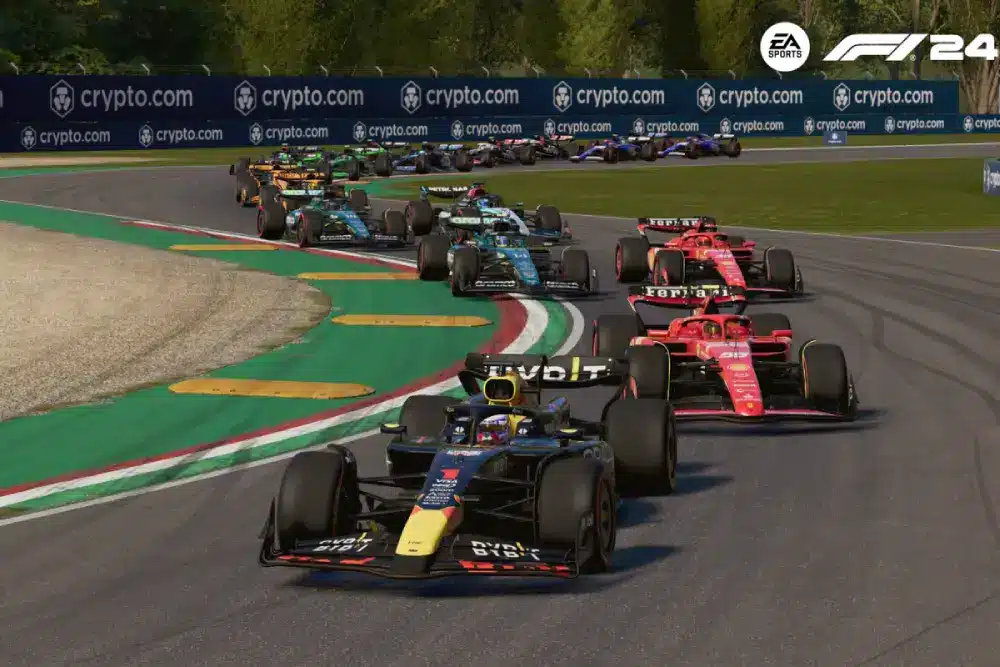
While F1 24 focuses on direct racing, F1 manager 24 offers a completely different Formula 1 experience centered around strategy and team management.
Players become team principals responsible for race strategy, car development and financial decisions.
How does research and design work in F1 manager 24
Many players ask: how does research and design work in F1 manager 24?
The system revolves around balancing short-term upgrades with long-term regulation planning.
Research focuses on preparing future car regulations, while design improves current season performance. Consequently, teams must carefully divide resources between present competitiveness and future success.
Important management areas include:
- Aerodynamic development;
- Engine reliability;
- Brake cooling efficiency;
- Suspension optimization;
- Wind tunnel allocation.
Managing these systems efficiently can completely change championship outcomes.
F1 manager 24 mods and save editor tools
The community also supports F1 manager 24 mods for enhanced realism and customization.
Some players additionally use the F1 manager 24 save editor to modify career saves, adjust finances or experiment with team progression systems.
However, players should always use these tools responsibly and avoid corrupting save files.
Ferrari SF-24 and Formula 1 authenticity
The inclusion of the ferrari sf-24 F1 car adds authenticity for Ferrari fans and Formula 1 enthusiasts.
In addition, collectors and motorsport fans have shown growing interest in products like the lego technic ferrari sf 24 F1 car, which recreates the modern Ferrari Formula 1 design in detail.
Ferrari performance in F1 24
Ferrari remains one of the most popular teams in the game due to its speed profile and aggressive handling characteristics.
Players often choose Ferrari because of:
- Strong acceleration;
- Competitive top speed;
- Aggressive cornering behavior;
- Iconic Formula 1 branding.
These factors contribute to a highly enjoyable racing experience.
Realism and immersion in modern Formula 1 games
Modern Formula 1 games continue to evolve in terms of realism. Features like dynamic weather, tire degradation and strategic pit stops create deeper immersion.
Because of this, F1 games now appeal to both casual players and hardcore sim racing communities.
FAQ
F1 24 introduces improved handling, updated physics and deeper gameplay systems compared to earlier entries.
Balanced setups with stable suspension and moderate downforce usually help beginners maintain better control.
Yes, many PC players use F1 24 mods for visual customization and realism improvements.
Research focuses on preparing for future regulations, while design improves current car performance.
ExitLag can help stabilize online routes and reduce connection instability during multiplayer sessions.
Improve your F1 24 experience with ExitLag
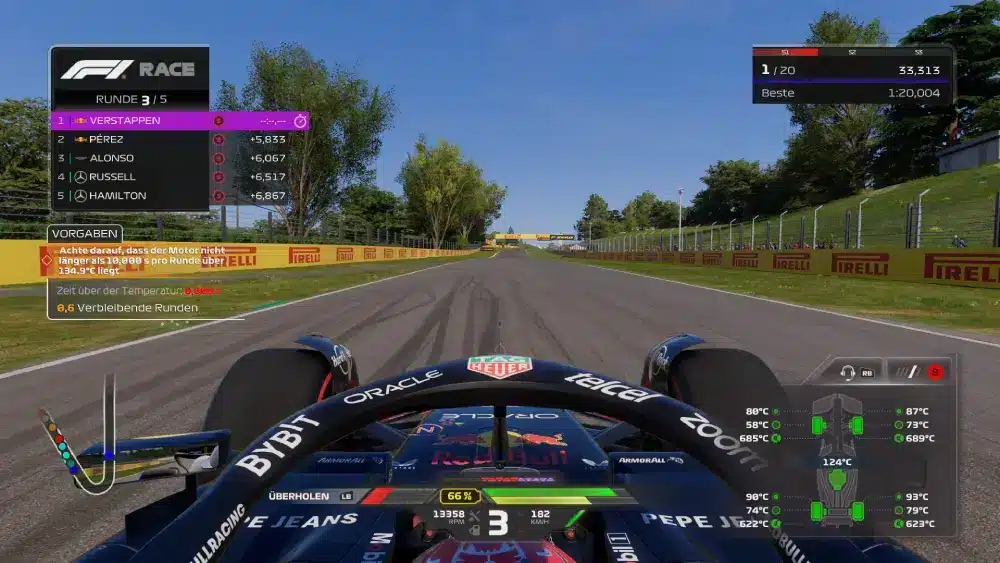
Whether you enjoy competitive online races, immersive career modes or advanced strategy systems, F1 24 delivers an exciting Formula 1 experience for modern racing fans.
From optimized setups to realistic handling and strategic management systems, the game offers multiple ways to improve performance and enjoy high-level racing gameplay. However, stable online connectivity remains essential for smooth competitive matches.
That is why many players choose F1 24 alongside tools like ExitLag to improve connection stability, reduce packet loss and maintain smoother online races.Ready to improve your Formula 1 racing sessions?Try ExitLag and enjoy a more stable and responsive gaming experience today.
Got questions or want to connect with other players? Join the conversation at the ExitLag Forum!