Changing your in-game identity is a key part of personalizing your experience in competitive shooters, and understanding the Valorant name change process is essential for every player who wants control over their Riot identity. Whether you’re rebranding for ranked matches or simply updating an outdated nickname, knowing how the system works ensures a smooth transition.
In Valorant, your identity is tied directly to your Riot Account, which means the Valorant name change system is not handled inside the game client but through external account settings. This structure ensures consistency across all Riot Games titles.
The importance of the Valorant name change goes beyond aesthetics. It affects how teammates recognize you, how you appear in ranked matches, and how your profile is displayed across social features. Because of this, understanding the system in detail is crucial.
Understanding the Valorant name change System
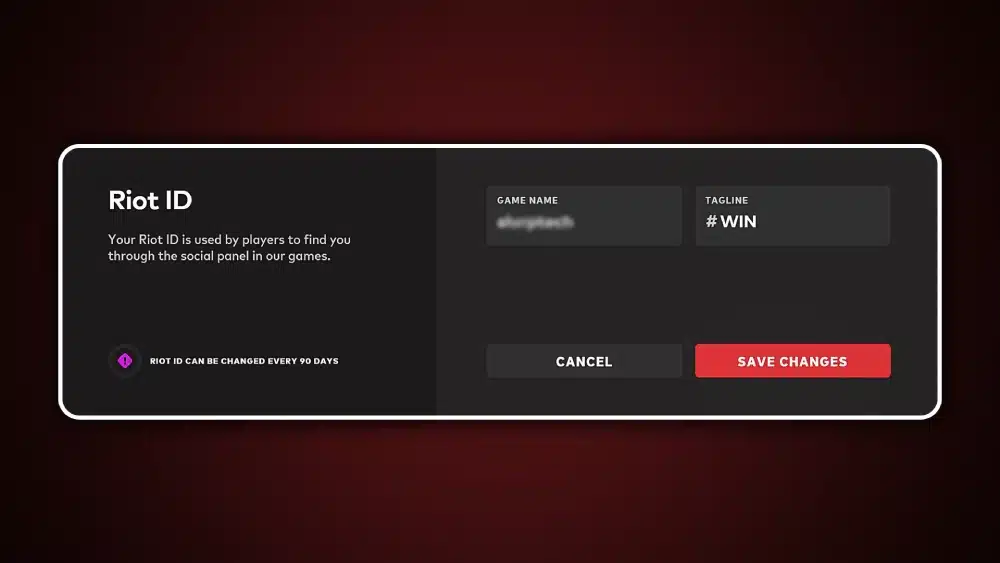
The Valorant name change process is built around Riot Games’ unified identity system called Riot ID. Instead of traditional in-game usernames, players use a shared identity across all Riot titles.
What is Riot ID and how it works
Your Riot ID consists of two elements:
- Display Name (your visible name in Valorant)
- Tagline (a short identifier like #EUW or custom code)
Together, they form your complete identity in-game. This means the Valorant name change is actually a Riot ID update, not a game-specific feature.
Why Riot uses a unified identity system
Riot Games designed this system to:
- Prevent username scarcity issues
- Allow flexible identity changes
- Keep names consistent across multiple games
- Improve social integration between platforms
Because of this design, the Valorant name change applies instantly across all Riot services.
Difference between login and display identity
Many players confuse their login credentials with their in-game identity. However:
- Login username: never visible, cannot be changed
- Riot ID: visible in Valorant and changeable
This distinction is essential when dealing with how to change your name in Valorant issues or account recovery situations.
How to change Valorant name? How the Valorant name change works step by step
The process for performing a Valorant name change is simple but must be done outside the game client.
Step 1: Access Riot Account Page
You must log into your Riot account through a browser. Valorant does not allow name editing in-game.
Step 2: Open Riot ID Settings
Inside your account dashboard, navigate to the Riot ID section where all identity controls are located. This is where change Valorant name actions are performed.
Step 3: Edit Display Name and Tagline
You can modify:
- Display Name
- Tagline
This is the core of the Valorant change name process.
Step 4: Save and confirm changes
Once saved, your new identity is applied globally across Riot services.
Step 5: Restart Valorant client
Your updated name appears the next time you log in.
Why the System Is Designed This Way
The Valorant name change system is intentionally centralized.
Security advantages
By restricting changes to the account portal, Riot reduces:
- Account spoofing
- Unauthorized name edits
- In-game manipulation risks
Consistency across games
Your Riot ID is shared across:
- Valorant
- League of Legends
- Teamfight Tactics
This ensures unified identity management.
Flexibility for players
Unlike older systems, Riot allows periodic updates, meaning players can experiment with identity changes without permanent consequences.
Restrictions and Rules for Valorant name change
Even though the system is flexible, there are limitations.
Cooldown between changes
You cannot repeatedly perform a Valorant name change in a short time. A cooldown period applies after each update.
Naming policy enforcement
Riot enforces strict rules:
- No offensive language
- No impersonation
- No misleading identities
- No hate speech
Violations may result in automatic resets.
System limitations
You cannot:
- Use restricted symbols
- Bypass cooldown timers
- Claim unique global usernames permanently
Visibility of Your New Name in Valorant
After completing a Valorant name change, your updated identity appears across multiple game systems.
In competitive matches
Your display name is visible to:
- Teammates
- Opponents
- Spectators
This is where identity matters most.
In friends list and social menus
Your full Riot ID may be displayed, including tagline, to differentiate similar names.
In custom games
Changes apply instantly in lobbies and scrims.
Common Issues After a Valorant name change
Even though the system is stable, issues may occur.
Delay in name update
Sometimes the update does not appear immediately due to server sync delays.
Cached old name
Friends may still see your previous name temporarily due to cached client data.
Login confusion
If issues occur, they are usually unrelated to the Valorant name change itself but to session caching.
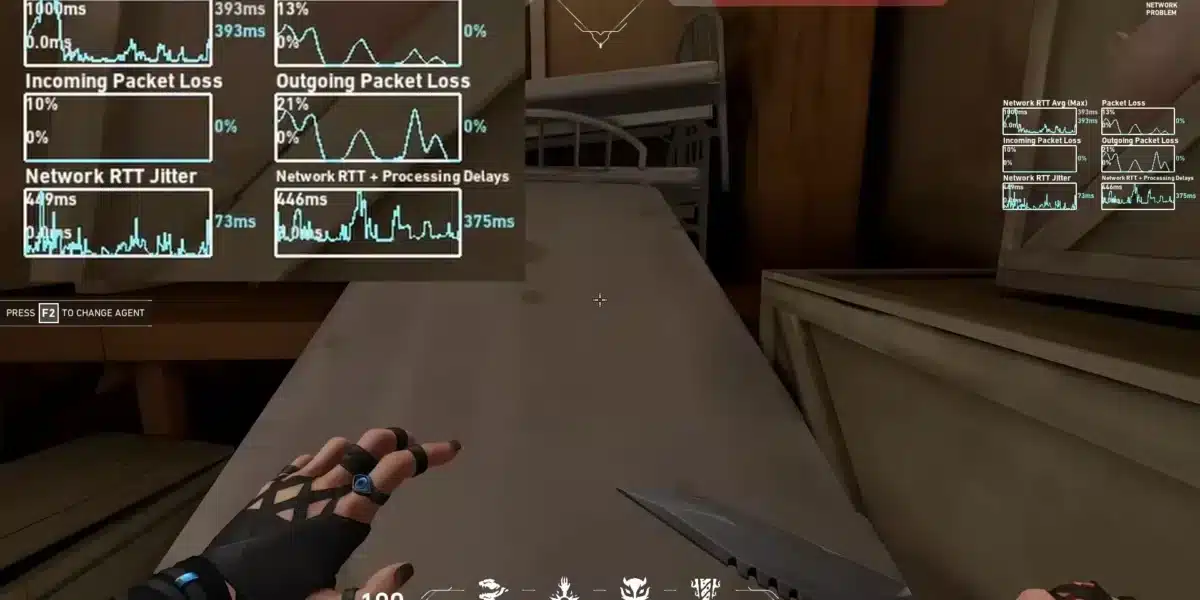
Performance and Connection Stability During Account Updates
A stable connection is important during identity changes.
Network issues can impact:
- Synchronization delays
- Login errors
- Profile update failures
Tools like ExitLag help optimize routing and reduce packet loss, ensuring smoother communication with Riot servers during account operations and gameplay.
Best Practices Before You change Valorant name
Before performing a Valorant change name, preparation is important.
Checklist before updating
- Log out of the game client
- Ensure stable internet connection
- Confirm spelling accuracy
- Choose a compliant name
- Verify tagline selection
Why preparation matters
Proper preparation reduces:
- Sync errors
- Repeated changes
- Account validation delays
Comparison Table: Riot ID Components
| Component | Editable | Visible in Game | Purpose |
| Login Username | No | No | Account access only |
| Display Name | Yes | Yes | Main identity in Valorant |
| Tagline | Yes | Partial | Differentiation system |
Why Players Use a Valorant name changer
The concept of a Valorant name changer is popular among players who want identity flexibility.
Competitive branding
Many players adjust names for:
- Ranked progression
- Team identity
- Professional appearance
Personal rebranding
Some players simply want a fresh start or cleaner identity.
Avoiding confusion
Unique names reduce communication errors in matches.
External Reference for Riot ID System

Official Riot documentation provides further details: Riot Games Support.
Summary of Valorant Identity System
The Valorant name change system is part of Riot’s unified account structure, allowing players to manage their identity safely and consistently. By understanding how Riot ID works, players can avoid confusion and maintain a strong presence across matches.
Advanced Insights Into Valorant name change Behavior Across Systems
Once a Valorant name change is completed, the update propagates across multiple interconnected Riot systems. This includes matchmaking servers, social panels, ranked history, and spectator tools.
Because Riot uses a centralized identity architecture, changes are not isolated to Valorant alone. Instead, the system ensures that your identity remains synchronized across all platforms.
Match history consistency
Your previous matches remain intact even after a Valorant name change. Statistics, ranks, and performance data are permanently tied to your account, not your display name.
Leaderboards and ranked identity
Your updated name will appear on:
- Ranked leaderboards
- Competitive history
- Seasonal summaries
This ensures continuity even after rebranding.
How how to change your name in Valorant Works in Practice
The process of how to change your name in Valorant is often misunderstood, but in reality it is straightforward when broken into steps.
Step-by-step breakdown
- Access Riot account settings
- Navigate to Riot ID panel
- Edit display name
- Save changes
- Restart client
This is the official method of how to change your name in Valorant safely.
What happens after the change
After updating, your identity is refreshed across:
- Game client
- Friends list
- Matchmaking system
Troubleshooting Issues With Valorant change name
Even though the system is stable, some players encounter errors.
Name not updating
If your Valorant change name does not appear immediately:
- Restart the client
- Wait for server sync
- Clear cache if necessary
Policy-based reversion
If your new name violates rules, Riot may automatically reset it.
Login inconsistencies
These are typically unrelated to Valorant name change and stem from session data issues.
Understanding Riot Identity Limitations
While flexible, Riot’s system includes constraints.
Cooldown restrictions
You cannot perform repeated changes in short intervals.
Tagline uniqueness system
The tagline allows duplicate display names while maintaining uniqueness.
Global identity synchronization
Your Riot ID affects all Riot titles simultaneously.
Strategic Reasons Players Use a Valorant name changer
Players often use a Valorant name changer for more than aesthetics.
Team coordination
Clear names improve communication in competitive environments.
Psychological branding
A strong identity can influence perception in ranked matches.
Content creation
Streamers and content creators often update names for branding consistency.
Connection Stability and Valorant Identity Updates
A stable connection is essential during account modifications.
Why stability matters
Unstable routing can cause:
- Failed updates
- Delayed synchronization
- Login interruptions
Role of ExitLag
ExitLag improves routing stability, reducing packet loss and ensuring smoother communication between your device and Riot servers during both gameplay and account operations.
Safe Practices for Long-Term Identity Management
Managing your identity effectively reduces the need for frequent changes.
Keep your name consistent
Frequent changes can reduce recognition in ranked environments.
Avoid short-term trends
Trend-based names often become outdated quickly.
Balance creativity and clarity
A good identity is both unique and readable.
Mastering the Valorant name change System Long-Term
Understanding the Valorant name change system allows players to take full control of their identity without risking account issues or confusion. A well-managed identity helps players build recognition in ranked matches, improve communication, and maintain consistency across Riot’s ecosystem. When combined with stable connectivity tools like ExitLag, the overall experience becomes smoother and more reliable.
FAQ
There is a cooldown period between each change, preventing frequent updates.
No, it must be done through Riot account settings in a browser.
No, all progress remains tied to your account permanently.
No official external tool exists; only Riot’s system is valid.
This is usually due to caching and resolves automatically.
Got questions or want to connect with other players? Join the conversation at the ExitLag Forum!