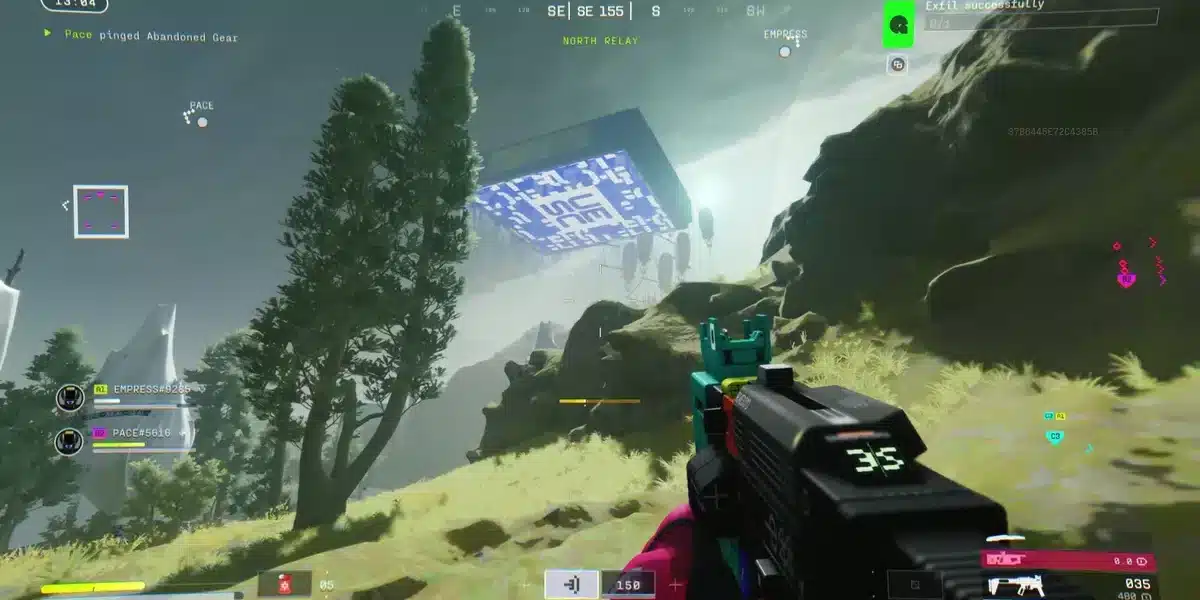
There is nothing more frustrating than losing a fight because your screen froze for a fraction of a second at the worst possible moment. In a competitive extraction shooter like Marathon, every decision matters, every shot counts, and every millisecond can determine whether you extract with valuable loot or return to the lobby empty-handed. Marathon Lag transforms fair fights into unpredictable outcomes, making even skilled players feel powerless when the connection fails them.
If you are dealing with Marathon Lag, sudden spikes of high ping in Marathon, or recurring Marathon connection issues during intense firefights, you are not alone. Many players report experiencing instability even with high-speed fiber connections and powerful gaming rigs, which makes the problem even more confusing. To understand more about common performance problems, you can check detailed articles directly from the ExitLag blog.

What is Marathon?
Marathon is designed as a high-stakes, competitive multiplayer experience where real-time responsiveness is critical. Because the game relies entirely on constant communication between your PC and remote servers, any interruption, delay, or packet loss directly impacts your gameplay. In this guide, you will learn what causes lag in Marathon, why traditional fixes often fail, and what truly works when you want a definitive Marathon lag fix.
What Causes Marathon Lag?
To solve Marathon Lag, you first need to understand how online shooters work behind the scenes.
Every action you make must travel from your device to the game server and back. This includes:
- Movement
- Shooting
- Ability activation
- Damage registration
- Loot interactions
- Extraction confirmation
That communication happens in milliseconds. If anything interferes with this process, instability appears immediately.
Here are the main causes of network problems:
1️ – Connection Routing Problems
Your ISP automatically decides the path your data takes to reach Marathon’s servers. The problem is that this route is not chosen based on gaming optimization — it’s chosen based on general traffic efficiency.
Sometimes your data:
- Travels through overloaded exchange points
- Passes through unnecessary geographic hops
- Gets redirected through congested digital nodes
Imagine your data as a car trying to reach a destination. Instead of taking the fastest road, it’s sent through heavy traffic. That “digital traffic” creates latency spikes and high ping in Marathon.
2 – Packet Loss (One of the Most Dangerous Issues)
Packet loss happens when small pieces of your data fail to reach the server.
When this occurs, you experience:
- Shots not registering
- Enemies teleporting
- Delayed abilities
- Rubberbanding
- Desynchronization
Even 1% packet loss can drastically impact competitive shooters. And yes — it can happen even on premium internet plans.
3️ – Server Distance and Regional Mismatch
If you’re automatically connected to a distant server region, your data must travel farther. The longer the distance, the higher the latency.
This directly causes:
- High ping in Marathon
- Slower reaction updates
- Delayed enemy rendering
In extraction shooters, seeing your opponent even 50ms later can mean losing the fight.
4 – ISP Instability During Peak Hours
Even stable connections fluctuate during peak usage times.
Between 6 PM and 11 PM, networks become saturated. When that happens, you may notice:
- Marathon stuttering
- Sudden ping spikes
- Connection instability
- Random lag bursts
And it often feels unpredictable — because it is.
Lag vs Ping vs FPS: Understand the Real Problem
Many players blame their PC when the issue is actually network-related. Let’s clarify the difference clearly.
| Term | What It Means | What It Affects | Typical Cause |
| Lag | Delay between command and response | Gameplay responsiveness | Network instability |
| Ping | Time (ms) data takes to reach server and return | Reaction time | Distance & routing |
| FPS | Frames per second (visual smoothness) | Graphics performance | GPU/CPU limitations |
You can have 240 FPS and still suffer from Marathon Lag. Graphics performance and network performance are completely different.
Understanding this distinction is critical. If the issue is routing and latency, upgrading your GPU won’t fix anything. You can explore further refinements by visiting the official ExitLag website.
Why Marathon Lag Happens Even With Good Internet
This is where most players feel confused.
“I have 600 Mbps fiber. Why am I lagging?”
Because bandwidth is not the same as route quality.
Speed tests measure:
- Download speed
- Upload speed
They do NOT measure:
- Route congestion
- Packet prioritization
- Node instability
- Gaming-specific latency
Think of it like this: your data is an express package. Your ISP chooses the shipping route automatically. But that route may be crowded, inefficient, or unstable. Even with fast internet, your package gets delayed.
That’s exactly how Marathon connection issues happen. And that’s why traditional fixes rarely solve the real problem.
Temporary Fixes vs Real Solutions
Most players try:
- Restarting the router
- Switching to Ethernet
- Closing background apps
- Updating drivers
These steps help reduce local interference. But they do NOT fix routing inefficiency between you and the game server. That’s why Marathon Lag often returns days later — or even during the same session.
If you want a definitive Marathon lag fix, you need a solution that works beyond your home network.
The Definitive Solution: ExitLag
Now here’s the turning point.
What if instead of letting your ISP choose random routes, you could automatically select the fastest and most stable path to Marathon’s servers?
That’s exactly what ExitLag does.
ExitLag is a professional connection optimization software built specifically for online games. It uses:
- Multipath connection technology
- Real-time route analysis
- Traffic optimization
- Intelligent packet distribution
Instead of sending your data through one unstable route, ExitLag distributes packets across multiple optimized paths, constantly monitoring performance.
This results in:
- Lower and stable ping
- Reduced packet loss
- Less rubberbanding
- Improved hit registration
- Faster server response
And for competitive shooters like Marathon, that difference is massive.
Why ExitLag Is Ideal for Marathon Players
Marathon demands precision and timing. Any delay affects:
- Reaction time
- Gunfight outcomes
- Ability execution
- Extraction success
ExitLag directly improves:
- Ping stability: More consistent latency during peak hours
- Packet delivery: Fewer lost commands
- Input responsiveness: Reduced delay between action and server confirmation
- Competitive performance: Faster enemy updates and smoother movement
In ranked and competitive environments, milliseconds define winners.
ExitLag vs Traditional Fixes for Marathon Lag
By now, it is clear that Marathon Lag is not caused by weak hardware or low internet speed in most cases. The real issue usually lies in routing inefficiency, packet instability, and latency fluctuation between your connection and the game server. That is why basic troubleshooting steps often fail to deliver lasting results.
Let’s look at the practical difference between playing without route optimization and playing with a dedicated gaming optimization system.
| Scenario | Without Optimization | With ExitLag |
| Ping Stability | Fluctuates during peak hours | Stable and consistent |
| Packet Loss | Possible during congestion | Significantly reduced |
| Rubberbanding | Frequent in unstable routes | Minimal to none |
| Hit Registration | Delayed or inconsistent | More reliable and precise |
| Reaction Time | Dependent on ISP routing | Optimized multi-route delivery |
| Competitive Performance | Inconsistent | Predictable and stable |
Traditional fixes such as restarting your router or switching to Ethernet improve local conditions, but they do not control the path your data takes across the internet. ExitLag works exactly where the real bottleneck exists: between you and Marathon’s servers.
Direct Benefits of ExitLag for Marathon Players
When you are searching for how to reduce lag in Marathon, what you actually want is stability. Stability in gunfights. Stability in ranked sessions. Stability during peak hours.
Here is what improves when routing is properly optimized.
Lower and Stable Ping
Ping spikes are one of the most frustrating parts of Marathon connection issues. With optimized routing:
- Server response times become more consistent
- Sudden latency jumps are minimized
- Competitive fights feel fair and responsive
- Your actions register when you execute them
Stable ping is more important than simply low ping. Consistency wins matches.
Reduced Packet Loss
Packet loss silently ruins competitive integrity. When packets fail to reach the server, you experience desynchronization that feels random and unfair.
With improved packet delivery:
- Shots register more reliably
- Abilities activate without delay
- Movement remains synchronized
- Enemy positioning updates accurately
For extraction shooters, this level of reliability directly affects survivability.
Less Rubberbanding and Desync
Rubberbanding occurs when the server corrects your position due to unstable communication. It feels like being pulled backward mid-movement and often happens during high-intensity fights.
With optimized routing:
- Character movement becomes fluid
- Position corrections are minimized
- Close-range fights feel accurate
- Momentum remains uninterrupted
This alone can dramatically change your competitive experience.
Faster Reaction Advantage
In a game like Marathon, the player who sees the opponent first typically wins the fight. Lower latency means your screen reflects server updates faster than before.
This results in:
- Earlier enemy detection
- Faster reaction windows
- More accurate peeking advantage
- Reduced chance of being eliminated before reacting
Milliseconds create advantages. Optimized routing protects them.
Improved Hit Registration
Hit registration depends on synchronization between your client and the server. When latency fluctuates, bullets may appear to land visually but fail to register server-side.
With stable routing:
- Damage confirms properly
- Fewer ghost shots occur
- Combat outcomes reflect real aim
- Confidence in gunfights increases
This is critical for competitive and ranked gameplay.
Who Should Use ExitLag for Marathon?
ExitLag is especially valuable if you:
- Experience high ping in Marathon during evening hours
- Notice Marathon stuttering in ranked matches
- Encounter sudden latency spikes mid-fight
- Lose fights due to delayed hit registration
- Play extraction-focused competitive sessions
- Want consistent performance instead of unpredictable routing
If performance consistency matters to you, connection optimization becomes a competitive tool — not a luxury.
How to use ExitLag in Marathon: Step by Step
The process is extremely simple:
Step 1 – Access the official ExitLag website and download the application. There’s a free trial period for new users.

Step 2 – Install and open the program. Log in with your account.

Step 3 – In the search bar, type “Marathon” and select the game from the list.

Step 4 – Choose between automated or manual route
Based on the results, you can let ExitLag automatically select the best route or manually choose the server that showed the lowest latency for your connection.
AI-optimized automated route
You can let ExitLag automatically select the best route through AI optimization. The system analyzes multiple connection paths in real time and automatically identifies the most efficient route for your connection, ensuring the lowest possible latency without requiring manual choices.

Manual route
If you prefer to have full control over your connection, you can manually choose the server based on the ping test results. Simply select the server that showed the lowest latency or the one that best meets your specific gaming needs, allowing complete customization of your experience.
Step 5 – Click “Apply routes” or the play button. ExitLag will begin optimizing your connection automatically.

Step 6 – Wait a few seconds until optimization is complete. You’ll see ping indicators in the interface.

Step 7 – Launch Marathon normally. The optimization will already be active.
ExitLag runs in the background while you play, constantly adjusting routes to maintain the best possible performance.
How to use Ping for Games: Step-by-Step Guide (Marathon)
Checking your connection quality before entering a match has never been easier. Here’s how to use Ping for Games in just a few steps:
1. Open the ExitLag software on your PC – Ensure the application is installed and open. The feature is integrated into the platform and available for free to all users.
2. Access the Network Analyzer tool – Locate the Network Analyzer in the software menu.
his is where you’ll find Ping for Games along with other connection analysis features.
3. Select the game you want to test – Choose Marathon from the list. The tool supports major online multiplayer games, including FPS, Battle Royales, MOBAs, MMORPGs, and more.
4. Choose the specific server – Select the exact Marathon server you want to test instead of a generic region. This ensures more accurate results for your match.
5. Start the ping test – With one click, the measurement is performed in real time between your device and the selected Marathon server, considering your current connection (cable or Wi-Fi).
6. Analyze the results – Results appear in milliseconds (ms), automatically sorted from best to worst ping. You can also reorganize the view alphabetically if you prefer.
7. Choose the best server and play worry-free – With this information, simply select the server with the lowest latency and jump into Marathon knowing your connection is optimized.
Lag doesn’t have to decide your matches in Marathon anymore. Every dropped combo, every Fatality that stuttered, every ranked match that slipped away because of your connection — all of that has a solution.
With ExitLag, you get the fastest route to the server, reduce ping, eliminate packet loss, and play with the stability that competitive gaming demands. Your next Flawless Victory might depend less on reflexes and more on the quality of your connection.
Try ExitLag for free and discover what it’s like to play Marathon with maximum performance and zero lag.
Got questions or want to connect with other players? Join the conversation at the ExitLag Forum!