Gift cards have become one of the most popular ways to access digital content, especially for gaming platforms like Minecraft. Whether you want to give someone a present or buy in-game items for yourself, the Minecraft gift card offers a simple and secure method.
From physical cards to digital codes, the process of purchasing and redeeming a Minecraft gift card can vary depending on the platform. Whether you’re gaming on PC or Xbox, knowing the right steps can save time and avoid headaches.
Before diving into the specifics, it’s important to understand what a Minecraft gift card is, how it works, and where to find legitimate options. Plus, after redeeming your Minecraft gift card, optimizing your connection with ExitLag ensures a smoother and lag-free gaming experience.
If you enjoy competitive play, especially on Minecraft PvP servers, a stable connection becomes even more crucial.
What is a Minecraft gift card?
A Minecraft gift card is a prepaid card that gives players access to Minecraft content without needing to use a credit or debit card. These cards come in two primary formats: physical cards, typically found in retail stores, and digital codes, which you can purchase online.
How do Minecraft gift cards work?
You purchase a card or code with a specific monetary value, then redeem it through platforms like Mojang, the Microsoft Store, or even Amazon. Once redeemed, the credit can be used to buy the game itself, skins, Minecoins, or other Minecraft-related content.
What is a Minecraft gift card code?
The Minecraft gift card code is a unique alphanumeric sequence found on your card or delivered via email for digital purchases. This code is essential for redeeming your card and unlocking Minecraft content.
Platforms that accept Minecraft gift cards
You can use your Minecraft gift card across multiple platforms:
| Platform | Purpose | Redemption Location |
| Mojang | Game purchases and upgrades | Minecraft.net |
| Microsoft Store | Game, content, and Minecoins | Microsoft.com or Xbox consoles |
| Amazon | Digital Minecraft products | Amazon.com |
How ExitLag helps Minecraft players
After redeeming your Minecraft gift card, you’ll likely want to jump into the game without connection problems. ExitLag optimizes your routing to Minecraft servers, reducing ping, minimizing packet loss, and stabilizing your online gaming experience.
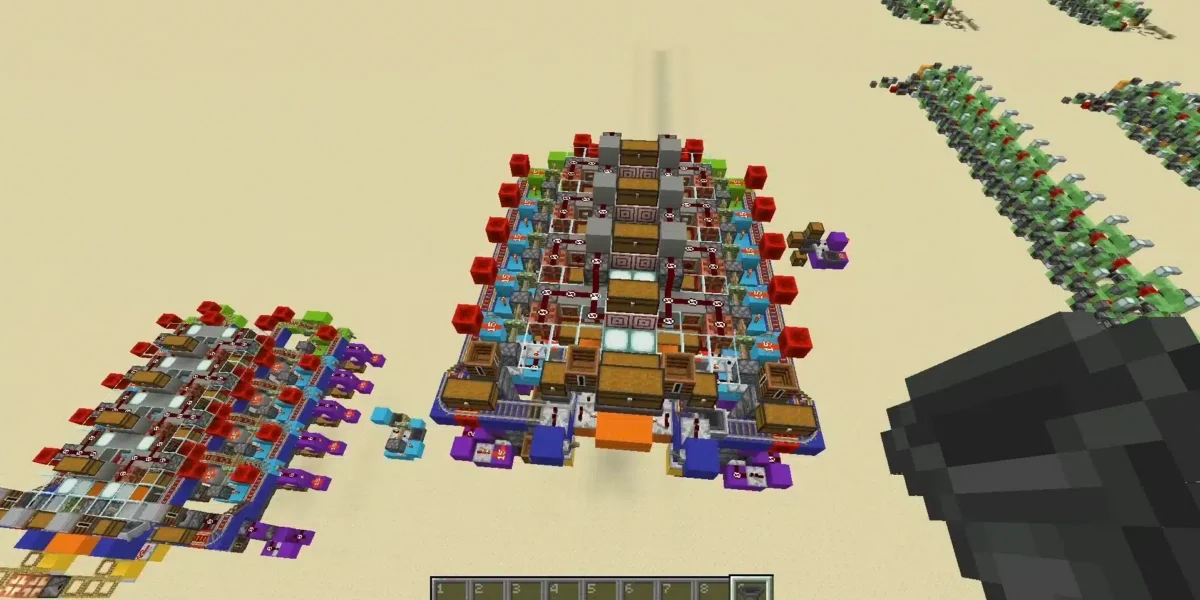
Whether you’re exploring survival mode or working on creative builds like concrete structures in Minecraft, a smoother connection makes the experience far more enjoyable.
Where to buy Minecraft gift cards?
Purchasing a Minecraft gift card is straightforward when you know where to look. Choosing a reliable seller is critical to ensure that your code works and to avoid scams.
Physical stores:
You can buy gift cards at:
- Supermarkets like Walmart or Target
- Electronics stores such as Best Buy
- Game retailers like GameStop
- Stationery shops with gift card sections
Online platforms:
If you prefer digital delivery, these platforms are ideal:
- Microsoft Store: Purchase codes directly usable on Xbox or PC.
- Amazon: Offers both physical and digital cards.
- Official Minecraft Website: Especially useful for Mojang account holders.
- Trusted marketplaces like Newegg or Best Buy’s website.
For beginners, those who are still learning the basics might want to check out this guide on how to play Minecraft to get the most out of their newly redeemed gift card.
Gift cards work globally?
Many gamers ask if their Minecraft gift card will work in different regions. The answer depends on the region lock policy of the card:
- Microsoft redeem codes are often region-locked.
- Cards bought in the US may not work in Europe or Asia.
- Always check the card’s terms before purchasing.
Do Minecraft gift cards expire?
Good news for procrastinators: Minecraft gift cards usually don’t expire. However:
- Always redeem your code as soon as possible.
- Some promotional cards may have a validity window.
- Check the fine print on physical cards or digital terms when buying.
How to redeem your Minecraft gift card
The process of redeeming your Minecraft gift card depends on the platform you’re using. Below are step-by-step guides for PC, Xbox, and Microsoft users.
Redeeming on PC (Mojang account)
- Visit the Official Minecraft Website:
Go to minecraft.net/redeem. - Log In:
Use your existing Mojang or Microsoft account. - Enter Your Code:
Locate the redemption field and type in your Minecraft gift card code. - Confirm and Download:
Follow the prompts to complete redemption. If you’re buying the full game, you’ll get a download link afterward.
Redeeming on Xbox consoles
To use an Xbox redeem code, follow these steps:
- Turn On Your Console:
Make sure you’re signed into your Xbox account. - Open the Microsoft Store:
Navigate to the “Store” tab. - Select ‘Redeem Code’:
Find the option in the menu. - Enter the Minecraft Gift Card Code:
Carefully type the code and confirm. - Enjoy Your Content:
Once redeemed, the credit will appear in your Microsoft account balance.
Redeeming through Microsoft website
If you bought a Microsoft redeem code, use these steps:
- Go to microsoft.com/redeem
- Log In to Your Microsoft Account
- Enter the Xbox Code Redeem Sequence
- Follow On-Screen Instructions
- Check Your Account Balance or Purchased Content
| Platform | Step Description | Link |
| PC (Mojang) | Redeem directly on Minecraft.net | minecraft.net/redeem |
| Xbox | Use the console’s Microsoft Store | On your Xbox console |
| Microsoft Site | Redeem digital Xbox codes online | microsoft.com/redeem |
Pro tip: Double-check before confirming
Incorrectly entered codes are a common cause of failed redemptions. Always review the code carefully before clicking submit.
Common issues and solutions when redeeming Minecraft gift cards
Even when following the steps, users may encounter errors. Below are common problems and how to fix them.
Invalid code error
Problem: The system says your code is invalid.
Solution:
- Verify you’ve typed the code correctly.
- Make sure you’re redeeming on the correct platform (Xbox vs. Mojang).
- If buying online, ensure the seller is reputable.
Region mismatch
Problem: The code is not valid for your region.
Solution:
- Check if your Minecraft gift card has regional restrictions.
- Redeem using a matching account region.
- Contact support if you believe the error is a mistake.
Code already redeemed
Problem: The system reports the code has already been used.
Solution:
- Double-check your Microsoft or Mojang account balance.
- Contact customer support with proof of purchase if the code was new.
| Error Message | Possible Cause | Solution |
| Invalid Code | Typo or wrong platform | Recheck code & platform |
| Region Error | Geographic restriction | Use correct region |
| Already Redeemed | Previously used code | Contact support |
| Server Connection Issue | Internet problem | Retry after some time |
Contacting support
If your issue persists:
- Visit the Microsoft Support or Minecraft Help Center.
- Provide all relevant information, including the gift card receipt.
- Stay patient while waiting for their response.
How to fix Minecraft gift card errors effectively
Even after following the right redemption steps, Minecraft gift card users sometimes encounter technical issues that prevent successful redemption. Below are some additional troubleshooting tips to help resolve these problems quickly.
Confirm the platform compatibility
One of the most overlooked issues is using the wrong platform for the code type. Here’s how to prevent this:
- Check The Card Label: If your card is labeled for Xbox redeem code, it won’t work on Mojang’s website.
- Microsoft Redeem Codes: These are only valid on Microsoft platforms, including Xbox and Windows.
- Mojang-Specific Codes: These only work at minecraft.net/redeem.
Double-check your region settings
Some Minecraft gift cards are locked to specific geographic regions. Here’s how to fix a region mismatch error:
- Log in to Your Account Settings.
- Review Your Region Selection.
- Update The Region If Needed (if allowed).
- Retry The Redemption Process.
If the issue persists, contacting Microsoft or Mojang support is essential.
Payment verification issues
Occasionally, when buying online, the purchase itself may face verification delays. This often happens with platforms like Amazon, Microsoft Store, or when using payment methods like American Express.
Fix:
- Wait for the payment confirmation email.
- Avoid attempting redemption before receiving the official code.
- If using American Express, check that the payment cleared before expecting the code.
Check gift card activation status
In rare cases, especially with in-store purchases (like Walmart), the gift card may not have been activated at the cash register.
Steps to verify:
- Contact the store where you purchased the card.
- Provide your purchase receipt.
- Request confirmation that the Minecraft gift card was activated.
Can you buy Minecraft with a gift card?
Yes, purchasing the full version of Minecraft using a Minecraft gift card is possible. Here’s how:
- Buy a Minecraft Gift Card:
Physical or digital options work. - Redeem The Code:
Follow the platform-specific redemption steps. - Purchase Minecraft:
Use the credited balance to buy the game on Microsoft Store, Minecraft.net, or Xbox Store.
Important note:
Ensure your card’s value covers the full price of the game. If needed, you can use additional payment methods to cover any balance difference.
Using an American Express gift card to buy Minecraft
For users wondering about payment flexibility:
- Yes, you can buy a Minecraft gift card using an American Express gift card, provided the retailer accepts Amex.
- Confirm the seller’s accepted payment methods before purchase.
Benefits of using Minecraft gift cards
Choosing a Minecraft gift card offers several advantages:
- No Need For Credit Cards: Ideal for younger players or gift-giving.
- Quick Redemption: Codes are typically active immediately upon purchase.
- Flexible Platform Use: Available for PC, Xbox, and mobile (Microsoft platforms).
Top 5 benefits:
- Avoid entering credit card information online.
- Great gift option for Minecraft fans.
- Works across multiple platforms like Xbox and PC.
- Provides access to in-game purchases and Minecoins.
- Often available with promotional discounts.
Step-by-step summary: How to buy and redeem a Minecraft gift card
Here’s a complete overview in numbered sequence for clarity:
- Choose Your Preferred Seller:
Opt for trusted physical stores or online platforms like Amazon or Microsoft. - Select The Correct Card Type:
Confirm if you need a PC, Xbox, or Microsoft code. - Make The Purchase:
Complete the transaction using your preferred payment method, including American Express if supported. - Safeguard Your Code:
Store the code securely. - Redeem The Minecraft Gift Card:
Use platform-specific instructions for Xbox, Microsoft Store, or Mojang. - Confirm Successful Redemption:
Check for game availability or credited balance. - Launch Minecraft And Enjoy:
If facing lag, optimize your connection with ExitLag.
Frequently Asked Questions (FAQ)
Go to the correct platform based on your card type:
For Mojang: minecraft.net/redeem
For Xbox: Use the console’s Microsoft Store.
For Microsoft: Visit microsoft.com/redeem
Enter your Minecraft gift card code and follow the on-screen steps.
You can buy Minecraft gift cards from:
Physical retailers like Walmart, Best Buy, and Target.
Online stores such as Amazon, Microsoft Store, or the official Minecraft website.
Always verify that the seller is authorized.
Yes. After redeeming your Minecraft gift card, use the credited balance to purchase Minecraft or in-game content through supported platforms like the Microsoft Store, Mojang, or Xbox.
You’ll find Minecraft gift cards at:
Supermarkets and convenience stores.
Electronic retailers.
Online marketplaces like Amazon and the Microsoft Store.
Both physical and digital versions are available.
Yes, provided the retailer accepts American Express as a payment method. This applies to both online and in-store purchases of Minecraft gift cards.
Conclusion: Unlock Minecraft and optimize your gameplay with ExitLag
Buying and redeeming a Minecraft gift card is a straightforward process when you follow the right steps. Whether you’re using a Microsoft redeem code, an Xbox redeem code, or a Minecraft gift card code from Mojang, success lies in choosing a reliable seller and following the correct redemption procedure.
After redeeming your gift card and jumping into Minecraft, don’t let network issues ruin your experience. ExitLag helps optimize your connection, ensuring stable gameplay, reduced ping, and minimal packet loss.
Take your Minecraft adventure to the next level with ExitLag!
Got questions or want to connect with other players? Join the conversation at the ExitLag Forum!