PoE1 Trade looks scary the first time you open the official site. There are hundreds of filters, prices in four currencies and sellers who never answer, and the first few searches usually return either nothing or a wall of junk. Still, once you learn the flow, it's the fastest way to gear a character in Path Of Exile.
The Covens of Umbra league (patch 3.30) went live on November 13, and the economy is still settling. So PoE1 Trade is risky right now. Profitable too. Early prices swing hard, and a good flip on day 12 of a league can fund your whole build.
So what is PoE1 Trade in practice? It's three systems working together: the official trade site at pathofexile.com, the Merchant's Tabs you can buy from without the seller online, and the Currency Exchange run by Faustus in town. Use the site to find items, Merchant's Tabs for instant buys, and the exchange for currency swaps.

How PoE1 Trade Works in the Current League
Grinding Gear Games has changed PoE1 Trade a lot over the last few leagues. If you quit before Keepers Of The Flame (3.27), you'll find a very different setup today.
The three ways to trade
Each tool has a clear job. Learn it. Mixing them up costs currency.
- The trade site: a search engine for every item listed in public or merchant tabs in your league.
- Merchant's Tabs and Faustus: asynchronous trade, so a buyer travels to the seller's hideout and pays without the seller being there.
- The Currency Exchange: an order book for currency, run through Faustus, with a Gold fee per trade.
- Classic whispers: still used for regular public stash listings, where both players need to be online.
What changed in Covens of Umbra
Patch 3.30 didn't touch the trade site or Merchant's Tabs directly, but it did change what flows through the Currency Exchange, and that ripples into prices for crafting materials, maps and even mid-tier rares. Big shift.
- Black Barya, Dextral Catalyst, Sinistral Catalyst, Essence of Desolation and Refracting Fog can now be traded on the exchange.
- Orbs of Chance are much rarer, vendors no longer sell them, and the exchange charges a higher Gold fee for them.
- Vendor recipes were reworked, so two same-name rares now give a Chaos Orb and three give an Exalted Orb.
If your crafting plan used to spam Chance Orbs bought for pennies, check the exchange price before you commit.
Using the PoE1 Trade Site Step by Step
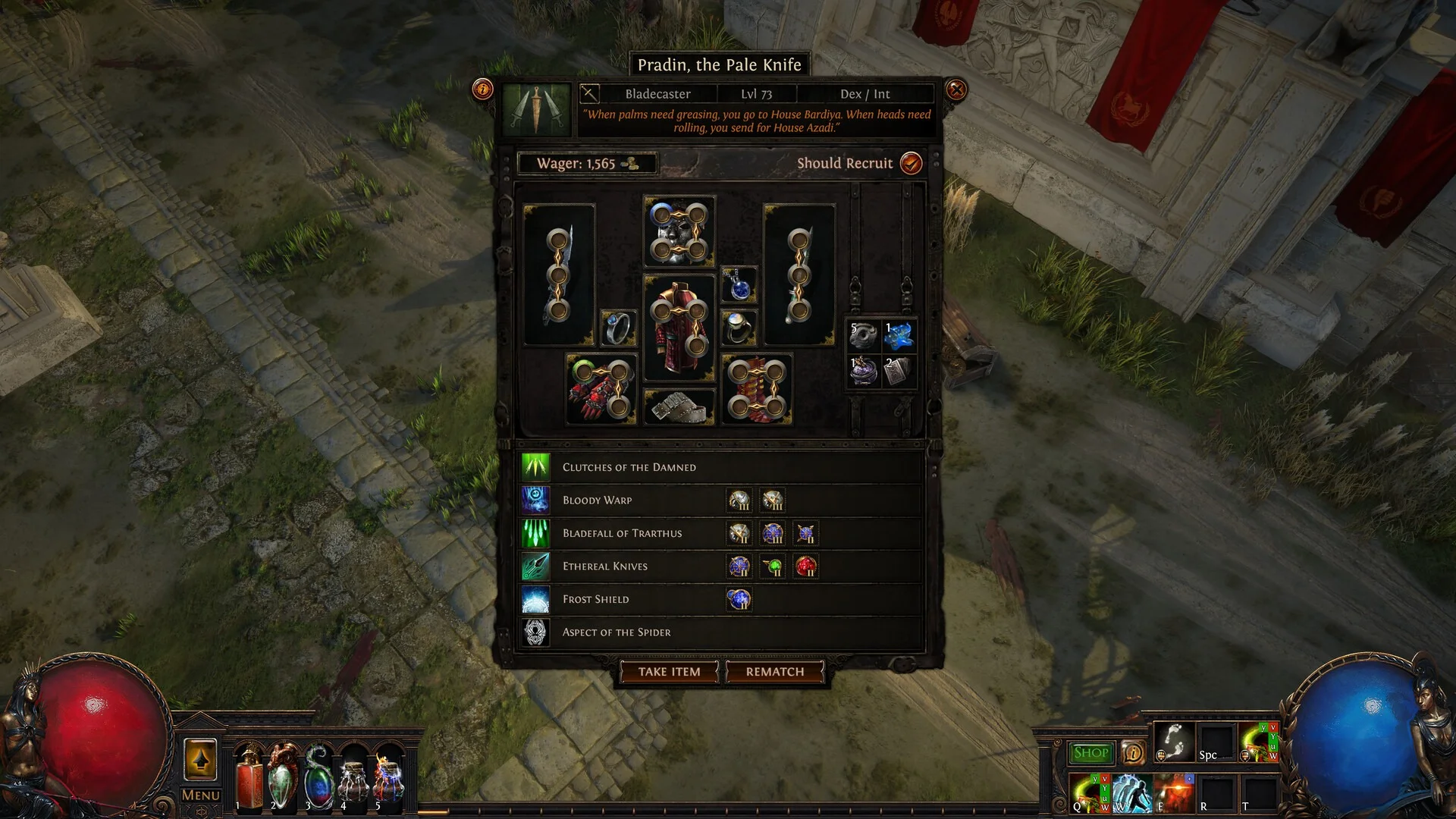
The PoE1 Trade Site lives at the official Path of Exile trade search. You need to be logged in with the same account you play on, and the game client must be running for the hideout travel button to work.
Running your first search
Pick the league first. Always. The dropdown defaults can bite you, and a lot of people spend 10 minutes pricing gear in Standard by accident.
- Open the site and select "Covens of Umbra" (or Hardcore Covens of Umbra) from the league dropdown.
- Type the item name, or the base type if you want a rare.
- Open the stat filters and add only the mods you actually need, with minimum values.
- Set the listing filter so you see sellers you can buy from right now.
- Sort by price and read the first 10 to 20 results, not only the first one.
Whispers vs Travel to Hideout
A result from a Merchant's Tab shows a "Travel to Hideout" button. Click it, the game sends you to the seller's hideout, you open their Faustus shop and pay. No waiting.
A result from a regular public tab gives you a whisper button instead, which copies a ready-made message with the item, the price, the league and the exact stash position so the seller can find it fast. You paste it in game, and the seller invites you to their party if they're around.
We'd always pick the hideout listing when prices are close. Whispers at league start get ignored a lot, and you lose more time chasing replies than the few chaos you'd save.
PoE 1 Trading With Merchant's Tabs and Faustus
PoE 1 Trading got much less painful when Merchant's Tabs came over from Path Of Exile 2. You list an item, set a price, and log off. Done. When it sells, the money waits for you.
Listing items for sale
Faustus handles everything from your hideout. Meet him in Act 6 if you haven't yet.
- Talk to Faustus and pick the shop management option.
- Drag an item into a Merchant's Tab.
- Choose the currency and amount, then confirm the listing.
- Double check the currency. Listings lock a few seconds after you confirm.
- Come back later and collect from the Earnings tab, which is remove-only.
Is the Gold fee worth it?
In PoE1 Trade, every Merchant's Tab purchase and every Currency Exchange order costs Gold. Early in the campaign that hurts. By mapping, it's noise.
The trade-off is real, though. If you're a fresh character with 20,000 Gold on day 1, five or six cheap buys can drain you. Fast. That's one case where a classic whisper trade is the better deal.
Currency Exchange and PoE 1 Trade Site Pricing
The Currency Exchange replaced most of the old bulk currency whispering. You place an order (say, Chaos for Divine), and it fills when someone matches your ratio.
How to read the exchange
You'll see the current market ratio and how deep each side of the book is, which tells you whether an order will fill in seconds or sit there while you run a few maps. Place your order slightly better than the market if you want it filled fast. Patient? Go a bit worse and keep the profit.
- Want Divines quickly? Offer a little more Chaos per Divine than the top order.
- Selling Essences or Catalysts? List in bulk and accept a small discount to clear them.
- Low-volume items like Black Barya can sit unfilled for hours at the start of a league.
Comparing your trading options
Here's how the tools stack up for common jobs in Covens of Umbra.
| Task | Best tool | Seller online? | Gold cost | Speed |
|---|---|---|---|---|
| Buying a specific rare or unique | Trade site + Merchant's Tab | No | Yes, per purchase | Instant |
| Buying from an older public listing | Trade site + whisper | Yes | No | Depends on reply |
| Swapping Chaos for Divines | Currency Exchange | No | Yes, per order | Seconds to hours |
| Selling bulk Essences or Catalysts | Currency Exchange | No | Yes, per order | Usually fast |
| Selling a single good rare | Merchant's Tab | No | Paid on the buyer's side | When a buyer appears |
How Do You Price Check on the PoE 1 Trade Site?
Pricing is where new traders lose the most currency in PoE1 Trade. By far. The PoE 1 Trade Site shows asking prices, not sale prices, and that gap is big.
A simple price check routine
- Search with only the mods that make the item valuable, at slightly lower values than yours.
- Skip the cheapest few listings. Those are often price fixers or stale.
- Look at where 5 or more similar items are bunched together. That's the market.
- List a bit under that cluster if you want a fast sale.
- Check again after 24 hours and lower the price if nothing moved.
Why the cheapest listing lies
Price fixing is a known problem on the Path Of Exile 1 Trade site. Some players list fake low prices to drag the market down, then never answer or sell. Annoying. You can filter around it, though.
If an item seems priced at half the rest of the page, assume it isn't real until the Travel to Hideout button proves otherwise. Merchant's Tab listings are much harder to fake since the purchase goes through instantly.
Are Trade PoE1 Scams Still a Problem?
Yes. Asynchronous trade killed a lot of the old tricks, though. Most Trade PoE1 scams today live in direct trades and in sloppy listings.
The scams you'll actually see
- Currency mismatch: a seller lists five similar items at 40 Exalted, and one of them at 40 Divine. Buy all five without checking and you've been robbed.
- Item swaps in the trade window: someone places the right item, then quickly swaps it for a lookalike with worse mods.
- Fake "middleman" or service offers in chat for Mirror crafts or carries.
- Off-site deals for currency or accounts.
How to stay safe
The in-game trade window makes you hover over every item before accepting, and the whole point is to actually read the tooltip while you hover instead of sweeping the mouse across it in half a second. Slow down.
For Merchant's Tabs, check the currency icon on every single item before you click buy. The 40 Exalted vs 40 Divine trap above is the one we see people fall for most at league start.
Pro Tips and Common Mistakes When You Trade PoE 1
Some of this only clicks after a few leagues of PoE1 Trade. Learn it faster here.
Pro Tips: Trade PoE 1 Smarter
- Save your searches: Bookmark searches for gear you'll upgrade later. You'll spot price drops in seconds once the league's first week passes and supply jumps.
- Price in Divines above a threshold: Once an item is worth more than roughly one Divine, list it in Divines. Buyers filter that way.
- Sell league currency early: New items added to the exchange this patch, like Refracting Fog, are usually worth the most in the first days when few players have them.
- Use a clean loot filter: A strict filter hides junk and shows you sellable bases. Our Path Of Exile loot filter guide covers setups that highlight items worth listing.
- Know your build before you shop: Buying gear for an Ascendancy you'll respec away from wastes currency. Check the Path Of Exile Ascendancy guide first.
Common Mistakes PoE1 Trade Players Make
- Searching the wrong league: You price an item in Standard and list it way too low in Covens of Umbra. Fix: confirm the league dropdown every session.
- Overfiltering searches: Adding every mod on your item returns zero results, so you guess a price. Fix: filter only the mods that drive value.
- Ignoring the Gold budget: Spending all your Gold on day 1 leaves nothing for exchange orders later. Fix: keep a buffer and use whispers for very cheap items early.
- Trusting the lowest price: That 1 Chaos listing for a 50 Chaos item is almost always fake. Fix: read the cluster, as in the routine above.
- Buying without checking currency: The Exalted vs Divine trap from the scams section. Fix: read every price before you click.
Does Lag Affect PoE1 Trade?
The PoE1 Trade site itself doesn't care about your ping. At all. What does care is everything around it: hideout travel, loading into a seller's instance and the trade window.
Where connection problems show up
- Long loading screens when you click Travel to Hideout.
- The trade window freezing or desyncing while you hover items.
- Disconnects mid-trade that force you to restart the whole process.
- Rubber-banding and delayed hits once you're back in maps, which is where trading money gets made.
Far from a gateway? These add up. Our guide to fixing high ping in Path Of Exile 1 goes through gateway choice and in-game network settings.
Quick fixes before you trade
- Pick the gateway closest to you in the login screen, and test a second one if pings jump at peak hours.
- Close downloads and streaming on the same network.
- Use a wired connection if your router allows it.
- Learn what causes high ping so you can tell a local Wi-Fi issue from a bad route.
ExitLag for Path Of Exile 1 Players
Trading pays for your build, but mapping and bossing are where you earn it. A bad route to the Path Of Exile servers means rubber-banding during Covens bosses, and with the new trait system making those fights harder, a desync can cost you the whole encounter.
ExitLag is a connection optimizer, not a VPN. It tests multiple network routes to the game's servers in real time and sends your traffic through the fastest, most stable one. There's no encryption, and it doesn't touch apps outside supported games.
Here's what we'd actually use for Path Of Exile 1:
- Multipath Technology sends packets over more than one route at once, so a single bad hop doesn't drop you mid-map.
- Multi-Internet lets you combine up to 4 connections, like home Wi-Fi plus a phone hotspot, if one drops.
- Traffic Shaper keeps game traffic ahead of downloads on the same PC.
- PC Boost clears RAM and background processes for steadier FPS in heavy juiced maps.
ExitLag doesn't modify game files or interact with anti-cheat, so it's safe to run alongside the game, but skip VPNs while you use it, since they stack extra hops on top of the route ExitLag just picked for you. The client supports 4,000+ titles with 1,500+ servers in 190+ countries.
It won't fix a bad Wi-Fi signal in your room, and if your route is already clean, the gain is small. For players far from a gateway, though, it's worth testing. Grab the ExitLag Download and compare your ping before and after on the same gateway.
Getting Started With PoE1 Trade Today
If you're new to the game itself, read the Path Of Exile beginner guide before you spend real currency. Trading makes a lot more sense once you know which items your build needs, which mods are mandatory and which ones are just nice to have when the price is right.
Your first trading session
- Pick the Covens of Umbra league on the trade site.
- Buy one or two upgrades from Merchant's Tabs with Travel to Hideout.
- Swap spare currency on the Currency Exchange.
- List your first rare in a Merchant's Tab using the price check routine.
What to watch for the rest of the league
Prices will keep shifting as players push the new Atlas Tree. Re-check your saved searches every few days, and watch the exchange for the five new items added this patch.
Remember the 40 Exalted vs 40 Divine trap and the fake 1 Chaos listings, and you'll avoid most of the losses we see. With the trade site, Merchant's Tabs and the exchange working together, PoE1 Trade is the fastest way to turn drops into a finished build.
All game images used in this blog post belong to Grinding Gear Games. They are used for informational and educational purposes only and do not imply endorsement or affiliation with the rights holders.