Few games capture the complexity of survival and creativity like RimWorld Steam. This colony simulator from Ludeon Studios is more than just a game; it’s an emergent storytelling experience where every decision shapes your colonists’ fate. With its rich modding community, seamless Steam Workshop integration, and compatibility across devices (including the Steam Deck), RimWorld continues to thrive as one of Steam’s most beloved strategy titles.
Whether you’re new to the RimWorld universe or a veteran player looking to optimize performance, this comprehensive guide covers everything you need to know — from Steam Workshop essentials and mod installation to stabilizing connections and download speeds with tools like ExitLag.
What Is RimWorld on Steam?
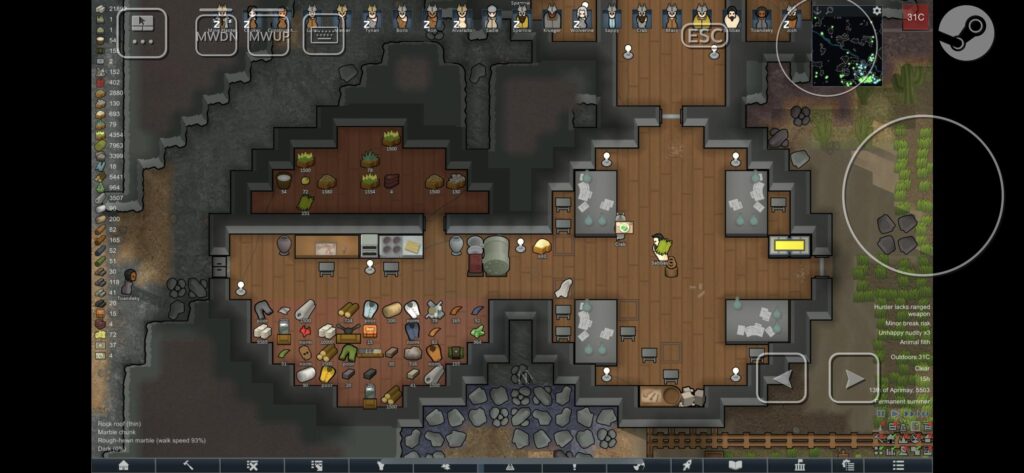
RimWorld is a top-down colony management simulator developed by Ludeon Studios, available on PC, macOS, and Linux through Steam. Players manage a group of survivors stranded on a distant planet, balancing their mental states, needs, and relationships while facing random events that challenge survival.
On Steam, RimWorld is recognized for its:
- Massive mod support via the Steam Workshop
- Active updates and expansions, including Royalty, Ideology, Biotech, and Anomaly
- Seamless community-driven content ecosystem
- Compatibility with the Steam Deck, ensuring portable colony management with optimized controls
RimWorld’s Steam version has become the definitive way to experience the game due to its robust modding tools and easy workshop integration.
How to Get a RimWorld Steam Key
A RimWorld Steam key allows you to activate the game on your Steam account, granting access to all its features, updates, and workshop mods. Keys are typically purchased through:
- Official Steam Store – The safest and most direct option.
- Ludeon Official Website – Occasionally provides keys but always verify the seller’s authenticity.
- Authorized Retailers – Platforms such as Humble Bundle or Green Man Gaming.
⚠️ While some third-party resellers are legitimate, be cautious when buying from unknown sources. Always ensure the seller has a trustworthy reputation to avoid invalid or revoked keys.
Once you have your RimWorld Steam key:
- Open Steam.
- Click Games → Activate a Product on Steam…
- Enter your key and confirm.
- RimWorld will appear in your Library for download.
Exploring the Steam RimWorld Workshop
The Steam Workshop is the heart of RimWorld’s creativity. Players can browse, download, and manage thousands of mods that enhance visuals, gameplay, factions, and even core mechanics.
Here’s what you can do in the Steam RimWorld Workshop:
- Subscribe to mods with one click.
- Automatically download updates when mod authors release new versions.
- Reorder mods easily through the in-game mod manager.
- Explore curated collections like Vanilla Expanded and RimForge.
Some of the most popular mods include:
| Mod Name | Category | Description |
| Harmony | Core Library | Required by most mods for compatibility |
| RimWorld of Magic | Gameplay Expansion | Introduces new abilities and magic systems |
| Hospitality | Quality of Life | Lets you host and recruit visitors |
| Vehicle Framework | Base Framework | Provides the foundation for other mods to add vehicles |
| Vanilla Vehicles Expanded | Systems | Adds actual vehicles using Vehicle Framework |
The Steam Workshop RimWorld community is constantly evolving, with thousands of active creators keeping the experience fresh and immersive.
How to Use Steam Workshop Mods in RimWorld
Installing and managing mods on RimWorld Steam is straightforward, but using them effectively requires care. Follow these steps:
Step 1: Access the Workshop
Go to RimWorld’s Steam page and click Workshop to explore community-created mods.
Step 2: Subscribe to Mods
Click Subscribe on any mod you want to install. Steam will automatically download it.
Step 3: Enable Mods in-Game
- Launch RimWorld.
- Open Mods in the main menu.
- Toggle your subscribed mods on or off.
- Restart the game to apply changes.
Step 4: Load Order Optimization
While a general order helps, it’s best to follow each mod creator’s instructions. Some mods require unique positioning to prevent conflicts. Tools like RimPy or Mod Manager can automatically optimize your load order and detect compatibility issues.
Suggested general order:
- Core Mods (Harmony, Core Libraries)
- Expansions (Royalty, Ideology, etc.)
- Frameworks (Vehicle Framework, VFE frameworks)
- Gameplay Mods
- Visual/UI Enhancements
If you encounter errors, check the RimWorld community forums or Steam discussions for conflict solutions.
Steam RimWorld Vehicle Framework: Expanding Mod Potential
The Steam RimWorld Vehicle Framework is not a vehicle mod itself but rather a base framework that enables other mods to implement vehicles into the game. By itself, it doesn’t add cars, tanks, or hovercrafts — it provides the coding infrastructure for modders to do so.
Popular dependent mods include Vanilla Vehicles Expanded, RimCities, and Helicopter Mechanoid Assaults, all of which use this framework to introduce new gameplay layers like transport systems and vehicle-based combat.
RimWorld on Steam Deck: Portable Survival at Its Finest
RimWorld on Steam Deck runs smoothly thanks to dedicated controller and UI updates introduced in version 1.3.3326. Valve classifies it as Playable, though not Verified, due to occasional text scaling and performance drops.
Optimization Tips for Steam Deck Players
- Use a smaller colony size to maintain stable FPS.
- Limit heavy mods that increase object counts.
- Adjust UI scale for readability on handheld mode.
- Save frequently to prevent slowdowns during large simulations.
With light to moderate mod usage, RimWorld performs very well on Steam Deck, but extensive mod lists or massive colonies can affect CPU performance and frame rate.
RimWorld Steam Mods: The Heart of Customization
The magic of RimWorld Steam mods lies in how they personalize each playthrough. Players can transform their colony into a medieval fortress, cyberpunk empire, or biotech society. From aesthetic tweaks to full-blown expansions, modding keeps RimWorld endlessly replayable.
For new players, recommended starter mods include RimHUD, Vanilla Expanded, Realistic Rooms, and Quality Builder. These improve quality of life without overloading your system.
How ExitLag Helps RimWorld Steam Players
Although RimWorld is primarily a single-player experience, it does rely on stable connections for Workshop mod downloads and certain community multiplayer mods such as RimConnect. ExitLag can help by optimizing the routes between your device and Steam’s servers, ensuring faster and more reliable data transfers.
ExitLag Benefits for RimWorld Users
- Improved Steam Workshop download stability
- Smoother mod syncing during updates
- Reduced latency for experimental multiplayer mods
- Better performance for remote play or streaming setups
However, ExitLag does not affect offline gameplay or the colony’s in-game performance. It is most beneficial when network communication is involved, such as mod synchronization or online play.
RimWorld Steam Mods and Community: Advanced Tips and Technical Insights
The beauty of RimWorld Steam lies not only in its gameplay but also in its thriving community of modders and survival enthusiasts. In this second part, we’ll dive into advanced modding techniques, troubleshooting, compatibility management, and the game’s technical performance across systems — especially for Steam Deck and mod-heavy setups.
This continuation also addresses the practical aspects of stability and optimization, helping players get the most from RimWorld without sacrificing performance or immersion.
Advanced Steam Workshop Management
While subscribing to mods from the Steam Workshop is simple, managing large mod lists is far more complex. Players often exceed 200 mods, leading to long load times and potential conflicts. Here’s how to manage them efficiently:
Use External Mod Managers
Tools like RimPy or Fluffy’s Mod Manager provide enhanced sorting, compatibility checks, and dependency resolution. These applications can:
- Detect missing dependencies
- Suggest optimal mod load orders
- Check for outdated or broken mods
- Automatically back up your configuration
Organize Mods by Category
To keep your setup manageable, create custom categories:
- Core & Libraries
- Frameworks
- Gameplay Expansions
- Aesthetic / UI Mods
- Faction or Story Mods
This approach makes it easier to troubleshoot conflicts or identify broken mods after updates.
Verify Mod Compatibility After Game Updates
When Ludeon Studios releases a new RimWorld version, older mods may temporarily break. Before loading your colony, check the Workshop pages for update notes and compatibility reports.
Troubleshooting Common RimWorld Steam Issues
Even the best setups encounter occasional issues. Here’s a quick guide to fixing common problems:
1. Game Crashes at Startup
- Disable all mods and reload only core files.
- Check that Harmony is updated.
- Verify the integrity of game files through Steam.
2. Missing Textures or Items
- Reorder mods (ensure framework mods like Vehicle Framework load early).
- Delete the Config folder in your RimWorld directory to reset settings.
3. Infinite Loading Screens
- Usually caused by circular mod dependencies.
- Use RimPy to detect and resolve dependency loops.
4. FPS Drops in Large Colonies
- Reduce colony population using storyteller settings.
- Turn off temperature overlays and dynamic lighting mods.
- Lower the Draw Shadows option in graphics settings.
RimWorld on Steam Deck: Extended Optimization Guide
The Steam Deck offers impressive RimWorld performance, but heavy mod usage can push its limits. Players report smooth experiences in early- to mid-game, but late-game colonies can cause CPU strain and frame drops.
Recommended Steam Deck Settings
| Setting | Recommended Value |
| Resolution | 1280×800 (native) |
| VSync | Off |
| Battery Saver Mode | On for modded sessions |
| UI Scale | 1.4–1.6 |
| FPS Cap | 40–45 for stability |
Mod Strategy for Deck Players
- Avoid excessive automation or pathfinding-heavy mods.
- Skip heavy texture packs.
- Prioritize quality-of-life mods that improve navigation (e.g., Better Workbench Management).
- Back up saves frequently, as large colonies increase autosave time.
Even though RimWorld is marked Playable rather than Verified, these optimizations allow long, stable sessions without overheating or battery drain.
Multiplayer and Network Mods
While RimWorld was designed as a single-player experience, several community mods introduce multiplayer elements. The most notable is RimConnect, which allows limited online interaction or Twitch integration.
Important Notes:
- Multiplayer mods are experimental and may cause desyncs or crashes.
- Stable performance requires high-quality connections.
- ExitLag can help optimize routes between players’ networks, reducing potential latency spikes.
However, RimWorld’s core gameplay is offline, meaning ExitLag won’t influence single-player or offline colony performance. Its usefulness applies only when a stable connection is required for mods or remote sessions.
Understanding RimWorld Mod Frameworks
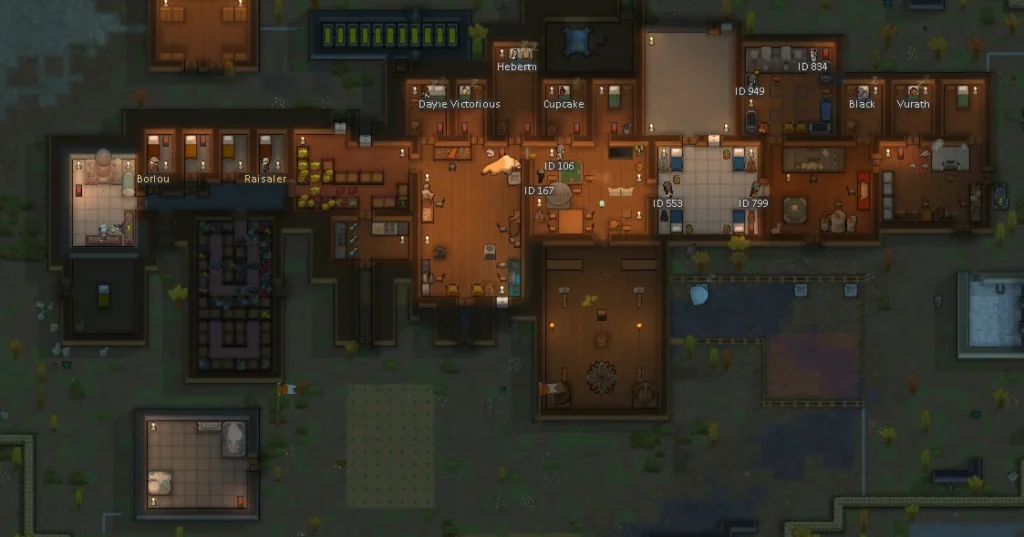
Frameworks are the backbone of RimWorld modding. They provide shared functionality that other mods rely on. Understanding how these systems interact can prevent crashes and improve stability.
Common Framework Mods
| Framework | Function |
| Harmony | Core dependency for all major mods |
| HugsLib | Adds settings menu and compatibility features |
| XML Extensions | Expands XML code for modders |
| Vehicle Framework | Enables other mods to add vehicles |
| Vanilla Expanded Framework | Used by the Vanilla Expanded collection |
Each of these frameworks must be loaded in the correct order. Always check each mod’s documentation for proper placement.
Performance Tuning for Heavy Mod Lists
When running RimWorld with 200+ mods, performance tuning becomes critical. Here’s how to maintain stability:
- Limit Background Processes – Close browsers or other apps when running large colonies.
- Increase Cache Size – Use SSD storage to reduce loading times.
- Batch Mod Testing – Activate 10–20 mods at a time to isolate issues.
- Monitor Memory Use – Use tools like MSI Afterburner or Decky Plugin on Steam Deck.
For advanced users, editing the Prefs.xml file allows tweaks to autosave intervals, reducing interruptions.
Top Mod Collections for 2025
Here are curated mod collections popular among RimWorld Steam users this year:
| Collection | Focus | Highlights |
| Vanilla Expanded | Balanced expansions | Adds new weapons, furniture, and jobs |
| Biotech Boost Pack | Genetic gameplay | Expands gene editing systems |
| Realism Overhaul | Survival realism | Adjusts weather, hunger, and damage systems |
| Medieval Life | Thematic storytelling | Turns RimWorld into a feudal simulation |
| Sci-Fi Rim | Futuristic gameplay | Adds cybernetics, androids, and space tech |
Each collection can transform RimWorld into a unique experience — from a gritty survival story to a futuristic space colony.
Enhancing Connectivity with ExitLag
While ExitLag doesn’t affect RimWorld’s local gameplay performance, it can be useful for players who use mods requiring constant network access — such as mod sync tools, online multiplayer features, or Twitch integration.
ExitLag’s Main Benefits for RimWorld Users
- Faster and more reliable Steam Workshop downloads.
- Improved network stability for co-op mods like RimConnect.
- Reduced stutter when syncing large mod libraries between devices.
- Smoother remote play streaming when connecting your Steam Deck or laptop to a home PC.
ExitLag should be viewed as a connectivity enhancer, not a gameplay optimizer.
Responsible Modding: Best Practices
To maintain game stability, follow these modding best practices:
- Read each mod’s description carefully.
- Avoid mixing outdated mods with current versions.
- Back up your ModsConfig.xml and save files regularly.
- Participate in the RimWorld Workshop discussions for updates.
RimWorld’s thriving Steam community is filled with active developers and players who share bug fixes, compatibility patches, and creative suggestions.
The Power of the RimWorld Community
RimWorld owes much of its longevity to its dedicated modding community. Thousands of creators worldwide continue to expand the game’s limits — from realistic farming simulations to cosmic horror expansions. Steam discussions, Reddit forums, and Discord servers offer daily updates, patch notes, and new ideas for improving your colony.
Whether you’re building a peaceful utopia or surviving constant raids, the creativity of the RimWorld Steam community ensures there’s always something new to explore.
Final Thoughts
RimWorld Steam remains one of the most customizable and community-driven experiences in gaming. Its mod ecosystem, technical depth, and continued updates have secured its position as a long-lasting favorite.
By understanding frameworks, managing load orders, and optimizing performance on both PC and Steam Deck, players can enjoy a seamless colony simulation tailored to their imagination.
And while ExitLag won’t change how your colonists behave, it can smooth out your connection when downloading mods, syncing saves, or experimenting with multiplayer experiences.
All game images used in this blog belong to Ludeon Studios. They are used for informational/educational purposes only and do not imply endorsement or affiliation with the rights holders.
Got questions or want to connect with other players? Join the conversation at the ExitLag Forum!