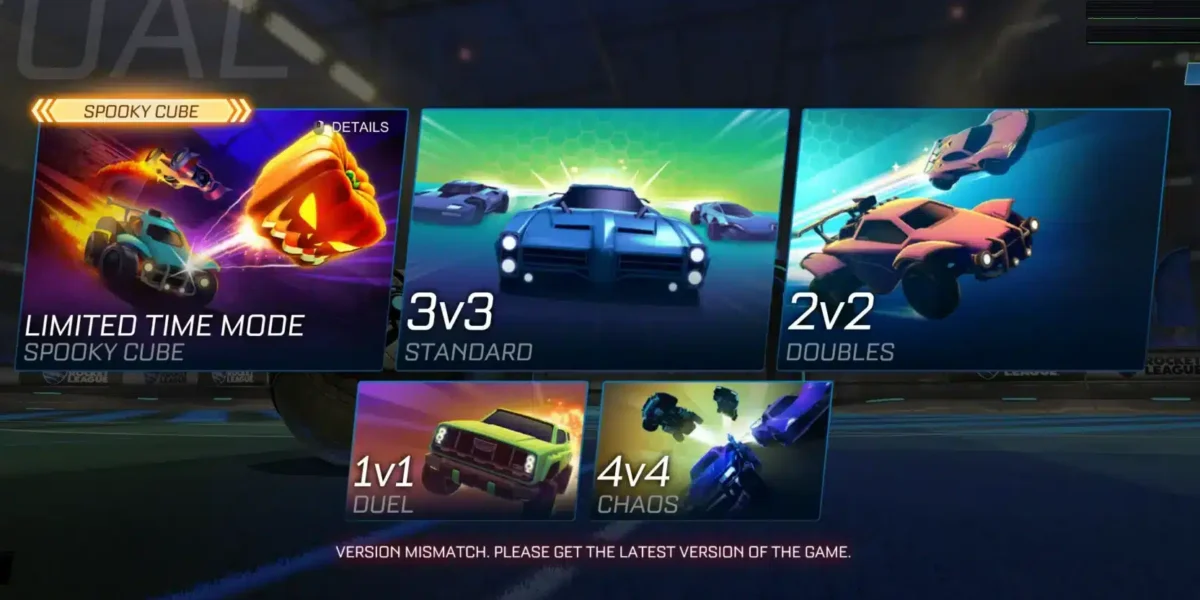
Rocket League Servers are essential for matchmaking, competitive games, tournaments, parties, and online progression. When they work normally, players rarely think about them. However, when matchmaking stops, ping spikes, or the game displays a communication error, the first question is usually whether the problem is local or server-side.
Understanding Rocket League Servers can save a lot of troubleshooting time. A full outage, regional instability, platform service problem, or bad route from your ISP can all create similar symptoms, even though the solutions are different.
So, what are Rocket League Servers? They are the online infrastructure that handles multiplayer sessions, matchmaking, communication between players, and other connected game services. Rocket League operates server regions around the world, and players are generally encouraged to select the closest region for better connectivity.
In this guide, you will learn how to check server status, identify outages, fix connection errors, reduce disconnections, select the right region, and distinguish between a Rocket League problem and an issue with your own network.
Rocket League Servers: How to Check the Current Status
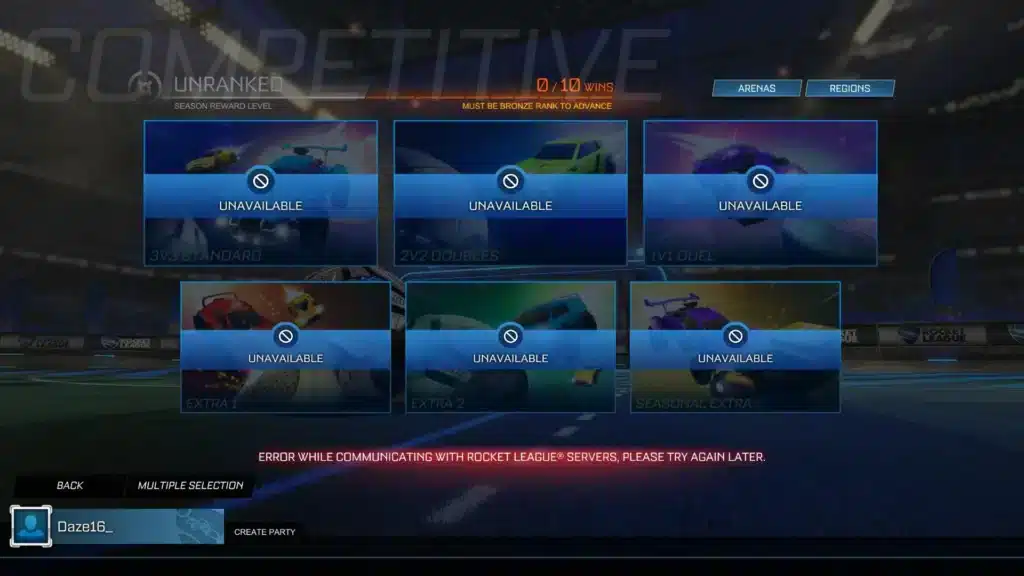
If Rocket League suddenly stops connecting, start by checking whether the problem is affecting other players. Do not immediately reset your router or reinstall the game.
Check the Epic Games status page
The official Epic Games Public Status page is one of the best places to verify outages that can affect Rocket League Servers.
It lists service conditions such as:
- Operational;
- Degraded performance;
- Partial outage;
- Major outage;
- Scheduled maintenance.
If matchmaking, Epic Online Services, or related systems are experiencing an incident, waiting for the service to recover may be the only necessary action.
As of the latest status information checked for this article, Epic had no widespread incident reported on September 15, 2026, although scheduled Epic Online Services maintenance is planned for September 22, 2026.
Use in-game connection indicators
Rocket League also includes Connection Quality Indicators.
You can enable them through:
Settings > Interface > Connection Quality Indicators
The game can then display warnings for:
- Disconnected;
- Server Health;
- Packet Loss;
- Latency Variance;
- High Latency.
These indicators help identify whether the issue is coming from the server, unstable ping, or packet loss.
Are Rocket League Servers Down?
Players searching are Rocket League servers down are usually experiencing one of several symptoms at the same time.
The most common include failed matchmaking, inability to log in, sudden disconnects, or errors while communicating with online services.
Signs of a widespread outage
The Rocket League Servers down scenario is more likely when:
- Many players report the same issue;
- Matchmaking fails across multiple regions;
- Epic reports an outage;
- Parties stop working;
- Players on several platforms are affected;
- Login problems appear simultaneously.
If all of these happen at once, the problem probably is not your router.
Check official service status before changing your network settings.
Signs that the problem may be local
If your friends are playing normally while you cannot connect, the problem may be on your side.
Possible causes include:
- Wi-Fi instability;
- Packet loss;
- Incorrect region;
- ISP routing problems;
- DNS issues;
- Platform network problems;
- Router congestion.
This distinction is important when asking is Rocket League servers down, because not every disconnect means a global outage.
Rocket League Servers Status: Where to Check
The best Rocket League Servers status check combines official sources with in-game symptoms.
Do not rely only on social media posts.
Official status sources
Start with:
- Epic Games Public Status;
- Your platform network status;
- Rocket League support information;
- In-game Connection Quality Indicators.
Epic support explicitly recommends checking its status page first when troubleshooting Rocket League connectivity.
If you play on PlayStation or Xbox, also check whether the platform itself has an outage.
Sometimes Rocket League is working normally while PlayStation Network or Xbox services are not.
Community reports can add context
Reddit, Discord, and social platforms can be useful for confirming whether other players see the same symptoms.
However, community reports should be treated as supporting evidence rather than the final source.
A hundred players posting “servers down” can indicate a real issue, but the cause could still be Epic Online Services, a console network, or another shared service.
Rocket League Servers Down April 1 2026
Search interest around Rocket League servers down april 1 2026 comes from a real wave of player reports that appeared on that date.
Multiple community threads reported players being unable to get past the start screen or connect to online services.
What happened on April 1, 2026?
On April 1, 2026, many Rocket League players reported connection failures across platforms.
Reddit threads from that day included players saying the servers were unavailable, login attempts failed, and the game stalled at startup. Some users also reported problems in other online games at the same time.
However, I would not describe this as a formally confirmed Rocket League-specific outage unless supported by an official Psyonix or Epic incident log.
The safest wording is that there was a widely reported connection disruption.
Why old outages still appear in search
Historical incidents often continue to generate searches because players find old Reddit posts or forum threads while troubleshooting.
That can be misleading.
If you are experiencing a problem today, do not assume an April 2026 outage is happening again.
Always check the current Rocket League Servers status first.
Error While Communicating With Rocket League Servers
The message error while communicating with Rocket League servers can appear for several reasons.
It does not automatically mean the entire game is offline.
What can cause the error?
Possible causes include:
- Epic Online Services problems;
- Incorrect system date or time;
- Account authentication issues;
- Platform network problems;
- Connection instability;
- Cache problems.
Epic support notes that communication errors involving Epic Online Services can sometimes be related to incorrect date and time settings on the device.
Therefore, checking automatic date and time configuration is an easy first step.
What to do first
Try this order:
- Check Epic Games status;
- Restart Rocket League;
- Restart your platform;
- Verify system date and time;
- Check your platform service status;
- Restart your router;
- Test a wired connection;
- Try again.
This approach avoids making unnecessary changes before knowing whether the issue is external.
Why Do Rocket League Servers Keep Disconnecting?
If you are asking why do Rocket League servers keep disconnecting, repeated drops are often different from a full outage.
A server outage usually affects many people at once, while recurring personal disconnects may point to your connection.
Common causes of repeated disconnections
Possible causes include:
- Weak Wi-Fi signal;
- Packet loss;
- Network congestion;
- ISP routing problems;
- High latency;
- Latency variance;
- Platform service instability.
Rocket League’s Connection Quality Indicators are especially useful here because they distinguish between server health, packet loss, high latency, and unstable latency.
If you repeatedly see packet loss or latency variance while other players remain connected, focus on your network.
Try Ethernet before major troubleshooting
Epic recommends using a wired connection when possible. Ethernet avoids several problems associated with Wi-Fi, including interference and signal instability.
If your disconnects disappear when switching from Wi-Fi to Ethernet, you have identified an important part of the problem.
Rocket League Server Regions Explained
Rocket League has server regions around the world. Choosing the correct one can significantly affect ping.
Available server regions
Epic currently lists regions including:
- US-East;
- US-Central;
- US-West;
- Europe;
- Asia-SE Mainland;
- Asia-SE Maritime;
- Asia-East;
- Middle East;
- Oceania;
- South Africa;
- South America;
- India.
For most players, the recommended region is the best default. The game attempts to select the closest region with suitable connectivity.
Why choosing a distant region causes problems
A distant region increases the physical distance your data must travel.
That can lead to:
- Higher ping;
- More latency;
- Packet loss;
- Delayed touches;
- Slower reactions;
- Inconsistent online gameplay.
Epic specifically warns that distant regions can cause lag and packet loss.
If you accidentally selected Europe while playing from South America, for example, your ping may increase dramatically.
How to Change Rocket League Server Region
Changing region is simple and can help if matchmaking places you somewhere inappropriate.
Casual and Competitive region
To change your Rocket League Servers region:
- Select Play;
- Choose Casual or Competitive;
- Select Regions in the top-right corner;
- Choose your preferred region or Recommended.
For most players, Recommended is the best option.
Manual region selection is useful when you know exactly which server area provides the most stable connection.
Tournament region
Tournament regions are changed separately. Go to:
Settings > Gameplay > Tournament Schedule Region
Epic notes that this setting can only be changed once every 24 hours and cannot be changed within 24 hours after the selected tournament ends.
Ping, Packet Loss, and Latency Variance
Not every problem blamed on Rocket League Servers actually comes from the server. Understanding three common network terms helps enormously.
Ping
Ping measures how long data takes to travel between your device and the server. Lower is generally better.
Higher ping can make gameplay feel delayed, especially during:
- Ball touches;
- Saves;
- Aerial challenges;
- 50/50s;
- Fast recoveries.
A stable 40 ms connection may feel better than one constantly jumping between 20 and 100 ms.
Packet loss and jitter
Packet loss happens when some data fails to arrive.
Latency variance, often called jitter, means your delay is changing constantly.
Symptoms include:
- Rubberbanding;
- Sudden corrections;
- Delayed car movement;
- Strange ball movement;
- Brief freezes;
- Disconnects.
These problems may be caused by your local network, ISP routing, congestion, or remote infrastructure.
Rocket League Discord Servers
Players searching Rocket League discord servers often want somewhere to check community reports, find teammates, or discuss connection issues.
There is an official developer-run Rocket League Discord community.
Official Rocket League Discord
Discord currently lists the official Rocket League server as a developer-run community with hundreds of thousands of members.
It includes channels for:
- Rocket League discussion;
- Looking for group;
- Esports;
- Car customization;
- Community conversation.
This can be useful when you want to see whether other players are reporting similar problems.
However, use the Epic status page for official service information.
Community Discord servers
There are also many unofficial Rocket League discord servers dedicated to coaching, regional communities, tournaments, or finding teammates.
These communities can be useful, but they do not represent Psyonix or Epic.
Always distinguish official status information from community discussion.
Server Issue vs. Local Connection: Quick Comparison
The table below can help determine whether Rocket League Servers or your own network is more likely responsible.
| Symptom | More likely server-side | More likely local |
| Everyone disconnects at once | Yes | No |
| Epic reports outage | Yes | No |
| Friends can play but you cannot | Less likely | Yes |
| Packet loss only on your connection | Less likely | Yes |
| Multiple regions fail globally | Yes | Less likely |
| Wi-Fi disconnects repeatedly | No | Yes |
| Server Health icon appears | Possible | Less likely |
| High Latency icon appears | Possible | Yes |
No single symptom proves the cause, but patterns make diagnosis easier.
Can ExitLag Help With Rocket League Connection Problems?
ExitLag cannot repair an Epic outage or bring offline Rocket League Servers back online. Its role is different.
When route optimization may help
ExitLag analyzes network routes between your device and supported game servers.
If your default ISP route is inefficient or unstable, route optimization may help with problems associated with:
- High ping;
- Packet loss;
- Jitter;
- Unstable routes;
- Connection inconsistency.
Results depend on your ISP, location, destination server, and current network conditions.
What ExitLag cannot fix
ExitLag cannot fix:
- Global server outages;
- Epic maintenance;
- Account problems;
- Platform outages;
- Incorrect credentials;
- Offline Rocket League services.
If are the Rocket League servers down has a confirmed yes answer, the correct solution is usually to wait for the service to recover.
FAQ
Are Rocket League Servers down right now?
Check the Epic Games Public Status page first. If Epic reports an outage affecting online services or matchmaking, Rocket League Servers may be experiencing a broader problem.
How do I check Rocket League Servers status?
Use Epic Games Public Status, your platform network status, and Rocket League’s in-game Connection Quality Indicators to determine whether the problem is server-side or local.
Why do Rocket League Servers keep disconnecting?
Repeated disconnects can come from packet loss, unstable Wi-Fi, ISP routing, high latency, platform service problems, or server instability. Enable Connection Quality Indicators to identify the likely cause.
What does error while communicating with Rocket League Servers mean?
The error while communicating with Rocket League servers message can indicate authentication, Epic Online Services, date and time, platform, cache, or network problems.
Were Rocket League Servers down April 1 2026?
Many players reported connection problems on April 1, 2026, including failed logins and unavailable online play. These are well-documented community reports, though they should not automatically be treated as a formally confirmed Rocket League-specific outage.
What region should I use in Rocket League?
Choose the server region closest to your physical location or use Recommended. Epic warns that distant regions can increase lag and packet loss.
Does ExitLag fix Rocket League server outages?
No. ExitLag cannot restore unavailable Rocket League Servers. It focuses on optimizing network routing when the game servers are online but your connection path is experiencing issues.
Rocket League Servers: Stay Connected With ExitLag
Understanding Rocket League Servers helps you quickly tell the difference between a real outage, a regional problem, and an unstable connection on your side.
Check official status first, choose the closest region, monitor packet loss and latency, and if poor routing is affecting your matches, try ExitLag to optimize your connection and stay focused on the next kickoff.
Got questions or want to connect with other players? Join the conversation at the ExitLag Forum!