Accessing Valorant support is essential for any player facing technical issues, account problems, or gameplay disruptions in Valorant. The support system provided by Riot Games is designed to ensure players can quickly resolve errors and return to smooth gameplay.
From login failures to performance drops, the Valorant support ecosystem covers a wide range of problems. Players can access self-service tools, submit tickets, or explore community solutions depending on the severity of the issue.
In this guide, we will break down how to use Valorant support, how to submit a Valorant support ticket, and how to solve common problems such as controller compatibility, ultrawide display issues, and even misspelled searches like “Valorent support.”
How Valorant Support System Works

Riot Support Portal Overview
The official Riot Support Portal is the main entry point for Valorant support. Players can visit: https://support.riotgames.com.
Inside the portal, users can:
- Search the knowledge base
- Submit a Valorant support ticket
- Track ongoing requests
This system ensures structured help depending on the issue type and urgency.
Types of Valorant Support Requests
Players typically contact Valorant support for:
- Account recovery and login problems
- Payment and store issues
- Game bugs and crashes
- Hardware and performance optimization
- Anti-cheat or ban disputes
Even incorrect queries like “Valorent support” still lead players to the same Riot help ecosystem.
How to Submit a Valorant Support Ticket
Step-by-Step Ticket Submission
Submitting a Valorant support ticket is straightforward:
- Visit the Riot Games Support page
- Select Valorant from the list
- Log in with your Riot account
- Choose the issue category
- Fill in details and attach screenshots
- Submit your request
Once submitted, Riot’s Valorant support team reviews the issue and responds via email.
What to Include in Your Ticket
To speed up response time for your Valorant support ticket, include:
- Detailed description of the issue
- Error messages or codes
- System specifications
- Screenshots or video clips
Common Ticket Mistakes
Avoid these errors when contacting Valorant support:
- Missing account details
- Vague descriptions
- Submitting multiple duplicate tickets
- Not checking the knowledge base first
Common Valorant Support Issues and Fixes
Login and Account Problems
One of the most frequent reasons players contact Valorant support is login failure.
Solutions include:
- Resetting Riot account password
- Checking server status
- Updating Riot Client
If issues persist, a Valorant support ticket is required.
Lag, FPS Drops, and Performance Issues
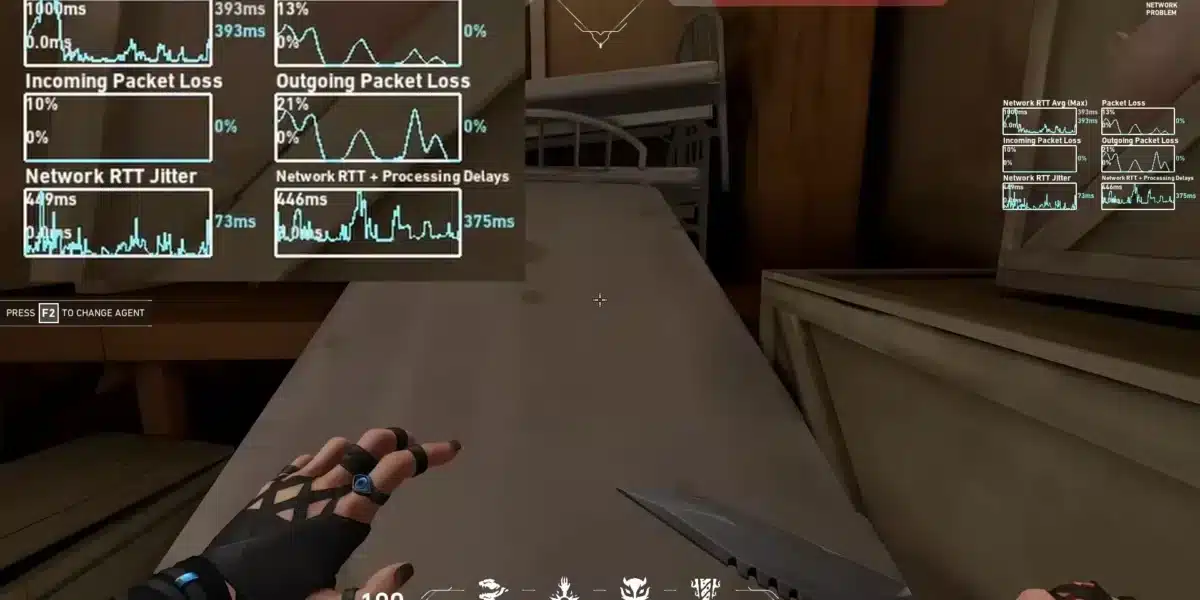
Performance problems are often resolved without contacting Valorant support directly.
Try:
- Updating GPU drivers
- Lowering in-game settings
- Closing background apps
Tools like ExitLag can also help reduce ping and stabilize connections.
Payment and Store Issues
If purchases fail, Valorant support may assist with:
- Missing VP (Valorant Points)
- Failed transactions
- Refund requests
Controller, Ultrawide, and Technical Compatibility
Does Valorant Support Controller DS4 Windows?
A common question in Valorant support forums is: does Valorant support controller DS4 Windows?
The short answer is:
- Valorant does NOT natively support controllers
- DS4 Windows can emulate keyboard/mouse input
- Competitive integrity is maintained using mouse and keyboard only
So while DS4 Windows may work technically, it is not officially supported by Valorant support systems.
Does Valorant Support Ultrawide Displays?
Another frequently asked question is: does Valorant support ultrawide?
Here’s how it works:
- Ultrawide monitors are supported visually
- Gameplay is restricted to maintain competitive fairness
- Side black bars may appear
- Resolution scaling is controlled by Riot Games
This ensures fair play while still allowing modern display compatibility.
Bug Reporting and Technical Assistance
How to Report Bugs Effectively
Players can report bugs through Valorant support using:
- In-game reporting tool
- Support ticket system
- Community forums
Always include:
- Match details
- Screenshots
- Reproduction steps
When to Use Valorant Support Ticket
Use a Valorant support ticket when:
- Bugs persist after updates
- Account is compromised
- Store purchases fail
- Game crashes repeatedly
Valorant Support Tools and Resources
Knowledge Base Articles
The Riot Knowledge Base provides instant Valorant support answers without needing tickets.
Topics include:
- Installation guides
- Error code explanations
- Performance optimization tips
Community Support Channels
Players often use community-driven Valorant support through:
- Reddit discussions
- Discord servers
- Official forums
Even misspellings like “Valorent support” often lead players to these community hubs.
Comparison of Valorant Support Methods
| Support Method | Response Time | Best For | Difficulty |
| Knowledge Base | Instant | Basic issues | Easy |
| Valorant Support Ticket | 24–72 hours | Complex issues | Medium |
| Community Forums | Variable | General help | Easy |
| Live Support (rare) | Fast | Critical issues | Advanced |
This structure ensures Valorant support covers all player needs efficiently.
Tips to Improve Your Valorant Support Experience

Optimize Ticket Efficiency
To get faster results from Valorant support:
- Be precise
- Attach evidence
- Avoid duplicate requests
Prevent Common Issues
Reduce dependency on Valorant support by:
- Keeping drivers updated
- Using stable internet
- Avoiding third-party cheats or tools
Use External Optimization Tools
Players often combine Valorant support with performance tools like ExitLag to reduce ping spikes and packet loss.
Valorant Support in Competitive Gaming Context
Importance in Esports
In competitive environments, Valorant support becomes crucial for:
- Tournament stability
- Match fairness
- Anti-cheat enforcement
Riot’s Anti-Cheat System
Riot Games uses Vanguard anti-cheat, which is deeply integrated with Valorant support operations.
Valorant Support Best Practices Summary
To fully benefit from Valorant support, players should:
- Use official channels only
- Submit structured tickets
- Avoid misinformation sources
- Stay updated with patch notes
Advanced Valorant Support Troubleshooting Methods
Deep System Diagnostics
Advanced Valorant support troubleshooting may include:
- Checking system logs
- Reinstalling Riot Client
- Verifying game files
These methods are often recommended before submitting a Valorant support ticket.
Network Optimization Techniques
Connection issues can be solved using:
- DNS changes
- Router reset
- Traffic optimization tools like ExitLag
Valorant Support for Account Security
Protecting Your Riot Account
Security is a major part of Valorant support. Always:
- Enable two-factor authentication
- Avoid sharing credentials
- Monitor login activity
Handling Suspicious Activity
If you detect unauthorized access:
- Immediately change password
- Contact Valorant support
- Submit a security-focused ticket
Valorant Support Ecosystem Overview
Integrated Support Structure
The Valorant support ecosystem includes:
- Self-help tools
- Automated diagnostics
- Human support agents
Continuous Improvement
Valorant updates regularly improve compatibility, reducing reliance on manual Valorant support tickets.
Conclusion About Valorant Support
Now you know everything about Valorant support. To enhance your experience even further, you can count on tools like ExitLag, which improves your connection and reduces lag.
Frequently Asked Questions
Valorant support helps players fix technical issues, account problems, and gameplay errors in Valorant.
You can submit a Valorant support ticket through the Riot Support Portal after logging into your account.
No, Valorant support confirms the game does not natively support controllers, including DS4 Windows.
Yes, but Valorant support applies restrictions like black bars to maintain competitive fairness.
“Valorent support” is a common misspelling, but Valorant support systems still direct users to the correct Riot help pages.
Got questions or want to connect with other players? Join the conversation at the ExitLag Forum!