
Garena Free Fire remains one of the most recognizable mobile battle royale games, combining short matches, character abilities, ranked competition, frequent collaborations, and an approach designed around smartphone play. Its standard Battle Royale format puts up to 50 players into fast survival matches that typically last around 10 minutes.
Players who are learning Garena Free Fire or returning after a long break can start with this broader Free Fire game guide and gameplay overview. It provides additional context for the game's modes and mechanics while this guide focuses on the current ecosystem, including Free Fire MAX, account support, codes, and performance.
Garena Free Fire continues to evolve through major patches, limited-time campaigns, collaborations, balance changes, and competitive updates. Understanding the current Garena Free Fire mobile game therefore involves more than knowing how Battle Royale works: players also need to understand account security, regional support, legitimate reward codes, Free Fire MAX, and the difference between network lag and device performance.
What is Garena Free Fire?
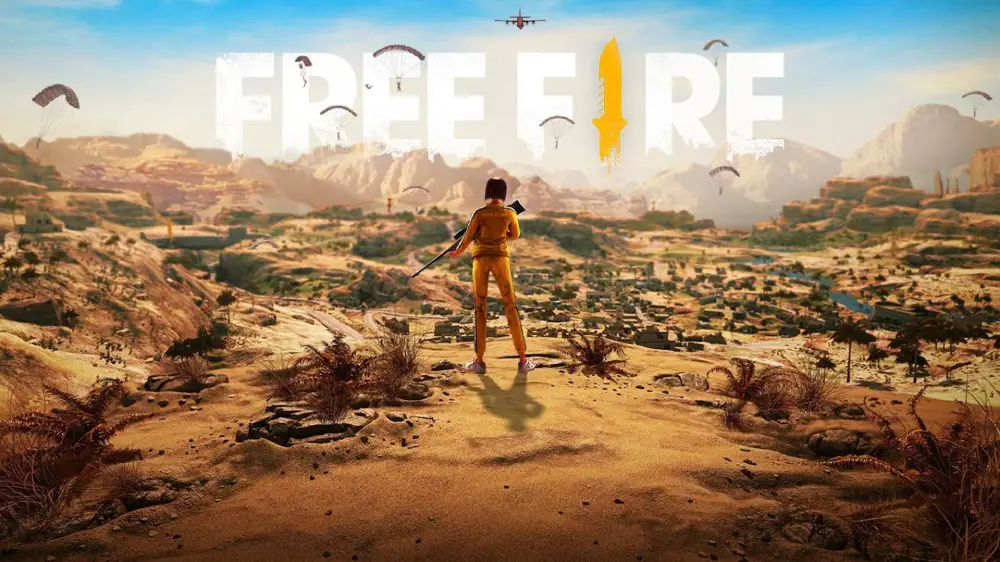
Garena Free Fire is a free-to-play mobile survival shooter published by Garena. Its core Battle Royale mode places players on a map where they loot equipment, stay inside the safe zone, fight opponents, and attempt to become the final surviving player or squad.
The game launched in 2017 and reached its ninth anniversary in 2026. Its longevity comes partly from an accessible mobile-first structure, frequent content updates, recognizable collaborations, and multiple game modes that offer alternatives to traditional Battle Royale.
How does a Free Fire match work?
A standard Battle Royale match is designed to move quickly. Players begin in an aircraft, select where to drop, search buildings and surrounding areas for weapons and equipment, and then reposition as the safe zone becomes smaller.
A typical match involves:
- choosing a landing location;
- finding weapons and ammunition;
- collecting armor and healing items;
- monitoring the shrinking safe zone;
- moving between cover;
- fighting enemy players or squads;
- surviving until the final encounter.
The shorter match structure helps distinguish the Garena Free Fire mobile game from battle royale titles designed around longer sessions.
Map knowledge is still important. A player who understands where loot tends to appear, how terrain affects visibility, and when to rotate toward the next zone can often avoid unnecessary fights.
Characters also add another layer. Rather than functioning only as cosmetic avatars, many characters have active or passive abilities that influence movement, healing, defense, information gathering, or combat.
What game modes can you play?
Battle Royale is the best-known mode, but Free Fire has expanded far beyond a single format.
Clash Squad is another core option. It uses shorter round-based 4v4 matches in which players manage resources, purchase equipment, and attempt to defeat the opposing team.
Other modes and temporary playlists can rotate with updates, events, and collaborations. Because Garena frequently changes limited-time content, players should avoid assuming that an event or special mode described in an older guide is permanently available.
Ranked versions of major modes also provide longer progression goals. However, climbing ranks is not only about eliminations. Survival, positioning, rotations, resource management, and teamwork can all influence results depending on the mode.
Connection problems can make these fast engagements harder to read. If matches feel delayed or unstable, the issue may be network-related rather than a problem with the game mode itself. The guide on how to fix Free Fire lag and connection problems explains common causes such as unstable Wi-Fi, routing problems, background traffic, and latency spikes.
What is the difference between Free Fire and Free Fire MAX?
Garena Free Fire MAX is an enhanced version of Free Fire built for players who want higher visual fidelity and a more detailed presentation. It keeps the same fundamental gameplay ecosystem while offering upgraded graphics, effects, animations, and other presentation improvements.
The standard game remains relevant because it is designed to run on a wider range of mobile hardware. MAX is better understood as an alternative client for players whose devices can handle its additional visual demands.
Does Free Fire MAX have different gameplay?
The core gameplay is shared.
Free Fire MAX still includes familiar systems such as:
- Battle Royale;
- Clash Squad;
- character abilities;
- weapon progression;
- cosmetics;
- account progression;
- events;
- ranked play.
The main difference is presentation rather than a separate competitive ruleset.
Garena uses Firelink technology to connect the two versions. Players can use compatible account progression and play with other users across the standard and MAX versions.
This means Garena Free Fire MAX is not intended to create a separate population where only MAX users can play together.
For many players, the practical decision is therefore based on device capability. A newer smartphone may handle MAX's visual settings comfortably, while an older or entry-level device may provide a better experience with the standard version.
Is Free Fire MAX better than regular Free Fire?
“Better” depends on what the player values.
Free Fire MAX can be appealing if you prioritize:
- improved visual quality;
- enhanced textures;
- richer effects;
- more detailed environments;
- a more visually intensive presentation.
The standard version can be preferable if you prioritize:
- lower hardware demand;
- reduced storage pressure;
- simpler graphics;
- compatibility with less powerful phones;
- more stable FPS on limited hardware.
Higher graphical settings do not automatically improve competitive performance. If a device struggles to maintain frame rate, reducing visual settings may produce a more responsive experience than maximizing graphics.
That distinction matters because FPS and network latency are different problems. A phone that cannot render frames quickly may stutter even with excellent internet, while a powerful phone can still suffer from high ping.
Players trying to optimize the device side can use this Free Fire FPS boost and performance guide to identify settings and system factors that may affect frame rate.
How do Garena Free Fire redeem codes work?
Garena Free Fire redeem codes are promotional codes released through official campaigns, events, broadcasts, partnerships, or other Garena activities. When valid for your account and region, they can provide specific in-game rewards.
Codes are not permanent. They can expire, have regional restrictions, or be limited to one redemption per account.
Queries such as Garena Free Fire códigos often lead to pages that mix current codes with expired ones, so players should be careful about assuming that every code shown in a search result still works.
How do you redeem a Free Fire code?
The official process uses Garena's Rewards Redemption system.
In general, players should:
- Open the official Rewards Redemption website.
- Sign in using the platform connected to the Free Fire account.
- Confirm that the displayed nickname and region are correct.
- Enter the valid redemption code.
- Confirm the redemption.
- Check the account for the reward after successful processing.
Reward delivery can involve in-game mail or direct account additions depending on the item.
A linked account is important. Guest accounts cannot use the standard redemption process, so players relying on a guest profile should consider binding it through supported account options.
If you want to confirm current game information before following third-party instructions, use the official Garena Free Fire website. It is safer than trusting pages that promise unlimited codes, free Diamonds, or unofficial reward generators.
Why is a Free Fire redeem code not working?
A legitimate code can fail for several reasons.
Common causes include:
- the code has expired;
- it has already been redeemed;
- the code belongs to another region;
- the account is not eligible for the promotion;
- one or more characters were entered incorrectly;
- the account is still a guest account;
- the promotion has reached its redemption limit.
Players searching for Garena Free Fire MAX redeem codes should also understand that MAX does not create a separate unlimited-code system. Promotions still depend on Garena's rules, account eligibility, region, and expiration conditions.
Likewise, a page advertising “working Garena Free Fire redeem codes” cannot guarantee that the same code will work for every player.
Be particularly skeptical of websites asking for your password in exchange for Diamonds or rewards. A legitimate redemption process should not require giving account credentials directly to an unknown third party.
Is Garena Free Fire MAX a separate account?
No. Free Fire MAX was designed to work with the broader Free Fire ecosystem through Firelink. Eligible players can use their existing account instead of creating completely separate progress just for MAX.
That shared ecosystem is one of the most important differences between MAX and a traditional sequel.
Does progression transfer between the two versions?
For properly linked accounts, progression and relevant account content can be accessed across the standard and MAX versions through the shared ecosystem.
That includes major account elements such as progression and owned content rather than forcing players to rebuild an entirely new profile.
However, guest accounts deserve extra caution. Garena's support documentation warns that guest-account data is tied to the local device and does not have the same recovery protections as a properly linked profile.
For that reason, players investing time or money into Garena Free Fire MAX should avoid treating a guest login as a long-term account strategy.
Binding your account also becomes important if you later need official support or recovery options.
Can Free Fire and Free Fire MAX players play together?
Yes. Firelink is designed to allow the two clients to coexist in the same game ecosystem.
A player using MAX does not need every squad member to install MAX as well. Friends can use the version that makes the most sense for their device while remaining part of the same broader Free Fire experience.
That is useful for groups with different smartphones. One player may have a flagship phone capable of running MAX comfortably, while another may rely on standard Free Fire for more stable performance.
The phrase Free Fire Garena is often used in searches when players are trying to distinguish the official game from copies, unofficial APKs, or similarly named apps. The safest approach is to use Garena's official channels or trusted platform stores rather than downloading modified packages from unknown websites.
How do you contact Garena Free Fire support?
Garena operates regional support services rather than one universal support page for every player worldwide. This matters because account, payment, ban, recovery, and technical procedures may vary depending on the player's server or region.
Players searching in Spanish often use queries such as soporte Garena Free Fire or Garena Free Fire soporte. The correct support destination still depends on the region connected to the account.
What can Garena support help with?
Official support documentation covers issues such as:
- account access;
- login problems;
- recovery email;
- compromised accounts;
- device login management;
- bans and suspensions;
- technical problems;
- payment issues;
- bug reports;
- redemption problems.
For many support requests, players need to sign in using a linked Free Fire account.
This is another reason account binding matters. According to Garena's support documentation, lost guest-account data may not be recoverable if the local device data is lost or deleted.
If you have access to a recovery email configured for the account, newer recovery workflows can also help reconnect a lost profile to another supported login platform.
How can you protect a Free Fire account?
Account security is more important than any cosmetic or redeem code.
Good practices include:
- bind guest accounts to a supported login platform;
- configure recovery options when available;
- use a strong password on the connected platform;
- enable two-step verification where supported;
- never share login credentials;
- avoid account trading;
- avoid unofficial Diamond sellers;
- do not install suspicious APK files;
- log out of unfamiliar devices.
If your account suddenly reports that it has been accessed from another device, use available account-management tools and secure the external login platform immediately.
Search typos such as Garena Free Fir can also expose players to misleading download pages that imitate the official game name. Always confirm the publisher and source before installing an app or entering account details.
What is happening in Garena Free Fire in 2026?
Garena Free Fire remains actively updated in 2026. The game celebrated its ninth anniversary during the year and continues to receive major patches, events, collaborations, and competitive content.
As of September 2026, Garena's official channels list OB55 as the current major patch and have also announced the return of Free Fire x Naruto Shippuden content.
Why should you check current patch information?
Balance changes can affect:
- weapons;
- character skills;
- Battle Royale mechanics;
- Clash Squad systems;
- maps;
- event rules;
- progression;
- limited-time content.
As a result, an article or video from several months ago may no longer reflect the current meta.
The same rule applies to codes. A code included in a recent video may already be expired by the time you try it.
Players who want current announcements can use the official Free Fire news page to check patch notes, collaborations, campaigns, and major announcements without relying on rumors.
How do collaborations affect the game?
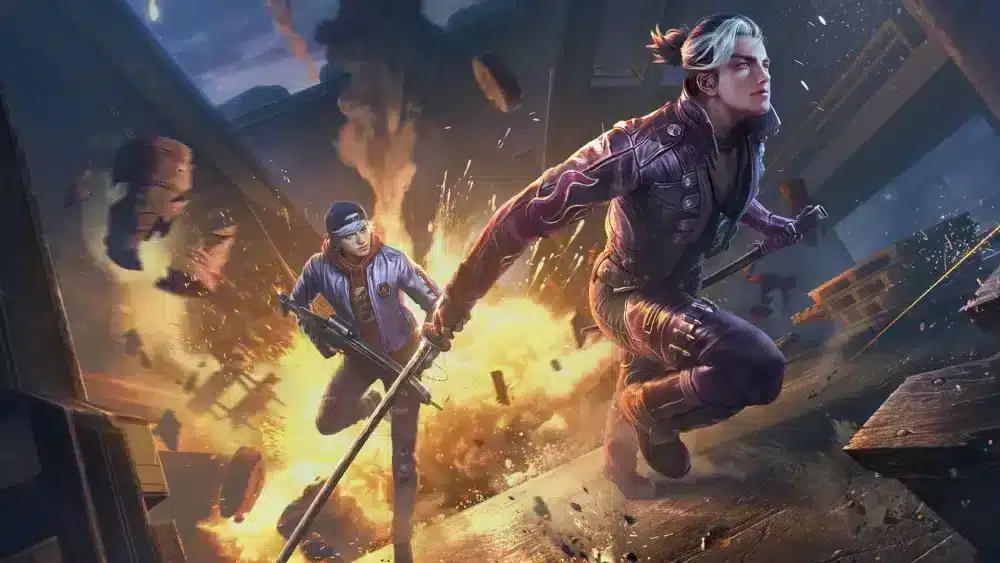
Free Fire frequently uses collaborations to introduce temporary themes, cosmetics, events, and gameplay elements.
These partnerships have become part of the game's identity and can significantly change what players see during a particular patch.
However, limited-time content should be described carefully. A cosmetic, location, mode, or event from a previous collaboration may no longer be obtainable or active.
When evaluating information about the Garena Free Fire mobile game, always check the date. “Available now” is one of the fastest statements to become inaccurate in a live-service game.
The same caution applies to screenshots of future content. Leaks and datamined material should not be treated as confirmed releases until Garena officially announces them.
How can ExitLag help with Garena Free Fire?
ExitLag focuses on connection routing rather than Free Fire's characters, graphics, cosmetics, or game balance. Its role is relevant when a player's route to the game server contributes to latency, packet loss, or connection instability.
It should not be presented as a guaranteed fix for every type of lag.
What network problems can affect Free Fire?
Online multiplayer depends on data traveling between your device and the game server.
Problems can include:
- high ping;
- latency spikes;
- jitter;
- packet loss;
- unstable Wi-Fi;
- congested network routes;
- ISP routing issues.
These problems can result in delayed actions, inconsistent movement, apparent teleporting, or other network-related symptoms.
ExitLag can help optimize routes for supported games. When the default path between the player and server is inefficient, another route may provide better stability or lower latency.
Results depend on the ISP, region, server location, local network, and available routes.
What problems cannot be fixed by route optimization?
Not every Free Fire performance problem is caused by the network.
ExitLag cannot:
- increase weak device processing power;
- add RAM to a phone;
- repair an overheating device;
- guarantee higher FPS;
- fix a global server outage;
- recover an account;
- provide Diamonds;
- generate redeem codes;
- remove a legitimate ban;
- change matchmaking;
- alter weapon balance.
A useful troubleshooting rule is to separate frame-rate problems from network problems.
If the image stutters even in situations that do not depend heavily on online communication, investigate graphics settings, heat, storage, memory, and device performance.
If the game runs smoothly visually but actions feel delayed or the connection fluctuates, investigate the network.
FAQ
Garena Free Fire has multiple versions, account systems, regional services, and temporary promotions, so common questions often involve more than gameplay alone.
These answers summarize the main points players should know before installing, redeeming codes, or contacting support.
Is Garena Free Fire free to play?
Yes. Garena Free Fire is free to download and play.
The game includes optional purchases and in-game currencies, but downloading the standard client does not require buying the game.
What is Garena Free Fire MAX?
Garena Free Fire MAX is an enhanced Free Fire client focused on higher visual quality and presentation.
It uses Firelink to remain connected with the broader Free Fire ecosystem rather than functioning as a completely separate sequel.
Do you need a powerful phone for Free Fire?
The standard game is designed with mobile accessibility in mind and can run on a wide range of devices.
However, performance still depends on hardware, storage, available memory, operating-system conditions, temperature, and graphics settings.
MAX generally places greater demands on the device because of its enhanced visuals.
Are Garena Free Fire redeem codes permanent?
No. Garena Free Fire redeem codes can expire and may have regional or account restrictions.
Players should use legitimate codes promptly and never assume that an old list is still current.
Do Free Fire MAX redeem codes work for everyone?
Not necessarily.
Garena Free Fire MAX redeem codes may be limited by region, event, expiration date, or account eligibility. Some rewards also apply through the shared Free Fire ecosystem rather than functioning as MAX-exclusive promotions.
Can guest accounts redeem codes?
Garena's official redemption guidance states that guest accounts cannot redeem rewards through the standard Rewards Redemption system.
Binding the account to a supported platform is therefore important for both redemption and account protection.
How do I contact Garena support?
Use the official support service for your account's region.
Searches such as soporte Garena Free Fire and Garena Free Fire soporte may lead to different regional pages, so confirm that the service corresponds to your server before submitting account information.
Can Garena recover a lost guest account?
Garena warns that guest-account data is stored locally and may not be recoverable after the device or local data is lost.
Binding an account and setting up available recovery options is much safer than keeping important progress only as a guest profile.
Is Free Fire MAX replacing the original Free Fire?
No current official information indicates that players must abandon the standard version for MAX.
Both continue to serve different hardware needs, with Firelink helping maintain compatibility across the ecosystem.
Can ExitLag increase Free Fire FPS?
ExitLag is primarily a network-routing optimization tool, not a hardware upgrade.
It may help with connection-related instability when routing is involved, but FPS limitations caused by the device should be addressed through graphics settings, background-app management, temperature control, and other performance measures.
Is Garena Free Fire still active in 2026?
Yes. Free Fire remains actively updated in 2026, with new patches, anniversary content, collaborations, and esports activity.
Because the game changes continuously, use current official announcements when checking limited-time events, balance changes, and availability.
Garena continues to expand the game through updates while supporting both the standard and MAX experiences. Whether you are learning Battle Royale, checking codes, troubleshooting support issues, or trying to improve connection stability, use official channels for account-sensitive actions and verify time-limited information before acting on it. If network routing is affecting your matches, test ExitLag to see whether it can provide a more stable route for Garena Free Fire on your specific connection.
All game images used in this article belong to their respective owners. They are used for informational and educational purposes only and do not imply endorsement or affiliation with the rights holders.



