If you want to download Valorant, getting started is easier than ever. Riot Games has streamlined the installation process, allowing players to quickly access one of the most popular tactical shooters in the world. However, understanding the correct installation steps can help avoid common issues and ensure a smooth setup.
Before you download Valorant, it is important to know the system requirements, installation process, and software components involved. Since the game relies on Riot’s ecosystem and security tools, players must install additional components such as the Riot Client and Riot Vanguard.
This guide explains everything you need to download Valorant, install it correctly, and begin playing with minimal complications. Whether you are a first-time player or reinstalling the game on a new PC, the steps below will help you get started.
What is Valorant?
Valorant is a free-to-play tactical first-person shooter developed by Riot Games. The game combines precise gunplay with unique agent abilities, creating a competitive experience that rewards both strategy and mechanical skill.
Since its release, Valorant has become one of the most popular esports titles worldwide, attracting casual players, ranked competitors, and professional teams.
Why Valorant became so popular
Several factors contributed to the success of Valorant:
- Free-to-play accessibility;
- Competitive ranked system;
- Unique playable agents;
- Regular content updates;
- Strong esports support.
These features helped establish the game as one of the leading tactical shooters on the market.
Is Valorant free?
Yes. Players can download Valorant and play the game entirely for free. While optional cosmetic purchases are available, there is no cost required to access the core gameplay experience.
This accessibility has been a major factor behind the game's growth and popularity.
How to download Valorant
The process to download Valorant is straightforward, but it requires installing official software from Riot.
Step 1: Visit the official Riot Games website
The safest way to begin is through the official Riot Games website.
From there:
- Create a Riot account if needed;
- Log into an existing account;
- Access the Valorant game page;
- Download the installer.
Using official sources helps protect your account and ensures you receive the latest version.
Step 2: Download the installer
Once logged in, select the Valorant installer and begin the download.
The installer itself is relatively small, but additional game files will be downloaded during the setup process.
This is the first step toward completing your Valorant download successfully.
Installing Riot Client and Riot Vanguard
When players download Valorant, they are also required to install supporting software.
What is Riot Client?
The Riot Client serves as the launcher for Riot titles.
It allows players to:
- Launch Valorant;
- Manage updates;
- Access Riot accounts;
- Install additional Riot games.
The client handles most of the game's update and maintenance processes.
What is Riot Vanguard?
Riot Vanguard is Valorant's anti-cheat system.
Its purpose is to:
- Protect competitive integrity;
- Prevent unauthorized software;
- Detect cheating attempts;
- Maintain fair gameplay.
Vanguard is required to play Valorant and is automatically installed during setup.
Valorant download size and storage requirements
One of the most common questions from new players concerns the Valorant download size.
How much space does Valorant require?
The exact Valorant download size changes over time as new updates are released.
Typically, players should expect:
- Initial installer download;
- Additional game files;
- Future updates and patches.
For best results, it is recommended to maintain extra storage space beyond the minimum requirement.
Why download size changes
Modern online games evolve continuously.
The Valorant download size may increase due to:
- New agents;
- Maps;
- Visual updates;
- Game modes;
- Performance improvements.
Because of this, available storage should always include room for future updates.
System requirements for Valorant
Before you download Valorant, you should confirm that your system meets the necessary requirements.
Minimum requirements
Valorant is designed to run on a wide range of hardware.
Basic requirements generally include:
- Modern Windows operating system;
- Compatible processor;
- Sufficient RAM;
- DirectX support.
This accessibility allows many players to enjoy the game even on older computers.
Recommended requirements
For smoother gameplay, players should aim for:
- Faster processors;
- More memory;
- Dedicated graphics solutions;
- SSD storage.
Higher-end systems provide better frame rates and more consistent performance.
Common installation problems and solutions
Although most players can successfully download Valorant without complications, installation issues can occasionally occur. These problems may appear during the initial setup, while downloading game files, or when launching the game for the first time after installation.
Fortunately, most installation-related errors are relatively easy to diagnose and resolve. Understanding the most common causes can help you complete the Valorant download process more quickly and avoid unnecessary frustration.
Installation won't start
One of the most common complaints from new players is that the installer fails to launch or stops before completing the setup process. In many cases, the problem is not related to the game itself but to system permissions or software conflicts.
Common causes include:
- Insufficient administrator permissions;
- Antivirus or security software interference;
- Corrupted installer files;
- Internet connectivity problems;
- Background applications blocking installation.
If the installer does not open or becomes stuck, start by running it as an administrator. You should also temporarily disable security software if it is preventing files from being downloaded correctly.
Another useful solution is downloading a fresh installer directly from Riot Games. Sometimes installation files become corrupted during the download process, causing the setup to fail before completion.
Players who encounter issues while performing a Valorant downlad should always verify that they are using the latest installer available from official riot sources rather than third-party websites.
Slow downloads or incomplete game files
In some situations, the installer launches successfully but the game files fail to download properly. This can happen when network stability issues interrupt communication with riot games servers.
Possible symptoms include:
- Download speed suddenly dropping to zero;
- Installation freezing at a specific percentage;
- Missing files after installation;
- Repeated download failures.
If this happens, restarting the Riot Client and checking your internet connection can often resolve the issue. Players should also ensure they have enough available storage space, especially since the Valorant download size may increase with future updates and content releases.
Vanguard-related errors
Since Riot Vanguard is a mandatory security component, installation issues can occur if the service fails to install or start correctly. These errors are among the most common problems reported by players attempting to download Valorant for the first time.
Potential causes include:
- Security settings blocking Vanguard;
- Windows service conflicts;
- Corrupted Vanguard files;
- Previous incomplete installations;
- Outdated system configurations.
Because Vanguard operates at a low system level, even small configuration issues can prevent the game from launching correctly.
How to fix Riot Vanguard installation issues
If Vanguard-related errors appear, the most effective solution is often a complete reinstallation.
To do this:
- Uninstall Riot Vanguard through Windows settings;
- Restart your computer;
- Launch Valorant again;
- Allow Vanguard to reinstall automatically;
- Restart the system if prompted.
This process resolves many startup and installation issues because it replaces damaged files and resets service configurations.
If problems persist after reinstalling Vanguard, checking Windows updates and security settings may help identify conflicts preventing the anti-cheat service from functioning correctly.
By understanding these common issues and solutions, most players can complete their Valorant download successfully and begin playing without major installation problems.
Download Valorant
Before starting your installation, it is useful to understand the different components involved in the download Valorant process.
Many new players assume the game consists of a single download, but several elements work together to create the complete experience.
The table below summarizes the main components and their roles.
| Component | Purpose | Required |
| Valorant Game Files | Main game content | Yes |
| Riot Client | Game launcher and updates | Yes |
| Riot Vanguard | Anti-cheat protection | Yes |
| Riot Account | Login and progression | Yes |
| Additional Updates | New content and patches | Yes |
This overview helps players understand why installing Valorant involves more than simply downloading a single file. Each component serves a specific purpose and contributes to the overall functionality of the game.
Why multiple components are necessary
The Valorant download process is designed to maintain security, stability, and competitive integrity.
For example:
- Riot Client manages updates and account access;
- Riot Vanguard protects against cheating;
- Game files contain maps, agents, and assets.
Together, these systems create the complete Valorant experience.
Understanding the installation workflow
When players download Valorant, the process generally follows this order:
- Download installer;
- Install Riot Client;
- Install Riot Vanguard;
- Download game files;
- Launch and log in.
Understanding this workflow helps reduce confusion and makes troubleshooting easier if issues arise.
Should you use third-party tools?
Some players search for tools related to Valorant tracker download options to monitor statistics and match performance.
What are tracking tools?
Tracking applications may provide:
- Match history;
- Performance analysis;
- Rank progression;
- Gameplay statistics.
These tools are separate from Valorant itself and are not required to play the game.
Safety considerations
When considering a Valorant tracker download, always:
- Use reputable providers;
- Verify compatibility;
- Avoid suspicious downloads;
- Protect account credentials.
Security should always be a priority when installing third-party software.
Tips after installing Valorant
After completing your download Valorant setup, there are a few steps that can improve your experience.
Configure graphics settings
Adjusting settings helps balance visual quality and performance.
Consider optimizing:
- Resolution;
- Frame rate limits;
- Texture quality;
- Anti-aliasing.
Finding the right balance improves gameplay responsiveness.
Learn the agents
Valorant's unique agents are a core part of the game.
New players should spend time:
- Learning abilities;
- Understanding roles;
- Practicing mechanics;
- Exploring different playstyles.
This knowledge can significantly improve performance in matches.
FAQ
Visit the official Riot Games website, download the installer, install Riot Client and Riot Vanguard, then complete the game installation.
The Valorant download size varies depending on updates and patches, but players should maintain sufficient storage space for future content.
Yes. You can download Valorant and play for free, with optional cosmetic purchases available.
Yes. Riot Vanguard is mandatory and is automatically installed during setup.
Try running the installer as administrator, checking available storage, verifying internet connectivity, and reinstalling Riot Vanguard if necessary.
Download Valorant and Enjoy a Better Online Experience with ExitLag
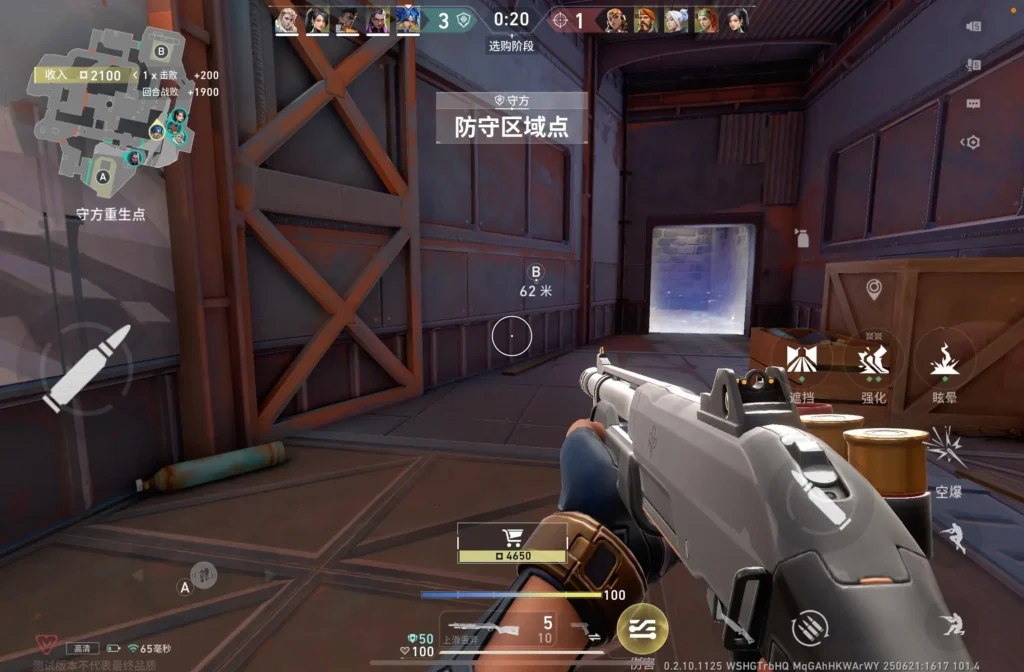
Learning how to download Valorant correctly is the first step toward enjoying one of the most competitive tactical shooters available today. By understanding the installation process, system requirements, and supporting software involved, players can avoid common issues and start playing faster.
Whether you are installing the game for the first time or returning after a break, following the proper setup process ensures a smoother experience and helps prevent unnecessary troubleshooting.
Once you're ready to play, ExitLag can help improve connection stability, optimize routing, and reduce network-related issues during online matches.