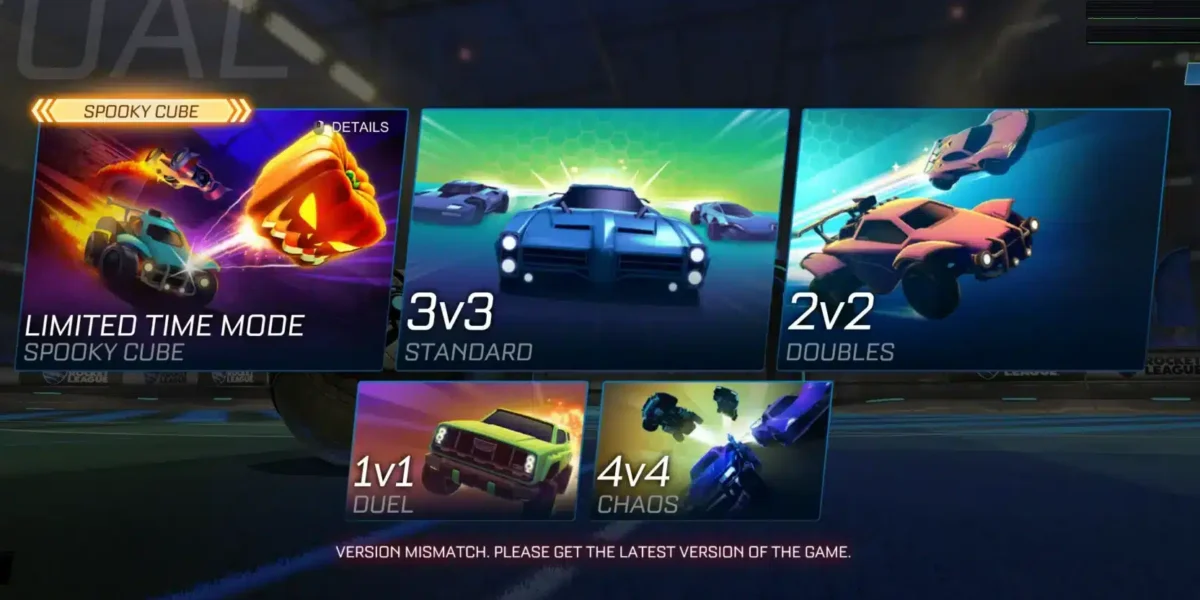
Figuring out How To Get Dev Boost In Rocket League is one of the hottest questions since Season 24 dropped. This shiny new boost effect took over Twitter and TikTok within hours of launch. Every competitive player wants it burning behind their car right now.
The short version is that How To Get Dev Boost In Rocket League changed completely within a single day. Psyonix first tied it to beating a developer in an online match. That plan caused chaos almost immediately, so it got replaced fast.
So here is the direct answer to How To Get Dev Boost In Rocket League: climb to Tier 99 of the free Season 24 Rocket Pass. No developer sightings, no lucky matchmaking, and no shady third-party tool required.
This guide breaks down exactly how the reward works today, why the original method got scrapped, and how to level up faster. Furthermore, we will clear up the separate unlimited boost training setting that confuses a lot of newer players. If you are ever tempted by a shortcut promising instant unlocks, our breakdown of Rocket League Hacks explains why those tools cost more than they deliver.
How To Get Dev Boost In Rocket League Right Now
Psyonix rolled out Dev Boost as a flashy reward during the opening days of Season 24. The original unlock method asked players to defeat an actual developer inside a live match. It sounded fun on paper.
In practice, it broke matchmaking almost instantly. Players dodged, requeued repeatedly, and even left matches early while hunting for a developer who might not be online. Casual playlists took the worst hit.
The Season 24 Rocket Pass Method Explained
Here is the current path, step by step:
- Open the in-game menu and check your current Rocket Pass tier.
- Play matches in Casual, Competitive, or Extra Modes to earn Rocket Pass XP.
- Complete daily and weekly challenges for bonus XP toward each tier.
- Keep progressing until you reach Tier 99 on the free track.
- Open your item inventory to confirm Dev Boost has been added.
This path works for every player, including those who never touch the premium Rocket Pass. As a result, it removes the luck factor that frustrated the community during launch week.
Why The Old Developer Match Method No Longer Works
Psyonix pulled the original method after roughly a day of backlash. The official Rocket League Status account confirmed that winning alongside a developer no longer grants anything.
Therefore, chasing a developer in Casual or Competitive is now a complete waste of time. Save that energy for actual Rocket Pass progress instead.
What Is Dev Boost In Rocket League?
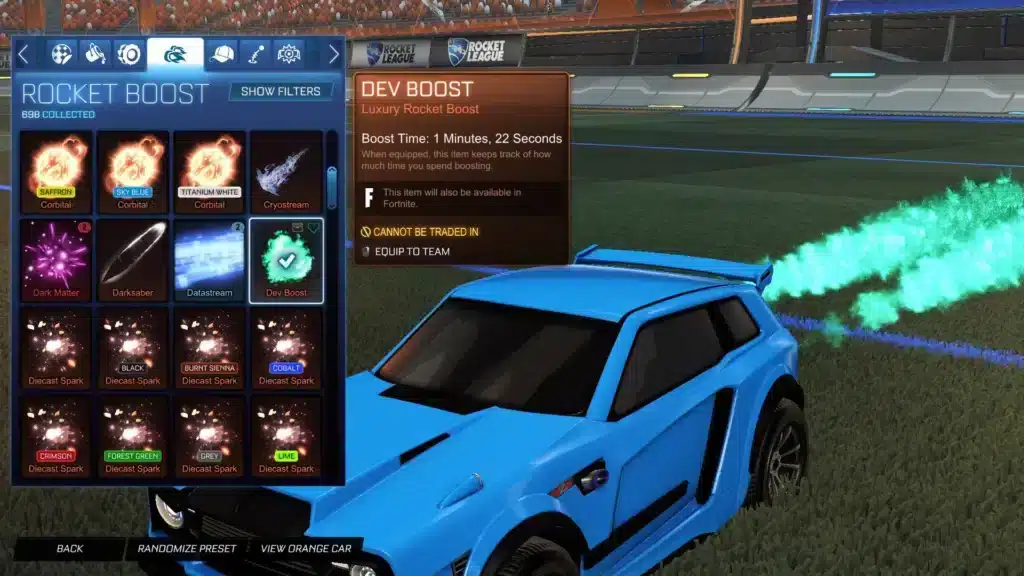
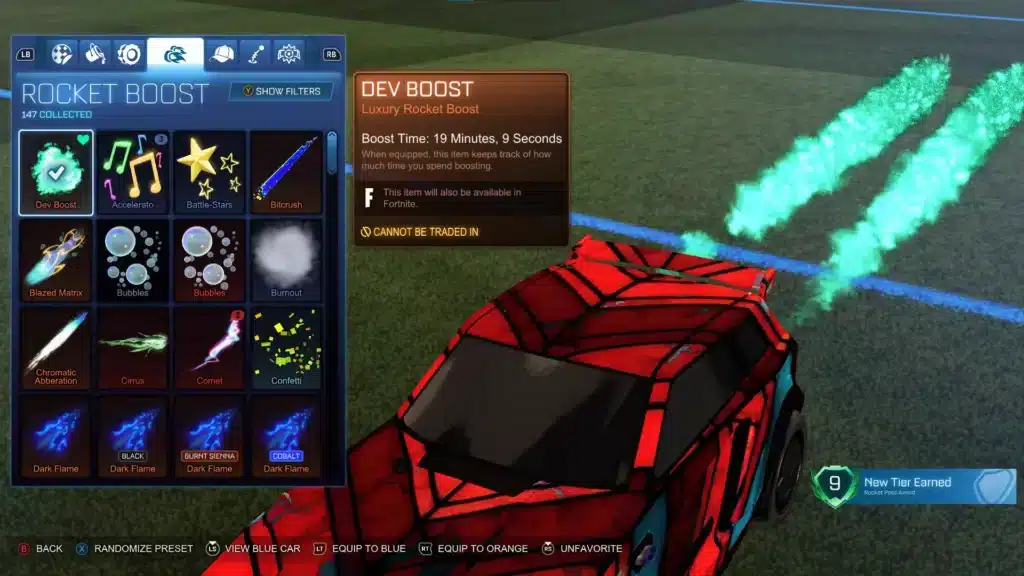
Dev Boost is a cosmetic boost trail, essentially a reskin of the classic Alpha Boost effect. It burns with a bright teal-green flame that trails behind your car during matches.
Notably, it carries zero gameplay advantage. It does not add extra boost pickup, faster refill speed, or any hidden stat bonus over the default boost resource.
How Dev Boost Looks And Works In Matches
Quick facts worth knowing:
- Visual only: Dev Boost changes color and particle style, not boost amount or speed.
- Equip like any boost: Once unlocked, set it as your active boost in your inventory or garage.
- Works everywhere: It shows up in Casual, Competitive, Private Matches, and Free Play alike.
- Account bound at first: Treat it like other Rocket Pass rewards and check current in-game trade rules before assuming it moves freely.
Is Dev Boost Just A Cosmetic Reward?
Yes. Rocket League Developer Boost exists purely for bragging rights and style, similar to painted wheels or a Black Market decal.
However, that is exactly why so many players want it early. A rare-looking cosmetic tied to a launch-week controversy tends to become a status symbol fast.
Why Did Psyonix Change How Dev Boost Rocket League Works?
The switch to how Dev Boost Rocket League rewards work was not random. Psyonix explained on the official Rocket League Status account that the developer-match method led to a poor match experience.
Global time zones made things worse. A developer active in North America was essentially invisible to players in Oceania or Southeast Asia during their own peak hours.
The Matchmaking Problems It Caused
The community flagged several issues almost instantly:
- Players repeatedly forfeited or left matches while searching for a developer.
- Casual queues filled with low-effort games as people farmed for encounters.
- Regions without an online developer had effectively zero chance at the reward.
- Rumors and fake “sightings” spread faster than accurate information.
The Official Fix From Rocket League Status
Psyonix confirmed the change directly, stating the goal was a reward anyone could earn fairly. Consequently, Dev Boost moved to Tier 99 of the free Season 24 Rocket Pass.
This means skill level barely matters here. Time, consistency, and a bit of grinding decide whether you get it before the season ends.
How To Level Up Your Rocket League Rocket Pass Fast
Reaching Tier 99 sounds distant, but the climb is manageable if you play with intent. Rocket League Season 24 rewards consistent daily play far more than marathon weekend sessions.
Every match you finish contributes XP, and finishing matches matters more than winning every single one.
Best Ways To Earn Rocket Pass XP Every Match
Keep these habits in mind while you grind:
- Play full matches instead of quitting early, since XP is tied to completion.
- Prioritize Competitive and Extra Modes when a mode-specific challenge is active.
- Queue with friends for party bonuses whenever the current event offers them.
- Finish placement matches early in the season to unlock ranked rewards sooner.
Weekly Challenges And Bonus XP Tricks
Follow this simple routine each week:
- Check the challenge tab regularly, since weekly challenges typically refresh on a set day.
- Stack easy challenges, like goals, saves, or assists, across a few relaxed matches.
- Save harder win-based challenges for sessions when you feel sharp mentally.
- Log in daily, even briefly, so you never miss a login-based bonus.
Consistency beats intensity here. Indeed, ten focused minutes every day usually beats one exhausting six-hour session.
Is There Also An Unlimited Boost Setting In Rocket League?
Yes, and it is a completely different feature from Dev Boost. Free Play and Custom Training both include an unlimited boost option in the gameplay settings.
Unfortunately, this causes real confusion. Some players search for developer boost expecting infinite boost in real matches, but that setting never applies to Casual or Competitive.
Unlimited Boost In Free Play And Custom Training
Here is how to turn it on for practice sessions:
- Enter Free Play or a Custom Training pack first, since the option is hidden elsewhere.
- Open the pause menu and go to the Gameplay settings tab.
- Toggle unlimited boost on to practice mechanics without managing pads.
- Toggle it back off when you want to rehearse realistic boost management.
Why This Setting Is Different From Dev Boost
Unlimited Boost Rocket League settings only exist for practice. They never carry into ranked or casual online matches under any circumstance.
Dev Boost, on the other hand, is a permanent cosmetic tied to your account once earned. One is a training tool, the other is a trophy.
Here is a quick side-by-side to keep these boost types straight before moving on.
| Boost Type | How You Get It | Where It Works | Gameplay Effect
|
|---|---|---|---|
| Standard Boost | Default resource, picked up from pads on the field | All online modes | Core gameplay resource |
| Dev Boost | Free Tier 99 of the Season 24 Rocket Pass | All modes, once equipped | Cosmetic only |
| Alpha Boost | Older cosmetic unlock, trade, or reward | All modes, once equipped | Cosmetic only |
| Unlimited Boost Setting | Gameplay toggle in Free Play or Custom Training | Free Play and Custom Training only | Practice tool, not usable online |
Pro Tips And Common Mistakes For Rocket League Developer Boost
Pro Tips: Getting Dev Boost In Rocket League
- Play daily, not just weekends: Rocket Pass XP never resets mid-season, so short daily sessions add up faster than one long grind.
- Finish every challenge tab weekly: Weekly challenges often reward more XP than several regular matches combined, so check them often.
- Stabilize your connection first: Losing connection mid-match can cost you completion-based XP, so a smoother route through ExitLag protects your progress.
- Track your tier, not just your rank: Watching Rocket Pass progress separately from MMR keeps you motivated even during a rough ranked stretch.
Common Mistakes Rocket League Players Make
- Chasing developers in matches: Some players still queue hoping to meet a developer. Fix: focus entirely on Rocket Pass tiers, since that old method no longer grants anything.
- Quitting matches early: Leaving before a match ends often forfeits progress toward challenges and XP. Fix: finish matches, even losses, to keep earning toward Tier 99.
- Ignoring weekly challenges: Skipping the challenge tab wastes free XP every single week. Fix: check it every few days so nothing expires unused.
- Confusing unlimited boost with Dev Boost: Turning on the training setting will never unlock the cosmetic. Fix: remember that Dev Boost only comes from Rocket Pass progress.
Boost Your Connection While You Grind For Dev Boost
Grinding toward Tier 99 means playing a lot of matches, and connection hiccups make that grind painful. ExitLag is not a VPN. It is a game connection optimizer that scans multiple network routes in real time and selects the fastest, most stable one to Rocket League’s servers.
ExitLag supports over 4,000 titles across PC and mobile, backed by 1,500+ servers in more than 190 countries. Millions of players already rely on it to cut ping and packet loss during exactly this kind of long grinding session. If matches already feel sluggish, ExitLag’s dedicated Rocket League lag fix guide breaks down the common causes in more depth.
Why Connection Quality Matters For Rocket League
Here is what actually helps during a long Rocket Pass grind:
- Real-time optimization reduces delay and packet loss, so flicks and dribbles land the way you intended.
- Multipath technology keeps your route stable, rerouting automatically if one path degrades mid-match.
- Traffic Shaper prioritizes Rocket League traffic over background downloads or streaming apps.
- PC Boost clears background processes so frame rate stays consistent through a long session. For a deeper dive into frame tuning, ExitLag’s Rocket League FPS boost guide covers several more performance tweaks.
How To Get Started With ExitLag
Setup takes a few minutes and works alongside your existing internet plan. Just avoid running it together with a VPN, since that combination reduces its effectiveness.
ExitLag does not modify game files, inject code, or interact with anti-cheat systems, so it stays safe alongside Rocket League’s own protections. You can grab the ExitLag Download and start optimizing your route before your next grinding session toward Tier 99.
How To Get Dev Boost In Rocket League: Final Checklist
Quick Recap
How To Get Dev Boost In Rocket League boils down to one clear path today. Reach Tier 99 on the free Season 24 Rocket Pass, and the cosmetic lands in your inventory automatically.
Keep this short list handy while you grind:
- Skip chasing developers, since that method was removed after launch week.
- Play consistently and complete weekly challenges every few days.
- Keep your connection stable with a tool like ExitLag while you grind.
- Equip Dev Boost the moment it appears in your inventory.
What To Do Next Each Season
Rocket Pass rewards rotate every season, so a similar strategy will help with future exclusive items too. For the complete rundown of new cars, wheels, and modes Psyonix shipped alongside Dev Boost, the official Season 24 patch notes cover everything in detail.
Meanwhile, if you want a deeper look at competitive progression, ExitLag’s guide to Rocket League ranks and MMR is a great next read.
At the end of the day, How To Get Dev Boost In Rocket League is no longer a mystery or a chase around the map. Play smart, protect your connection, and Tier 99 will come faster than you think.
All game images used in this blog post belong to Psyonix. They are used for informational and educational purposes only and do not imply endorsement or affiliation with the rights holders.
Got questions or want to connect with other players? Join the conversation at the ExitLag Forum!