If you’re exploring vast worlds, knowing how to make a compass in Minecraft can completely change your gameplay. Getting lost is one of the most common frustrations for players, especially in survival mode where navigation matters.
Understanding how to make a compass in Minecraft is essential if you want to explore safely and always find your way back. This simple item can save hours of wandering and help you build with confidence.
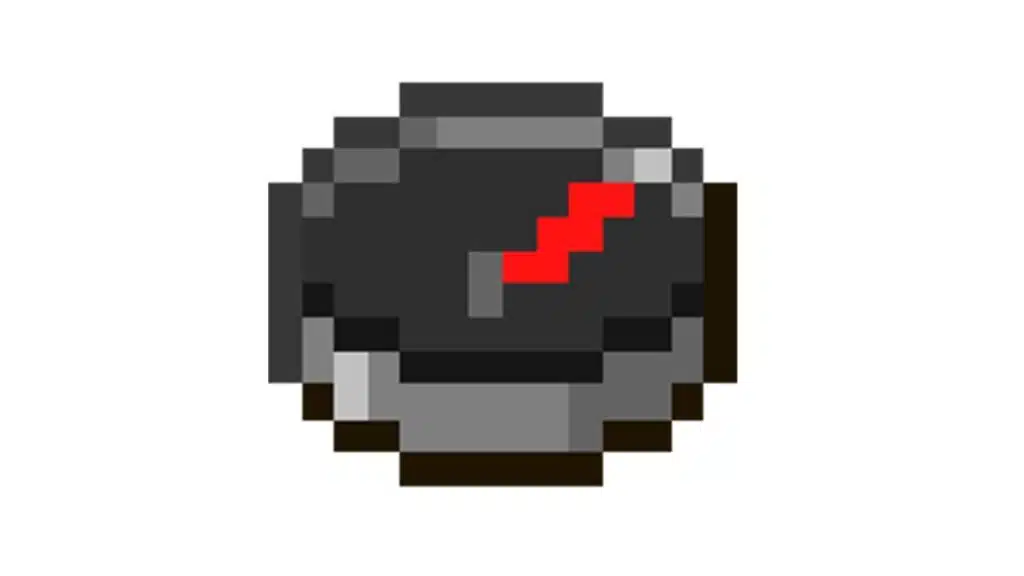
So, what is how to make a compass in Minecraft and why is it important? A compass is a navigation tool that always points to your world spawn point (or a Lodestone if linked), making it one of the most useful items for survival and exploration.
How to Make a Compass in Minecraft: Step-by-Step Crafting Guide
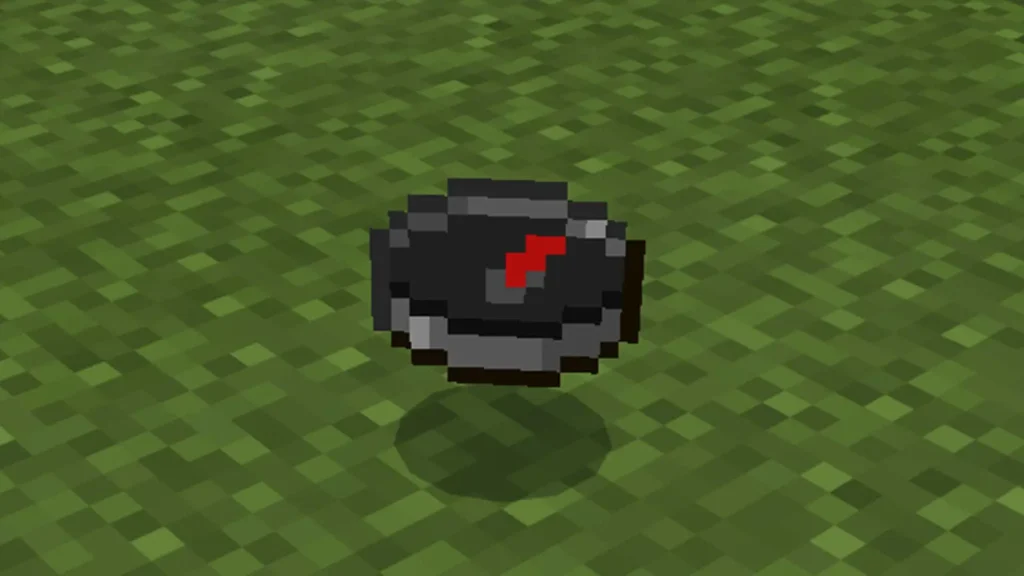
Before crafting, you need to gather the correct Minecraft compass materials. The process is simple, but collecting resources requires some preparation.
Materials Needed for Compass Crafting
To complete the Minecraft compass recipe, you will need:
- 4 Iron Ingots;
- 1 Redstone Dust.
These are the only materials required, making compass crafting Minecraft relatively easy compared to other tools.
How to Craft the Compass
Follow these steps to craft your compass:
- Open your crafting table;
- Place the Redstone Dust in the center;
- Surround it with 4 Iron Ingots (top, bottom, left, right);
- Drag the compass into your inventory.
This simple Minecraft compass recipe ensures you can quickly create the item and start navigating your world.
Minecraft Compass Materials and Where to Find Them
Finding the right materials is the only challenge when learning how to make a compass in Minecraft.
Where to Find Iron Ingots
Iron can be obtained by:
- Mining iron ore underground;
- Smelting iron ore in a furnace;
- Finding iron in loot chests.
Iron is one of the most common resources, so gathering it shouldn’t take long.
Where to Find Redstone Dust
Redstone is slightly harder to find:
- Found deep underground (usually below Y-level 16);
- Requires an iron pickaxe or better;
- Can also be found in chests.
Once you collect these Minecraft compass materials, you’re ready to craft your compass.
How to Use Compass in Minecraft for Navigation
After learning how to make a compass in Minecraft, the next step is understanding how to use it effectively.
Basic Compass Function
The compass needle will:
- Always point to your world spawn point;
- Move dynamically as you change direction;
- Help you return home quickly.
This makes it essential for long exploration trips.
Advanced Usage Tips
Here are some tips for using your compass:
- Build your base near spawn for easier navigation;
- Combine with maps for better exploration;
- Use markers or landmarks alongside the compass.
Knowing how to use compass in Minecraft properly gives you a major advantage in survival mode.
Lodestone Compass Minecraft: Advanced Navigation
The lodestone compass Minecraft feature allows you to change how your compass works.
What is a Lodestone?
A Lodestone is a special block that:
- Redirects your compass;
- Acts as a custom waypoint;
- Is crafted using Netherite and stone.
How to Link a Compass to a Lodestone
To create a lodestone compass Minecraft, follow these steps:
- Place the Lodestone block;
- Hold the compass;
- Right-click the Lodestone;
- The compass will now point to that location.
This is extremely useful for marking important bases or locations.
Minecraft Compass Pointing to Player: Is It Possible?
Many players wonder if a Minecraft compass pointing to player is possible.
Default Behavior
By default, a compass:
- Does NOT point to other players;
- Only points to spawn or Lodestone.
Alternative Methods
If you want tracking features:
- Use commands in multiplayer servers;
- Install mods or plugins;
- Use maps combined with player markers.
So while Minecraft compass pointing to player isn’t native, there are creative ways to achieve similar results.
Compass vs Other Navigation Tools
Understanding how the compass compares to other tools helps you decide when to use it. When learning how to make a compass in Minecraft, many players assume it’s the only navigation solution, but that’s not entirely true.
Each tool serves a different purpose, and combining them can significantly improve your gameplay.
Comparing Navigation Tools in Minecraft
Below is a practical comparison of the main navigation tools available:
| Tool | Function | Difficulty | Efficiency |
| Compass | Points to spawn/Lodestone | Low | High |
| Map | Visual navigation | Medium | Medium |
| Coordinates | Exact positioning | Low | High |
| Landmarks | Visual reference | Low | Low |
This table highlights how each tool performs in different scenarios. The compass stands out because of its simplicity and reliability, especially for beginners who just learned the Minecraft compass recipe.
- The compass crafting Minecraft process is simple, making it accessible early in the game;
- Maps require more setup and exploration to be effective;
- Coordinates are powerful but can break immersion for some players;
- Landmarks depend heavily on memory and visual cues, which can be unreliable.
So, while every option has its place, the compass provides one of the most consistent navigation methods.
When to Use Each Navigation Tool
Choosing the right tool depends on your situation and playstyle. Knowing how to use compass in Minecraft alongside other tools gives you a major advantage.
Use the compass when:
- You need to return to spawn quickly;
- You are exploring without a defined route;
- You’re using a lodestone compass Minecraft for custom locations.
Use maps when:
- You want a visual overview of explored areas;
- You’re mapping large regions;
- You’re working on exploration achievements.
Use coordinates when:
- You need precise positioning;
- You’re building large structures;
- You’re sharing locations with other players.
Use landmarks when:
- You’re staying near your base;
- You prefer a more immersive experience;
- You combine them with other tools.
Some players even try to simulate a Minecraft compass pointing to player using coordinates or mods, but for most situations, the default compass already solves the biggest navigation challenges.
In the end, the compass offers the best balance between ease of use and efficiency, especially when combined with advanced options like Lodestones.
Common Mistakes When Using a Compass
Even after learning how to make a compass in Minecraft, players often make mistakes.
Ignoring Spawn Location
If you don’t know your spawn point:
- The compass may confuse you;
- You might end up lost anyway.
Not Using a Lodestone
Without a Lodestone:
- You can’t mark custom locations;
- Navigation becomes limited.
Avoiding these mistakes will help you get the most out of your compass.
Tips to Improve Navigation in Minecraft
To truly master exploration, it’s not enough to just learn how to make a compass in Minecraft.
You need to combine tools, strategies, and awareness of your surroundings to move efficiently and avoid getting lost.
Good navigation is what separates casual exploration from smart gameplay. By applying the right techniques, you can save time, avoid frustration, and explore with confidence.
Essential Navigation Strategies for Survival Mode
If you want to maximize your exploration, these core strategies will make a huge difference:
- Always carry a compass after completing the Minecraft compass recipe;
- Combine compass + map for both direction and visual reference;
- Mark important locations like bases, villages, and portals;
- Use a lodestone compass Minecraft to create custom waypoints.
Understanding how to use compass in Minecraft is the foundation here. The compass keeps you oriented, while maps expand your awareness of the terrain.
For example, while the compass points you back to spawn, a map helps you visualize where you’ve already been. This combination is one of the most efficient ways to navigate large worlds.
Advanced Tips to Avoid Getting Lost
Once you’ve mastered the basics of compass crafting Minecraft, you can take your navigation to the next level with smarter habits.
Here are some advanced tips:
- Build your base near spawn or link it using a Lodestone;
- Keep extra Minecraft compass materials in case you lose your items;
- Create visual markers like towers, torches, or unique structures;
- Use multiple compasses linked to different Lodestones for key locations.
Some players also look for ways to simulate a Minecraft compass pointing to player, especially in multiplayer. While that’s not a native feature, combining coordinates and strategic markers can achieve a similar effect.
FAQ
The recipe requires 4 Iron Ingots and 1 Redstone Dust arranged around the center.
Use it to return to spawn or link it to a Lodestone for custom navigation.
Not by default, but it can be done using commands or mods.
You need Iron Ingots and Redstone Dust.
It’s a compass linked to a Lodestone that points to a custom location.
How to Make a Compass in Minecraft and Play Without Lag
Now that you fully understand how to make a compass in Minecraft, you’re ready to explore your world with confidence and efficiency.
Using tools like a compass improves your gameplay, but connection quality also matters. Lag, high ping, and instability can ruin even the best exploration strategies.
That’s where ExitLag comes in.
ExitLag is not a VPN, it’s a smart routing optimizer that finds the best path between your device and the game server, reducing lag and improving stability.
Try ExitLag now and experience smoother gameplay, lower ping, and more stable connections in your favorite games.
Got questions or want to connect with other players? Join the conversation at the ExitLag Forum!