
Discover how to customize your character for Minecraft with skins, editors, and downloads. Learn tips to create a unique avatar.
The character for Minecraft represents your avatar, the way you look and express yourself in-game. From the start, players can customize it to match their own style.
Some stick with the default options, while others explore skin editors or upload custom designs. Either way, your character quickly becomes part of your identity in the world of Minecraft.
And if you’re ready to take that next step, check our full guide on how to change your skin in Minecraft to make your avatar truly unique.
Default Minecraft Characters
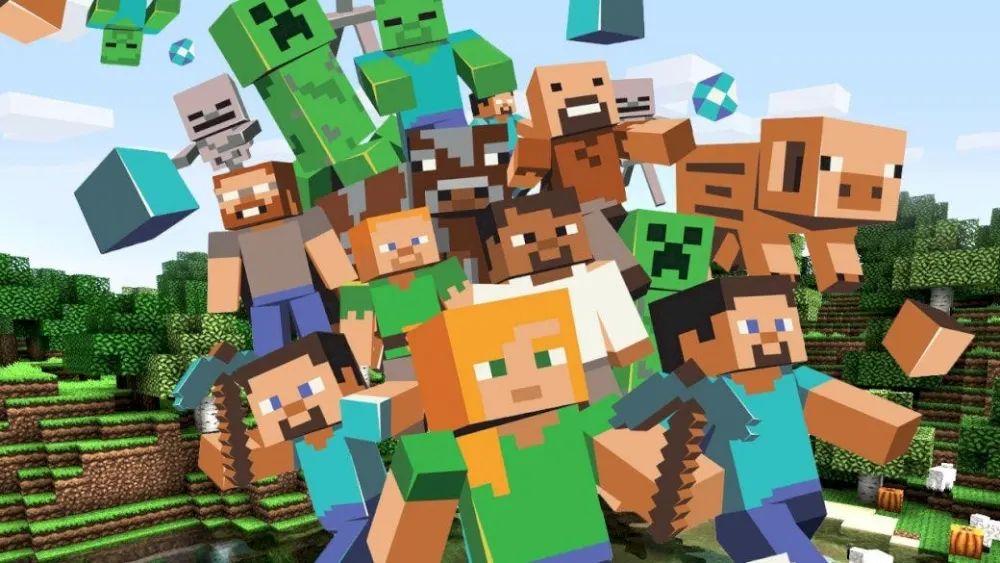
When talking about any Minecraft character, two names immediately come to mind: Steve and Alex.
They are the iconic starting avatars, representing the base look for millions of players since the game’s early days. Both were designed to be neutral templates, easy to customize, and instantly recognizable within the community.
Steve: the original Minecraft player model
Steve was the very first Minecraft player model, introduced with a blocky body type and a square, sturdy appearance. His default look features:
- Blue shirt and dark blue jeans.
- Brown hair and simple facial features.
- A broader build, with slightly larger arms.
For many veterans, Steve is the “classic” character for Minecraft, often associated with nostalgia and the earliest adventures in survival mode.
Alex: a lighter alternative
Later on, Mojang introduced Alex as a second default Minecraft character, offering a slimmer and more flexible design. Unlike Steve, Alex has:
- Orange hair tied into a ponytail.
- Green shirt and brown pants.
- Narrower arms, giving a less blocky aesthetic.
See more default skins:
How to create or change your Minecraft character
Understanding how to change character in Minecraft is easy, and it unlocks countless ways to express yourself.
Depending on your edition, you can either use the Minecraft character creator in Bedrock Edition or upload custom Minecraft skins in Java Edition. Both methods allow you to transform your character for Minecraft into something truly unique.
Using Minecraft Character Creator (Bedrock Edition)
The Minecraft character creator is built into the Bedrock Edition, giving players full control over appearance without leaving the game. You can edit:
- Hairstyles, colors, and facial features.
- Clothing, jackets, and accessories.
- Body size and arm width, going beyond the default Minecraft player model.
Step-by-step tutorial (Bedrock):
- Open the game and go to Profile.
- Click on Character Creator.
- Select an empty slot or edit your current avatar.
- Customize hair, eyes, clothing, and body.
- Save changes to apply them in-game.
📸 Print sugerido: tela do menu “Character Creator” com opções de cabelo, roupa e corpo destacadas.
Uploading custom skins (Java Edition)
For Java Edition, customization works by uploading custom Minecraft skins from external websites or skin editors. This method gives you total freedom to design outside the game.
Step-by-step tutorial (Java):
- Download a skin file from trusted sites such as Skindex, NameMC, or Planet Minecraft.
- Log into the official Minecraft website.
- Go to Profile > Change Skin.
- Click Upload and select your skin file.
- Confirm and restart the game to see your new look.
📸 Print sugerido: tela do site oficial do Minecraft em “Change Skin” com botão de upload marcado.
With either method, the possibilities are endless. Many creators even align skins with server themes or content for streaming, making the character for Minecraft part of their personal brand.
Custom skins and where to download
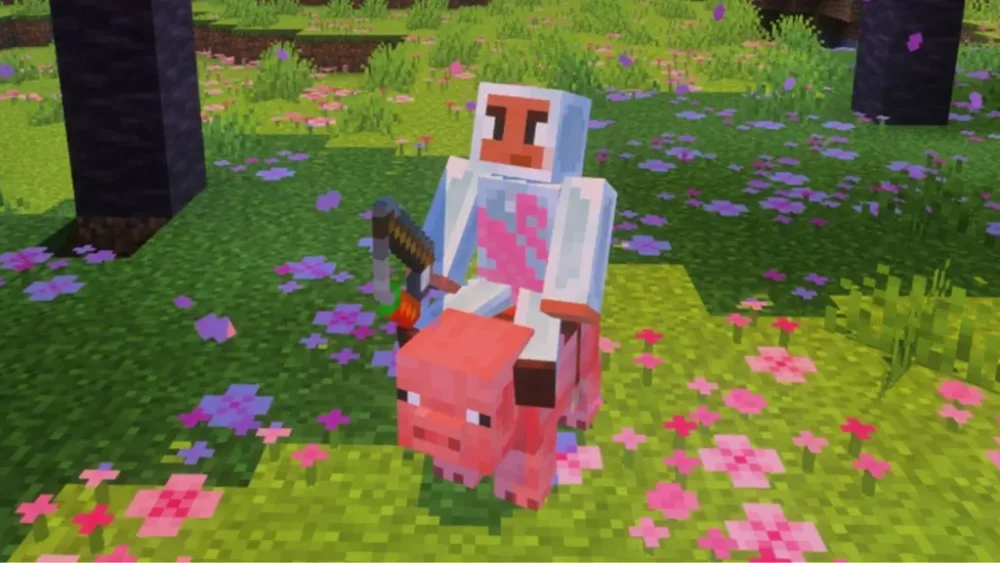
Players can explore thousands of options, ranging from community-made skins to fully original creations. Thanks to a variety of trusted platforms, anyone can safely download Minecraft character files and apply them directly to their game.
Trusted sites for Minecraft avatar customization
When searching for Minecraft avatar customization, reliability is key. The community usually recommends three platforms:
- Skindex – one of the largest collections of custom Minecraft skins, where players can browse by category or popularity.
- NameMC – a site that combines Minecraft usernames with their active skins, letting you copy or inspire your design.
- Planet Minecraft – a long-standing hub offering both skins and full projects, including texture packs and maps.
Each site offers simple download buttons, ensuring your Minecraft character is ready to be applied within minutes.
📸 Print sugerido: tela do site Skindex mostrando a galeria de skins mais populares.
Popular types of skins for every style
Players often ask what makes a skin stand out. The truth is, it depends on your style of play and how you want your Minecraft player model to be recognized. Some of the most downloaded categories include:
- Heroes – superheroes and action icons inspired by comics or movies.
- YouTubers – skins based on famous Minecraft content creators.
- Mobs – creative twists where your character looks like a Creeper, Enderman, or Zombie.
- Anime – stylized skins inspired by popular Japanese characters.
- Minimalist – simple, clean designs often chosen for a modern aesthetic.
Each of these categories is widely available across skin galleries, meaning it’s easy to find or download Minecraft character styles that match your mood, server, or role-play.
📸 Print sugerido: galeria de skins de heróis no Planet Minecraft com exemplos variados.
How to use downloaded skins
Once you choose a skin, applying it is quick:
- Save the skin file (usually in .PNG format).
- Log into the official Minecraft website.
- Go to Profile > Change Skin.
- Upload your chosen file and confirm.
- Restart the game to see your new look.
And with that, your character for Minecraft instantly transforms, ready to stand out in multiplayer servers or personal builds.
Tips to stand out with your character
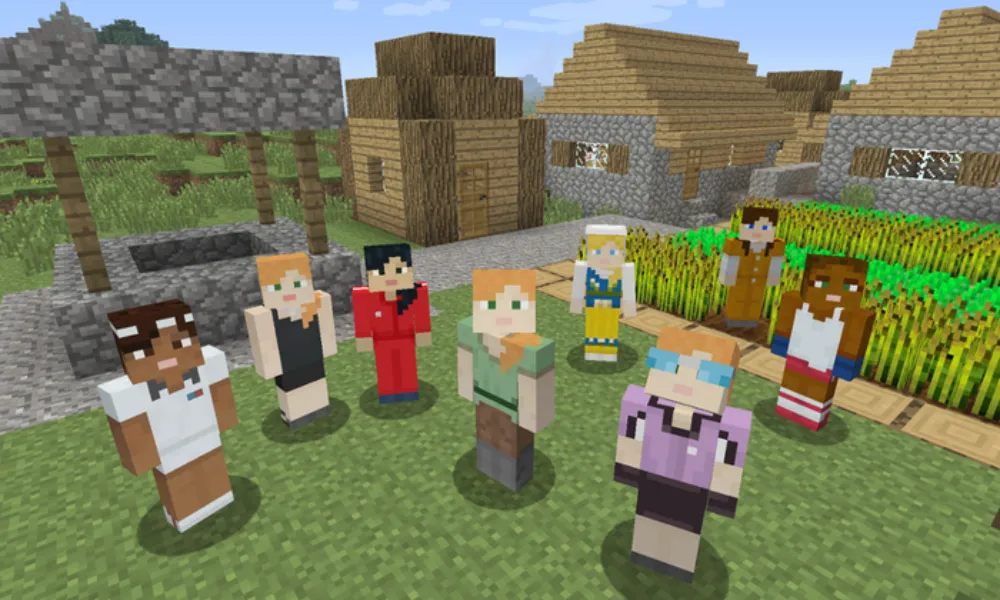
Every character for Minecraft has the potential to be unique, but it takes creativity to really stand apart.
Match your skin with the world around you
One simple way to enhance your Minecraft character is by combining your skin with the map or server theme. For example:
- On medieval servers, wear knight or villager-inspired outfits.
- In survival SMPs, go for rugged explorers or armor-styled looks.
- On creative role-play servers, embrace fantasy or anime skins for immersion.
By aligning the skin with the gameplay environment, your Minecraft player model feels more connected to the world and its story.
Build a personal brand through customization
For creators, the avatar becomes a brand. Using custom Minecraft skins designed specifically for YouTube or Twitch helps audiences remember you more easily. A consistent look with unique details — such as a signature hoodie, emblem, or color palette — can turn your Minecraft avatar customization into part of your online identity.
To take it further, players on Bedrock Edition can use the Minecraft character creator to add accessories like hats, backpacks, or wings, refining the smallest details until the avatar feels like a true extension of themselves.
Keep your downloads safe
Finally, when you download Minecraft character skins, safety matters. Always rely on trusted sites like Skindex, NameMC, or Planet Minecraft. Avoiding shady sources prevents risks such as malware-infected files or corrupted textures.
In short: creativity gives you style, but smart choices keep your character for Minecraft both secure and memorable.
Can you change your Minecraft character skin?
Yes. Players can easily change Minecraft character skin at any time. On Java Edition, this is done by uploading a new file on the official website. On Bedrock Edition, you can switch directly in the in-game Minecraft character creatormenu.
What’s the difference between Steve, Alex, and custom models?
Steve and Alex are the two default options for any Minecraft player model. Steve has a wider build with blue clothing, while Alex features a slimmer body type with orange hair. Custom models or custom Minecraft skins go beyond these basics, allowing players to express individuality through fully original or downloaded designs.
Where to download characters for Minecraft?
The safest way to download Minecraft character skins is by visiting trusted sites such as Skindex, NameMC, or Planet Minecraft. These platforms host millions of free skins for every style, making Minecraft avatar customization simple and secure.
Is the Minecraft character creator free?
Yes — the Minecraft character creator is free to use in the Bedrock Edition. It includes a wide range of base options, such as hair, body size, and clothing. However, some premium accessories and cosmetic packs may require Minecoins.
How to create a custom character for Minecraft?
To create a custom Minecraft skin, you can either use the Minecraft character creator in Bedrock Edition or upload your own design in Java Edition. Both methods let you shape your character for Minecraft with unique details, from outfits to facial features.
Make Your Minecraft Character Truly Yours
Personalizing your avatar is what transforms Minecraft from a simple sandbox into a world of self-expression. Every skin or detail you choose adds depth to the way you play.
With the right tools, from skin editors to the official creator, it’s easy to build an identity that feels unique and memorable.
Start now by accessing the official Minecraft Character Creator and design the character for Minecraft that fits your style.


